TL;DR
- A new hire onboarding portal is a destination. The question arrives in chat, at a desk, or at nine on a Sunday evening. That mismatch is why good portals go unread.
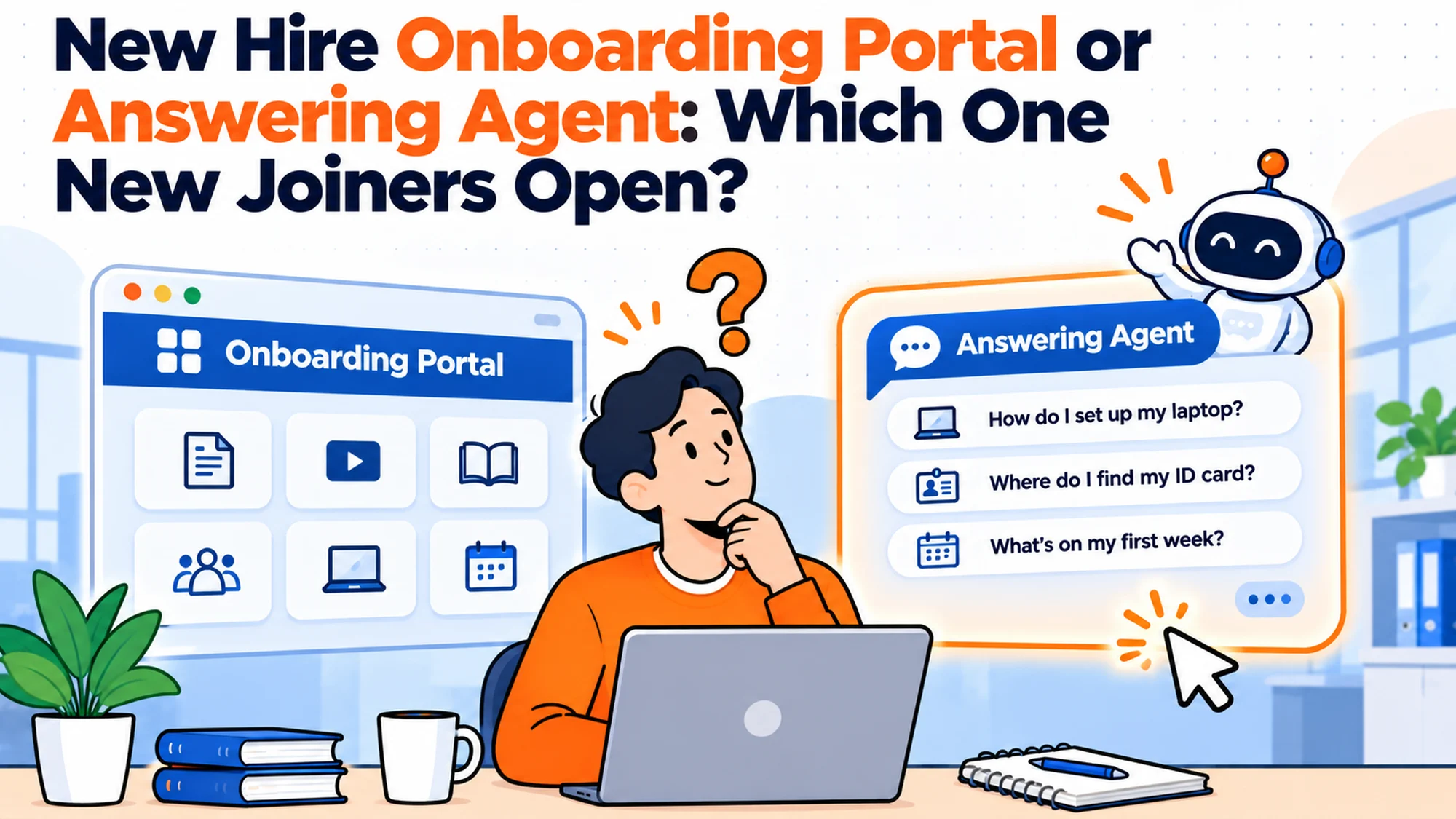
- Build a portal when starters need to complete things in sequence. Build an answering layer when they need to find things. These are different jobs and the tools are not interchangeable.
- The honest measure of a portal is not how complete it is. It is the ratio of visits to questions asked elsewhere, and almost nobody tracks it.
- Portals fail for a predictable reason: searching requires you to already know what the thing is called, and a new starter does not.
- If you already have a portal nobody opens, adding an agent in front of it works better than rebuilding it.
- The combination that fails is running both as separate sources of truth. One has to read from the other or they drift apart within a quarter.
A team spends six weeks building an onboarding portal. Everything is in it: the handbook, the forms, the org chart, the first week checklist, a welcome video somebody was made to record. It is genuinely good work. It launches in March.
In June somebody checks the analytics. Average session length is forty seconds. Most visits are to the page the welcome email links to directly. Nobody has opened the expenses page, and the HR channel is still carrying the same eleven questions a week it carried in February.
The portal was not badly built. It was built as a destination for people who were never going to travel to it. The real issue is not the quality of the content. It is that finding something in a portal requires you to already know roughly what it is called, and a person in their first week does not know what anything is called yet.
Best tools for HR Operations
When you do not need a portal at all
Below about fifteen starters a year, a portal is usually a worse version of a document. A single well organised document with headings costs an afternoon, is searchable with the key combination everybody already knows, and never needs a login. Portals start earning their keep when the content has structure that a linear document cannot express, which is later than most teams think.
You do not need one if your problem is answers rather than tasks. This is the distinction that decides the whole question and it gets blurred constantly. A portal is good at sequencing: do this, then this, then upload that. It is poor at answering, because answering requires the reader to find the right page first. If your two most common complaints are that people miss steps, build the portal. If they are that people keep asking things, do not.
You do not need one if you already have a platform with onboarding built in. Plenty of teams build a portal alongside an HR system that already sequences tasks, because the system's version looked plain. You now have two places where onboarding lives, and the one your starters were told about in the welcome email wins regardless of which is better.
And the edge case that argues the other way. In a regulated setting where you have to evidence that somebody was shown a specific document on a specific date, a portal with access logs does something a chat based answer cannot. That is a records requirement, not a convenience one, and it justifies the build on its own.
There is a fifth situation worth naming because it is so common. If the portal is being built mainly so that onboarding looks organised to people outside the process, it will be judged on completeness and never on use. Completeness is achievable and use is not, so the project will be declared a success and the questions will continue. Deciding the measure in advance prevents this, and it is free.
What a new starter actually needs from a portal
Where do I go right now? In the first three days the only thing most starters want is the next action. Not the library, the next action. Portals that open on a landing page of equally weighted links fail this, and portals that open on a single task with a button succeed, even when the content behind them is identical.
Is this page current? A new starter cannot tell a maintained page from an abandoned one, so they treat everything with the same mild suspicion. A visible last reviewed date on each page changes behaviour more than any amount of restructuring, because it converts an unanswerable question into a glance.
Does this apply to me? Contract type, location and start date all change the correct answer, and a portal written for the average employee is subtly wrong for everyone who is not average. Pages that state who they apply to in the first line get trusted. Pages that do not get checked with a human anyway, which puts you back where you started.
Who do I ask about this specific page? The most useful element on any onboarding page is a name. Not a shared inbox, a name. It converts a dead end into a route, and it is the single cheapest improvement available to an existing portal.
Can I get back here? Starters bookmark nothing in week one because they do not yet know what will matter. If the only route back is a link in an email from their first morning, the portal is effectively single use. A pinned link in the channel they already live in fixes this better than any navigation redesign.
| What the starter wants | Portal does it well? | What actually helps |
|---|---|---|
| The next action | Rarely, by default | Open on one task, not a link library |
| Confidence it is current | No | Visible last reviewed date per page |
| Whether it applies to them | No | Audience stated in the first line |
| Someone to ask | No | A named person per page |
| A route back | No | A pinned link where they already work |
Three ways to solve this, and what each one costs
A linear document. One file, headings, shared with everyone. Costs an afternoon. Right for small teams, stable policies and anybody who has not yet proved they have a findability problem. Fails when the content needs branching by location or contract, and when it grows past the point where scrolling is a reasonable navigation method.
A portal. Structured pages, navigation, often a login. Costs weeks, and the real cost is the maintenance, not the build. Right when starters must complete things in a sequence, when you need evidence of what was shown, or when content genuinely branches. Fails as an answering mechanism, consistently, for the reason at the top of this article.
An answering layer over whatever you already have. The agent reads the documents or the portal and answers in the channel people already use. Costs very little to try. Right when the content exists and the problem is retrieval. Fails when the content does not exist, in which case it tells you so repeatedly, which is useful information delivered expensively.
The pairing that works for most teams of any size is a thin portal for the sequence and an answering layer for everything else. The pairing that fails is two independent destinations, because the moment a policy changes, somebody updates one of them. Within a quarter your agent is quoting a page the portal superseded, and the person who finds out is a new starter who acted on it.
Five questions that decide which you need
Are people missing steps, or asking questions? Missing steps is a sequencing problem and a portal is the right tool. Asking questions is a retrieval problem and a portal will not fix it. Most teams have both, in a ratio they have never measured, and the ratio decides where the money goes.
Do you know your portal's visit to question ratio? Take last month's visits to the expenses page and last month's expense questions in chat. If questions exceed visits, the page exists and is not functioning, and rebuilding it will not change that. This number takes ten minutes to produce and almost nobody has it.
Does your content branch? Count how many of your policies have a different answer by country, contract type or grade. If the answer is none, a document is enough. If it is more than three, you need structure, and the structure is the argument for a portal rather than the design.
Who maintains it in month seven? Portals decay faster than documents because they have more surfaces and each one looks finished. If you cannot name an owner and a review cadence, you are choosing between a stale portal and a stale document, and the document is cheaper to keep honest.
What does a starter see first? Open your portal as a new starter would, from the link in the welcome email, on a phone. If the first screen is a navigation menu rather than a next action, you have found the fix, and it does not require a rebuild.
How to tell whether your existing portal is working
The measurement is straightforward and most teams skip it because the result is uncomfortable.
Take your five most visited portal pages and your five most asked questions from the last month. Lay them side by side. In a working setup they overlap heavily, because the pages people visit are the subjects people care about. In a failing setup they barely intersect, which means the portal is serving a different need from the one your starters actually have, and your content investment has gone into the wrong pages.
Then take the single most asked question and time how long it takes to find the answer in the portal, starting from the home page, as somebody who does not know the vocabulary. Use a real new starter if you can. Over ninety seconds and you have a retrieval problem that no amount of further writing will solve.
Finally, count logins. Portals behind a login lose a large fraction of their potential use to the friction of authenticating, and in week one a starter may not even have working credentials yet. If your portal requires a login and your content is not sensitive, removing the login is often the highest return change available.
| Check | How | What a bad result looks like |
|---|---|---|
| Overlap | Top 5 pages against top 5 questions | Little or no intersection |
| Time to answer | Watch a starter find the top question | Over ninety seconds |
| Login friction | Count how many reach the content | Large drop at the login step |
| Freshness | Last edited date per page | Most pages untouched for a year |
| Mobile | Open the welcome link on a phone | Navigation menu as the first screen |
What a thin portal actually contains
If the measurement sends you toward keeping a portal but shrinking it, the useful question is what survives. Most portals are large because nobody ever decided what to leave out, so here is a defensible minimum.
One page that is the next action. Not a dashboard, not a menu. A single page that says what to do today, with the thing to do on it. This is the page the welcome email links to, and for the first three days it is the only page that matters. Everything else is reachable from it and nothing else competes with it for attention.
A sequence with state. The starter needs to know what they have finished and what is outstanding, and so does whoever is responsible for chasing them. This is the one genuine capability a portal has over a document, and if you are not using it you probably do not need a portal.
The forms, and only the forms. Anything that has to be submitted, signed or uploaded belongs here because the submission needs somewhere to go. Reference content does not, and this is where portals bloat. A policy that is only ever read can live wherever your other documents live and be reached by search or by an agent.
A contact page with names on it. Not a shared inbox, not a form. Names, roles and what each person is the right person to ask about. This is the page that quietly does the most work and it is usually the thinnest.
Nothing else, for the first version. The org chart, the welcome video, the values page, the office floor plan and the tooling glossary are all reasonable things to have and none of them is the reason somebody opens a portal in week one. Add them when something tells you they are needed, and let that something be a question somebody actually asked.
The test for whether a page belongs is whether it has to be completed or merely read. Completed goes in the portal. Read lives elsewhere and gets retrieved.
| Page | Belongs in a thin portal? | Why |
|---|---|---|
| Today's next action | Yes | The only page that matters in week one |
| Task sequence with state | Yes | The portal's one real advantage |
| Forms and uploads | Yes | Submission needs a destination |
| Named contacts | Yes | Converts dead ends into routes |
| Policies for reference | No | Read, not completed. Retrieve instead |
| Welcome video, values, floor plan | Not yet | Add when a question demands it |
Making the first screen do the work
Almost every portal improvement people reach for is a content or navigation change, and the highest return change is neither. It is what loads first.
Open your own portal the way a starter does. Use the actual link from the actual welcome email, on a phone, without being logged in already. Most people who try this are surprised, because the experience they designed was the one they see on a laptop with a live session, and the one their starters get is a login wall followed by a menu.
Three changes follow from that exercise and none of them is expensive.
The first is to replace the landing menu with a single action. A menu asks the reader to choose, and choosing requires knowing what the options mean, which is the thing they do not have yet. An action asks them to do one thing they can do now. Teams that make only this change usually see the biggest single movement in whether the portal is used at all.
The second is to make the page work before authentication wherever the content allows it. If a page holds nothing sensitive, serving it without a login removes a step at exactly the moment the starter is least equipped to complete it, because on day one their credentials may not exist yet. It is common for the most important page in an onboarding portal to be the one page a brand new starter technically cannot reach.
The third is to put a route back somewhere persistent. A link in a first morning email is effectively single use, because nobody bookmarks things whose importance they cannot yet judge. A pinned message in the channel the team already uses outperforms every navigation improvement, and it costs one minute.
The manager's half of the problem
Onboarding portals are built for the new starter and used, when they are used at all, by two people. The second one is the manager, and most portals ignore them completely.
The manager's questions are different in kind. They are not about policy, they are about state and timing. What has this person already been told. What am I supposed to do and when. Has their access been granted or am I about to put them in a meeting they cannot join. Did they complete the thing I am meant to follow up on.
A portal that answers none of these produces a predictable failure. The manager, lacking visibility, does the safe thing and tells the new starter directly, in their own words, which is how two sources of truth appear inside a single week. The starter now has the portal's version and their manager's version of the same process, and they will follow the manager, correctly, because that is the person who decides how their job goes.
The fix is not a manager portal, which is how this usually gets over built. It is a short, scheduled view of state sent to the manager, covering what has been completed, what is outstanding and what the manager personally owns this week. Email is fine. The point is that it is pushed rather than visited, because managers are exactly as unlikely to travel to a destination as their new starters are.
There is a harder version of this problem in distributed teams, where the manager is not in the room and cannot read the signals that tell them somebody is stuck. A starter who is blocked and unsure whether to say so will look identical to a starter who is progressing well, for about a week, and the first evidence is usually a missed deadline that was never really theirs. The only reliable counter is a scheduled check that the manager has to answer rather than merely receive, early enough to matter.
The tools, and where each one struggles
Matram is our own product, stated here rather than in a footnote, and judged on the same criteria as everything else. It is an answering agent rather than a portal: it reads the documents or pages you already have and answers questions from them in the channel people already use, and it declines to answer outside what it was given. Pricing is flat at $29, $69 and $199 a month with unlimited seats and a 30 day trial requiring no card.
Its limits matter here more than usual, because this article is partly about portals and it is not one. It has no free tier. It is not an HRIS, so it holds no records and runs no approval chains. Its outward actions reach HubSpot, Zendesk and webhooks only, meaning it can open a ticket but will not provision an account or write back to an HR system. WhatsApp is coming soon rather than available. If your actual requirement is to evidence that a named person viewed a named document on a named date, this is the wrong category of tool and a portal with access logs is the right one.
BambooHR publishes Core at $10.25 per employee per month, Pro at $17.50 and Elite at $25, above twenty five employees. It includes onboarding sequencing, so for many teams it removes the reason to build a portal at all, and its Pro tier bundles an assistant that answers from your own policy documents. Where it struggles is that both the sequencing and the answering assume your content lives inside the platform, which is a poor fit if your documentation sits elsewhere and is staying there.
Rippling starts from $8 per employee per month plus a monthly base fee. Its distinctive strength for onboarding is that it reaches past HR into devices and application access, so a task in the sequence can actually grant something rather than instruct somebody to request it. Where it struggles is that this is a wide platform decision, and adopting it to solve a portal problem is a large answer to a small question.
Workday publishes no rate at all; its pricing URL returns a 404, so any per employee figure attributed to it in a vendor comparison is an estimate rather than a published price. It is the right answer at large enterprise scale and carries an implementation measured in quarters.
Enboarder is the closest thing here to a purpose built onboarding experience layer, focused on sequencing, nudges and manager prompts rather than records. It publishes no price. Where it struggles is that it will not write your content or decide your process, and teams that arrive without those tend to stall.
Leena AI and Moveworks sit in the enterprise agent category. Neither publishes a price. The Moveworks pricing page carries a Forrester study rather than a rate card, and the numbers printed there are claimed savings rather than costs, which is worth knowing before anybody repeats one in a business case.
| Tool | Published price | Portal, agent or platform | Where it struggles |
|---|---|---|---|
| Matram | $29, $69 or $199 flat | Answering agent | No free tier, no access evidence |
| BambooHR | $17.50 per employee per month | Platform with sequencing | Content must live in the platform |
| Rippling | From $8 plus a base fee | Platform reaching devices and access | Wide answer to a narrow problem |
| Workday | None published | Enterprise HCM | Implementation in quarters |
| Enboarder | None published | Onboarding experience | Does not supply your process |
| Leena AI | None published | Enterprise agent | Procurement cycle |
| Moveworks | None published | Enterprise agent | Only an ROI study is public |
Name pages the way people ask, not the way you file
This follows directly from why portals fail. If retrieval depends on knowing what something is called, then what you call things is not a presentation detail, it is the mechanism.
Most portal pages are named the way the owning team thinks about them, which is by system or by policy area. Nobody asks a question in those terms. A starter does not wonder about the Expense Reimbursement Policy, they wonder whether they can put a taxi on the company card. They do not look for Leave Entitlement Framework, they want to know if they can take a day off in their first month.
The repair is to name the page after the question and keep the formal title inside it. A page called "Can I expense this?" is findable by somebody who has never seen your documentation and is not guessing at vocabulary. The policy name still exists within the page for anybody who needs to cite it.
Your two week log gives you these names for free, because it recorded the words people actually used. That column is the most underused artefact in the whole exercise. Take the top ten questions, use them verbatim as page titles, and you have removed most of the vocabulary gap without writing a single new sentence of content.
The same principle decides whether an answering layer in front of the portal will help. An agent matches on meaning rather than on exact wording, which is why it can reach content that a search box cannot. But it still answers from what the page says, so a page that is mistitled and also vague will defeat both. Naming the page well is the cheap half of the fix and the half you can do today.
Who retires a page
Every portal has an owner for creating pages and almost none has an owner for removing them. That asymmetry is the whole of why portals decay, and it is fixable with a rule rather than a tool.
Pages accumulate because adding one is always defensible. Somebody asks a question, a page is written, the question is answered, and the page stays forever. Nobody ever argues that a page should go, because the cost of keeping it is invisible and the cost of removing something useful is a specific person being annoyed. So the portal grows, the signal to noise ratio falls, and the search results that were precise in year one return eleven plausible pages in year three.
The rule that works is a review date on every page, set at creation, with a default. Twelve months is reasonable for most content and six for anything with a number in it. On that date the named owner does one of three things: confirms it, updates it, or deletes it. Confirming is allowed and takes seconds. What is not allowed is letting the date pass silently, because that is how a page with a superseded expense limit survives for three years.
The second rule is that a page with no named owner gets deleted rather than inherited. This sounds harsh and it is the only version that works. An orphaned page is one nobody can vouch for, and a portal full of content nobody will vouch for is worse than a smaller portal somebody stands behind. In practice the threat of deletion produces owners quickly, which is the actual goal.
Keep a record of what was removed and when. The most common objection to deleting onboarding content is that somebody might need it, and a short log turns that from an argument into a lookup.
Accessibility, which is not a nice to have here
Onboarding is the point where accessibility failures cost the most, because the person affected has the least standing to complain. A new starter who cannot use your portal has been employed for four days and is being asked to choose between struggling quietly and making their first interaction with the company a complaint about its tooling. Most people choose to struggle, and you will never hear about it.
The checks that catch most of it are not specialist work. Can every page be operated with a keyboard alone, including the task sequence and any form. Do the forms have real labels rather than placeholder text that disappears the moment somebody types. Is the contrast sufficient to read on a laptop screen in a bright room, which is also the condition under which most people actually read it. Does any instruction depend on colour alone to be understood.
Two onboarding specific failures are worth naming because they are common and particularly costly. The first is a welcome video with no captions or transcript, placed on the page everybody is told to start with, which means the first thing some starters encounter is content they cannot consume. A transcript takes minutes and also makes the content searchable, which benefits everybody. The second is a document uploaded as a scanned image rather than text, which is unreadable to a screen reader and unsearchable to anybody, including the answering layer you may later put in front of it.
There is also a quieter requirement that gets missed entirely. Some starters will need an adjustment before they can complete onboarding at all, and the process for requesting one should be visible on the first screen rather than filed under benefits. Making somebody hunt for the adjustment process is the same failure as making them hunt for the expenses policy, with substantially higher stakes attached.
The decision table
| Situation | Scale | Setup | Primary Pain | Recommended Starting Point |
|---|---|---|---|---|
| Few starters, stable policy | Under 15 a year | None | Nothing yet | One structured document |
| Steps are being missed | Any | Docs only | Sequencing | A thin portal or platform onboarding |
| Questions keep arriving | 30 plus a year | Portal exists | Retrieval | Answering layer in front of it |
| Portal built, nobody opens it | Any | Portal exists | Adoption | Measure overlap before rebuilding |
| Must evidence who saw what | Any | Regulated | Records | Portal with access logs |
| Content branches by country | Any | Multi country | Wrong answers | Structure first, then an agent |
The gap before day one
There is a window between somebody accepting an offer and somebody starting, and it is the period during which a portal is least able to help, because the person does not yet have an account.
This matters more than it sounds. The questions in that window are real and specific. What do I bring. What time do I arrive and where. Do I need my own laptop on the first morning. Should I have read anything. Who will I actually be meeting. Those are all answerable, they are all written down somewhere in most companies, and the person asking them has no system access and often no internal email address.
So the content lands in a sequence of individual emails from whoever is nearest, which is the least consistent channel available and the one with no record. Two starters joining the same week get different answers depending on who replied, and neither version is written anywhere that the other could check.
There are three workable shapes here and the choice depends on how sensitive the content is. The first is a public, unlisted page with no login, holding only what you would be comfortable with a stranger reading, which for arrival logistics is usually everything. The second is a single pre start email that is a template rather than a composition, so at least the inconsistency is removed even if the channel is not. The third is to grant the account earlier, which solves it properly and is a decision that belongs to IT rather than to whoever owns onboarding.
The thing not to do is treat this window as somebody's personal responsibility to handle well. It is the part of onboarding with the least structure and the highest anxiety, and leaving it to individual good intentions produces exactly the variation you would expect. A starter forms their first impression of how organised you are during this window, before they have seen any of the work you did on the portal.
It is also worth checking what your portal does if somebody follows a link to it before their account exists. A login page is an acceptable answer. An error, a permission denied screen, or a silent redirect to a generic home page is not, and all three are common, because nobody tests the state the portal is in before its users exist.
The cost of getting this wrong
The visible cost of a portal is the build, and it is rarely the problem. Six weeks of somebody's time is recoverable and the artefact has some value even when underused.
The cost that hurts is maintenance debt on a surface nobody watches. A document that goes stale is usually noticed, because the people who use it are the people who know. A portal page that goes stale can sit wrong for a year, because its readers are new starters who have no way to tell. The expense limit on that page was changed in a meeting in March and the page still says the old number in the following February, and every starter since has been given a wrong figure with the full authority of an official internal page.
The second cost is that a portal nobody opens does not fail loudly. It fails as a flat usage graph that nobody is responsible for looking at, while the question volume it was built to reduce stays exactly where it was. Because the artefact exists and looks complete, the organisation believes the problem is solved, and the next person to raise it is arguing against visible evidence.
So the question is not whether to build a portal. It is this: if your portal disappeared tonight, how long would it take anybody to notice, and what does your honest answer tell you about the last six weeks of work?
Moving from a portal you have to something people use
If you already have a portal and the overlap test went badly, the instinct is to rebuild it. That is usually the wrong move, because the content is rarely the problem and a rebuild spends months to discover that.
The cheaper sequence is to change the three things that are not about content at all. Open the portal on a single next action rather than a menu. Put a named person on every page. Pin the link where people already work instead of relying on an email from the first morning. These take a day in total and they address the three failure points the measurement will have shown you.
If questions still arrive after that, the problem is retrieval rather than structure, and an answering layer in front of the existing portal is a smaller intervention than a redesign. The agent reads the pages you already wrote, so the six weeks were not wasted, they were the content preparation step for something that can actually reach people where they ask.
What you should not do is run both as independent places where onboarding information lives. Pick one as the source and have the other read from it. Teams that skip this decision discover it about four months later, when a starter acts on an answer that was correct in one system and superseded in the other, and nobody can say which one was supposed to be right.
Frequently asked questions
What is a new hire onboarding portal?
It is a structured set of pages, usually behind a login, that holds everything a starter needs in their first weeks: forms, policies, checklists, contacts and often a task sequence. It differs from a shared document in having navigation and structure, and it differs from an HR platform in that it is usually content rather than records. Many teams build one in response to question volume, which is the use it serves least well.
Should we build a portal or buy a platform?
If your requirement is sequencing tasks and holding records, most HR platforms already do it and building your own duplicates work you are paying for. Build a portal when your content genuinely branches in ways a platform cannot express, or when you need it available to people before they have system credentials. The question to settle first is whether anybody will open it, because that is independent of which way you build it.
Why do onboarding portals go unused?
Because finding something in a portal requires knowing roughly what it is called, and a person in their first week does not have the vocabulary yet. On top of that, portals are destinations, and questions occur wherever the person already is. The combination means a portal can hold a complete, accurate, well written answer that nobody reaches, and the usage graph gives no clue which of the two causes is responsible.
Can an answering agent replace our portal?
Not if the portal exists to sequence tasks or to evidence that somebody was shown a document, because an agent does neither. It can replace a portal that exists only to hold reference content, and it can sit in front of one that is underused without you having to rebuild anything. The most common good outcome is keeping a much thinner portal for the sequence and letting the agent handle retrieval.
How do we measure whether our portal works?
Compare your five most visited pages against your five most asked questions from the same month. Heavy overlap means it is working, and little intersection means your content investment and your starters' needs are pointed in different directions. Then time a real new starter finding the single most common answer from the home page, and treat anything over about ninety seconds as a retrieval failure rather than a writing one.
Does a portal need a login?
Only if the content requires it. Login friction removes a meaningful share of potential use, and in the first week a starter may not have working credentials at all, which is exactly when they need the content most. If your onboarding pages hold nothing sensitive, removing the login is often the single highest return change available to an existing portal.
What is the most common mistake?
Running a portal and an answering layer as two separate sources of truth. A policy changes, somebody updates one of them, and the two drift apart quietly. Within a quarter the agent is confidently quoting superseded content, and the person who discovers it is a new starter who already acted on the answer. Decide which one is the source and have the other read from it before either goes live.