
Best Device-as-a-Service (DaaS) Providers of 2026: Reviewed & Compared

RemoAsset leads for distributed teams because its subscription includes getting the device to the person and back again. The OEM programmes from Lenovo, HP and Dell have far more scale and are the safer choice if you standardise on one manufacturer and your people are mostly in offices. No provider in this category publishes a per-device rate, so comparison requires quotes against your own fleet.
10 Best Device-as-a-Service (DaaS) Providers of 2026: Reviewed & Compared Shortlist
Here's my shortlist of the best options, out of 10 options I reviewed:
-
1
RemoAsset Best DaaS-style subscription for distributed teams that need laptops delivered, managed, and retrieved across countries rather than one OEM's fleet
-
2
Lenovo TruScale DaaS Best OEM DaaS for mixed fleets at any scale
-
3
HP Managed Device Services Best for analytics-driven device lifecycle at enterprise scale
-
4
Dell APEX PC as a Service Best for highly customisable enterprise PC subscriptions
-
5
Fleet Best transparent subscription DaaS for EU teams
-
6
Deel IT Lease Best global DaaS tied to HR, payroll, and EOR
-
7
CDW Amplified Workforce Best US reseller DaaS for mixed-OEM fleets
-
8
Insight Flex for Devices Best AI-driven device lifecycle DaaS
-
9
SHI Device-as-a-Service Best for AI PCs and modern endpoint lifecycle
-
10
CompuCom DaaS Best for SMB and mid-market with a single managed-services partner
DaaS bundles laptops with management and support into a per-device monthly subscription. Pay monthly instead of buying outright; the vendor handles refresh, repair, and end-of-life.
We compared the top 11 DaaS providers on service scope, OEM choice, pricing model, and fit for distributed teams.
You Can Trust Our Device-as-a-Service Reviews
Disclosure: RemoAsset is our own product. It appears on this page because it competes in this category, it is assessed against exactly the same criteria as every other tool here, and its limitations are stated in full alongside everyone else's. No vendor on this page has paid for placement, and none can.
We assessed what each subscription actually bundles: hardware, deployment, in-life support, and what happens at end of term. We separated providers that assume an office from those built for people who are not in one.
Pricing shown is taken from each vendor's own published pricing page where one exists, and marked quote-based where it does not. We do not estimate prices, and we do not publish a figure we have not seen on the vendor's own site.
Best Device-as-a-Service (DaaS) Providers of 2026: Reviewed & Compared: Pricing Comparison Chart
This software comparison chart summarises pricing details for my top picks to help you find the best software for your budget and business needs.
| Tool | Best For | Trial Info | Price | |
|---|---|---|---|---|
| Best DaaS-style subscription for distributed teams that need laptops delivered, managed, and retrieved across countries rather than one OEM's fleet | Demo only | Quote-based | Website | |
| Best OEM DaaS for mixed fleets at any scale | Demo only | Quote-based | Website | |
| Best for analytics-driven device lifecycle at enterprise scale | Demo only | Quote-based | Website | |
| Best for highly customisable enterprise PC subscriptions | Demo only | Quote-based | Website | |
| Best transparent subscription DaaS for EU teams | Demo only | Quote-based | Website | |
| Best global DaaS tied to HR, payroll, and EOR | Demo only | Quote-based | Website | |
| Best US reseller DaaS for mixed-OEM fleets | Demo only | Quote-based | Website | |
| Best AI-driven device lifecycle DaaS | Demo only | Quote-based | Website | |
| Best for AI PCs and modern endpoint lifecycle | Demo only | Quote-based | Website | |
| Best for SMB and mid-market with a single managed-services partner | Demo only | Quote-based | Website |
Featured Tools
Reviews of the Best Device-as-a-Service (DaaS) Providers of 2026: Reviewed & Compared
Below you'll find detailed reviews of each tool - covering what it does best, key features, integrations, and who it's right for.
Best DaaS-style subscription for distributed teams that need laptops delivered, managed, and retrieved across countries rather than one OEM's fleet
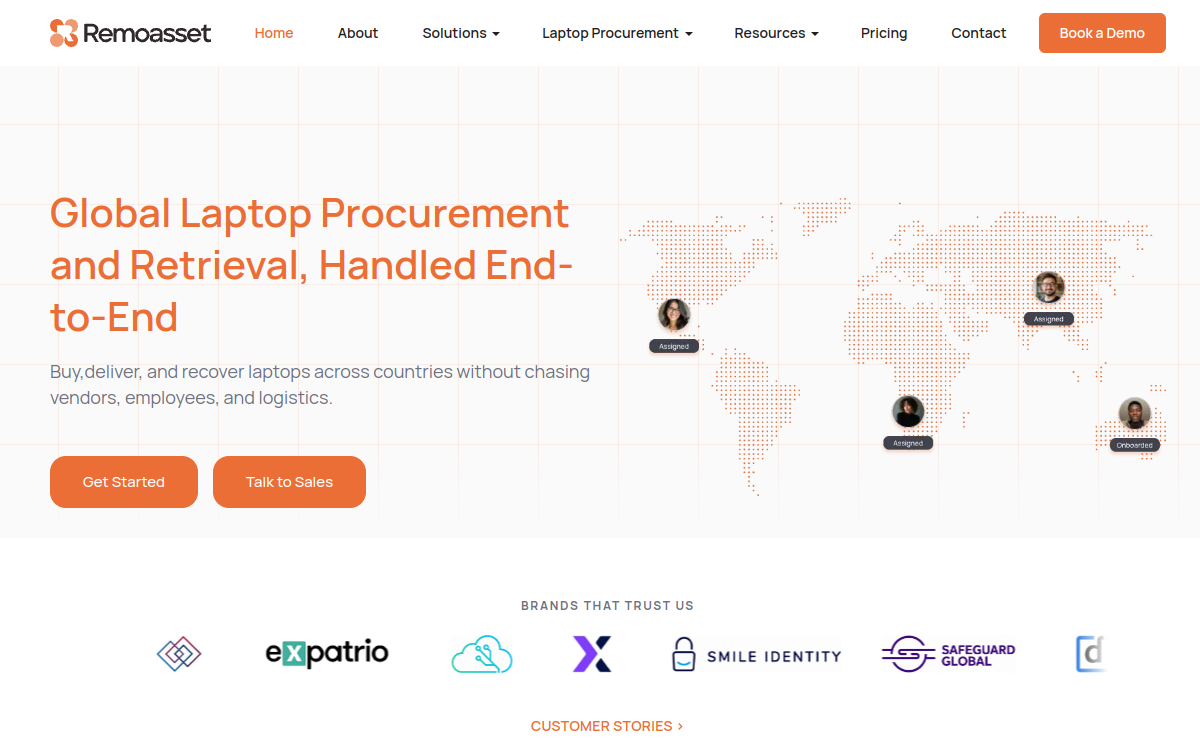
Who Is RemoAsset Best For?
Remote-first and hybrid companies 50-500 employees, multi-country. Companies whose people are spread across countries, where OEM DaaS logistics stop working
Why I Picked RemoAsset
If your fleet standardises on one manufacturer and mostly sits in offices, the OEM programs are the safer buy and have more scale behind them. RemoAsset earns the top slot here for the case they handle worst: laptops that have to reach people in several countries, be managed there, and come back at the end. That the retrieval is part of the same subscription, rather than a separate ITAD arrangement, is the reason it sits first for this shortlist. Confirm the quote against Fleet's published rates before you sign. Most DaaS programs were built for fleets that sit in offices. You subscribe per device, the provider bundles hardware with deployment, support, and end-of-life, and the logistics assume a loading bay. RemoAsset takes the same per-device subscription idea and builds it around people who are scattered: rent or lease the laptop, and delivery to the employee, MDM enrollment on arrival, in-life management, and retrieval at the end are all part of the same arrangement.
RemoAsset Key Features
- Rent or lease per device: Choose rental or lease on a device-by-device basis instead of committing the whole fleet to one structure.
- Delivery + MDM enrollment: Laptops ship cross-border to new hires and enroll in MDM automatically on delivery.
- In-life management & repairs: Device management, security controls, and repair scheduling while the subscription runs.
- Automated asset tracking: Real-time visibility across every device in the fleet without a manual register.
- Retrieval, storage & wiping: End-of-term recovery from the employee, with secure storage and complete data wiping.
RemoAsset Integrations
HRIS connectors (BambooHR, Rippling); MDM enrollment; SSO; standard APIs
- OEM-agnostic, so the fleet is not tied to one manufacturer's program
- Delivery and retrieval across countries are part of the subscription, not a separate vendor
- Rent or lease decided per device rather than per contract
- Quote-based only, where several DaaS providers publish or standardise per-device rates
- Not a fixed published per-device monthly product like OEM DaaS catalogues
Learn More About RemoAsset
Who Is Lenovo TruScale DaaS Best For?
50 - 10,000 ThinkPad/ThinkBook devices. Companies already buying ThinkPad and ThinkBook via Lenovo Business Direct - TruScale is the natural service upgrade
Why I Picked Lenovo TruScale DaaS
Lenovo TruScale is the most mature OEM DaaS program on the market, with three calibrated tiers, public ballpark pricing, and 100+ country direct service. For organisations already buying ThinkPad and ThinkBook, TruScale is the natural service upgrade. Lenovo TruScale DaaS is the most mature OEM DaaS program in the market, with three distinct tiers - Simplify (SMB), Transform (mid-market), and TruScale (enterprise) - each bundling Lenovo hardware with Premier Support, deployment, and lifecycle management in a single per-device monthly fee.
Lenovo TruScale DaaS Key Features
- Three-tier program structure: Simplify (SMB), Transform (mid-market), TruScale (enterprise) - each calibrated to typical fleet size and service complexity.
- Lenovo Premier Support included: Direct OEM support in 100+ countries, on-site service in most major markets, named tech account managers at enterprise tier.
- Lenovo Device Intelligence: Predictive analytics on device health, recommended refreshes, and proactive replacement workflows.
- Global service network: OEM-direct service centers and parts availability in 100+ countries - no third-party logistics partner involved.
- TruScale DaaS Calculator: Public self-serve quoting tool for ballpark pricing before sales engagement - rare in the OEM DaaS category.
Lenovo TruScale DaaS Integrations
Lenovo Device Intelligence + customer MDM
- The deepest OEM DaaS catalog across ThinkPad, ThinkBook, Yoga, and Workstation lines
- Strong global service footprint via Lenovo Premier
- Calculator-based self-serve quoting that few OEMs match
- Locked to Lenovo hardware - no flexibility for Apple or HP fleets
- Final pricing requires credit approval and is opaque before lease commitment
Learn More About Lenovo TruScale DaaS
Best for analytics-driven device lifecycle at enterprise scale
Who Is HP Managed Device Services Best For?
500 - 20,000 HP devices. Companies already running EliteBook, ProBook, and Z workstations at scale - Managed Device Services is the natural service upgrade
Why I Picked HP Managed Device Services
HP Managed Device Services is the OEM DaaS we recommend most often to HP-standardised enterprises that want telemetry-driven device lifecycle management. The TechPulse analytics, IDC MarketScape Leader designation, and HP Wolf integration make this a defensible buy for analytics-driven IT functions. HP Managed Device Services (the 2023 rebrand of HP DaaS) was named a Leader in the IDC MarketScape Worldwide Device as a Service 2025 - a meaningful third-party signal in a category where claims often outrun reality. The product bundles HP EliteBook, ProBook, and Z workstations with TechPulse AI analytics, zero-touch deployment, and next-business-day device replacement.
HP Managed Device Services Key Features
- TechPulse AI analytics: Per-device health, security posture, and refresh prediction telemetry - deepest analytics in the OEM DaaS category.
- Next-business-day replacement: Failed-device replacement SLA in most major markets, minimizing productivity loss when hardware fails.
- Zero-touch deployment: Devices ship pre-configured and ready for first-boot - no IT touch needed at unboxing.
- HP Wolf security integration: Tightly integrated with HP Wolf endpoint security suite for organisations standardised on HP's security stack.
- Managed Device Services Calculator: Public ballpark quoting tool on hp.com - rare in OEM DaaS, useful for budget conversations.
HP Managed Device Services Integrations
HP TechPulse + customer MDM
- IDC MarketScape Leader 2025 - strongest analytics in the OEM DaaS space
- Tightly integrated with HP Wolf endpoint security
- Multi-year terms with flexible refresh options
- Pricing details still require sales contact for committed quotes
- Pure HP catalog limits mixed-vendor strategies
Learn More About HP Managed Device Services
Who Is Dell APEX PC as a Service Best For?
500 - 20,000 Dell devices. Companies already running Latitude/Precision/OptiPlex at scale - APEX is the natural service upgrade
Why I Picked Dell APEX PC as a Service
Dell APEX PC as a Service is the OEM DaaS we recommend most often to Dell-standardised enterprises that want explicit contract flexibility - 1-5 year terms, mid-contract scaling, and customer-specific imaging. The Forrester TEI study provides credible business case ammunition, and the contract structure is genuinely more flexible than competitors. Dell APEX PC as a Service is Dell's enterprise DaaS product launched under the APEX brand in 2021, offering the most configurable contract structure in the OEM DaaS category. Where Lenovo TruScale pre-packages three tiers and HP Managed Device Services bundles around AI analytics, Dell APEX is built around explicit configurability - 1-5 year terms, mid-contract device count scaling, and customer-specific imaging.
Dell APEX PC as a Service Key Features
- Flexible 1-5 year terms: Pick the contract length that matches your actual device life - most unique flexibility in OEM DaaS.
- Mid-contract scaling: Add or remove devices during the contract term - useful for workforce growth or seasonal flex.
- Proactive ProSupport for PCs: Predictive issue resolution with named tech account at enterprise tier.
- Latitude/Precision/OptiPlex/XPS: Full Dell business catalog bundled into a single subscription rather than fragmented contracts.
- Customer-specific imaging: Devices ship with customer-specific OS images, app pre-installs, and security configurations.
Dell APEX PC as a Service Integrations
Dell ProSupport + customer MDM
- Strongest contract flexibility (term length, scaling) in OEM DaaS
- Bundles peripherals and software, not just laptops
- Reported 50% help-desk reduction in Forrester TEI study
- Quote-based pricing requires sales engagement
- Heaviest configuration overhead during initial setup
Learn More About Dell APEX PC as a Service
Who Is Fleet Best For?
20 - 500 employees in EU. 20-500 employees in EU wanting laptop programs without capex, quote-only contracts, or credit checks
Why I Picked Fleet
Fleet is the DaaS we recommend most often to European startups and scale-ups that want laptops without capex, quote-only contracts, or vendor sprawl. The €37.50 starting point is real, the refurbished catalog is cheaper and greener, and the automated 3-year refresh removes a quiet operational tax. Fleet is a Paris-based laptop subscription platform that brings real transparency to a category dominated by quote-only contracts. Roughly €37.50 per workstation per month gets you hardware, MDM enrollment, repairs, replacements, and an automated 3-year refresh - no down payment, no quote-and-credit dance.
Fleet Key Features
- Public subscription pricing: ~€750/month for 20 workstations starting point - actual published number, rare in DaaS.
- Refurbished-first catalog: Refurbished Macs and ThinkPads reduce monthly cost ~30% vs new - strong for sustainability buyers.
- Automated 3-year refresh: Every device refreshes at 36 months - old returns, new ships, no PO process.
- Workspace ONE MDM bundled: MDM included with every subscription; Bitdefender and Keeper available as add-ons.
- Repairs and replacements included: Failed device replaced under subscription, no separate warranty or out-of-pocket invoice.
Fleet Integrations
Workspace ONE MDM, HRIS
- Genuinely transparent monthly pricing - rare in this category
- Refurbished options reduce cost and carbon footprint
- Strong EU footprint with growing US presence
- Coverage outside EU and US is still maturing
- Subscription model can exceed outright purchase TCO over 5+ years
Learn More About Fleet
Who Is Deel IT Lease Best For?
100 - 5,000 globally distributed employees. Already running payroll, contracts, and EOR through Deel - natural extension to equipment leasing
Why I Picked Deel IT Lease
Deel IT Lease is the most complete global DaaS for companies already standardised on Deel for HR, payroll, or EOR. The 130+ country footprint, native onboarding trigger, and lifecycle depth are unmatched at scale - and the lease tier specifically gives finance teams real opex predictability across the global fleet. Deel IT Lease is the subscription/DaaS tier of Deel IT, with hardware bundled into a per-device monthly fee that covers procurement, MDM enrollment, lifecycle services, and retrieval in 130+ countries. Following Deel's July 2024 acquisition of Hofy, the platform combines Hofy's equipment depth with Deel's HR/payroll/EOR consolidation.
Deel IT Lease Key Features
- DaaS in 130+ countries: Widest country count of any DaaS provider with in-country sourcing in major markets.
- Native Deel HR/EOR trigger: New hire in Deel HR fires device dispatch automatically - no integration setup needed.
- Pre-shipment MDM enrollment: Devices enroll into Jamf, Iru (formerly Kandji), Intune before shipment for zero-touch delivery.
- Retrieval bundled in subscription: Offboarding triggers retrieval, NIST 800-88 wipe certificate, and redeployment option.
- Lifecycle dashboard: Single view across HR record, device assignment, warranty, repairs, and TCO.
Deel IT Lease Integrations
Native Deel HR/EOR/payroll
- Best global coverage of any DaaS option
- Tightest integration with Deel's HR / payroll / EOR stack
- Buy / lease / rent flexibility on the same catalog
- Most economical only if you're already a Deel customer
- Lease vs purchase economics require careful TCO modeling per geo
Learn More About Deel IT Lease
Who Is CDW Amplified Workforce Best For?
500 - 10,000 mixed devices. 500-10,000 employee organisations running mixed Lenovo + HP + Dell + Mac fleets
Why I Picked CDW Amplified Workforce
CDW Amplified Workforce is the DaaS we recommend most often to US mid-market and enterprise customers running mixed Lenovo + HP + Dell + Mac fleets. The vendor neutrality, ISO-certified configuration centers, and persona-based pricing model are uncommon in OEM-locked DaaS programs. CDW Amplified Workforce wraps a full DaaS service around any combination of Lenovo, HP, Dell, Apple, and Microsoft devices - useful for US-headquartered mid-market and enterprise customers that don't want to lock into a single OEM's DaaS program. CDW operates ISO-certified configuration centers and can absorb existing OEM contracts into a unified Amplified Workspace contract.
CDW Amplified Workforce Key Features
- Multi-OEM DaaS in one contract: Combine Lenovo, HP, Dell, Apple, Microsoft devices in a single subscription - rare in the category.
- ISO-certified configuration centers: Imaging, MDM enrollment, custom configurations performed in CDW's certified facilities before shipment.
- Workplace support add-ons: Service desk, warranty support, device monitoring options - full managed IT layered on DaaS.
- Flexible 5-year terms: Up to 5-year payment structures with monthly or quarterly options to match cash flow.
- LA28 reference deployment: Official IT services provider for LA28 - useful proof for large-scale heterogeneous fleet deployments.
CDW Amplified Workforce Integrations
Multi-OEM, customer MDM
- Vendor-neutral DaaS - combine OEMs in one contract
- Mature US logistics and configuration footprint
- Strong fit for public-sector and large enterprise buyers
- Pricing requires direct sales engagement
- International coverage less mature than global LaaS platforms
Learn More About CDW Amplified Workforce
Who Is Insight Flex for Devices Best For?
1,000 - 20,000 devices. Companies already buying through Insight at scale - Flex is the natural service upgrade
Why I Picked Insight Flex for Devices
Insight Flex for Devices is the DaaS we recommend most often to US enterprises with 1,000+ device fleets that want lifecycle orchestration - AI-driven refresh, automated retrieval, and existing-fleet absorption - rather than just laptop leasing. The 35+ years of Insight scale and the breadth of ITSM/UEM/OEM integration make this a serious enterprise pick. Insight Flex for Devices is a managed DaaS subscription that uses AI to optimize refresh timing, repair triage, and retrieval - pitched as a way to extend device life and lower TCO. Backed by Insight's 35+ years, 6,400+ certified engineers, and 12M+ annual device shipments, it's one of the heavyweight US reseller DaaS options.
Insight Flex for Devices Key Features
- AI-driven logistics & repair: Machine-learning prioritization of repair triage and refresh timing - designed to extend device life vs flat refresh cycles.
- Real-time asset tracking: Always-on visibility into device location, assignment, and status with automated retrieval flows.
- Automated approvals & ordering: Workflow automation across approvals, procurement, refresh, replacement, and retrieval with minimal IT manual touch.
- ITSM + UEM + OEM integration: Integrates with ServiceNow, Microsoft Intune, Jamf, and OEM ordering systems to eliminate status blind spots.
- Existing-fleet management: Manages devices you already own alongside new procurement - uncommon among DaaS providers.
Insight Flex for Devices Integrations
ITSM + UEM + OEM ordering
- AI-led lifecycle optimization is uncommon in the DaaS category
- Largest US reseller scale (12M+ device shipments per year)
- Manages mixed existing fleets alongside new orders
- Most valuable for customers already standardised on Insight
- Quote-based pricing with longer sales cycle than self-serve LaaS
Learn More About Insight Flex for Devices
Who Is SHI Device-as-a-Service Best For?
500 - 15,000 devices in AI PC modernization. Organisations refreshing into Copilot+ AI PC hardware in 2026 with structured refresh waves
Why I Picked SHI Device-as-a-Service
SHI Device-as-a-Service is the DaaS we recommend most often to US enterprises planning structured AI PC modernization in 2026, with Complete Care + Advanced Exchange loaners as a productivity-loss-reducing service tier. The AI PC refresh wave programs are unusually direct at the 2026 modernization moment. SHI's Device-as-a-Service program puts AI PCs, VR headsets, and modern Windows endpoints under a single per-device monthly plan with strong zero-touch deployment and SLA-backed loaner support (Complete Care + Advanced Exchange). Particularly well-positioned for organizations refreshing into Copilot+ AI PCs in 2026.
SHI Device-as-a-Service Key Features
- AI PC and VR endpoint catalog: AI PCs, Copilot+ hardware, VR headsets, and modern Windows endpoints in one DaaS plan.
- Zero-touch deployment: Integrates with UEM/MDM platforms for automated provisioning - devices arrive fully configured for end-users.
- Complete Care + Advanced Exchange: SLA-backed loaner devices ensure users are never without working hardware - reduces real productivity loss.
- Unified ITSM portal: Single portal for inventory, deployments, project plans, and integration with existing ITSM systems.
- Service-desk add-ons: End-user support and helpdesk service available as DaaS add-ons for organizations without dedicated IT support.
SHI Device-as-a-Service Integrations
UEM, ITSM, OEM ordering
- Strong early focus on AI PC refresh cycles for 2026
- SLA-backed loaner devices reduce productivity loss
- Public-sector and education contract vehicles available
- Quote-only - no published per-device monthly price
- Primarily US-focused; international depth varies
Learn More About SHI Device-as-a-Service
Who Is CompuCom DaaS Best For?
100 - 2,000 employees, US-led. 100-500 employee organisations where current IT is handled by office manager or HR - CompuCom replaces the function
Why I Picked CompuCom DaaS
CompuCom is the DaaS we recommend most often to US SMBs and mid-market organisations (100-2,000 employees) that want managed IT helpdesk + device procurement + lifecycle in one vendor rather than three separate contracts. The long-standing US presence and Intel AI PC partnership provide useful 2026 positioning. CompuCom is a US managed-services provider that wraps a DaaS subscription around laptops, desktops, tablets, and smartphones - useful for SMB and mid-market customers who want IT helpdesk, device sourcing, and lifecycle management bundled rather than handled by three separate vendors. CompuCom's Intel partnership for managed AI PC programs is a useful 2026 differentiator.
CompuCom DaaS Key Features
- Managed IT helpdesk bundled: Chat-based or call-based helpdesk staffed by CompuCom engineers - replaces separate managed-services contracts.
- Multi-form-factor DaaS: Laptops, desktops, tablets, and smartphones in one subscription - broader than laptop-only DaaS programs.
- Preconfigured device shipment: Devices ship preconfigured with productivity, security applications, and personalized support - true zero-touch.
- Intel AI PC partnership: Specialized programs for Intel-based AI PC fleets - Intel's managed services partner of choice.
- Break-fix + replacement included: Bundled break-fix and device replacement service vs separate warranty contracts.
CompuCom DaaS Integrations
Multi-OEM, customer MDM, Intel partnerships
- Single vendor for helpdesk and device lifecycle
- Long-standing presence in the DaaS category
- Fits SMB and mid-market without enterprise overhead
- Primarily US - limited global coverage
- Less brand recognition than the OEM DaaS programs
Learn More About CompuCom DaaS
What is Device-as-a-Service Software?
Device-as-a-Service bundles the laptop with its management and its end of life into a single per-device subscription. Instead of buying hardware as capital and running a refresh project every three years, you pay monthly and the provider handles deployment, support, repair and eventual replacement. The model was built for office fleets, where a technician can touch the machine. The difficulty for a distributed company is that the two hardest steps, getting the device to the person and getting it back at the end, are exactly the steps a traditional DaaS programme assumes somebody else will handle.
How to Choose the Right Device-as-a-Service Software
Separate the OEM programmes from the platforms. Lenovo, HP and Dell run excellent DaaS for organisations that standardise on their hardware at reasonable scale. They are considerably weaker when the fleet is mixed and the people are scattered. Decide which of those two descriptions is yours before you compare features.
Price the whole term, not the monthly number. A DaaS subscription looks cheap per month and runs for three or four years. Model the total against buying outright, including the refresh you would otherwise fund, and include what it costs you today when a device is never recovered.
Ask what end of term actually involves. This is where DaaS quietly becomes expensive for distributed teams. If the provider expects devices returned to a depot and yours are in six countries, the return is your problem and your cost, which was not in the monthly figure.
Check the repair path for somebody working from home. Office DaaS assumes a technician visit or a swap from local stock. Ask what a person in another country does when a screen breaks, how long they are without a machine, and who pays for the shipping both ways.
Other Device-as-a-Service Tools Worth Considering
The tools above are my top picks, but there are other solid options depending on your specific use case, industry, or geography.
How We Evaluate Device-as-a-Service Software
Our reviews are based on hands-on testing and a consistent evaluation framework. Here's exactly what we measure:
What the monthly fee genuinely includes: hardware, deployment, support, repair, and whether end of life is in or out.
Whether you are tied to one manufacturer's hardware or can mix, which matters as soon as the fleet is not uniform.
Whether devices can reach individuals in multiple countries, or the programme assumes a central receiving point.
What happens to the device when the term ends, and who is responsible for getting it back.
The path for a remote worker with a broken machine, including time without a device.
Whether a per-device rate is published. In this category, almost none is.
Whether devices can be added, removed or changed mid-term as headcount moves.
Explore More
- Best MDM for Small Business: A Practical Guide for Teams Without an IT Department
- MDM Pricing: A Practical Guide to What Vendors Publish and What They Do Not
- Free MDM: A Practical Guide to What Costs Nothing and What It Costs You
- Android MDM Solutions: A Practical Guide for Teams Managing Devices They May Not Own
- Intune Alternatives: A Practical Guide for Teams Whose Fleet Outgrew the Microsoft Default
- Jamf Alternatives: A Practical Guide for Teams Paying for Depth They Do Not Use
Frequently Asked Questions
What is Device-as-a-Service (DaaS)?
DaaS is a subscription model in which a vendor provides hardware (typically laptops, but also desktops, tablets, and accessories) bundled with deployment, MDM, support, repairs, and end-of-life services for a single per-device monthly fee. Instead of a large up-front capex on hardware that depreciates over three years, you pay predictable opex that covers the device through its useful life and ends cleanly with retrieval or refresh.
How is DaaS different from leasing a laptop?
A traditional lease covers only the hardware financing - you still need to handle deployment, MDM, support, and disposal separately. DaaS bundles all of those services into the monthly fee, so one invoice and one vendor cover the entire lifecycle. In practice, OEM DaaS programs (Lenovo TruScale, HP Managed Device Services, Dell APEX) are leases plus full lifecycle services rather than financing-only contracts.
Is DaaS cheaper than buying laptops outright?
Over a 3-year horizon, outright purchase usually has a lower hardware-only TCO. DaaS becomes cheaper or comparable once you factor in repairs, replacements, retrieval at offboarding, secure data wiping, and the IT labor cost of running those processes in-house. The right question is fully-loaded per-device-per-year cost including helpdesk time, not list price. For fast-growing or globally distributed teams the DaaS premium is often justified by reduced IT load alone.
Can DaaS cover Apple, Windows, and Linux devices in one contract?
OEM DaaS programs (Lenovo, HP, Dell) only cover their own hardware. Reseller DaaS programs (CDW Amplified Workforce, Insight Flex for Devices, SHI DaaS, CompuCom) and LaaS platforms (Fleet, Deel IT Lease, Workwize) typically support mixed Apple + Windows fleets in one contract. For Linux-heavy engineering teams, expect to negotiate specifically - most DaaS catalogs default to Mac and Windows.
What happens to a laptop at the end of a DaaS contract?
At end-of-term most providers offer three options: return the device for a clean refresh into newer hardware (most common), buy out the device at its residual value, or extend the contract month-to-month if you want to delay the refresh. All reputable DaaS programs include certified data wiping with documentation suitable for compliance audits (NIST 800-88, HIPAA, GDPR), and the device is then resold, refurbished, or recycled responsibly.
How long do typical DaaS contracts run?
Most DaaS programs run on 36-month terms aligned to typical laptop refresh cycles, though Dell APEX and several resellers offer 12-60 month flexibility. Shorter terms cost more per month; longer terms lock in lower monthly pricing but expose you to obsolescence risk if hardware specs move fast (a real consideration with the AI-PC refresh wave in 2026). A 36-month term remains the industry sweet spot for most workforces.
Explore HR Software by Country
Compliance rules, currency handling, and integration requirements vary by market. Pick your country below to see HR Software-specific guidance for that region.
Why local context changes your HR Software decision
The same HR Software platform that wins in the US can fail in Germany. Tax authorities file under different cadences, currencies route through incompatible banking rails, and data-protection laws impose conflicting requirements. A vendor with an owned local entity behaves very differently from one routing through partner networks.
Use the country cards below to see what changes when you operate in that market: which compliance gates the platform must clear, which vendors have on-the-ground presence, and which buyer mistakes cost the most.
At-a-glance regional comparison
| Region | Primary regulator | Data law | Banking rail | Onboarding speed |
|---|---|---|---|---|
| North America | IRS / CRA / SAT | CCPA / PIPEDA / LFPDPPP | ACH / EFT / SPEI | 5–10 business days |
| Europe | HMRC / Finanzamt / DGFiP | UK GDPR / DSGVO / RGPD | BACS / SEPA | 7–14 business days |
| Asia-Pacific | CBDT / IRAS / ATO | DPDP / PDPA / Privacy Act | NEFT-UPI / FAST / NPP | 5–10 business days |
Industry considerations
Your industry shapes which HR Software features actually matter. Below are common patterns we see across four major verticals.
SaaS & Tech
Fast-growing teams that prioritize API depth, equity administration, and integration with engineering tools. Watch for misclassification risk on global contractors.
Healthcare
Heavy compliance load (HIPAA in US, regional equivalents elsewhere) and credentialing workflows. Audit trails and access controls are non-negotiable.
Retail & Hospitality
High-turnover shift workforces. Predictive scheduling laws (US cities), variable-hour ACA tracking, and mobile-first employee access are critical.
Manufacturing & Field Services
Hourly workforce, multi-site operations, union compliance. Time clocks, geofencing, and OSHA-style safety training records matter most.
Country selection — common questions
Should I pick a global HR Software platform or a local-specialist?
Pick a global platform if you operate in 3+ countries and need unified reporting. Pick a local-specialist if 80%+ of your headcount sits in one market and you need deep local compliance. Most mid-market companies blend the two — global core platform + local payroll partner.
How does data residency affect HR Software vendor choice?
EU and UK data must stay within compliant jurisdictions under GDPR. India's DPDP Act 2023 added cross-border transfer rules. Verify your vendor offers regional data centers — many US-built platforms store everything in the US, which fails European audits.
When does it make sense to switch vendors per country?
Switch when local compliance gaps cost more than vendor consolidation savings. The threshold is usually 20+ employees in a market where your global vendor has weak coverage. Below that, accept the gap and supplement with local payroll partners.
Need help picking the right HR Software for your markets?
Get our country-by-country vendor scorecard with pricing benchmarks, compliance checklists, and implementation timelines for the 9 markets above.
Best HR Software by Industry
Different industries face different compliance demands, workforce structures, and feature priorities. Jump to the guide built for your sector.
Best HR Software by Business Size
Vendor fit changes dramatically at different headcount levels. Jump to the comparison built for your stage.
Best HR Software by Use Case
Your buying priority shapes which platform wins. Jump to the guide built for your specific situation.

More HR Tool Reviews on HROpsLab
We review and compare the best HR software across every category - so you can build the right stack for your team.