
Best HR Chatbot Software of 2026: Reviewed & Compared

Matram is the pick when the job is answering employee questions from your own policy documents and the bill must not move as the team grows, because pricing is flat and seats are unlimited. Leena AI and Moveworks are the enterprise options if you need deep HRIS workflow automation and have the budget for a sales cycle. If what you actually want is a customer support desk rather than an employee one, Zendesk and Intercom are the better buy.
8 Best HR Chatbot Software of 2026: Reviewed & Compared Shortlist
Here's my shortlist of the best options, out of 8 options I reviewed:
-
1
Matram Best when the answers already exist in your documents
-
2
Leena AI Best for enterprise HR service delivery with workflow automation
-
3
Moveworks Best for large enterprises automating support across IT and HR
-
4
Intercom Best if you already run Intercom for customers
-
5
Zendesk Best when HR needs real ticketing, not just answers
-
6
Crisp Best free tier to start on
-
7
SiteGPT Best for a bot trained purely on your own pages
-
8
Tidio Best when volume is predictable and seats are not
An HR chatbot answers the questions employees ask over and over: how much leave do I have left, what is the policy on remote work, how do I change my bank details. Those answers already exist in a handbook nobody reads, which is the whole reason the category exists.
The market splits in a way the product pages obscure. One half is built to read your documents and answer from them, which is cheap to start and solves the repeat-question problem. The other half is built to take actions inside your HRIS, which is a much larger project with a sales cycle attached. Buying the second when you needed the first is the expensive mistake here.
You Can Trust Our HR Chatbots Reviews
Disclosure: Matram is our own product. It appears on this page because it competes in this category, it is assessed against exactly the same criteria as every other tool here, and its limitations are stated in full alongside everyone else's. No vendor on this page has paid for placement, and none can.
We assessed each platform on where its answers come from, whether it can act inside your HR systems or only answer questions, how it behaves when it does not know something, and what happens to the bill as headcount grows.
Pricing shown is taken from each vendor's own published pricing page, read on 5 October 2026, and marked quote-based where no rate card is published. We do not estimate prices, and we do not publish a figure we have not seen on the vendor's own site.
Best HR Chatbot Software of 2026: Reviewed & Compared: Pricing Comparison Chart
This software comparison chart summarises pricing details for my top picks to help you find the best software for your budget and business needs.
| Tool | Best For | Trial Info | Price | |
|---|---|---|---|---|
| Best when the answers already exist in your documents | 30 day trial, no card required | $29 Basic, $69 Standard, $199 Pro per month - flat, unlimited seats | Website | |
| Best for enterprise HR service delivery with workflow automation | Demo on request | Quote-based - no published rate card | Website | |
| Best for large enterprises automating support across IT and HR | Demo on request | Quote-based - no published rate card | Website | |
| Best if you already run Intercom for customers | Free trial available | Per seat licence, plus Fin at $0.99 per resolution | Website | |
| Best when HR needs real ticketing, not just answers | Free trial available | $55 per agent per month Suite Team billed yearly, Copilot AI a further $50 per agent | Website | |
| Best free tier to start on | Free plan available | Free, then $45 Mini, $95 Essentials, $295 Plus per month, per workspace | Website | |
| Best for a bot trained purely on your own pages | Free trial available | $468 a year Starter, $948 a year Growth - read the yearly and monthly columns separately | Website | |
| Best when volume is predictable and seats are not | Free plan available | Usage based - quoted from a calculator, no fixed plan price | Website |
Featured Tools
Reviews of the Best HR Chatbot Software of 2026: Reviewed & Compared
Below you'll find detailed reviews of each tool - covering what it does best, key features, integrations, and who it's right for.
Who Is Matram Best For?
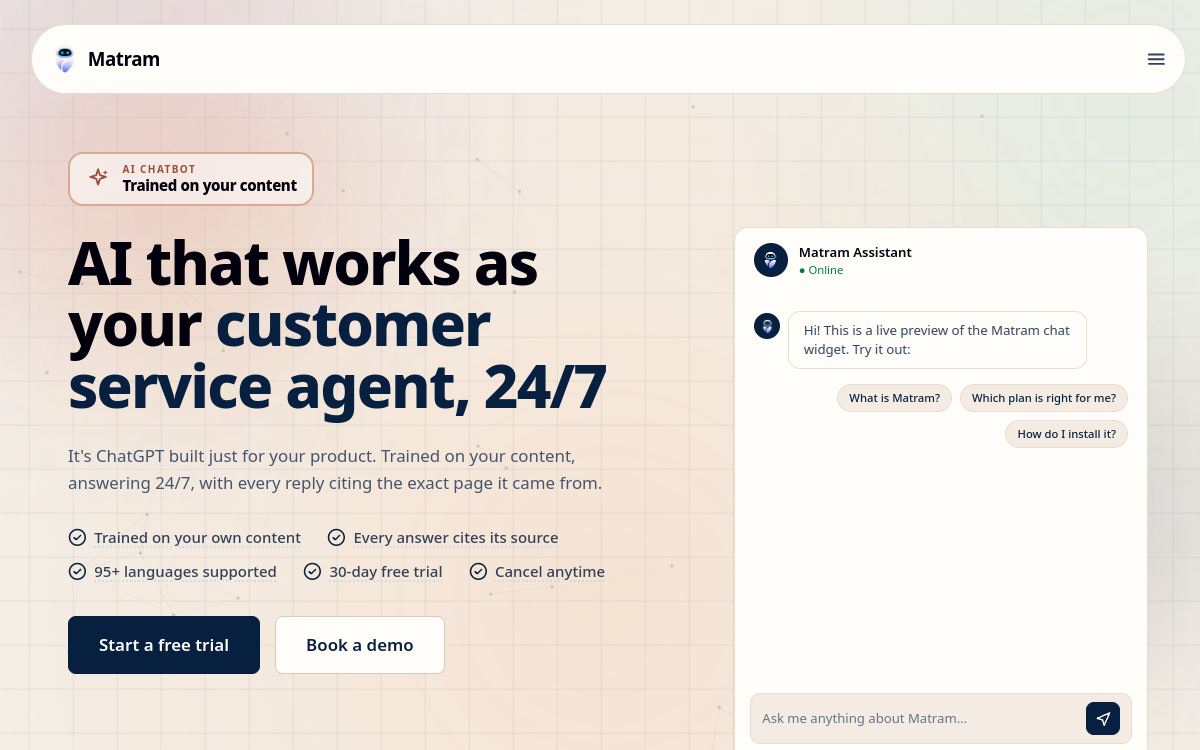
HR and People teams whose inbox is full of questions already answered in writing, and who want the cost to stay the same as headcount grows.
Why I Picked Matram
We build Matram, which is disclosed at the top of this page and is why we have been careful about where it sits. It leads this list for one specific reason rather than a general one: every other tool here bills per agent, per workspace, per resolution or by usage, and Matram does not. Seats are unlimited on all three plans, so the bill at forty employees is the bill at four hundred. It answers in 95 or more languages from one set of source content, which removes the usual cost of maintaining a handbook per market. What it is not is an HRIS integration project, and if that is what you need, look further down this page.
Matram Key Features
- Answers from your own content: Point it at your handbook, policy pages and intranet and it answers from those rather than from general knowledge.
- Cited answers: Each reply shows where it came from, so an employee can check it against the actual policy.
- 95 or more languages: One set of source content serves every market, instead of a maintained handbook per language.
- Human handoff: When the answer is not in your documents it hands the conversation to a person, with the context attached.
- Unlimited seats: Every plan includes unlimited seats, so adding HR colleagues does not change the bill.
- 30 day trial, no card: Long enough to point it at real documents and judge the answers before paying.
Matram Integrations
Website widget, Slack, Messenger, standard APIs. WhatsApp coming soon
- Flat pricing that does not move as the team grows
- Answers cite their source, which matters for policy questions
- Live in minutes rather than a deployment project
- No free tier, only a 30 day trial
- Answers questions but does not act inside your HRIS
- Not an HR-specific product, so no built-in leave or payroll workflows
Learn More About Matram
Who Is Leena AI Best For?
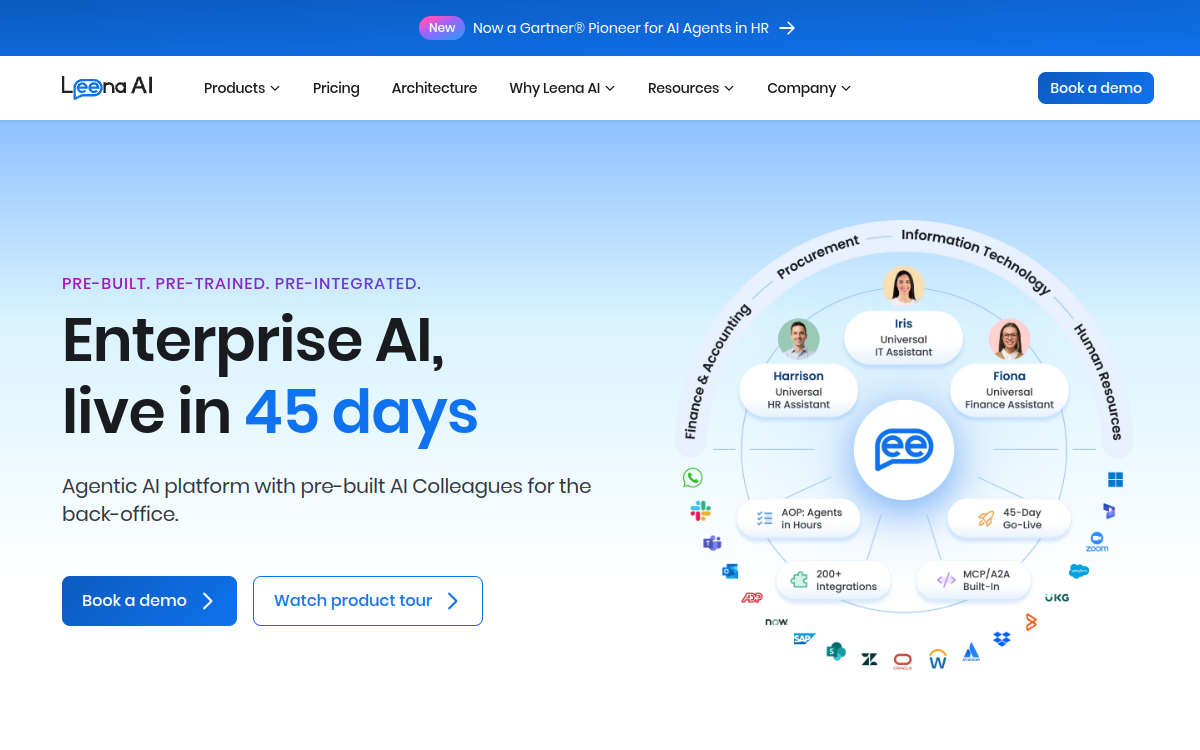
Larger organisations with an established HRIS, a dedicated HR operations function and the appetite for a proper deployment.
Why I Picked Leena AI
This is the HR-native option on the list. Where a general chatbot answers a question about leave, Leena AI is built to also handle the request behind it, which is the difference between deflecting a question and closing it. That depth is the reason to choose it and the reason it is not a quick win: it assumes integration work, a security review and a sales process. It publishes no pricing, so budgeting means a conversation before you know whether it is affordable.
Leena AI Key Features
- Built for employee service: Designed around HR and employee requests rather than adapted from a customer support product.
- Workflow automation: Handles the process behind the question, not only the answer, which closes requests rather than deflecting them.
- HRIS integrations: Connects to major HR systems so it can act on records rather than describe them.
- Engagement features: Surveys and employee engagement tooling bundled alongside the service desk.
- Multilingual support: Answers across languages for distributed workforces.
Leena AI Integrations
Major HRIS platforms, Slack, Microsoft Teams, service desks
- Built for HR rather than adapted to it
- Can complete tasks, not only answer questions
- Strong fit where HR operations is already a function
- No published pricing, so budgeting needs a sales call
- Deployment is a project rather than an afternoon
- More platform than a small team needs
Learn More About Leena AI

Who Is Moveworks Best For?
Large organisations wanting one assistant for IT, HR and facilities instead of a separate tool per function.
Why I Picked Moveworks
The cross-department scope is the argument. An employee does not know or care whether their question belongs to IT or HR, and Moveworks is built around that, which avoids the awkward outcome of three chatbots in the same Slack workspace. The trade is scale: this is enterprise software with an enterprise deployment and no published price. For a company of a few hundred people it is more platform than the problem requires, and the evaluation alone will take longer than deploying something simpler.
Moveworks Key Features
- One assistant across functions: Covers IT, HR and other departments together, so employees do not need to know who owns their question.
- Enterprise integrations: Connects to enterprise service desks, HR systems and identity providers.
- Request routing: Directs and resolves requests across teams rather than answering in isolation.
- Usage analytics: Reports on what employees actually ask, which is useful for fixing the documentation underneath.
Moveworks Integrations
Enterprise service desks, HRIS, identity providers, Slack, Microsoft Teams
- Removes the one-chatbot-per-department problem
- Built for genuine enterprise scale
- Covers requests beyond HR
- No published pricing at all, its pricing page returns an error
- Enterprise deployment timeline and overhead
- Oversized for small and mid-sized teams
Learn More About Moveworks
Who Is Intercom Best For?
Companies already standardised on Intercom that would rather extend it than buy a second tool for employees.
Why I Picked Intercom
The honest case for Intercom here is consolidation rather than fit. If it is already in the building and already paid for, pointing Fin at internal documents is less work than a new procurement. What to model carefully is the meter: two run at once, a per seat licence for people and $0.99 for every Fin resolution on top, so a well-used internal bot becomes a per-conversation cost rather than a fixed one. That is manageable for customer support with revenue attached and harder to justify for internal questions.
Intercom Key Features
- Fin AI agent: Answers from your content, and can be pointed at internal documents as well as customer-facing ones.
- Shared inbox: A full messaging workspace for the conversations the bot hands over.
- Workflow automation: Routing and automation around the conversations themselves.
- Reporting: Analytics on volume, resolution and where the bot is failing.
Intercom Integrations
Wide integration catalogue including Slack, CRM and help desks
- No new vendor if you already run Intercom
- Mature, well-supported platform
- Strong answer quality from your content
- Two meters, a seat price and a per resolution fee
- Built for customers rather than employees
- Cost scales with how much the bot is used
Learn More About Intercom
Who Is Zendesk Best For?
HR functions that need cases tracked, assigned and reported on rather than questions deflected.
Why I Picked Zendesk
Zendesk earns its place when the problem is not the questions but the cases. If HR requests get lost, nobody owns them and you cannot report on how long anything took, that is a ticketing problem and this is a ticketing product. The cost is the thing to be clear-eyed about: $55 per agent per month billed yearly, with Copilot a further $50 per agent, so a ten person HR team is a four figure monthly bill before any AI answers a question. Pricing is also shown by region, so confirm the currency you will be billed in.
Zendesk Key Features
- Full ticketing: Queues, assignment and SLAs, so HR requests are tracked rather than answered and forgotten.
- Resolution reporting: Reports on case volume and how long things actually take, which deflection tools cannot give you.
- AI as a paid add-on: Copilot assistance is available, charged separately from the agent licence.
- Knowledge base: A managed help centre the AI layer can answer from.
Zendesk Integrations
Very wide catalogue including HRIS, Slack and identity providers
- Genuine case management, not only deflection
- Mature reporting
- Published pricing you can budget against
- Per agent pricing gets expensive quickly
- AI is a separate charge on top
- Heavier than most HR teams need
Learn More About Zendesk

Who Is Crisp Best For?
Small teams who want to try an internal help channel without a budget conversation first.
Why I Picked Crisp
Crisp is the sensible starting point when nobody has approved any spend. The free plan is genuinely usable rather than a countdown, and pricing is per workspace, so adding HR colleagues does not raise the bill. The detail to watch is the AI line: Mini includes $5 of AI credits, Essentials $25 and Plus $75, metered on top of the plan, so a busy month costs more than the sticker suggests. It is also a support tool rather than an HR one, with no HR-specific workflows at all.
Crisp Key Features
- Usable free plan: A genuine free tier rather than a countdown, which makes it the easiest place to start with no budget.
- Priced per workspace: Adding colleagues does not raise the price, unlike the per agent tools on this page.
- Shared inbox: One place for the conversations, across chat and email.
- AI via credits: AI answers are metered through included credits, so heavy months cost more than the plan price.
Crisp Integrations
Slack, website widget, email, common messaging channels
- Real free tier
- Adding people does not raise the price
- Quick to set up
- AI is metered on top of the plan price
- No HR-specific features
- Answers do not cite their source
Learn More About Crisp

Who Is SiteGPT Best For?
Teams who want one focused bot over an internal site or handbook and nothing beyond that.
Why I Picked SiteGPT
SiteGPT does one thing, which is the reason to pick it and the reason to look elsewhere. Point it at your pages and it answers from them, with no inbox, no ticketing and no workflow layer to configure or pay for. Starter is $468 billed yearly, which the site presents as $39 a month, or $59 on monthly billing, and covers one chatbot and up to 1,000 pages. Read those columns carefully, because the headline figure is the yearly one and the monthly price is materially higher.
SiteGPT Key Features
- Trained on your pages: Reads your own site and documents and answers from them, with nothing else to configure.
- Scoped by chatbot and pages: Plans are limited by how many bots you run and how many pages each can read.
- Quick deployment: No inbox or ticketing layer to set up, which makes it the fastest thing here to get live.
- Multilingual answers: Responds across languages from the same source content.
SiteGPT Integrations
Website embed and common messaging channels
- Does one job without extra surface to manage
- Published pricing
- Fast to deploy
- Page limits on the entry plan
- Headline price is the annual one, monthly costs more
- No HR workflows or ticketing
Learn More About SiteGPT

Who Is Tidio Best For?
Teams whose question volume is steady and predictable enough to forecast with confidence.
Why I Picked Tidio
Tidio is included because the pricing model is genuinely different and suits a specific shape of team. It has moved away from fixed plans: the pricing page is now a calculator driven by your expected monthly billable conversations, with human and AI conversations charged at separate rates and a top tier at $300 a month. If your volume is flat and known, that can be the cheapest option here. If it is seasonal or growing, it is the hardest to budget against, and it is a customer messaging tool rather than an HR one.
Tidio Key Features
- Usage based pricing: You pay for conversations rather than seats, which suits a steady and predictable volume.
- Live chat and automation: Combines human chat with automated replies in one widget.
- Free plan available: A no-cost tier to test the fit before committing to the calculator.
- Separate AI and human rates: AI and human conversations are charged at different rates, so the mix changes the bill.
Tidio Integrations
Website widget, email, common e-commerce and messaging channels
- Pay for what you use rather than for seats
- Free plan to test with
- Can be cheapest at steady, low volume
- No fixed price, so budgeting means running the calculator
- Cost rises directly with how useful the bot becomes
- Built for customers, not employees
Learn More About Tidio
What is HR Chatbots Software?
An HR chatbot is software that answers employee questions automatically, usually in a chat window or inside a tool the company already uses. The useful distinction is between answering and acting. An answering bot is pointed at your handbook, policies and intranet pages and replies from that content, which removes the repeat questions that fill an HR inbox. An acting bot is integrated with your HRIS and can book leave, update a record or raise a ticket on the employee's behalf, which is more valuable and considerably more work to deploy. Most teams need the first and are sold the second. The deciding question is whether your problem is that people cannot find answers, or that they cannot complete tasks.
How to Choose the Right HR Chatbots Software
Work out whether you need answering or acting before you look at any vendor. If HR is drowning in questions whose answers are already written down, an answering bot solves it in days. If the complaint is that completing a task takes four clicks across three systems, you need HRIS integration and a project plan.
Count the seats you will need and check how each vendor bills. Per-agent pricing is normal in this category and it punishes growth, so a tool that looks cheap at three seats can be the most expensive option at fifteen. Flat pricing changes that arithmetic entirely.
Ask what happens when the bot does not know. The honest answer is a clean handoff to a person with the conversation attached. A bot that guesses is worse than no bot, because HR answers carry consequences that marketing answers do not.
Check whether answers cite their source. An employee who is told the wrong notice period will act on it, and a citation is what lets them, and you, check the answer against the actual policy.
Establish who maintains the content. Every tool here answers from documents somebody has to keep current. If your handbook was last updated two years ago, fix that before buying anything, because the bot will faithfully repeat whatever is in it.
Other HR Chatbots Tools Worth Considering
The tools above are my top picks, but there are other solid options depending on your specific use case, industry, or geography.
How We Evaluate HR Chatbots Software
Our reviews are based on hands-on testing and a consistent evaluation framework. Here's exactly what we measure:
Whether the tool reads your existing handbook and policy pages, or expects you to rebuild that content inside its own knowledge base. The first is days of work and the second is weeks.
Whether it can only explain how to book leave, or can actually book it. Acting needs HRIS integration and turns a quick deployment into a project.
The behaviour you want is a clean handoff to a named person with the conversation attached. A confident guess is worse than no bot, because HR answers get acted on.
A citation lets the employee, and you, check the answer against the actual policy. This matters far more for notice periods than it does for product questions.
Per agent, per workspace, per resolution, usage based or flat. A tool that looks cheap at three seats can be the most expensive option on this page at fifteen.
Whether one set of source content serves every market, or each language needs its own maintained copy of the handbook. The second is an ongoing cost, not a setup cost.
Explore More
- HR Shared Services: What Centralising Support Actually Changes
- HR Case Management: Where the Chatbot Stops and a Person Takes Over
- HR Automation: What to Automate First and What to Leave Alone
- The First 30 Days With an HR Chatbot: What to Measure and When to Call It Working
- HR Help Desk Software: A Practical Guide for Teams Drowning in Repeat Questions
- Best MDM for Small Business: A Practical Guide for Teams Without an IT Department
Frequently Asked Questions
What is an HR chatbot?
An HR chatbot is software that answers employee questions automatically, normally in a chat window or inside a tool people already use such as Slack or an intranet. Most are pointed at your existing handbook, policies and internal pages and answer from that content, which removes the repeat questions that fill an HR inbox. A smaller group also act inside your HRIS, booking leave or updating a record rather than only explaining how to. The two are sold under the same name and are very different projects.
How much does an HR chatbot cost?
Published prices range from nothing to $55 per agent per month, and the spread is mostly about the billing model. Verified on 5 October 2026: Crisp starts free and then $45 a month per workspace, Matram is $29 a month flat with unlimited seats, SiteGPT is $468 a year, Zendesk is $55 per agent per month billed yearly with its Copilot AI a further $50 per agent, and Intercom charges a seat price plus $0.99 for each resolution. The HR-specific enterprise platforms, Leena AI and Moveworks, publish no rate card at all.
Can an HR chatbot answer questions about our own policies?
Yes, and that is the main thing most of them do. You point the tool at your handbook, policy documents and internal pages, and it answers from that content rather than from general knowledge. The quality of the answers is therefore the quality of your documents, which catches teams out: a bot deployed on a handbook that was last updated two years ago will confidently repeat two-year-old policy. Audit the source content before you deploy, not after the first complaint.
Will a chatbot replace our HR team?
No, and a vendor who suggests otherwise is overselling. What it removes is the repeat question, the one whose answer is already written down and gets asked forty times a month. What it cannot do is handle the conversation that matters, which is almost always the one where somebody is upset, confused about something personal, or raising a problem. The realistic outcome is that the HR inbox gets smaller and the remaining conversations get more attention.
What happens when the chatbot does not know the answer?
That depends on the tool and it is the single most important thing to test during a trial. The behaviour you want is a clean handoff to a named person with the whole conversation attached, so the employee does not repeat themselves. The behaviour to avoid is a confident guess, which matters far more in HR than in customer support because an employee told the wrong notice period or leave entitlement will act on it. Ask for strict mode or an equivalent setting that keeps answers inside your documents.
Do we need HRIS integration?
Only if your problem is that tasks are hard to complete rather than that answers are hard to find. Integration lets the bot book leave or update a record on the employee's behalf, which is genuinely valuable and brings a longer deployment, a security review and usually a sales cycle. If the complaint you actually hear is that nobody can find the policy, a tool that reads your documents solves it in days without touching your HRIS. Most teams need the second and get sold the first.
Explore HR Software by Country
Compliance rules, currency handling, and integration requirements vary by market. Pick your country below to see HR Software-specific guidance for that region.
Why local context changes your HR Software decision
The same HR Software platform that wins in the US can fail in Germany. Tax authorities file under different cadences, currencies route through incompatible banking rails, and data-protection laws impose conflicting requirements. A vendor with an owned local entity behaves very differently from one routing through partner networks.
Use the country cards below to see what changes when you operate in that market: which compliance gates the platform must clear, which vendors have on-the-ground presence, and which buyer mistakes cost the most.
At-a-glance regional comparison
| Region | Primary regulator | Data law | Banking rail | Onboarding speed |
|---|---|---|---|---|
| North America | IRS / CRA / SAT | CCPA / PIPEDA / LFPDPPP | ACH / EFT / SPEI | 5–10 business days |
| Europe | HMRC / Finanzamt / DGFiP | UK GDPR / DSGVO / RGPD | BACS / SEPA | 7–14 business days |
| Asia-Pacific | CBDT / IRAS / ATO | DPDP / PDPA / Privacy Act | NEFT-UPI / FAST / NPP | 5–10 business days |
Industry considerations
Your industry shapes which HR Software features actually matter. Below are common patterns we see across four major verticals.
SaaS & Tech
Fast-growing teams that prioritize API depth, equity administration, and integration with engineering tools. Watch for misclassification risk on global contractors.
Healthcare
Heavy compliance load (HIPAA in US, regional equivalents elsewhere) and credentialing workflows. Audit trails and access controls are non-negotiable.
Retail & Hospitality
High-turnover shift workforces. Predictive scheduling laws (US cities), variable-hour ACA tracking, and mobile-first employee access are critical.
Manufacturing & Field Services
Hourly workforce, multi-site operations, union compliance. Time clocks, geofencing, and OSHA-style safety training records matter most.
Country selection — common questions
Should I pick a global HR Software platform or a local-specialist?
Pick a global platform if you operate in 3+ countries and need unified reporting. Pick a local-specialist if 80%+ of your headcount sits in one market and you need deep local compliance. Most mid-market companies blend the two — global core platform + local payroll partner.
How does data residency affect HR Software vendor choice?
EU and UK data must stay within compliant jurisdictions under GDPR. India's DPDP Act 2023 added cross-border transfer rules. Verify your vendor offers regional data centers — many US-built platforms store everything in the US, which fails European audits.
When does it make sense to switch vendors per country?
Switch when local compliance gaps cost more than vendor consolidation savings. The threshold is usually 20+ employees in a market where your global vendor has weak coverage. Below that, accept the gap and supplement with local payroll partners.
Need help picking the right HR Software for your markets?
Get our country-by-country vendor scorecard with pricing benchmarks, compliance checklists, and implementation timelines for the 9 markets above.
Best HR Software by Industry
Different industries face different compliance demands, workforce structures, and feature priorities. Jump to the guide built for your sector.
Best HR Software by Business Size
Vendor fit changes dramatically at different headcount levels. Jump to the comparison built for your stage.
Best HR Software by Use Case
Your buying priority shapes which platform wins. Jump to the guide built for your specific situation.

More HR Tool Reviews on HROpsLab
We review and compare the best HR software across every category - so you can build the right stack for your team.