TL;DR
- HR automation means handing a defined, repeatable sequence to software so it runs without anybody remembering to start it. Answering questions, moving data between systems, and triggering the next step when something changes.
- If you have 23 people, one HR person who knows every name, and no compliance obligation that requires evidence, you probably do not need to buy anything yet. A checklist that somebody actually follows beats a workflow nobody configured.
- Four jobs cover most of the real value: answering repeat questions, moving employee data between systems, triggering onboarding and offboarding steps, and producing the records an audit asks for.
- The market splits three ways: the HR platform that automates inside itself, the glue layer that connects systems you already run, and the answering layer that handles questions before they reach a person.
- Automate the process you can already describe to a new starter without opening a document. Everything else is a documentation problem wearing an automation costume.
- Done properly, nobody notices. The new starter has a laptop, the manager got the reminder, and the question got answered at 11pm without waking anybody.
The Offer Letter That Went Out With the Wrong Salary
A 140-person company sent an offer letter with a salary band from the previous financial year. The recruiter copied the template from a shared drive, the band had been revised in March, and the document on the drive had not. The candidate accepted. Then the finance review caught it, three weeks later, four days before the start date.
That is not a story about a careless recruiter. It happens because the salary band lived in two places and only one of them got updated, and because the step where somebody checks the band against the current source was a habit rather than a system. Ask around and you will find the same shape in a dozen places: the benefits enrolment deadline that nobody announced because the person who used to announce it left, the leaver whose laptop stayed on the payroll of a SaaS licence for eleven months, the manager who never got the probation reminder because the reminder was a calendar entry in somebody else's calendar.
The real issue is not that HR teams lack software. Most of them have more software than they can name. It is that the work connecting that software is held in people's heads, and heads leave, forget, and go on holiday. Automation is worth buying at the exact point where a sequence has become reliable enough to describe and frequent enough to matter, and not one day earlier.
Best tools for HR Operations
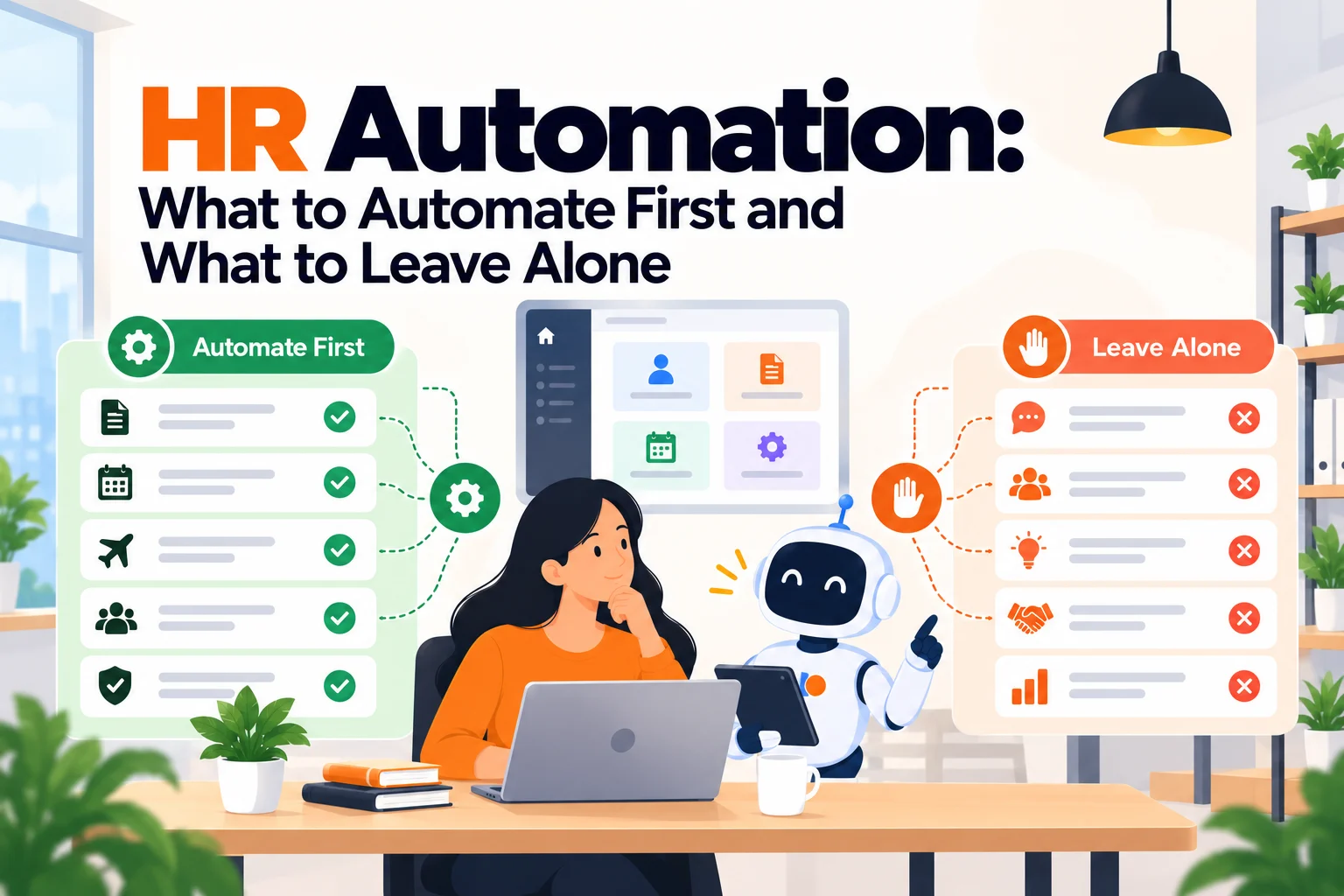
This is what HR automation is supposed to solve.
When You Don't Actually Need HR Automation
When the manual way is genuinely working
Under roughly 30 people with one location and low turnover, a single competent HR person holds the whole picture without strain. They know who is on probation, who asked about parental leave, and which laptop went to which desk. Buying a workflow tool here adds configuration work and removes nothing. The honest advice at this size is to write things down, not to automate them.
When friction starts showing
The first real signal is not volume. It is the same mistake happening twice. A second starter who did not get a laptop on day one. A second leaver still holding an active account a month later. One instance is bad luck; two is a process that depends on memory. That is the moment the sequence is worth encoding, and it usually arrives somewhere between 40 and 80 people, earlier if you are hiring in bursts.
When it becomes a liability
The cost of not automating exceeds the cost of automating once somebody outside HR starts asking for evidence. A SOC 2 audit wants proof that access was revoked within a defined window. A works council wants consistency in how a policy was applied. A funding round wants a clean employee record. At that point the manual version is not merely slow, it is unprovable, and unprovable is the expensive word.
The edge case that breaks everything
Acquisition, or a sudden doubling of headcount. Both collapse the assumption that one person holds the context. A 90-person company that absorbs a 60-person team inherits two sets of policies, two sets of start dates, and two definitions of what onboarding means, and no amount of individual competence survives that. If either is on your horizon inside twelve months, automate the sequences now while they are still small enough to describe.
What HR Teams Actually Need from Automation
Not features. These are the five questions people actually ask themselves, usually late, usually after something has gone wrong.
"Why am I answering this same question for the ninth time this month?" Because the answer exists in writing and nobody can find it. This is the cheapest thing to fix and the most commonly misdiagnosed, because it looks like a volume problem and is usually a findability problem.
"Why does a new starter need me to remember eleven things?" Because onboarding is a sequence that lives in a document rather than in a system that triggers itself. The cost of this one is invisible until somebody is off sick during a start week.
"Why is this person's address right in one system and wrong in two others?" Because somebody is retyping. Every manual re-entry of the same field is a future discrepancy, and discrepancies surface at the worst possible time, usually payroll.
"Why can nobody tell me how long anything takes?" Because the work happens in inboxes and messages, which keep no record you can count. Without timestamps there is no cycle time, and without cycle time every conversation about HR capacity is an argument about feelings.
"Why did I find out about this at the wrong moment?" Because the trigger was a human remembering rather than a system reacting to a change. Probation end dates, visa expiries and benefits windows all fail the same way, and all fail quietly.
The Three Types of HR Automation
The platform that automates inside itself
What it is. Your HRIS or HR platform running its own workflows: onboarding checklists, approval chains, document generation, reminders tied to employee records.
When it's right. When the work you want automated happens entirely inside employee data you already keep there. Onboarding, probation, leave approval and document issue all sit naturally here, and the automation is included rather than bought.
When it fails. The moment a step needs something outside the platform. Provisioning a Google account, shipping a laptop, creating a Linear seat. Most HR platforms will fire a webhook and stop, and the half of the sequence that happens in IT remains manual.
The glue layer between systems
What it is. A connector or workflow tool sitting between systems you already run, moving data and triggering actions across them.
When it's right. When you have several systems that each hold part of the truth and the pain is re-entry and drift. This is also the honest answer when you cannot replace a system you dislike for another two years.
When it fails. It fails silently, which is the dangerous kind. A connector that stops firing does not announce itself; you discover it when a leaver turns out to have had access for six weeks. Glue needs an owner and a monitoring habit, and most teams assign neither.
The answering layer
What it is. Software that answers employee questions directly from your own documents, so the question never becomes somebody's task. We keep a ranked comparison of these in the best HR chatbot tools.
When it's right. When a large share of inbound is questions whose answers already exist in the handbook, the policy set, or the benefits summary. It removes work rather than tracking it.
When it fails. It cannot action anything. It will tell somebody the parental leave policy accurately and cannot file their request, update their record, or escalate a grievance. Deploy it expecting case management and you have bought the wrong half of the problem. It also fails outright if your documents are wrong, because it will repeat your errors fluently and at scale.
How to Choose: Five Questions Before You Talk to Any Vendor
What broke twice last quarter? Name the specific thing. If you cannot name one, you are shopping early and will buy on feature lists rather than need. If you can name three, the one that cost the most is your starting point, and it is frequently not the one that annoys you most.
Can you describe the process without opening a document? Say the sequence out loud. If you stall, hedge, or discover a step that depends on who is asking, that process is not ready to automate. Automating an undefined process produces a fast, confident, consistently wrong outcome, which is worse than the slow inconsistent one because nobody checks it.
Where does the data actually live, and who retypes it? Follow one field, say a home address, through every system that holds it. Count the places it is entered by hand. That number is the size of your integration problem, and it predicts your payroll discrepancies better than anything a vendor will show you.
Is the pain questions, or cases? Questions want answering and should disappear. Cases want tracking and must not. We take that split apart properly in HR help desk software. These are opposite jobs and are sold under overlapping language. Count last month's inbound and split it on that line before you look at a single product.
Who owns this in six months? Automation decays. Policies change, people leave, and a workflow configured by somebody who has since moved teams becomes a thing nobody will touch. If you cannot name the owner, buy the simplest version, because complexity you cannot maintain reverts to manual work plus a licence fee.
Writing the Sequence Down, Concretely
The advice to describe a process out loud before automating it is easy to agree with and almost never done, because it sounds like a formality rather than a test. It is a real test, and it fails more often than people expect. Here is how to run it in about twenty minutes.
Pick one sequence that has already failed twice. Open a blank document, set a timer, and write the steps in order as if briefing somebody who starts on Monday. Write actions, not intentions: "the recruiter copies the band from the compensation sheet" rather than "the salary is confirmed". Do not look at any existing document while you do this, because the point of the exercise is to surface what is actually held in memory versus what is written down.
Then read it back looking for three specific signals.
A step whose owner is a department rather than a person. "IT provisions the account" is not a step, it is a hope. Somebody specific does it, triggered by something specific, and if you cannot say who and what, that is where the sequence breaks when the usual person is away.
A step that begins with "usually" or "depending on". Every one of these is a branch you have not defined. A workflow engine will force you to pick one path, and if you pick it during configuration rather than deliberately, you have just set policy by accident. Resolve the branch before you automate it, or leave that step manual on purpose.
A step that exists only to tell somebody else to do something. Those are the ones automation removes entirely, and they are usually the majority of the chasing work. Count them, because that count is the honest size of your immediate payback.
Now compare the document you wrote against the document you already had. The gap between them is the real state of your process. In most companies that gap is large enough to be uncomfortable, and that discomfort is the finding. A sequence you could not write down in twenty minutes is not ready for a workflow engine; it is ready for a decision about how it should work, which is a different and cheaper piece of work.
| What the test shows | What it means | What to do next |
|---|---|---|
| Written in one pass, no branches | Ready to automate | Configure it, smallest version first |
| Two or three "depending on" steps | Policy is undecided | Decide the branches, then automate |
| Owners are departments, not people | Ownership is the failure, not tooling | Assign owners before buying anything |
| Could not finish in twenty minutes | Not a process yet | Write it properly; software will not help |
Seven Options Worth Knowing
A note on prices before the list. Every figure below was read from the vendor's own page, and where a vendor publishes nothing, that is stated rather than estimated. Two figures moved while this piece was being written, which is the normal condition of this market rather than an exception.
BambooHR
Best for: small and mid-size companies that want onboarding, records and approvals automated inside one system without an implementation project.
Why companies choose it: it publishes its prices, which in this category is rarer than it should be. Core runs $10 per employee per month above 25 employees, or $250 a month flat at 25 and under. Pro is $17 or $425 flat, Elite $25 or $650 flat. The flat-rate floor under 25 people is unusually honest about the fact that per-seat pricing stops making sense at small headcount.
Where it struggles: the automation is strong inside BambooHR and stops at its edge. Payroll, benefits administration, time and attendance and global employment are separate quotes, so the published number is a starting position rather than a total. Teams that want device provisioning or account creation in the same sequence will be adding a second tool.
Rippling
Best for: companies that want HR, payroll and IT provisioning triggered from one employee record.
Why companies choose it: the pitch is the single trigger. One hire event creates the payroll record, the accounts and the device assignment, which is the sequence most teams are stitching together by hand. For a company with real IT provisioning pain this is the most direct answer in the category.
Where it struggles: it no longer publishes a price. Checked on 6 October 2026, rippling.com/pricing is a quote request form headed "Tell us what services you need, and we'll send you a custom quote", with no figures anywhere on the page. That is a change worth knowing about if you are building a budget from older comparisons, several of which still cite a per-user monthly rate. The modular structure also means the quote depends heavily on which pieces you take, so two companies of identical size can get very different numbers.
Gusto
Best for: small companies where payroll is the centre of gravity and HR automation is the useful side effect.
Why companies choose it: $40 a month plus $6 per person is legible, and the payroll-first design means the automation covers the things that carry a legal deadline. For under 50 people with simple employment arrangements it does the jobs that actually hurt.
Where it struggles: the HR depth thins out as you grow. Approval chains, custom workflows and reporting are modest against a dedicated HR platform, and companies tend to outgrow it somewhere past 80 people rather than choosing to leave.
Workday
Best for: large organisations with multiple entities, complex approval structures and a dedicated systems team.
Why companies choose it: it will model almost any organisational structure you have, and the reporting is built for people who have to defend numbers to a board. At genuine enterprise scale the alternatives thin out quickly.
Where it struggles: pricing is on request, and the implementation is a project with a budget line of its own rather than a configuration afternoon. Below roughly 1,000 people the capability is real and the overhead is rarely justified. The automation is powerful and expensive to change, which cuts both ways.
Matram
Disclosure: Matram is owned by the same people who publish HROpsLab. It is listed here because it belongs in the category, and its limitations are stated in the same detail as every other option on this page.
Best for: teams whose automation problem is specifically the repeat question, answered from documents they already maintain.
Why companies choose it: flat pricing at $29, $69 or $199 a month with unlimited seats, which removes the per-agent arithmetic that makes the ITSM options expensive to roll out widely. It trains on your own documents and answers in the surface staff already use, and there is a 30-day trial that does not ask for a card.
Where it struggles: it answers and does not act. It will not file a request, update a record, provision an account or move a case through a workflow, so it is not an answer to onboarding or offboarding automation. There is no free tier. It carries no HR or ITSM workflow engine, which means for most teams it sits alongside the platform rather than replacing anything. And it inherits the quality of your documents, so a wrong policy page becomes a wrong answer delivered confidently.
Leena AI
Best for: enterprises wanting one assistant across HR, IT and finance rather than a separate bot per department.
Why companies choose it: the cross-department scope is the real differentiator, and at several thousand employees the alternative is three tools and three content owners. It also goes further into actioning requests than the pure answering tools.
Where it struggles: pricing is not published, so the evaluation starts with a sales conversation and a discovery call. The breadth that justifies it at 5,000 people is overhead at 300, and the content maintenance burden across three departments is routinely underestimated.
Zapier
Best for: connecting systems you already run, when the pain is re-entry and drift rather than any single tool's shortcoming.
Why companies choose it: it reaches systems no HR platform will integrate with natively, and it lets one person fix a real problem in an afternoon without a procurement cycle. For the specific job of stopping somebody retyping a field, nothing is faster to deploy.
Where it struggles: it fails quietly. There is no owner by default, no alert when a connection stops firing, and no audit trail anybody would want to show a reviewer. Teams accumulate dozens of these, lose track of who built which, and discover the gaps during an incident. Treat it as infrastructure that needs an owner, or it becomes the thing nobody will touch.
What Each One Published
| Option | Published price | Unit | What it automates |
|---|---|---|---|
| Gusto | $40 plus $6 per person | per month | Payroll-centred HR |
| Matram | $29, $69 or $199 | per month, unlimited seats | Answering only |
| BambooHR | $10, $17 or $25 | per employee, per month, above 25 | Records and workflow |
| BambooHR | $250, $425 or $650 | per month flat, 25 and under | Records and workflow |
| Rippling | Not published, quote form only | n/a | HR, payroll and IT provisioning |
| Workday | Not published | n/a | Enterprise HR and reporting |
| Leena AI | Not published | n/a | Cross-department answering and actioning |
Prices read from each vendor's own pricing page on 6 October 2026, except the Matram figures, which come from its published plan list. Where a vendor publishes nothing, the row says so rather than carrying an estimate.
The Decision Table
| Situation | Scale | Setup | Primary Pain | Recommended Starting Point |
|---|---|---|---|---|
| One HR person, nothing has broken twice | Under 30 | Single site | No real failure yet | A written checklist, not software |
| Same onboarding step missed repeatedly | 40 to 150 | Any | Sequences depend on memory | Workflow inside your HR platform |
| Same question answered weekly | 40 to 500 | Any | Repeat questions, not cases | An answering layer such as Matram |
| Address right in one system, wrong in three | Any | Several systems | Manual re-entry and drift | A glue layer, with a named owner |
| Hire triggers HR, payroll and IT work | 50 to 500 | Remote or hybrid | Three sequences, one event | Rippling, on a quote |
| Payroll deadlines are the actual risk | Under 80 | Single country | Legal deadlines, not workflow | Gusto |
| Auditor asks for evidence of revocation | 100 plus | Any | Unprovable, not slow | Platform workflow with an audit log |
| Several entities, board-level reporting | 1,000 plus | Multi-entity | Complexity and defensibility | Workday, with an implementation budget |
Most teams sit in two or three of these rows simultaneously. Start with the row that cost you money last quarter and leave the others alone until that one is boring.
Before You Buy, Audit What You Already Pay For
This section exists because the cheapest automation purchase is frequently the one you already made and never switched on. It happens for a dull reason: capability arrives in a platform you bought for another purpose, nobody announces it, and the person who would have configured it has other work. Then two years later somebody buys the same thing again.
The audit takes an afternoon. Pull your current software spend and, for each line, answer one question: what workflow or automation capability does this licence include that nobody has configured? You are looking for four specific things.
Workflow engines inside tools bought for records. Most HR platforms sold on employee records also ship approval chains, triggered checklists and document generation. These are routinely unconfigured because the platform was bought to replace a spreadsheet and the workflow part was never the reason.
HR modules inside an IT service desk. If your IT team runs a service desk, there is a reasonable chance the licence covers an HR queue or a second department at little or no extra cost. Buying a separate HR help desk while this sits unused is one of the most common duplications in this category, and it is worth ten minutes with whoever owns that contract.
AI add-ons already on the invoice. Several platforms now bundle an answering or summarising feature into tiers above the entry plan. Check whether you are on a tier that includes one, because the answer changes whether you need to buy an answering layer at all.
Connectors included with tools you already run. Native integrations between two systems you own are usually better maintained than anything you would build in a glue layer, and they do not need an owner in the same way. Check the native list before building the connection yourself.
Checklist:
- List every software line item in the HR and IT stack with its tier.
- For each, note the workflow or AI capability included but not configured.
- Ask the contract owner directly rather than reading the public pricing page, because entitlements and published tiers often differ.
- Name what you would have bought, and check it against that list before approving spend.
- Where something is included but unconfigured, decide explicitly whether to configure it or buy the alternative. Both are valid; drifting past the question is not.
The outcome of this audit is usually one of two sentences. Either "we own this and nobody turned it on", which is a configuration task, or "we genuinely do not have this", which is now a defensible purchase. Either way you have stopped guessing.
What Getting This Wrong Costs
The expensive mistake is not buying the wrong tool. It is automating a process that was never defined, because automation does not improve a bad process, it industrialises it. A manual onboarding sequence with an ambiguous step produces an inconsistent outcome that somebody notices and fixes. The same sequence automated produces a consistent wrong outcome that nobody notices for four months, and then produces four months of remediation.
The second cost is the one teams feel but rarely name: ownership decay. A workflow built by somebody who has since changed roles becomes a black box, and black boxes do not get adjusted when the policy changes. The policy moves, the automation does not, and now your system is confidently applying a rule that no longer exists. This is how a tool that was working becomes a tool that is actively producing errors without any change having been made to it.
The third is paying twice. A considerable number of companies buy an HR workflow tool while already owning the same capability inside an IT service desk, or buy an answering tool while already paying for one bundled into a platform nobody configured. Before any purchase, go and look at what the licences you already hold actually include, because the honest answer is sometimes that you own this already and nobody turned it on.
So ask the diagnostic question plainly. Are you solving a definition problem, a data problem, or a volume problem? A definition problem needs writing, not software. A data problem needs integration. A volume problem needs answering. The three have almost nothing in common, and the number of failed automation projects that started by misreading which one they had is the real story of this category.
What a Working Automation Looks Like Six Months Later
The thing nobody plans for is decay, and it is worth describing precisely because the fix is cheap if it is designed in and expensive if it is retrofitted. Six months after go-live, three things will have changed. A policy will have been revised. At least one person in the sequence will have moved roles. And a system in the chain will have had an update that altered a field or a permission.
None of those announce themselves to your workflow. The automation keeps running, confidently, against assumptions that have quietly expired. That is the state most failed automation projects are actually in: not broken, but unverified, which looks identical from the outside right up until somebody asks for evidence.
Three habits prevent it, and they cost very little if established at the start.
One count, read weekly by a named person. Pick a number that goes wrong when the automation goes wrong, and make it trivially visible. Leaver accounts closed against leavers recorded. New starters with a device on day one against new starters. The number matters less than the fact that somebody reads it and would notice a change.
A review trigger tied to policy, not to the calendar. Quarterly reviews get skipped. Instead, make the policy owner's change process include one line: if this policy is revised, check which automations reference it. That puts the review where the change actually originates.
A named owner recorded somewhere other than memory. Write the owner's name into the workflow description itself, in the tool. When that person changes roles, the handover has an artefact rather than relying on somebody remembering that the thing exists.
Teams that do these three things tend to keep their automation working for years. Teams that do not end up with a collection of configurations nobody will touch, which is how a tool that saved time becomes a tool that quietly produces errors while still appearing to work.
When You're Ready to Move Beyond Manual
The signals are specific rather than aspirational. You can describe a sequence out loud without stalling. The same failure has happened at least twice. Somebody outside HR has asked for evidence rather than reassurance. And there is a named person who will still be in the role in six months to own whatever you configure. When those four are true, automation pays back quickly and quietly. When any one of them is false, it tends to add a licence fee to the work rather than removing the work.
If the specific thing you keep paying for is the repeat question, the answering layer is the cheapest intervention available and the fastest to prove or disprove. Matram sits in that narrow slot: it answers from your documents, prices flat regardless of seat count, and does not pretend to run your onboarding.
If that is where you are, it is worth a closer look alongside the alternatives on this page. And if your real problem turns out to be that your handbook is out of date, fix that first. No tool in this category will do it for you, and every one of them will repeat your errors faithfully.
Frequently Asked Questions
What is HR automation?
HR automation is handing a defined, repeatable sequence of HR work to software so that it runs on a trigger rather than on somebody remembering. In practice it covers four jobs: answering questions that already have documented answers, moving employee data between systems without re-entry, firing the next step when something changes such as a hire or a leaver, and producing the records that an audit or review asks for. The word covers both the workflow engine inside an HR platform and the connective tooling between systems, which is why two people using the term often mean different things. The test of whether something is a candidate for automation is whether you can describe it out loud, in order, without opening a document.
What should we automate first?
Onboarding and offboarding, almost always, because both are sequences with a hard date, multiple owners and a visible cost when a step is missed. Offboarding in particular tends to pay back immediately, since the failure mode is an active account or an unreturned device, and both carry a measurable cost that finance and security already care about. Before that, though, check whether your most expensive problem is actually a question-volume problem, because the repeat question is cheaper to fix than either and teams routinely skip past it. Whatever you pick, choose the sequence that has already failed twice rather than the one that annoys you most.
What should we not automate?
Anything that requires judgement about a person, and anything you cannot describe consistently. Grievances, investigations, performance conversations and accommodation requests all involve weighing circumstances, and encoding them produces a process that applies a rule where it should have asked a question. The same applies to any sequence where the correct next step depends on who is asking or what the situation is, because that dependency is exactly what a workflow engine cannot hold. Automate the routing and record-keeping around those cases if you like, but leave the decision with a person.
How much does HR automation cost?
It depends entirely on which of the three layers you are buying, and the published figures vary by more than an order of magnitude. On the platform side BambooHR publishes $10, $17 or $25 per employee per month above 25 employees, with flat rates of $250, $425 and $650 at 25 and under, while Gusto publishes $40 a month plus $6 per person. On the answering side Matram publishes $29, $69 or $199 a month with unlimited seats. Rippling, Workday, HiBob, Paycor, SAP SuccessFactors and Leena AI all publish nothing and quote on request, so any budget covering those starts with a sales conversation. All figures here were read from the vendors' own pages on 6 October 2026.
Does Rippling publish its pricing?
Not as of 6 October 2026. Its pricing page is a quote request form headed with an offer to send a custom quote once you say which services you need, and it carries no currency figures at all. This matters because a number of comparison pages still cite a per-user monthly starting rate for Rippling, and that figure is no longer visible on the vendor's own page. If you are building a budget, treat Rippling as quote-based and get the quote, rather than planning against a number from a third-party roundup that may predate the change.
Will automation reduce HR headcount?
Usually not, and teams that buy it on that basis tend to be disappointed in a specific way. What it reliably removes is the low-value repeatable portion: the re-entry, the chasing, the ninth answer to the same question. What it does not remove is the work that was being crowded out by all of that, which is why the honest outcome is normally the same number of people doing different work rather than fewer people doing the same work. If headcount reduction is the business case you have written, expect to defend it, because the measurable saving usually shows up as cycle time and error rate instead.
Can one tool automate everything?
No, and the attempt is a common and expensive mistake. The platform layer, the glue layer and the answering layer solve genuinely different problems, and a tool strong in one is usually weak in the others. Rippling comes closest to spanning HR, payroll and IT provisioning from one trigger, which is why it is the most direct answer where that specific sequence is the pain, but even there the modular structure means you are assembling a set rather than buying a single thing. Plan for two or three tools with clear boundaries rather than one that claims the whole category.
How do we stop an automation from silently breaking?
Give every automation a named owner and one check that fails loudly. The characteristic failure in this category is not a tool that stops working, it is a connection that stops firing while everything around it looks normal, which is why the problem is usually discovered during an incident rather than by monitoring. Pick a signal that is easy to verify, such as a weekly count of leaver accounts closed against leavers recorded, and make somebody responsible for reading it. Without that, a working automation becomes a trusted automation becomes an unverified one, and the gap only surfaces when somebody asks for evidence.
HROpsLab takes no vendor money and publishes no paid placements, which is why the prices on this page carry the date they were read.