TL;DR
- HR case management is the practice and the software for handling matters that need a person, a record and a defensible account of what was done. Grievances, investigations, accommodation requests, anything involving a named third party.
- If your inbound is mostly questions with documented answers, you do not have a case management problem yet. You have a findability problem, and it is cheaper to fix.
- A case is not a ticket. A ticket is optimised to close quickly; a case is optimised to be handled correctly and leave a record somebody can stand behind months later. Those are opposite goals and most tooling is built for the first one.
- The market splits three ways: a queue in a general service desk, a purpose-built HR case and investigations platform, or the case module inside an HR platform you already run.
- Access control at the level of the individual case is the requirement that eliminates most options. Check it before anything else, because retrofitting it is not possible.
- Done properly, the person who raised something difficult can see it was taken seriously, and you can show how it was handled without reconstructing it from memory and a mailbox.
The Investigation That Lived in a Mailbox
Somebody raised a concern about a manager in March. The HR lead handled it carefully: met both people, took notes in a document on her own drive, agreed a set of actions, followed up twice. In September she left the company. In November the same manager came up again, in a different complaint, from a different person.
Nobody could find the March file. The notes were in her personal drive, the email thread was in her mailbox, and the action she had agreed with the manager existed only as something she had said in a meeting. The new HR lead had to start over, which meant asking the second complainant questions that the first process had already answered, and had no way to know whether this was a pattern or an isolated event. That distinction matters more than almost anything else in the handling, and it was lost entirely.
The real issue is not that she kept poor records. By the standards of a busy HR lead they were good records. The problem is that a case has a lifespan longer than the person handling it, and a mailbox does not. Case management software exists because sensitive work needs to survive a handover, and because the question "has this come up before" has to be answerable by somebody who was not there.
Best tools for HR Operations
This is what HR case management is supposed to solve.
When You Don't Actually Need HR Case Management
When the volume genuinely is not there
Under about 80 people with low turnover, a company may see two or three matters a year that would qualify as cases. At that rate a well-organised shared folder with a consistent naming convention and restricted access does the job, and buying a platform adds configuration overhead against almost no volume. The honest version of this advice is to fix where the records live rather than to buy a system to put them in.
When the problem is questions, not cases
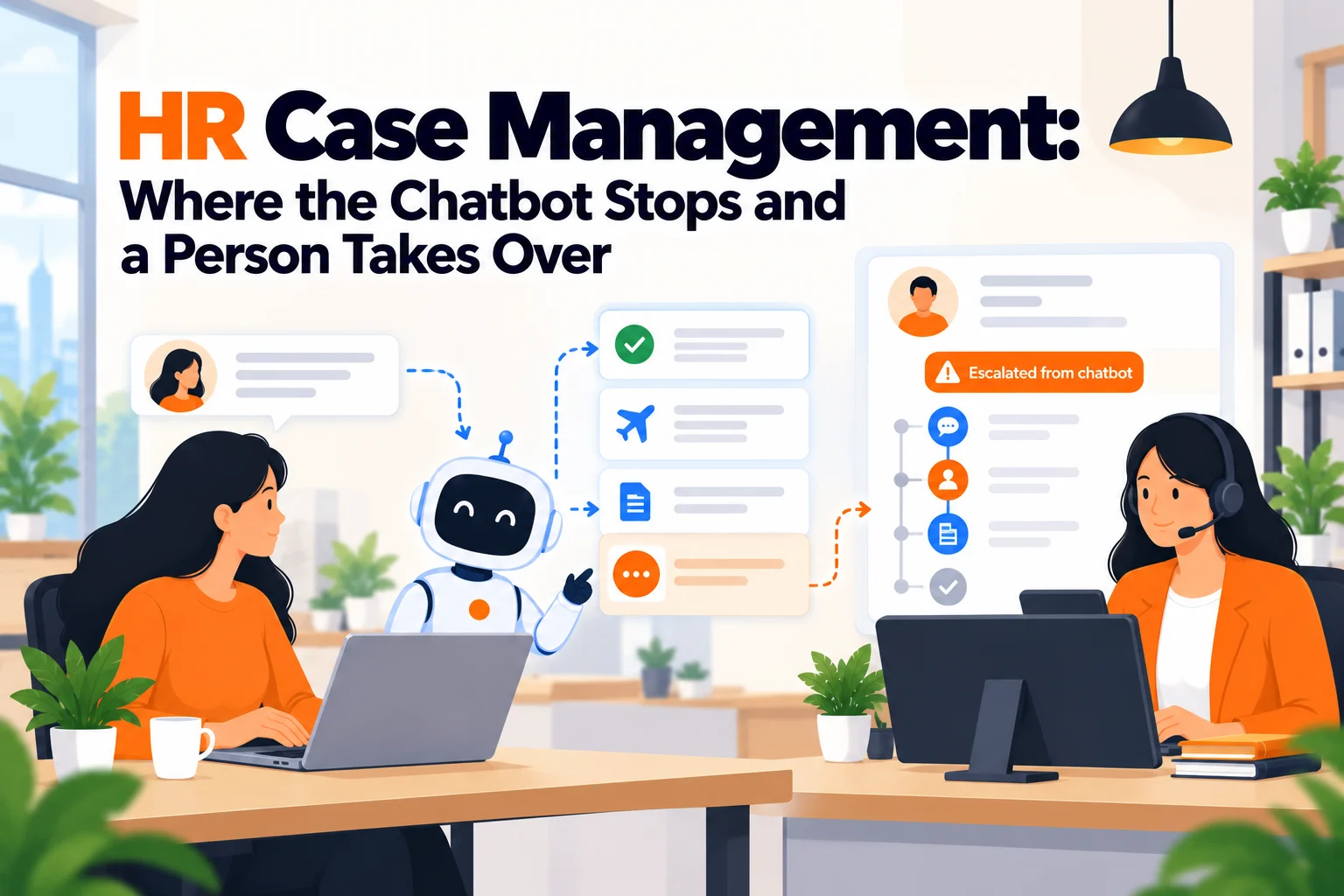
A large share of teams who start shopping for case management are looking at an overloaded inbox and reading it as a case problem. Go and count. If most of what arrives is "how much holiday do I have left" and "when does the benefits window close", those are not cases and a case management tool will do nothing for them except record them. That is a findability problem, and the answer is a current handbook plus something that answers from it, which is the job of an HR chatbot rather than a case system.
When friction starts showing
The signal is a question you cannot answer. How many open matters are there right now. How long does one take, on average. Has this manager come up before. If you cannot answer those from a system, you are already carrying the risk that case management removes, and the first time it matters will not be a convenient time.
The edge case that forces it
A second complaint about the same person, or any external process that asks you to produce your account of what happened. Both turn an informal record into an exhibit. At that point the question stops being whether your handling was good and becomes whether you can show it, and those are very different things. Companies that have been through it once rarely need persuading afterwards.
Five Questions HR Leads Ask Before Buying
"Can I stop my own colleagues seeing this?" Only if the tool supports access control per case rather than per role. This single requirement eliminates more options than any other, and it cannot be added later.
"If I leave, can my successor pick this up?" Only if the record includes the reasoning and the actions, not just the documents. Handover is the failure mode this category exists to fix, and most tools handle the files well and the thinking badly.
"Has this come up before?" Only if cases are linked to people and searchable across time. Pattern detection is the highest-value thing case management does and the thing teams most often discover they cannot do.
"How long is this taking us?" Only if the clock starts automatically at intake. If somebody has to remember to log a start date, your cycle time data will be wrong in the direction that flatters you.
"What do we have to keep, and for how long?" That depends on your jurisdiction, your sector and the nature of the matter, and it is a question for your own legal advice rather than for a vendor's marketing page. What the software needs to do is let you apply whatever answer you are given, including deleting things on a schedule, which not all of them can.
The Three Places Cases Actually Get Handled
A queue inside a general service desk
What it is. An HR queue in a tool built for IT support: Zendesk, Freshservice, or similar, configured with its own forms and permissions.
When it's right. When your volume is mixed, most of it is routine, and the cases are a small share you want tracked rather than investigated deeply. It is also the sensible answer when IT already runs the tool and the licence covers a second department, which is more common than teams assume.
When it fails. These tools are built to close tickets fast, and the metrics, defaults and workflows all push that way. Case-level confidentiality ranges from awkward to genuinely unsafe depending on the product, and the investigation-specific parts, structured interview notes, linked parties, aftercare, are absent. Running a grievance through a ticket queue is possible and it is not the same thing as handling it well.
A purpose-built HR case and investigations platform
What it is. Software designed for this specific job, covering intake through investigation, documentation, outcome and follow-up.
When it's right. When the work is genuinely investigative, when you have enough volume to see patterns, or when somebody outside HR will eventually ask to see your account of a matter. It is also the right answer when you need the structure itself to improve consistency, because these tools encode a process rather than leaving you to invent one per case.
When it fails. Pricing is almost never published, so evaluation starts with a sales conversation. The structure that helps at volume is overhead at three cases a year. And it will not touch your inbound question load, so a team that buys this hoping the inbox gets quieter has misread its own problem.
The case module inside your HR platform
What it is. A case or relations feature within the HRIS you already run.
When it's right. When the matters are mostly routine, the employee record is already there, and the main gain is having the history attached to the person rather than in a folder. Low friction, no new vendor, no new login.
When it fails. Depth and access control are usually the weak points, and the people who already have access to the HR platform are frequently the wrong set for a sensitive matter. Check exactly who can see a case before deciding this is sufficient, because the default answer is often broader than you want.
What a Case Record Actually Has to Contain
This is the part most teams get wrong, and it is worth being concrete because the gap only shows up when the record is read by somebody who was not there.
A set of documents is not a record. The files tell you what was exchanged and almost nothing about what was decided or why. A record that survives a handover carries five things, and each one is routinely missing.
Intake, with a timestamp that was not entered by hand. What was raised, by whom, when, and in what words. The original framing matters because it drifts in retelling, and the clock on everything else starts here.
Who was involved, as structured data rather than prose. The reporting party, the subject, any witnesses, any manager informed. Names buried in a note cannot be searched, which means the pattern question cannot be answered. This is the single most common reason a company cannot tell whether a matter is the first or the third.
What was done, in order, with dates. Meetings held, evidence requested, interim measures applied. Not a summary written afterwards, but entries made as it went, because a reconstruction looks like a reconstruction.
The reasoning, written down at the time. Why a particular step was taken, why something was or was not escalated, what was weighed. This is what distinguishes a defensible file from a tidy one, and it is the first thing to vanish when people are busy.
The outcome and the follow-up. What was concluded, what was communicated and to whom, and what happened afterwards. HR Acuity's own description of its scope runs from intake through aftercare, and aftercare is the stage almost every improvised process drops. A matter closed without a check-in is a matter that reopens.
| What is in the file | What it answers | What it cannot answer |
|---|---|---|
| Documents only | What was exchanged | Why anything was decided |
| Documents plus a summary | What happened, broadly | Whether the steps were timely |
| Structured parties and dated actions | Timeline, pattern, cycle time | Whether the reasoning was sound |
| All of the above plus reasoning at the time | How and why it was handled | Nothing material, for this purpose |
Write the reasoning as you go. It takes a minute per entry and it is the difference between a file and an account.
The First Conversation, and What to Write Down
Most of what goes wrong in a case goes wrong in the first hour, before any tool is involved. Somebody says something difficult in a corridor or a one to one, the person hearing it responds decently, and nothing is recorded because recording it would have felt like escalating it. Then the matter grows, and the beginning of it exists only as two people's recollection of a conversation that neither treated as formal at the time.
The fix is not to formalise every conversation. It is to write four things down immediately, in whatever system you have, even if you have not yet decided whether this is a case.
What was said, in their words rather than your summary. The original framing drifts quickly, and it drifts in the direction of whatever interpretation emerged later. A short verbatim fragment is worth a page of paraphrase.
When it was said, and when you wrote it down. These are two different timestamps and the gap between them matters. A note made the same afternoon reads very differently from one made a fortnight later.
What you told them would happen next. This is the commitment that gets forgotten and resented. If you said you would come back to them by Friday, that sentence is now part of the matter.
Whether they asked for confidentiality, and exactly what you said in response. Do not promise an outcome you may not control. Record the words you actually used, because what the person believes was promised will shape everything afterwards.
And then decide whether it is a case, which is a separate question from whether to write it down. The note costs five minutes and is worthless if made later. So make it first, classify second. Teams that invert that order are the ones reconstructing beginnings from memory months afterwards.
How to Choose: Five Questions Before You Talk to Any Vendor
What share of last month's inbound was actually a case? Count it properly rather than estimating, and see HR help desk software for the ratio that decides which half to buy. Pull a month of requests and sort them into answerable questions, routine administrative requests, and matters needing judgement about a person. If the third pile is under five per cent, buy for the first two and keep cases in a restricted folder for now.
Who must not be able to see a case, and does the tool enforce that? Write the list down: a complainant's own manager, a peer in HR, an executive who is the subject. Then make each vendor demonstrate it in a trial on realistic data, and specifically test what somebody without permission sees when they search. Do not accept a description of the permission model; watch it.
Would this file make sense to somebody who was not there? Take your most recent real matter and give it to a colleague who was not involved. Ask them to tell you what happened and why. Whatever they cannot reconstruct is what your record is missing, and that gap will be the same in the new tool unless the tool forces otherwise.
Does the clock start by itself? Ask where the intake timestamp comes from. If the answer involves a person entering a date, your reporting will understate how long things take, because the entry happens when somebody gets round to it rather than when the matter arrived.
Can you delete on a schedule? Whatever retention answer your own legal advice gives you, the software has to be able to apply it, including removing things when the period ends. A surprising number of tools are built to retain and not to expire, and discovering that after two years of accumulation is an unpleasant conversation.
Running the Confidentiality Test Properly
Access control per case is the requirement that eliminates the most options, and almost nobody tests it before buying. They read the permissions documentation, see the word granular, and move on. Here is a test that takes an hour in a trial account and has saved companies from a purchase they could not undo.
Set up three accounts. One for yourself as the administrator, one for a second HR person with the same role as you, and one for a line manager. Then create a case on realistic but invented data: a complaint raised by an invented employee about an invented manager, with notes, an attachment and a named witness. Restrict it so that only you should see it.
Now go looking for it from the other two accounts, and do it the way a curious colleague actually would rather than the way a tester would.
Search the complainant's name. Not the case reference. People search for people. Check whether the case appears in results, whether a count appears anywhere, and whether the name resolves at all.
Open the employee's own record. Many tools restrict the case object and then surface a related-activity list on the person record, which leaks the existence of a matter without its contents. The existence is frequently the sensitive part.
Check the reporting and dashboards. Aggregate views are the most common leak in this category. A case-type breakdown filtered to one department can identify an individual at small headcount without ever showing a name, and nobody thinks of a dashboard as a permission surface.
Look at the notification trail. Assignment emails, digest summaries and mobile alerts are generated outside the permission model in several products. A subject line is enough to do damage.
Try the global search and any AI assistant feature. If the tool has a search-everything box or an assistant that answers from your data, test whether it respects case-level restriction. Retrieval features added recently are the most likely place for this to fail, because they were built on top of a permission model rather than into it.
So write down what each account could see, and compare it against the list of people who must not see a case that you drew up earlier. Any gap is a finding, and a vendor's willingness to discuss it honestly tells you as much as the result does.
But the most useful outcome of this hour is not the pass or fail. It is that you now know exactly where the edges are, which means you can write a handling rule for the matters that fall outside them rather than discovering the limit during a live grievance.
Six Options Worth Knowing
Prices below were read from each vendor's own page with the date noted. Where a vendor publishes nothing, the entry says so rather than carrying an estimate, because a figure without a source is the thing this publication exists not to print.
HR Acuity
Best for: teams whose work is genuinely investigative and who need the structure of a defined process rather than a place to put files.
Why companies choose it: it is built for this and nothing else, describing its own scope as case management and investigations from intake through aftercare. The structured intake and the linked-parties model are what make the pattern question answerable, and the process it encodes tends to improve consistency in teams that previously handled each matter from scratch.
Where it struggles: it publishes no pricing. Checked on 6 October 2026, there is no pricing page on the site and every route leads to a demo booking, so evaluation begins with a sales conversation and a timeline you do not control. It also does nothing about routine inbound, so it sits alongside whatever handles your questions rather than replacing it.
ServiceNow HR Service Delivery
Best for: large organisations already running ServiceNow, wanting HR cases in the same platform as everything else.
Why companies choose it: if the platform is already in the building, the marginal cost of adding HR is a conversation with an internal team rather than a procurement cycle, and the workflow and reporting depth is as strong as anything in the category.
Where it struggles: it publishes no price. Checked in a browser on 6 October 2026, the HR Service Delivery product page carries no currency figures anywhere and the only calls to action are demo requests. Below roughly 1,000 people the configuration overhead is hard to justify, and the implementation is a project rather than a setup task.
Freshservice
Best for: teams wanting a tracked HR queue with real reporting, without an enterprise implementation.
Why companies choose it: it publishes its prices, at $19, $49 and $99 per agent per month on annual billing, with the Freddy AI add-on a further $29 per agent per month. Asset management and the deeper workflow features arrive on the Growth plan at $49. For a company that wants cases tracked and counted rather than investigated in depth, it does the job at a knowable cost.
Where it struggles: it is a service desk, and the defaults push towards closing things. Per-case confidentiality needs deliberate configuration and should be tested rather than assumed. There is no investigation structure, no linked-parties model and no aftercare stage, so genuinely sensitive matters will be handled by your process rather than by the tool.
Zendesk
Best for: companies already running Zendesk for support who want HR to stop living in a shared mailbox.
Why companies choose it: mature, familiar, and strong at routing and reporting. At $55 per agent per month on the Suite Team plan billed yearly, with Copilot AI a further $50 per agent per month, the cost is at least visible up front, which is more than most of this category offers.
Where it struggles: the per-agent pricing adds up quickly once more than a few people need access, and the AI layer is charged separately on top. It is further from HR work than Freshservice in practice, with no HR-specific intake or case structure, and the same confidentiality caveat applies with more force because the tool's centre of gravity is customer support.
Leena AI
Best for: enterprises wanting one assistant across HR, IT and finance that can action requests rather than only answer them.
Why companies choose it: the cross-department scope genuinely reduces tool count at several thousand employees, and it goes further into actioning than the pure answering tools do.
Where it struggles: pricing is not published, so there is no way to size it without a sales process. More importantly for this topic, actioning a request is not the same as managing a sensitive case, and it should not be treated as an investigations tool. The content maintenance across three departments is also consistently underestimated.
Matram
Disclosure: Matram is owned by the same people who publish HROpsLab. It is listed here because readers comparing these tools will encounter it, and because what it does not do is the most useful thing about it for this topic.
Best for: removing the routine question volume that is currently sitting in front of your real cases.
Why companies choose it: flat pricing at $29, $69 or $199 a month with unlimited seats, so giving every employee access does not change the bill. It answers from your own documents in the surface staff already use, and there is a 30-day trial with no card required.
Where it struggles: it is not case management and should not be bought as such. It answers questions and cannot open, assign, track or report on a case, has no access control at case level because it holds no cases, and carries no investigation structure or aftercare stage. It also has no free tier, and it inherits the quality of your documents. Its honest position in this topic is in front of case management, reducing what reaches the queue so that the queue contains matters that genuinely need a person. If what you need is a defensible record of a grievance, you need one of the options above, not this one.
What Each One Published
| Option | Published price | Unit | Built for |
|---|---|---|---|
| Matram | $29, $69 or $199 | per month, unlimited seats | Answering, not cases |
| Freshservice | $19, $49 or $99 | per agent, per month, annual | Tracked queue, AI extra at $29 |
| Zendesk | $55, plus $50 for Copilot | per agent, per month | Tracked queue, AI extra |
| HR Acuity | Not published | n/a | Investigations, intake to aftercare |
| ServiceNow HRSD | Not published | n/a | Enterprise HR cases |
| Leena AI | Not published | n/a | Cross-department answering and actioning |
Read from each vendor's own pages, the chatbot and service desk figures on 5 October 2026 and HR Acuity and ServiceNow on 6 October 2026. Three of the six publish nothing, which is normal in this part of the market and worth budgeting time for.
The Decision Table
| Situation | Scale | Setup | Primary Pain | Recommended Starting Point |
|---|---|---|---|---|
| Two or three matters a year | Under 80 | Single site | Records in one person's drive | A restricted folder and a naming convention |
| Inbound is mostly routine questions | 40 to 500 | Any | Findability, not cases | An answering layer such as Matram |
| Matters tracked but never investigated | 100 to 500 | Any | No cycle time, no ownership | Freshservice, or the HR queue you already own |
| Already running a service desk in IT | Any | Existing ITSM | Paying twice | The second-department licence you hold |
| Genuine investigations, pattern questions | 150 plus | Any | Cannot answer "has this happened before" | A purpose-built platform such as HR Acuity |
| Second complaint about the same person | Any | Any | The record is now an exhibit | Purpose-built, and budget for it now |
| External process has asked for your account | Any | Any | Reconstruction from a mailbox | Purpose-built, immediately |
| Several entities, ServiceNow already in place | 1,000 plus | Multi-entity | Consistency across regions | ServiceNow HRSD, on a quote |
Most teams occupy two rows at once, usually one about questions and one about cases. They are separate purchases and conflating them is how companies end up with a tool that does neither job well.
What Getting This Wrong Costs
The expensive failure is not choosing the wrong vendor. It is discovering, at the worst possible moment, that the thing you have is a filing system rather than an account. Those look identical while nothing is being contested. The difference appears the first time somebody asks why a particular decision was taken, and the file contains the documents, the dates and no reasoning at all. Reconstructing intent after the fact is both unreliable and visibly so.
The second cost is pattern blindness, and it is the one that does real harm to people. If parties are not structured data, the second complaint about somebody reads as a first complaint. The handling will be proportionate to a single incident when it should not be, and the person who raised the earlier matter will see nothing change. Most companies that discover this discover it in the worst way, which is from the second complainant.
The third is the quiet one: a confidentiality model that was never tested. Access that was configured by role rather than by case means a colleague can search and find something about a named individual that they should not see. Nobody finds out through an alert. They find out because somebody mentions knowing about it, and that conversation damages the trust that makes people willing to raise anything at all.
So ask the diagnostic question directly. Are you solving a storage problem, a consistency problem, or an evidence problem? Storage wants a restricted folder and a convention. Consistency wants a process, which software can encode. Evidence wants a record built as the matter unfolds, and that one cannot be retrofitted at the point you need it.
When You're Ready to Move Beyond a Shared Folder
The signals are concrete. You cannot answer how many matters are open without asking somebody. A second complaint has arrived about a person and you had to go looking for the first. Somebody has left mid-matter and the handover was painful. Or somebody outside HR has asked to see how something was handled. Any one of those is sufficient; two is overdue.
Before buying, separate the two problems honestly. If most of what reaches HR is routine questions, deal with that first, because it is cheaper and it clears the view. Matram sits in that slot and only that slot: it answers from your documents at a flat monthly price, and it will not manage a single case for you. Being clear about that boundary is what makes both purchases work.
If the cases themselves are the problem, the options that publish nothing are worth the sales conversation. And whatever you choose, get your own legal advice on retention and on what your jurisdiction expects, because that answer varies by where you are and by the nature of the matter, and no vendor page is a substitute for it.
Frequently Asked Questions
What is HR case management?
HR case management is the handling of employee matters that need a person's judgement, a documented process and a record that holds up when it is read later by somebody who was not involved. In practice that covers grievances, investigations, disciplinary matters, accommodation and adjustment requests, and anything involving a named third party. The term refers both to the practice and to the software category built for it, which typically covers intake, investigation, documentation, outcome and follow-up. The distinguishing feature against general ticketing is that a case is optimised for correct handling and a defensible account rather than for speed of closure.
What is the difference between HR case management and an HR help desk?
A help desk is built to resolve and close requests quickly, and a case management system is built to handle matters correctly and leave a record. That difference shows up everywhere: in the metrics the tool puts in front of you, in whether parties are structured data you can search, in whether access can be restricted per case rather than per role, and in whether there is any stage after closure. A help desk will happily hold a grievance and will not help you handle it well. Many organisations run both, with the help desk taking routine volume and cases routed out of it into something purpose-built.
Do we need case management software at 100 employees?
Probably not for volume, but possibly for structure. At that size most companies see a handful of qualifying matters a year, which a restricted folder and a consistent convention can hold adequately. The thing that changes the answer is not headcount but whether you have hit one of the forcing events: a repeat matter about the same person, a handover mid-case, or any external process asking for your account of what happened. If none of those has happened, improve where the records live and revisit when one does.
Can a chatbot handle HR cases?
No, and the distinction matters more here than anywhere else in HR software. A chatbot answers questions from documents, which is genuinely useful for the routine volume sitting in front of your cases, and it cannot open a case, assign it, restrict who sees it, record what was done or produce a defensible account afterwards. Matram, which this publication's owners also own, is explicit about this: it answers rather than actions, holds no cases and carries no access control at case level because there are no cases to control access to. Deploying an answering tool to reduce inbound is sound; expecting it to manage a grievance is a category error.
How much does HR case management software cost?
It depends which of the three routes you take, and the purpose-built end of the market largely does not publish. Of the options compared here, Freshservice publishes $19, $49 and $99 per agent per month on annual billing with its AI add-on a further $29 per agent, and Zendesk publishes $55 per agent per month on Suite Team billed yearly with Copilot a further $50 per agent. HR Acuity, ServiceNow HR Service Delivery and Leena AI publish no figures at all, so any budget including those begins with a sales conversation. All figures were read from the vendors' own pages, the service desk ones on 5 October 2026 and the others on 6 October 2026.
How do we keep a grievance from being visible to the wrong colleague?
By making per-case access control a shortlisting requirement rather than a configuration task, and by testing it on realistic data during a trial. Role-based permissions are not sufficient on their own, because the people who hold an HR role are frequently the wrong set for a specific matter, and a complainant's own manager may sit inside that role. Ask each vendor to show you what somebody without permission sees when they search for the individual's name, rather than accepting a description of the permission model. This is the requirement that eliminates the most options, which is why it belongs at the start of the evaluation rather than the end.
How long should we keep HR case records?
That depends on your jurisdiction, your sector and the nature of the matter, and it is a question for your own legal advice rather than for any software vendor or article. What you can take from this page is the operational requirement: whatever period you are advised to apply, the system has to be able to apply it, which includes deleting records when that period ends. A number of tools in this category are built to accumulate rather than to expire, so ask specifically about scheduled deletion during the evaluation and get the answer in writing before you commit.
Should HR cases live in the same system as IT tickets?
Sometimes, and the deciding factor is confidentiality rather than convenience. If your matters are mostly routine and the licence you already hold covers a second department, using it avoids paying twice for overlapping capability, which is a real and common waste. The moment genuine investigations are in scope, the question becomes whether that tool can restrict a single case from colleagues who hold the same role, and whether it offers any structure beyond a ticket with a longer description. Test both before deciding, and treat a shared system as a reasonable starting point rather than a permanent answer.
HROpsLab takes no vendor money and publishes no paid placements, which is why the prices on this page carry the date they were read.