By [Author Name] · [Date] · [X] min read · [Table of Contents]
TL;DR
- A legal hold means a device must be preserved as it is. That instruction collides directly with an offboarding process designed to wipe and redeploy.
- The collision is usually discovered after the wipe, because nobody told IT and the process is automated.
- The decision to place a hold isn't HR's and not IT's. The job here is knowing who makes it and how that reaches the people with the hardware.
- Devices on hold come out of circulation for months or years, which is a real cost nobody budgets.
- The highest-risk moment is a dispute that starts after somebody has already left, when the device has been back in the pool for weeks.
- Agree the route before you need it. Every organisation that has handled this badly did so because the first time was also the first conversation.
An employee resigns on a Friday. The offboarding runs as designed: the laptop is collected the following week, wiped, reimaged and issued to a new starter sixteen days later. Everything works exactly as intended.
Five weeks after that, the company receives a letter about the circumstances of that person's departure, and somebody asks whether anything on their laptop is still available. The honest answer is no, and the reason is that a well-run process did precisely what it was built to do, quickly and irreversibly, while the people who would have known to stop it hadn't yet been told there was anything to stop.
Best tools for HR Operations
The real issue isn't the wipe. It's that offboarding is designed to be fast and automatic, and preservation requires somebody to intervene before anything happens, which means the information has to travel faster than the process.
When this does not apply to you
If you've never had a dispute, this is still worth half an hour. Not because it is likely this quarter, but because the entire cost of being ready is one conversation and one line in a process document, and the entire cost of not being ready falls at the single worst moment.
If your legal function already owns this, your job is the handshake. That handshake is the whole job. Larger organisations usually have a defined process and the gap is rarely the policy. It's that the policy addresses documents and mailboxes and says nothing about the physical device, because it was written by people who think about data rather than hardware.
If devices are never reused, the risk is smaller. Organisations that dispose of machines at the end of a cycle rather than redeploying them have a longer window before anything becomes unrecoverable, though disposal is also irreversible and arrives eventually.
And the case that argues the other way. If you operate in a regulated sector, handle a lot of personal data, or have any history of employment disputes, this isn't an edge case and treating it as one is the mistake. In those settings the question isn't whether a hold will be needed but how many will be open at once.
There's a fifth situation. It catches people out. Organisations using a service provider for retrieval and redeployment have added a step between the decision and the device, and that step is usually a contract with its own timelines. A hold instruction now has to reach a third party and stop something already in motion, which takes longer than stopping an internal process and needs to have been thought about in advance.
What a hold actually asks of the hardware
It helps to be precise about what preservation means in practice, because the word covers several different asks and they cost different amounts.
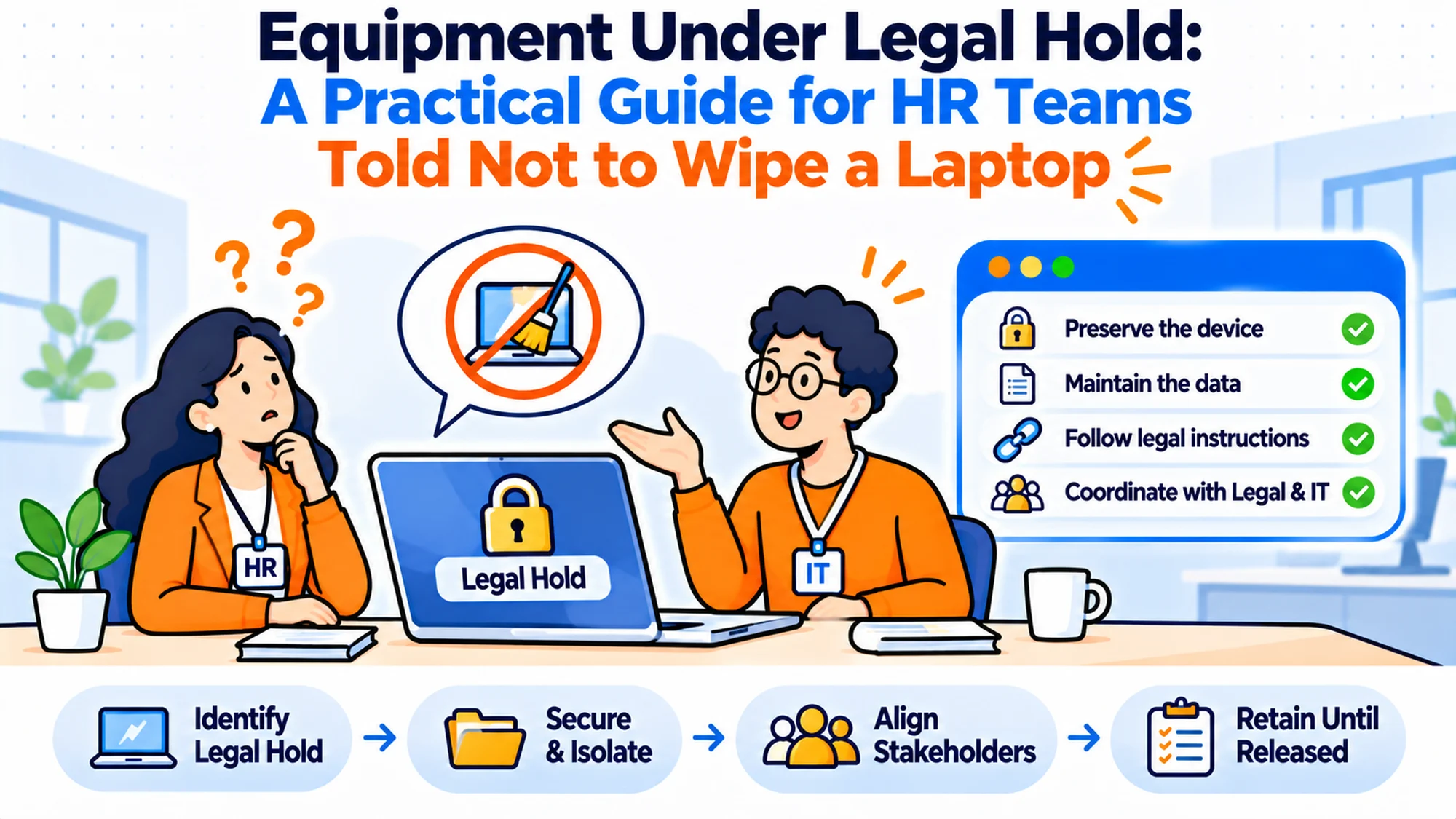
Don't wipe. The minimum. The device stays as it is, with the account, the local files and the configuration intact. This is usually all that's required and it is the cheapest to comply with, provided the instruction arrives before the automated process runs.
Don't reissue. Related and separate. A device can be preserved and still be sitting in a drawer, or it can be preserved and in use by somebody else, which isn't preservation at all. A hold means the machine leaves the pool.
Don't power on. Sometimes requested, occasionally important, and frequently surprising to operational teams. Starting a machine changes things on it. Where that matters, the device needs to be stored rather than checked, and "we just turned it on to see what was on it" is a sentence that causes problems.
Preserve and image. The more thorough version, where a copy is taken under a defined process and the original is kept. This is specialist work and it isn't a job for whoever happens to be in the office, which is worth establishing before somebody helpful starts copying files to a shared drive.
Who can do it. That is the distinction that matters between the first three and the fourth. The first three are operational instructions that your existing team can follow with no special skill: leave it alone, take it out of the pool, put it somewhere and don't switch it on. The fourth requires someone who can demonstrate afterwards what was copied, how, and that nothing changed in the process, and that's a professional discipline rather than a careful afternoon. Knowing in advance which of your contacts can do the fourth, and roughly what it costs and how quickly they can attend, turns a potential week of delay into a phone call. Most organisations have never asked, discover they need it under time pressure, and spend the first two days finding somebody rather than preserving anything. I've watched that happen twice.
The practical implication is that the instruction has to say which of these it is. "Keep the laptop" is ambiguous and will be interpreted as the cheapest reading by somebody with a queue of other work.
| Instruction | What it means operationally | Cost | Common failure |
|---|---|---|---|
| Do not wipe | Leave the device as collected | Low | Automated process already ran |
| Do not reissue | Remove from the redeployment pool | Low, plus the idle asset | Reissued before the hold arrived |
| Do not power on | Store, do not inspect | Low | Somebody checks it anyway |
| Preserve and image | Specialist copy, original retained | High | Handled by a willing amateur |
What people will ask when it first happens
Who is allowed to tell us to do this? The first and most important question, and the answer should be a named role rather than a department. A hold instruction arriving from somebody without authority to give it is a problem, and so is one being ignored because the recipient wasn't sure.
How long does it last? Longer than anybody expects. Months is normal and years isn't unusual, and the device is unavailable throughout. The release has to be as explicit as the hold, because a device nobody has been told to release stays on the shelf indefinitely.
Can we take a copy and reuse the laptop? Sometimes, and it isn't a decision for IT or HR to make alone. The answer depends on what's being preserved and why, and getting it wrong in the permissive direction is much worse than being over-cautious with one machine.
What about everything that isn't the laptop? The phone, the backup, the shared drive, the chat history. A hold on the device alone frequently misses most of what matters, and the hardware is often the least significant part. Flagging this is useful even though it is outside your scope.
Do we tell the person? Not your call, and worth knowing that it isn't your call before somebody asks it in a hurry. The instruction on notification comes with the hold itself, and acting on an assumption here rather than waiting for it is a genuine risk.
What happens to the replacement they were promised? A practical question that arrives within a day and has nobody obviously assigned to it. If a device is held during an internal matter and the person is still working, they need something to work on, and the machine they were going to get may be the one now sitting in a cupboard. The honest answer is that the hold costs you a device from the pool and somebody has to approve that, which is a two-minute decision if it has been anticipated and a half-day of escalation if it has not. It's also the point at which the hold becomes visible to people who weren't told about it, because a replacement laptop appearing at short notice is noticed, so whoever is managing the confidentiality of the matter should know it is happening rather than find out afterwards.
The timing problem, which is the whole thing
Everything above is straightforward. The reason this goes wrong is timing, and the shape of it is consistent.
A dispute rarely announces itself on somebody's last day. The sequence is usually that a person leaves, the normal process runs, and some weeks later a letter arrives or a complaint is formalised. By then the device has been collected, wiped, reimaged and reissued, because that's a well-designed process working at speed.
So the question isn't preservation. It's how to shorten the gap between somebody realising there may be an issue and the hardware stopping. And the people who realise first are usually in HR, having the difficult conversations, while the hardware is moving through a process in another team that has no visibility of any of it.
This is why the useful intervention is almost never a policy about preservation. It's a hold on the offboarding process itself, available to a small number of named people, that can be applied in minutes and asks no questions. Something closer to a pause button than a procedure.
The second half of the timing problem is automated. Where wiping is triggered automatically by a leaver event in the HR system, the window between departure and irreversibility can be hours. That's efficient and it is the correct design for 99 departures out of 100. For the hundredth, somebody needs to be able to stop it before it starts, which means the pause has to be available at the point the departure is recorded rather than afterwards.
Building the pause before you need it
The whole of the preparation is four decisions and they take one meeting.
Who can call it. Name roles, not people, and keep the list short. HR lead, legal contact, and whoever owns the IT process is usually enough. Publish that list to the people who would actually receive the instruction, so they can recognise a valid one when it arrives.
How it travels. A named channel that's monitored, not an email to an individual who may be on leave. The instruction has to work on a Friday afternoon in August, because that is reliably when somebody will need to send it.
What it stops. Define it as stopping the whole offboarding sequence rather than enumerating steps, because enumerated lists always miss something, and the thing they miss is usually the backup or the mailbox.
How it ends. An explicit release from the same authority, recorded. Without this, held devices accumulate and nobody is ever confident enough to release any of them, which turns a temporary measure into a permanent storeroom.
Then test it once. Pick a real departure, apply the pause, confirm that the device genuinely didn't get wiped, and release it. A pause that has never once been exercised is an assumption rather than a control, and this is a genuinely cheap thing to check.
The cost nobody budgets
Devices on hold are capital sitting still, and for organisations where this happens regularly it adds up in a way that surprises people the first time somebody counts it.
A machine held for eighteen months is a machine that wasn't redeployed, so a replacement was bought for whoever would have received it. The hold cost is the full price of a device, not a storage fee, and that cost lands in a budget with no line for it and no one expecting it.
There is a second cost in the devices themselves. A laptop sitting in a drawer for two years isn't the asset it was when it went in. The battery degrades, the warranty expires and the specification ages, so what comes back into circulation at the end of a hold is frequently fit only for disposal. Planning on recovering the value at the other end is usually optimistic.
Storage costs something too. It is small financially and awkward practically. Held devices need to be somewhere controlled and labelled, not confused with the spare pool, which in most offices means a locked cupboard that somebody is responsible for. The failure mode here is mundane and common: a held device goes into general storage, somebody needs a machine urgently, and it is issued by a person who had no idea.
Budget for it as a small number of devices permanently out of circulation rather than as a cost per event. That framing is closer to the truth and easier to defend.
Five questions to settle in advance
Does your offboarding have a stop? Not a slow path, a stop. If the only way to halt a wipe is to find the right person and ask nicely, you do not have one.
How fast does the automated part run? Measure it. The gap between a leaver record being created and the device being irreversibly changed is the window you actually have, and most people guess it is days when it is hours.
Who currently knows a dispute is brewing? Usually two or three people in HR, well before anything formal. Whether they know they can stop the hardware process is the single highest-value thing to check, and the answer is very often that they assumed somebody else would handle it.
Where would a held device physically go? A named place with a named owner. If the answer is the same cupboard as the spares, that will fail eventually, and the way it fails is that somebody under pressure to equip a new starter takes the nearest working machine.
Who releases them? And does anyone currently hold a list of what is on hold and why? Organisations that have been doing this for a while without a register usually have several devices nobody can properly account for any more.
Internal investigations, which are far more common
Most writing on this subject assumes litigation. In practice the great majority of holds an HR team will encounter come from internal investigations, and they behave differently in ways worth knowing.
An internal investigation usually starts faster and quieter. Somebody raises a concern, a manager escalates it, and within a day or two there is a question about what is on a person's machine. There is often no external adviser involved at the start, which means the instruction to preserve may come from an HR lead rather than from anybody with formal authority, and the receiving team has to decide whether to act on it.
That's the first difference. I'd design for the internal case first. Internal investigations need the same pause available on the same terms, because the hardware consequence is identical even when the formality is not. An organisation that only honours preservation instructions from legal will lose devices during exactly the investigations most likely to become something more serious later.
The second difference is bigger. The person is frequently still employed. A hold on a departing employee's laptop is straightforward because the device is coming back anyway. A hold on the machine of somebody still working raises an immediate question: do you take it, and if so what do they work on. Taking somebody's laptop is a visible act that communicates a great deal to everybody around them, and doing it without having decided the messaging is a mistake that cannot be undone.
The usual answer is to image rather than seize where the investigation allows it, so the person continues working and nothing is signalled. That decision belongs with whoever is running the investigation, but the practical constraint belongs to IT, and the conversation goes better if both know the options before it arises.
The third difference is scope creep. Internal matters expand. A concern about one person becomes a concern about three, and the hold that covered one machine now needs to cover a team. Processes that handle a single device well often cannot handle six at once, and discovering that during an investigation is poor timing.
Holding devices and data protection, which pull in opposite directions
There is a genuine tension here that most operational guidance ignores, and it is worth naming even though resolving it is not an HR or IT decision.
Retention policies exist to delete things. Legal holds exist to keep them. When the two meet, the hold normally takes precedence, but that is a decision somebody with authority has to make rather than an assumption an operational team can act on. The practical consequence is that a device being preserved may contain personal data well past the point your own policy says it should have gone, and that position needs to be deliberate and recorded.
Then there's the personal material. The device almost certainly contains a good deal of it. Even on a corporate machine with a clear acceptable use policy, people keep photographs, personal correspondence and documents that have nothing to do with the matter at hand. Preserving the device preserves all of it, and anyone reviewing the contents will encounter it.
Two disciplines help. Both are cheap to adopt and worth having in place before anybody needs to open a held machine. Keep access to held devices restricted to the smallest number of named people, and record who accessed what and when. Both are things an organisation will be glad to have afterwards and will not be able to reconstruct later.
The third point is the one most often missed. A held device is still an asset carrying data, and it needs the same security as any other machine holding sensitive information, arguably more. A laptop in a drawer with no encryption check, no record of who has the key to the cupboard and no entry in any register is a worse data risk than one in active use with proper controls on it.
None of this is an argument against preserving. It is an argument for preserving deliberately, with the position written down, rather than by leaving a laptop in a cupboard and hoping.
Keeping a register of what is held
Every organisation that has handled more than two or three holds has independently discovered that it needs a list, and most discovered it after losing track of something.
The register needs five columns and no more. What the device is, including its identifier. Who held it. The date the hold started. Who instructed it. And the condition under which it ends. That last column is the one that makes the whole difference between a temporary measure and a cupboard nobody ever empties again.
Keep it separate. Not a flag inside the main asset register. This sounds like duplication and it prevents the most common failure, which is that a held device is picked up during a routine stocktake by somebody who has no reason to know, and reissued because the system says it is available. A separate list owned by a named person is harder to blunder into.
Review it on a schedule, quarterly is sufficient. The purpose of the review is not to release anything unilaterally; it is to ask the instructing party whether each hold is still required. Holds are rarely cancelled proactively, because the people who placed them have moved on to other things, and nothing prompts them. A standing quarterly question is usually enough to clear the ones that ended months ago.
Record the release as carefully as the hold. A device released on a verbal nod from somebody who cannot later remember it is a device nobody will be comfortable defending. One line, dated, with a name, is enough.
And when a hold ends, decide explicitly whether the device returns to the pool or goes to disposal. After two years in a drawer the answer is usually disposal, and that is fine, but it needs recording because the asset has to leave the books one way or another.
When the devices are in several countries
Holds across borders are harder in a way that surprises teams who have handled domestic ones competently, and the difficulties are practical rather than conceptual.
The first is simply reaching the device. A machine held by somebody in another country cannot be collected by walking to their desk, and the normal retrieval route takes weeks. If a hold requires the physical device rather than a copy, that lead time is now part of the risk, because the device is sitting with somebody who may have been told nothing.
Don't ship it. Moving a held device internationally is a worse idea than it first appears. The machine crosses a border, passes through hands nobody controls, and may be opened for inspection. Where the point of the hold is that the device remains in a known state, a courier journey is the opposite of that. Where preservation genuinely matters, the usual answer is to preserve it where it is, through someone local, rather than to move it.
The third is that what you are permitted to do with an employee's device and its contents is not uniform across jurisdictions, and that is a question for local advice every time rather than a policy you can set centrally. The useful operational position is to assume the answer differs, ask before acting, and never apply the home-market approach by default to a device held somewhere else.
Stop, locate, ask. That is the practical shape that works for most distributed organisations: stop the device moving, confirm who physically holds it, and get advice before doing anything else. Those first two steps are available to an operations team immediately and preserve every option. The third is somebody else's decision and will arrive faster if the first two are already done.
The tools, and where each one struggles
RemoAsset is our own product. Stated plainly rather than buried, and judged on the same criteria as everything else here. Its relevance is narrow and worth being exact about: because it handles retrieval across 80+ countries and records the device through collection and return, it is the system that knows where a departing employee's machine physically is, which is the first thing anybody asks when a hold lands. Pricing is published, with the Subscription tier starting at $1,499 a year for companies with 50 to 5,000+ employees, and including a 60 per cent reduction on retrieval charges.
Its limits matter a great deal in this context and are worth stating in full. It has no network discovery, so it will not find hardware you forgot you owned, and a hold on a device nobody recorded is a hold that cannot be executed. It has no software licence management. And only the Subscription tier publishes a figure, with the pay-as-you-go tier quoted rather than listed. Most importantly for this article, it is not a preservation or forensic tool. It will not image a device, it does not provide chain of custody, and it is not evidence of anything. If a hold requires a defensible copy, that is specialist work and belongs with people who do it professionally.
Workwize holds devices in its own warehouses, which can be an advantage when a machine needs to sit somewhere controlled rather than in an office cupboard, provided the contract allows for indefinite storage. It publishes no rate card, and the figures on its pricing page are savings claims rather than prices. Its live domain is goworkwize.com.
Firstbase publishes no price and carries no currency figures on its pricing page. Its model is supply-led, so it is strongest where it provided the fleet.
GroWrk publishes no rate card. Its pricing page carries a competitor cost estimator whose figures are its own estimates rather than published prices from anybody.
allwhere is a managed service that publishes nothing, which suits organisations handing the process over entirely.
Deel IT ties equipment to employment and publishes no rate card.
None of the above is a legal hold system. What they provide is the thing a hold depends on first, which is knowing where the device is and being able to stop it moving.
| Option | Published price | Relevance to a hold | Where it struggles |
|---|---|---|---|
| RemoAsset | $1,499 a year, Subscription tier | Knows where the device is, can stop retrieval | Not a forensic or preservation tool |
| Workwize | None published | Controlled warehouse storage | Rate card not public |
| Firstbase | None published | Supply-led model | Weaker on pre-existing estates |
| GroWrk | None published | Scoped per customer | Only an estimator is public |
| allwhere | None published | Fully managed | Nothing published to compare |
| Deel IT | None published | Tied to employment | Weaker standalone |
The decision table
| Situation | Scale | Setup | Primary Pain | Recommended Starting Point |
|---|---|---|---|---|
| Never had a dispute | Any | Automated offboarding | Unknown exposure | One meeting, define the pause |
| Regulated sector | Any | Formal legal function | Device scope missing | Add hardware to the existing process |
| Automated wipe on leaver event | Any | Fast offboarding | Hours, not days | Pause at the leaver record |
| Using a retrieval provider | Any | Third party involved | Instruction has to reach them | Agree it in the contract |
| Holds already happening | Any | Ad hoc | No register | List what is held and why |
| Device already wiped | Any | Any | Nothing to preserve | Tell legal immediately, do not improvise |
What to say to the people carrying it out
The operational staff who execute a hold are usually a service desk technician and whoever handles retrievals, and they are being asked to depart from a process they run dozens of times a month. How that is communicated determines whether it works.
Tell them what, not why. The instruction is to stop the offboarding on a named device and store it in a specific place. The reason is almost never theirs to know, and volunteering it creates an obligation to keep something confidential that they did not ask for and may discuss in good faith with a colleague.
Give the instruction in writing, even when it is given verbally first. The written version is what protects the person carrying it out, because the one thing worse than a device being wiped is a technician being asked afterwards why they did not stop it when the only instruction was a passing comment at a desk.
Make it clear that doing nothing is the correct action. This sounds obvious and it is routinely misunderstood. A helpful technician told that a laptop matters will often do something useful with it: take a backup, check what is installed, copy the user folder somewhere safe. Every one of those is a change. Say explicitly that the device should be stored and not touched, because the instinct to be helpful is strong and the instruction to be inert is unusual.
Finally, give them a name to escalate to. A hold often arrives alongside other pressures, such as a new starter who needs a machine that week, and the person holding the device needs somewhere to take that conflict rather than resolving it themselves at five o'clock on a Friday.
Reading your own exposure honestly
It is worth finishing with an assessment rather than a procedure, because the amount of effort this deserves varies enormously between organisations and most get the calibration wrong in one direction or the other.
Three factors drive it. How often you have disputes or formal investigations, which you can count from the last two years rather than estimate. How fast your offboarding runs to the irreversible step, which you can measure. And how many of your departures are contentious rather than routine, which is something HR usually knows without having to look anything up.
An organisation with two investigations a year, a three-day offboarding and mostly amicable departures needs a named pause and nothing else. The whole preparation is one conversation and a line in a process document, and spending more than that is effort better used elsewhere.
An organisation with monthly investigations, same-day automated wiping and a difficult relationship with departures needs a register, a defined storage location, an agreed route to specialist help, and somebody who owns it. That is a small ongoing commitment rather than a project, and it will be used.
Both ends fail. At one end you have nothing and lose a device at the worst possible moment. The failure mode at the other is a process so heavy that people route around it, which produces the same outcome through a different path. The right amount is usually less than a cautious lawyer would specify and considerably more than most operations teams currently have.
The honest test is simple. If a hold instruction arrived this afternoon, who would receive it, what would they do in the first hour, and would the device still exist tomorrow. If you can answer all three without checking, you are ready. If you cannot answer the first one, that is where to start and it costs nothing.
The cost of getting this wrong
The obvious cost is the evidence that no longer exists, and it is the one everybody thinks about. It is also the one you can do least about once it has happened.
Improvisation is the real cost. I've seen all three of the following happen in the same week. When a hold arrives and there is no process, people act with good intentions and no guidance: somebody copies files to a shared folder, somebody else powers the machine on to check what is there, a third person emails the former employee to ask a question. Each of those is reasonable in isolation and all of them make the situation worse, and they happen specifically because nobody had agreed what to do.
The third cost is the quiet one. Organisations that have been through this once tend to overcorrect, and the overcorrection is to stop wiping anything promptly. Machines accumulate, redeployment slows, and the asset register fills with devices nobody will touch because nobody is sure whether they are allowed to. That is an expensive and permanent response to a problem that a pause button solves.
So the question is not whether you could preserve a device if asked. It is how many hours would pass between somebody in HR having a bad feeling about a departure and the hardware stopping, and whether anybody has ever measured that.
Getting this in place this month
The useful version of this is small and does not need a policy document.
Find out how fast your offboarding actually runs, from leaver record to wiped device, on a real example. That number is the whole of your exposure and most people are wrong about it.
Agree who can call a stop, in one meeting, and write their roles on the same page as the offboarding process rather than in a separate document nobody opens.
Give them a channel that works out of hours and is monitored by more than one person.
Decide where a held device goes, label it clearly, and make keeping track of it somebody's actual named responsibility rather than a shared assumption. A cupboard is fine. An unlabelled cupboard is not.
Then test it. Once, on a real departure, writing down what happened and how long each step actually took. The organisations that handle this well are not the ones with the best policy. They are the ones where somebody has done it once before it mattered.
Frequently asked questions
What is a legal hold on equipment?
It is an instruction to preserve a device as it is, rather than wiping, reissuing or disposing of it, because its contents may be relevant to a dispute, investigation or regulatory matter. It can range from simply not wiping the machine to taking a defensible forensic copy, and the instruction should say which, because operational teams will otherwise interpret it as the least burdensome option.
Who decides that a device should be held?
Not HR and not IT acting alone. The decision belongs with whoever holds legal responsibility in your organisation, which may be an internal counsel or an external adviser. What HR and IT need is clarity about which named roles can issue the instruction and how it reaches them, so a valid instruction is acted on quickly and an invalid one is recognised.
What usually goes wrong?
Timing. Disputes are rarely formalised on somebody's last day, so the normal offboarding has often already run by the time anyone knows there is an issue. Where wiping is triggered automatically by a leaver record, the window between departure and irreversibility can be hours rather than days, and nothing can be recovered afterwards.
Can we take a copy and put the laptop back into use?
Sometimes. It isn't a decision to make internally without advice. Whether a copy is sufficient depends on what is being preserved and why, and an informal copy made by a helpful colleague is unlikely to be adequate. Being over-cautious with one machine costs very little; being wrong in the permissive direction can be expensive.
How long do holds last?
Longer than people expect. Months is normal and multi-year is not unusual, and the device is out of circulation throughout. Plan for it as a small number of machines permanently unavailable rather than as a temporary measure, and make sure releases are as explicit as the original instruction, or devices will sit on the shelf indefinitely.
Does this apply to phones and backups too?
Usually yes. The laptop is often the least important part of it. Mailboxes, chat history, shared drives and backups frequently hold more of what matters. A hold scoped to the physical device alone tends to miss the majority of relevant material, which is worth raising even where it falls outside your own responsibilities.
What should we do if the device has already been wiped?
Say so immediately. Tell whoever issued the hold and be accurate about it. Don't attempt to recover anything yourself. Improvised recovery attempts can make the position worse and are difficult to explain afterwards. An honest early account of what happened and when is substantially better than a late one, and the chronology will be asked for.