TL;DR
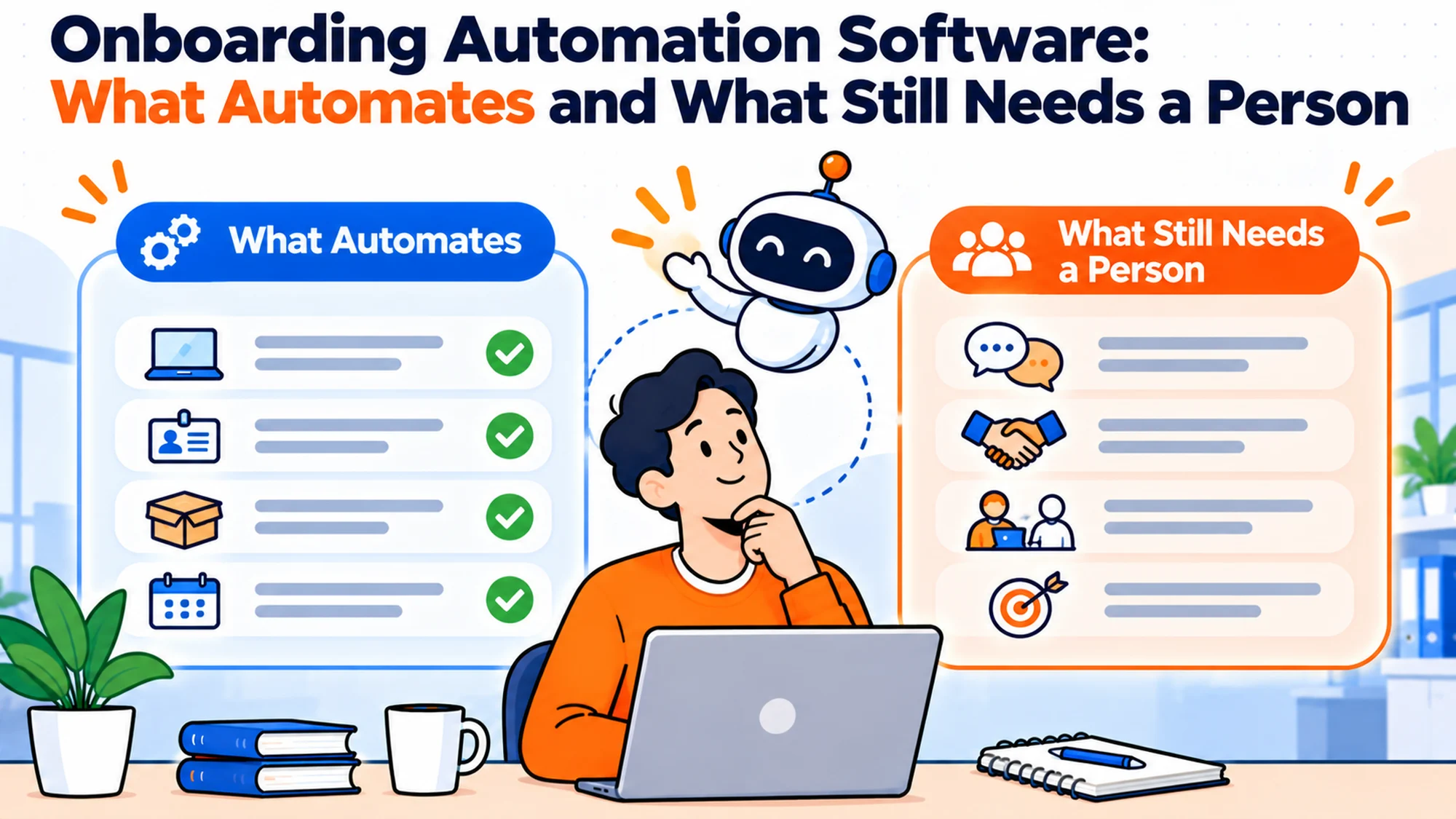
- Automate the things that are deterministic and repeated: triggers, provisioning from a role template, scheduled reminders, record keeping.
- Do not automate the things that carry judgement or build a relationship: the manager conversation, the first assessment, anything about culture.
- The highest return automation in most companies is a single notification at offer acceptance, and it is usually free.
- Automation inherits your process. If the process is unclear, you will encode the confusion and make it faster.
- Reminders degrade quickly once they fire against stale state, and a reminder people have learned to ignore is worse than none.
- Measure elapsed time saved, not tasks automated. Automating a step nobody was waiting on changes nothing.
A company buys onboarding automation software, spends three weeks configuring it, and automates fourteen steps. The starter experience is unchanged, because the two things that were actually slow were an approval that sits with a busy director and a laptop that takes eleven days to arrive, and neither was among the fourteen.
This is the most common outcome in the category and it is not a product failure. The configuration covered what was easy to model, which is the set of tasks somebody had already written down, and the delay lived in the gaps between them where nothing was written down at all.
The real issue is not which steps can be automated. It is that the steps which are easiest to automate are usually the ones that were never the problem.
Best tools for HR Operations
The line that actually matters
There is a clean test for whether something should be automated, and it is not whether it is repetitive.
Ask what inputs determine the outcome. If the inputs are all available in a system, and the same inputs always produce the same correct output, automate it. Creating an account from a role template qualifies. Sending a notification when a record reaches a state qualifies. Scheduling a reminder a fixed number of days before a date qualifies.
If the correct output depends on something not in any system, including how somebody is feeling, what the team is like this month, or what this particular person needs, it should not be automated, and automating it produces a confident output that is approximately right and occasionally badly wrong.
The category that causes most trouble sits between the two: things that look deterministic and are not. Deciding what access somebody needs looks like a lookup and is actually a judgement that depends on what they will be working on, which nobody has told the system. Deciding whether somebody is settling in looks like it could be inferred from activity and cannot.
| Task | Inputs available in a system? | Automate |
|---|---|---|
| Notify IT at offer acceptance | Yes | Yes |
| Create account from a role template | Yes | Yes |
| Order equipment for a standard role | Yes | Yes |
| Remind an approver a task is waiting | Yes | Yes |
| Decide which tools a person needs | Partly, role only | Suggest, let a human confirm |
| Decide the first project | No | No |
| Assess how somebody is settling | No | No |
| Explain how the team actually works | No | No |
When you should not automate at all
Below about twenty hires a year the configuration cost exceeds the saving. You will spend more time building and maintaining the rules than the rules will ever save, and the maintenance continues forever while the saving is proportional to volume.
If the process is not written down, automating it encodes a guess. This is the failure that produces the worst outcomes, because the person configuring the tool has to decide what happens at each step and they frequently do not have the authority to make those decisions. The process gets defined by whoever built the automation, invisibly, and discovered later.
If your paths vary more than they repeat, automation becomes a rules thicket. Companies with many exceptions end up with configurations that nobody but the author understands, which fail when the author leaves and cannot be safely modified by anybody else.
And the case that argues the other way. If you hire in cohorts, automation earns its place much earlier than volume suggests, because the burst is what breaks manual handling and a rule does not care whether it fires once or six times in an hour.
A second argument for automating earlier than volume suggests is concentration of knowledge. A manual onboarding process that works well usually works because one person holds it in their head, adapts to each case, and remembers the things nobody wrote down. That is genuinely higher quality than most configurations achieve, and it carries a risk that is invisible right up until it is not. When that person takes a fortnight off during a week when three people start, or moves to another role, the process does not degrade gracefully. It stops, and whoever picks it up reconstructs it from the wreckage of the first bad onboarding. Automating the deterministic parts is partly about speed and partly about making the process survivable by somebody who was not there when it was designed, which is a different and often more pressing reason to do it.
The one automation worth doing first
If you do nothing else, build a notification that fires at offer acceptance and tells everybody downstream that a person is coming.
The reason this is first is that it is upstream of every other improvement. Everything else in onboarding has a lead time, and lead time can only be used if it exists. A team that learns about a starter ten days out can absorb an approval that takes three days and a laptop that takes a week. The same team learning two days out cannot, and no downstream automation recovers that.
The payload should be minimal: name, start date, work location, role. Not the contract, not personal details beyond what shipping requires. The temptation to pass everything through should be resisted, because a notification carrying sensitive data creates an obligation without improving the outcome.
Measure before and after. Take the last ten hires and record days between offer acceptance and first downstream notification. Teams that are struggling usually find a median under three days, with at least one case where the first anybody knew was a calendar invite for the welcome call. After the change that number becomes the offer to start gap, which is typically two to six weeks, and most of the downstream pain disappears without anything else being automated.
The same path has to carry amendments. A start date that moves in the recruitment system and nowhere else leaves every downstream schedule running against the old date. The visible consequence is hardware arriving early. The serious one is an account activating on a date nobody is watching, which is an open credential rather than an inconvenience.
Provisioning from role templates
The second automation worth building is granting a defined set of access automatically when an account is created, based on a role.
Most teams resist this on security grounds and the intuition is backwards. When access is slow to obtain, people request more than they need, because asking twice is expensive and they would rather over specify once. A published default built from what people in that role actually use tends to grant less in total, and it is reviewable in a way that ad hoc grants are not.
Build the template from evidence rather than from a job description. Take the last three hires in a role and look at what they ended up with after three months, not what they asked for on day one. Then remove anything granted and never used, which most tools will show you. The result is close to correct and the day one request list is not.
Key the template on a dedicated field rather than on job title. Titles exist for compensation and progression reasons and multiply accordingly, so you end up with a dozen engineering titles needing identical access and three titles containing the word analyst needing entirely different things. A short list of access groupings, ideally under fifteen values, is far more stable.
What stays manual is everything outside the template, and that is the correct split. Approval should be reserved for things with a per seat cost, a licence implication or a data sensitivity, and keeping an approval step on something everybody in a role receives anyway adds days of waiting for a decision that was never in doubt.
Reminders, and how they decay
Automated reminders are the easiest thing to build and the easiest thing to build badly.
The failure pattern is consistent. Reminders are configured against dates rather than against verified state, so they fire whether or not the task is done. A task completed in a different system does not update the tracker, the reminder fires anyway, and the recipient learns that reminders from this system are noise. Within a few months they are filtered, and the reminder that genuinely matters arrives into a channel nobody reads.
Two rules prevent most of this. Fire on state rather than on date, which means the automation has to be able to see whether the thing is actually done. And cap the number: three reminders about one task is the point at which you are training people to ignore you, and after that escalate to a person rather than sending a fourth.
The third rule is to address reminders to somebody who can act. A great deal of automated chasing goes to the person waiting rather than the person blocking, which is both useless and faintly insulting, because the new starter cannot approve their own access.
And consider what a reminder costs the recipient. An approver receiving six automated messages a week about onboarding tasks will batch them, which adds a day of latency to every one. One digest, daily, with everything outstanding, usually produces faster action than six individual notifications.
There is a fourth rule that is less obvious and prevents a quietly damaging failure: make the reminder carry the action, not a link to the action. A notification saying that a request is waiting, with a link into a system the recipient has to find their way around, costs them a context switch and several minutes, which is why those reminders get deferred. A notification that states what is being requested, for whom, and offers an approve option in the same place they read it, gets handled immediately. This single difference accounts for a large share of the variance in how long approvals sit, and it is a design choice rather than a platform capability, since most tools can do either and the default is usually the worse one.
What should stay human, deliberately
The things worth protecting are the ones most easily automated by accident, because each of them has a plausible automated substitute that is cheaper and worse.
The manager's first conversation is the clearest. Much of what makes a first fortnight work is one person explaining how things actually operate here: what matters, what people are relaxed about, who to approach when something is urgent. None of it is written down, most of it should not be, and a generated version produces a plausible summary of a culture that does not exist. Worse, the existence of the generated version makes the real conversation feel redundant, so it does not happen.
The buddy relationship has the same shape. Its value is not information transfer, it is that somebody is available to be asked a stupid question at no cost. A tool answers the stupid question faster and removes the reason the two people would have spoken.
Early feedback should not be generated. An assessment in the first month is mostly a statement about how well somebody is being supported, and attributing it to the individual is both inaccurate and hard to walk back. The underlying signal is also weak at that stage, which makes confident presentation actively harmful.
And whether somebody is struggling should never be inferred from activity. Every automated proxy measures something adjacent, usually how comfortable a person is writing in public, which is a personality trait rather than a progress signal. If you want to know, ask, early, in a way that makes saying yes cheap.
Building the business case without inventing a number
Automation business cases tend to be built on time saved per task multiplied by volume, and the resulting figure is almost always too large and too easy to attack.
The problem is that the time saved is real and fragmented. Removing four minutes of clicking from a coordinator's day does not produce four minutes of anything else; it produces a slightly less irritating afternoon. Those minutes do not aggregate into a role, and a case that implies they do invites a finance team to ask when the headcount reduction lands, which is a question with no good answer.
The honest case has three components and none of them is a headcount saving.
The first is elapsed time, which is the one that actually matters. If a starter is productive two days earlier, that is two days of salaried capacity recovered per hire, and it is defensible because it is measurable before and after. Multiply by hires per year and you have a number you can stand behind.
The second is error cost, which is harder to quantify and easier to illustrate. Count how many onboardings in the last year had a failure that required rework, and estimate the hours spent fixing each. Teams are frequently surprised by this because the fixes are distributed across several people and never add up anywhere.
The third is capacity rather than saving. The same coordinator can handle more hires without quality falling over, which is what a growing team actually needs and is a different claim from saving money. It is also the claim most likely to survive scrutiny, because it matches what the finance team can see happening.
What to leave out is anything inferred from a vendor study. A published figure about savings achieved by other companies is marketing collateral, not evidence about your situation, and putting one in an internal case tends to undermine the parts that are genuinely yours.
Automation inherits your data quality
A rule is only as good as the field it reads, and onboarding automation reads fields that were never designed to drive anything.
The clearest case is job title, discussed above, which exists for compensation reasons and is a poor access key. The quieter cases cause more trouble. Work location is frequently a free text field, so the same office appears as four different strings and a rule matching on one of them silently misses the rest. Start date is sometimes stored as the contract date rather than the first working day, which is the same thing for most people and not for anybody starting after a holiday. Manager is often correct at hire and never updated afterwards.
None of these are problems while a human is reading the record, because a person looking at four spellings of the same city understands immediately. A rule does not, and the failure is silent: the automation does not fire, nobody is told it did not fire, and the first evidence is a starter without access.
So the preparation step that gets skipped is auditing the fields the automation will depend on. Take each one and ask three things: is it mandatory, is it constrained to a list, and is it maintained after hire. A field that is optional, free text and set once will break your rules intermittently in a way that is very hard to diagnose, because the rule is correct and the data is not.
Fixing this is usually cheap and unglamorous. Make the field mandatory, convert it to a list, and decide who maintains it. The work is tedious and it determines whether anything you build afterwards is reliable.
There is a related discipline worth adopting: have the automation report when it does nothing. A rule that fires is visible. A rule that evaluates and finds no match is invisible, and that silence is indistinguishable from a rule that was never triggered at all. A weekly summary of records that matched no rule is a small thing that surfaces data problems while they are still cheap.
Buy, build or configure what you already own
Before buying anything in this category, it is worth establishing which of three situations you are actually in, because they have very different costs.
The first is that you already own the capability and have not configured it. This is the most common and the most frequently missed. Most identity providers can create accounts, assign group membership and apply a baseline of application access from a role template, and a large share of companies have never set it up because nobody had the time. Similarly, most HR platforms sequence onboarding tasks with owners and reminders out of the box. Discovering this after buying a second tool is a familiar and avoidable experience.
The second is that you need something you do not have, which is usually true when the gap is between systems rather than inside one. Nothing you own connects recruitment to IT, or HR to device management, and the integration is the product. This is a genuine buying case and it is narrower than the category marketing suggests.
The third is that you have an unusual process and need to build. This is rarer than teams believe and almost always a mistake at small scale, because a bespoke integration is a thing somebody has to maintain forever, and the person who built it will eventually leave. The honest question is whether the process is genuinely unusual or merely undocumented, and those feel identical from the inside.
A practical sequence: write down the three or four automations you actually want, then check each one against what you already pay for. Most teams find at least half are available and unconfigured. Buy for the remainder, if any, and resist buying a platform to get one feature.
Five questions before configuring anything
Where does your elapsed time actually go? Reconstruct three recent onboardings with timestamps. Automating anything outside your two longest waits will not change the outcome, however satisfying it is to build.
Is the process written down and agreed? If not, the configuration will encode somebody's guess, and that somebody is usually whoever had time to build it rather than whoever owns the decision.
What happens when the automation is wrong? Every rule has cases it handles badly. The question is whether a human notices, and the answer depends on whether anything surfaces exceptions or whether they simply flow through.
Who maintains the rules in month nine? Automation decays faster than documentation because the rules are invisible until they misfire. Name the owner and a review cadence, or accept that the configuration will drift from the process.
Does this save elapsed time or activity time? Saving somebody four minutes of clicking is worth little if the step was never on the critical path. Saving two days of waiting is worth a great deal even if it saves no human effort at all.
The tools, and where each one struggles
Matram is our own product, stated plainly rather than buried, and held to the same standard as the rest. It is an answering agent rather than an automation platform: it reads your documentation and answers questions about process in the channel people already use, which removes a real share of the question load that surrounds onboarding without orchestrating anything. Pricing is flat at $29, $69 and $199 a month with unlimited seats and a 30 day trial that needs no card.
Its limits are directly relevant here and worth stating in full. It has no free tier. It is not an HRIS, so it holds no records, runs no approval chains and holds no workflow state. Its actions reach HubSpot, Zendesk and webhooks only, so it can open a ticket to start work but cannot provision an account, grant access, advance a step or fire a reminder at an owner. WhatsApp is coming soon rather than available. In the vocabulary of this article it automates none of the deterministic work, and anybody evaluating it as onboarding automation software is evaluating the wrong category.
BambooHR publishes Core at $10.25 per employee per month, Pro at $17.50 and Elite at $25 above twenty five employees. It automates the HR side properly, with task sequencing, owners, due dates and reminders, and the Pro tier bundles an assistant answering from your own policies. Where it struggles is reach, since it does not extend into device provisioning or application access, so the longest waits in a distributed team sit outside it.
Rippling starts from $8 per employee per month plus a monthly base fee that belongs in any model. It is unusual in spanning HR, devices and application access, which means a rule can actually grant something rather than instructing a person to grant it, and that removes entire waiting states rather than shortening them. Where it struggles is that this is a wide platform commitment and a large answer to a narrow problem.
Workday publishes no public rate, its pricing URL returning a 404, so any per employee figure attributed to it in a comparison is an estimate rather than a published price. Appropriate at enterprise scale, implemented over quarters.
Enboarder automates the experience layer: sequencing, nudges and manager prompts, which is the half most tools neglect and the half where the manager participation problem lives. It publishes no price. Where it struggles is that it assumes you have decided your process already.
Leena AI and Moveworks are enterprise agents rather than automation platforms, and neither publishes a price. The Moveworks pricing page carries a Forrester study rather than a rate card, and the figures printed there are claimed savings rather than costs.
| Tool | Published price | Automates | Where it struggles |
|---|---|---|---|
| Matram | $29, $69 or $199 flat | Nothing, answers only | No workflow state, no free tier |
| BambooHR | $17.50 per employee per month | HR tasks and reminders | Does not reach devices or access |
| Rippling | From $8 plus a base fee | HR, devices and access | Broad platform commitment |
| Workday | None published | Enterprise HR processes | Quarters to implement |
| Enboarder | None published | Sequencing and nudges | Does not decide your process |
| Leena AI | None published | Nothing, answers only | Procurement cycle |
| Moveworks | None published | Nothing, answers only | Only an ROI study is public |
The decision table
| Situation | Scale | Setup | Primary Pain | Recommended Starting Point |
|---|---|---|---|---|
| IT learns too late | Any | Any | Lead time | One notification at offer acceptance |
| Same access requested every time | 50 plus | Mixed | Repetition | Role templates granted automatically |
| Approvals sit for days | Any | Process exists | Waiting | State based reminders and deputies |
| Process undocumented | Any | Informal | Ambiguity | Write it before automating it |
| Under 20 hires a year | Small | Checklist | Nothing yet | A named owner, no software |
| Questions, not delays | Any | Process works | Confusion | An answering layer, not automation |
Offboarding is the half nobody configures
Onboarding automation is bought to solve a joining problem and its largest long term value is usually at the other end, which almost nobody models at purchase.
The connection is structural. An automation that grants access from a role template necessarily knows what it granted, which means it can remove exactly that when somebody leaves. A manual process grants access through a series of individual decisions that are recorded nowhere, so removing it later becomes an exercise in reconstruction: working backwards through chat history and asking people what they remember.
The consequence of skipping this is predictable and widespread. Organisations accumulate active accounts belonging to people who left, because the leaver process covers the obvious systems and misses whatever was granted informally. The discovery usually happens during an audit, at which point it is a finding rather than a task.
There is a specific gap worth naming. Contractors frequently have no joiner event at all, being engaged through procurement rather than entering the HR record, and a category with no joiner event cannot have a leaver event either. That is the single most common source of long lived orphaned access, and the fix is the rule mentioned earlier about every worker existing in the record before access is requested.
Internal moves are the second gap and are handled badly almost everywhere. Somebody changing role gets new access added and old access left in place, because the move looks like an addition rather than a transition. Over several moves a long serving employee accumulates permissions from every role they have held, which is both a security exposure and a thing nobody has ever looked at.
The practical step is modest: when you configure provisioning, configure the reverse at the same time, while you still have the mapping in front of you. Doing it later means reconstructing the same information from a worse starting point, and it is the kind of task that never becomes urgent until it becomes a finding.
What good configuration looks like a year later
The test of an automation is not whether it works at launch. It is whether somebody other than its author can understand and change it eighteen months on.
Three properties make that possible and all three are unglamorous. The rules are documented in prose somewhere a person would look, not only in the tool, with a sentence per rule saying what it does and why it exists. The exceptions are listed, because every configuration has cases it deliberately does not handle and that list is invisible otherwise. And there is a named owner with a review date, the same discipline that keeps documentation true.
What you are guarding against is a specific and common decay. The author leaves or moves on. A rule starts misfiring for a case nobody anticipated. Nobody understands why it behaves as it does, so rather than changing it they build a manual workaround alongside. A year later the team runs a documented automated process and an undocumented manual one, and the manual one is where the real work happens.
The signal that this has started is a team member explaining that the system does something odd so they handle those cases separately. That sentence is worth treating as an incident rather than a quirk, because it is the first visible symptom of a configuration that has become uneditable.
A cheap preventative is to require that every rule has a stated reason at the time it is created. Rules created to fix a specific incident are the most likely to become mysterious, because the incident is remembered for about four months and the rule persists indefinitely. One line recording why it exists is enough for somebody later to judge whether it still needs to.
The cost of getting this wrong
The licence is rarely the problem. The configuration time is larger and still not the main cost.
The expensive failure is encoding an undecided process. When automation is built, every ambiguity has to be resolved so the rule can fire, and the person resolving it is whoever is doing the configuration. They are usually not the person with authority over that decision, and the decision becomes invisible the moment it is encoded, because it now looks like how the system works rather than like a choice somebody made. A year later nobody can say why the rule behaves that way, and changing it feels risky.
The second cost is automation that nobody can modify. Rules accumulate, the author moves on, and the configuration becomes something people work around rather than change. At that point the automation is a constraint rather than a capability, and the usual symptom is a team maintaining a parallel manual process for the cases the rules handle badly.
The third is the reminder problem described above, which is small individually and compounds. Each unnecessary notification slightly reduces the attention paid to all of them, and the decline is invisible until something important is missed.
So the question worth asking is not what can be automated. It is which two waits are costing you days, whether they are the kind of wait a rule can remove, and what decision you would be encoding if you built it.
What automation does to the people running the process
There is an effect that gets no attention in evaluations and shows up reliably about six months in, which is what automation does to the attention of the people who used to do the work manually.
When a coordinator sets up each starter by hand, they see every record. They notice that a start date looks wrong, that a role does not match the team, that somebody is joining into a group that was restructured last month. None of that noticing is in anybody's job description and it catches a surprising number of errors before they reach a person.
Automate the same work and the records stop being seen. The rule fires, the account appears, and nobody looks at the data unless something complains. Errors that used to be caught by a human glancing at a screen now flow through to the starter, who is the least equipped person in the chain to recognise that something is wrong.
This is not an argument against automating. It is an argument for replacing the incidental review with a deliberate one, because otherwise you have removed a control that nobody knew existed. The cheap version is a weekly list of the records the automation processed, read by somebody who knows what normal looks like, which takes a few minutes and catches most of it.
The second effect is on capability. A team that has automated onboarding gradually loses the ability to do it manually, which matters on the day the integration breaks. Keeping a written manual fallback, and using it occasionally rather than only in emergencies, is the difference between a bad afternoon and a bad week.
Both of these are reasons to keep a human in the loop at a defined point rather than at every step. The goal is not to preserve work for its own sake. It is to preserve the moment where somebody who understands the process looks at what it produced.
Starting in the right order
The sequence that works is almost the reverse of how these projects usually begin.
Start by measuring, with timestamps, where elapsed time goes across three recent onboardings. This takes an hour and it is the only thing that tells you whether automation is the right intervention at all. A large share of teams discover their problem is a single approval and a shipping lead time, and neither needs software.
Then write the process down, including what happens in the cases that are not the normal one: contractors, internal moves, rehires, a location you have not hired in before. This is the step that gets skipped and it is the one that determines whether your automation encodes a decision or a guess.
Then build exactly one thing, the offer acceptance notification, and measure again after a month. It is upstream of everything, it is usually the largest single improvement available, and it costs an afternoon.
Only then consider role templates, which are the second largest win and require the evidence gathering described earlier. Reminders come after that, built on state rather than dates, and capped.
What you should not do is configure a full process in the first pass. A narrow automation that reliably removes two days is worth more than a complete one that automates fourteen steps nobody was waiting on, and it is far easier to diagnose when something misfires. The teams that get the most from this category are not the ones that automated the most. They are the ones that knew which two waits mattered.
Frequently asked questions
What is onboarding automation software?
It is tooling that fires actions automatically when conditions are met: notifying IT when a record reaches a state, creating accounts from a role template, scheduling reminders, ordering standard equipment. It differs from a checklist in that the actions happen without somebody initiating them, and it differs from an answering tool in that it changes state rather than responding to questions.
What should we automate first?
A notification to everyone downstream at offer acceptance, carrying name, start date, location and role. It is upstream of every other improvement, because lead time can only be used if it exists, and a team that learns about a starter two days out cannot absorb any downstream delay no matter how well the rest is configured.
Is automatic access provisioning a security risk?
Usually less than the alternative. When access is slow, people request more than they need to avoid asking twice, which inflates total permissions. A template built from what people in a role actually used after three months tends to grant less overall, and it is reviewable in a way that individual ad hoc grants are not.
Why do automated reminders stop working?
Because they are typically configured against dates rather than verified state, so they fire whether or not the task is done. Once a few fire against work completed elsewhere, recipients learn the notifications are unreliable and filter them. Fire on state, cap the number at about three, and escalate to a person rather than sending a fourth.
Can automation handle contractors and internal moves?
Only if those paths exist in your system, and frequently they do not. Contractors are often engaged through procurement and never enter the HR record, which makes them invisible to every trigger and means there is no leaver event either. Internal moves need adjustment rather than creation, which most configurations do not model at all.
What should never be automated?
The manager conversation, the first assessment, anything inferring how somebody is settling in, and any decision that depends on context not held in a system. These have plausible automated substitutes that are cheaper and meaningfully worse, and the existence of the substitute tends to displace the real thing rather than supplement it.
How do we measure whether it worked?
Elapsed days per stage, before and after, not the number of tasks automated. Automating a step nobody was waiting on changes nothing while looking like progress. The honest measure is whether the two longest waits you identified at the start have shortened, and whether anything else got worse while you were not watching.