TL;DR
- Core decision: This is a labour-cost and compliance decision wearing a software-cost costume.
- Stay put if: When I Work fits your footprint, your managers aren't fighting it, and your real pain is somewhere else.
- What it must do: Match shifts to qualified people, calculate premium pay correctly, and prove both on demand.
- How the market splits: Lean scheduling for small teams, vertical stacks for restaurants or field work, enterprise WFM for complex multi-site operations.
- Decision rule: Switch when the tool is hiding the cost of a bad schedule, not when a vendor gives you a sweeter demo.
- Outcome to expect: A platform that surfaces overtime before it happens and survives an audit, not a slicker login screen.
| Tool | Rating | Pricing | Trial | Best for |
|---|---|---|---|---|
| When I Work (your current tool) | 4.5/5 | From $2.50/user/month | Free plan available | Best for retail and hospitality shift management |
| Deputy | 4.7/5 | From $4.50/user/month | Free trial available | Best all-in-one scheduling and time tracking platform |
| 7shifts | 4.6/5 | From $29.99/month | Free plan available | Best scheduling software for restaurants |
| Homebase | 4.5/5 | Free / From $20/month | Free plan available | Best free scheduling software for small businesses |
| Connecteam | 4.6/5 | From $29/month (up to 30) | Free plan available | Best scheduling for deskless and field workers |
| Sling | 4.3/5 | From $2/user/month | Free plan available | Best affordable scheduling for shift-based teams |
| ClockShark | 4.4/5 | From $16/month + $8/user | Free 14-day trial | Best scheduling for construction and field service |
| Shiftboard | 4.3/5 | Pricing on request | Free demo available | Best enterprise scheduling for complex workforces |
| Quinyx | 4.4/5 | Pricing on request | Free demo available | Best WFM and scheduling for European businesses |
| Workforce.com | 4.2/5 | Pricing on request | Free demo available | Best scheduling with advanced labour analytics |
The Schedule Is the Law
A multi-site café group in Portland rebuilt the schedule at 9:47pm on a Friday. Three call-outs, a manager with a flat tyre, and a barista who turned out to be a no-show. The owner moved ten shifts on a phone, in the car park of a closed supermarket, with a torch for the screen. The new roster was technically published. Three of those changes were inside the city's 336-hour advance-notice window, and the owner knew, because the owner always knows, that a penalty attaches to each one.
A healthcare cleaning contractor in Bristol ran the same week with twelve cleaners across seven sites. Two of those sites are unionised. The schedule had to be issued fourteen days ahead, with rest blocks of at least eleven hours, and the tool's overtime engine didn't understand Sunday rates or the night premium that kicks in after 22:00. The manager built the rota by hand in a spreadsheet, then re-keyed it into the scheduling app for the team to see. The tool added nothing. It subtracted an hour a day from the manager's life.
Both of these are the same kind of problem, dressed in different uniforms. A scheduling tool for hourly workers isn't the same thing as a piece of project software. The schedule is a legal document in a growing list of jurisdictions, and a financial one in every jurisdiction. The question this piece answers isn't "which app looks nicest." It's "which app makes the next bad week survivable, and which one makes it worse."
Best tools for Employee Scheduling
When When I Work Is Still the Right Answer
Stay on it if your situation fits. Honest stages, in order of how often we see them.
Stage 1: Genuinely fine. You run one to five sites, mostly retail or hospitality, headcount between ten and a few hundred, and your managers can build a working week in under an hour. When I Work at $2.50 per user per month is the cheapest serious tool in the category, the swap market is intuitive enough that your least technical supervisor can run it, and the shift-swap workflow takes a chore off your inbox. There's no shame in staying.
Stage 2: Cost friction. Pricing pressure is real, but pricing pressure alone is rarely enough. If Deputy at $4.50 per user per month is the only thing you're considering, the maths won't move you unless the bigger tool is doing something the cheaper one isn't. Do the labour-cost math before the licence math.
Stage 3: Real risk. You operate in a city with a predictive scheduling ordinance (Portland, Seattle, San Francisco, New York City, Chicago, Philadelphia, and a longer list you should check), and your current process is manual, and you've already had a complaint. Now it isn't a software decision. The exposure is the penalty regime, the gap between posted and actual hours, and the documentation that proves good faith. Get local advice here. The tool is a means, not a defence.
Stage 4: The edge case. You're about to cross a structural threshold: a second region, a unionised site, a new certification regime, a switch from a single store to ten. Edge cases are the point at which a tool designed for your old shape quietly stops fitting. Most of the calls we see at this stage aren't about features. They're about whether the tool's data model still describes your business.
Five Questions You Are Asking at 11pm
1. Will it actually cut my labour cost, or just give me a prettier graph? Only if it surfaces overtime, premium pay, and sales-forced demand while you build the schedule, not in a report after the fact. If the dashboard lights up after the week is done, the cost has already happened.
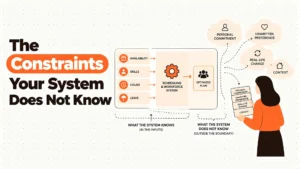
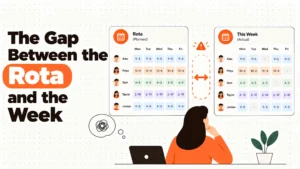
2. What happens when a shift changes at short notice? The right answer is a system that logs the change, notifies the affected employee, calculates any premium or penalty that may apply under local rules, and produces a record you can hand over. The wrong answer is a chat thread and a hopeful memory. Predictive scheduling rules in several jurisdictions put a price on the gap between the published shift and the worked shift. The tool should make that gap visible.
3. Does it get overtime and break entitlements right, every time? Overtime thresholds and mandatory breaks are arithmetic. If the tool performs that arithmetic correctly across your pay rules, your week, and your state, you're safer than most. If it doesn't, the liability is yours. Take local advice on what the rules are where you operate. We won't pretend to tell you.
4. Can my least technical manager run it without phoning me? If the answer is no, the tool is silently costing you a manager-hour a day. Deputy, 7shifts, Homebase, Sling, and When I Work all clear that bar. Enterprise tools like Shiftboard and Quinyx generally don't, and they're not trying to.
5. What does it cost me if I am wrong? Below we walk through the second-order costs. The licence fee is the smallest line on the invoice.
The Three Categories This Market Splits Into
Lean schedulers. Sling, Homebase, and When I Work sit here. They schedule, clock people in, and let staff swap shifts. They do it cheaply, often with a usable free tier. They're right for single-site and small multi-site operations where the manager is also the owner and the schedule is the simplest job they have. They fail when compliance rules stack up, when you need to track certifications, or when the time clock is in a different state from the schedule in your head.
Vertical stacks. 7shifts is built around restaurants. Connecteam is built around field and deskless workers. ClockShark is built around construction crews with job costing. Each one is excellent inside its lane and awkward outside it. If you run a 60-cover neighbourhood bistro, 7shifts will outperform Deputy for your use case. If you run a cleaning company with crews on three customer sites, Connecteam will save you arguments you don't yet know you're about to have. The failure mode is the moment you need a feature the vertical was not designed for, and the vendor tells you to use the API.
Enterprise WFM. Deputy, Shiftboard, Quinyx, and Workforce.com. These are the platforms you buy when the schedule has to be defensible. Skills matching, certification expiry tracking, demand forecasting, multi-site rollups, audit trails. They cost more, take longer to implement, and often price on request. They're right the day your exposure is bigger than your licence fee. They're wrong the day before.
Five Diagnostic Questions
Do my shifts need to be defensible in a meeting with a regulator, a lawyer, or a Works Council? If yes, you're in enterprise-WFM territory. If no, lean schedulers are still in play.
Do I have more than two pay rules in active use at the same time? Sunday rates, night premiums, public-holiday multipliers, and split-rate shifts. Two is manageable in most tools. Four is where Deputy and Quinyx earn their price.
Do I need to schedule by skill, certification, or licence, and let any of those expire? That's Shiftboard's reason to exist, and a real reason to leave When I Work if you carry, say, food-safety or clinical credentials.
Am I scheduling to a sales or demand forecast, or to a guess? If your POS data should be driving the rota, you want 7shifts, Deputy, or Workforce.com. If you're scheduling by feel, your labour cost is being decided by the manager's mood on Sunday evening.
Could my busiest manager build next week's rota in a different tool in under three hours, with training? If the honest answer is no for every tool except your current one, your current one is probably the right answer for now.
The Nine Alternatives, Reviewed
Deputy
Best for businesses that want one platform to schedule, clock, and pay. The auto-scheduler reads availability, skills, and labour targets, the facial-recognition clock kills buddy punching, and the labour-cost dashboard updates as you build. The reporting is good but the deeper cuts live on higher tiers, and per-user pricing climbs fast once you're running several hundred frontline staff.
7shifts
Best for restaurants. FOH and BOH live in different views, tip pooling is configured properly rather than bolted on, and Toast or Square sales flow straight into a labour-cost-as-percentage-of-sales number a manager can act on. Outside hospitality, the workflows feel like wearing someone else's coat. The deeper analytics also need a higher plan.
Homebase
Best for a single-location small business that wants a proper tool without paying. Scheduling, time clock, and team messaging are free for one site with no employee cap, which is unmatched in this category. The day you open a second site, you start paying, and the HR features stay light for a while.
Connecteam
Best for deskless and field teams who live on a phone. Geofenced clock-ins, breadcrumb trails, and in-app training that records completion. It's cheaper per user than most enterprise tools and built for crews who don't have a desk. The platform is still growing into some of its enterprise features, and a corporate culture will find it casual.
Sling
Best for the smallest spend that still does the job. The visual scheduler is clean, overtime alerts are honest, and the price starts at $2 per user per month. The time tracking isn't as deep as Deputy, and the integrations thin out on the free plan.
ClockShark
Best for construction and field service. GPS clock-ins tied to a job site, hours flowing into job cost codes, crews scheduled against equipment. The mobile app wants signal, and the product is the wrong shape for a shop floor or a till.
Shiftboard
Best for enterprises running 200 to 10,000 people across multiple sites with certifications to track. Skills-based shift matching, expiry alerts, and centralised multi-site views are its centre of gravity. The cost is higher and the implementation asks for a project, not a weekend.
Quinyx
Best for mid-to-large European operators. The AI forecast pulls weather and event data into staffing recommendations, and GDPR-native data handling, Works Council reporting, and EU residency aren't bolt-ons. Pricing is on request. Outside Western Europe and Scandinavia, the local presence thins out.
Workforce.com
Best for multi-location operators who want analytics to drive the schedule. Revenue per labour hour, schedule adherence, overtime by manager: the kind of numbers that change a Monday meeting. The interface isn't as polished as Deputy or 7shifts, and pricing only comes after a sales call.
The Decision Table
| Situation | Scale | Setup | Primary Pain | Recommended Starting Point |
|---|---|---|---|---|
| Single-site retail or hospitality, owner-operator | 5-30 | One location, no second in sight | Keeping the schedule off my phone at 10pm | Homebase (free) or When I Work |
| Multi-site retail or hospitality, 2-10 sites | 30-500 | Multiple locations, one rota minder | Late shift changes triggering penalties | Deputy or When I Work |
| Restaurant group with POS in play | 20-300 | Toast or Square driving sales | Labour cost as a percentage of sales is a guess | 7shifts |
| Field service or construction with job costing | 5-500 | Crews on customer sites, GPS matters | Hours not landing on the right job | ClockShark |
| Deskless workforce that lives on mobile | 10-1,000 | Cleaning, security, home services | Verifying where the shift was actually worked | Connecteam |
| Enterprise with certifications across regions | 200-10,000 | Multi-site, regulated, auditable | Skills and licence expiry driving risk | Shiftboard |
| European multi-site with Works Councils | 200-50,000 | GDPR, local law, demand-led rostering | AI demand forecast plus compliant data | Quinyx |
| Multi-location operator chasing labour analytics | 100-5,000 | POS data, multi-site, KPI-driven | Need schedule adherence and revenue per labour hour | Workforce.com |
The Cost of Getting This Wrong
A licence fee is the smallest line on the invoice. The bigger numbers live in the second order.
Predictability penalties attach to the gap between the published shift and the worked shift, in the jurisdictions that have decided to charge for that gap. They're arithmetic, paid per shift, multiplied by the number of late changes you made. A tool that doesn't show you the gap is a tool that lets the gap grow.
Unplanned overtime is the other silent cost. One unscheduled Saturday in a 50-person rota is rarely one hour of overtime. It's a 1.5x premium on hours that were not budgeted, plus the cascading effect on the next week's availability. Deputy, Sling, and Quinyx all flag this at the scheduling stage. A tool that flags it on Friday morning has not saved you anything.
Then there's the manager. The single biggest hidden cost in shift-based operations is the manager-hour spent rebuilding rosters by hand. We see owners estimate "an hour a week" and then quietly rebuild four to six hours. Over a year, that's a hire. The right tool pays for itself in manager time before it pays for itself in licence savings.
And turnover. Erratic shifts drive the people you can't afford to lose out the door. A scheduling tool that lets a 19-year-old barista swap with another qualified 19-year-old barista without a manager being copied in isn't a frivolous feature. It's a retention feature with a measurable cost attached.
The question isn't "what does the new tool cost per user." It's "what is the cost of the schedule my current tool isn't helping me build."
When You Are Ready to Move Beyond a Basic Setup
HROpsLab is an independent review publication. We don't sell software, and we don't take referral fees from the vendors we cover. The nine tools above were scored on the same rubric, and the same rubric is applied to every shift-based platform we look at, every quarter.
If you're weighing a move, the most useful thing we publish is a side-by-side shortlist built around your footprint, your pay rules, and your jurisdiction. We can also connect you with operators who have made the same change, so you can hear what the cutover week actually felt like. None of this is a sales motion. It's how we keep our coverage honest enough to be worth reading.
The piece you just read is one of about forty shift-and-rota deep dives we've published this year. If you want the rest of the set, the related posts below are a good place to start.
Frequently Asked Questions
Is When I Work still worth using in 2026?
For a single-site retail or hospitality operation with 10 to 500 hourly staff, yes. The entry price of $2.50 per user per month is hard to beat, the swap workflow is genuinely good, and the mobile experience holds up. The case to move gets stronger the moment you cross into a second region, a regulated jurisdiction, or a need for skills-based scheduling.
What is the cheapest When I Work alternative?
Sling starts at $2 per user per month, and Homebase offers a full free plan for a single location with no employee cap. The cheapest option on paper isn't always the cheapest in practice once you count the manager-hours saved by a more capable tool.
Which alternative is best for predictive scheduling compliance?
Predictive scheduling rules vary by city and state, and the right answer depends on which rules apply to you, so take local advice. Tools that make the relevant gaps visible at scheduling time are the safer bet: Deputy, Quinyx, and Workforce.com all surface the data you would need to defend a schedule.
Which alternative is best for restaurants?
7shifts. It's built around food service workflows, integrates with Toast, Square, and Clover, and handles tip pooling properly. Deputy is a strong second if you also run non-restaurant sites.
Which alternative is best for field or construction teams?
ClockShark for construction and trade businesses that need job costing. Connecteam for deskless and field workers more broadly, where the schedule lives on the phone and GPS verification matters.
How long does it take to switch scheduling software?
A small single-site switch can happen inside a week. A multi-site enterprise cutover with pay rules, certifications, and a payroll integration typically takes six to twelve weeks, plus a parallel run. Plan for the parallel run. Skipping it's where most cutovers bleed.
Will switching actually cut my labour cost?
It can, but only if the new tool surfaces overtime, premium pay, and demand before the schedule is published. If the analytics only show up in a Monday report, the cost has already happened. Lean schedulers won't move the number. Vertical stacks and enterprise WFM can, if your managers actually use the forecasting features.
Do any of these tools replace payroll?
Most of them integrate with payroll rather than replacing it. Deputy, 7shifts, Homebase, and Connecteam all have payroll partners or built-in payroll on higher tiers. Confirm the integration with your existing payroll provider before you commit.
Independent, vendor-neutral, and written for the person who has to live with the choice.