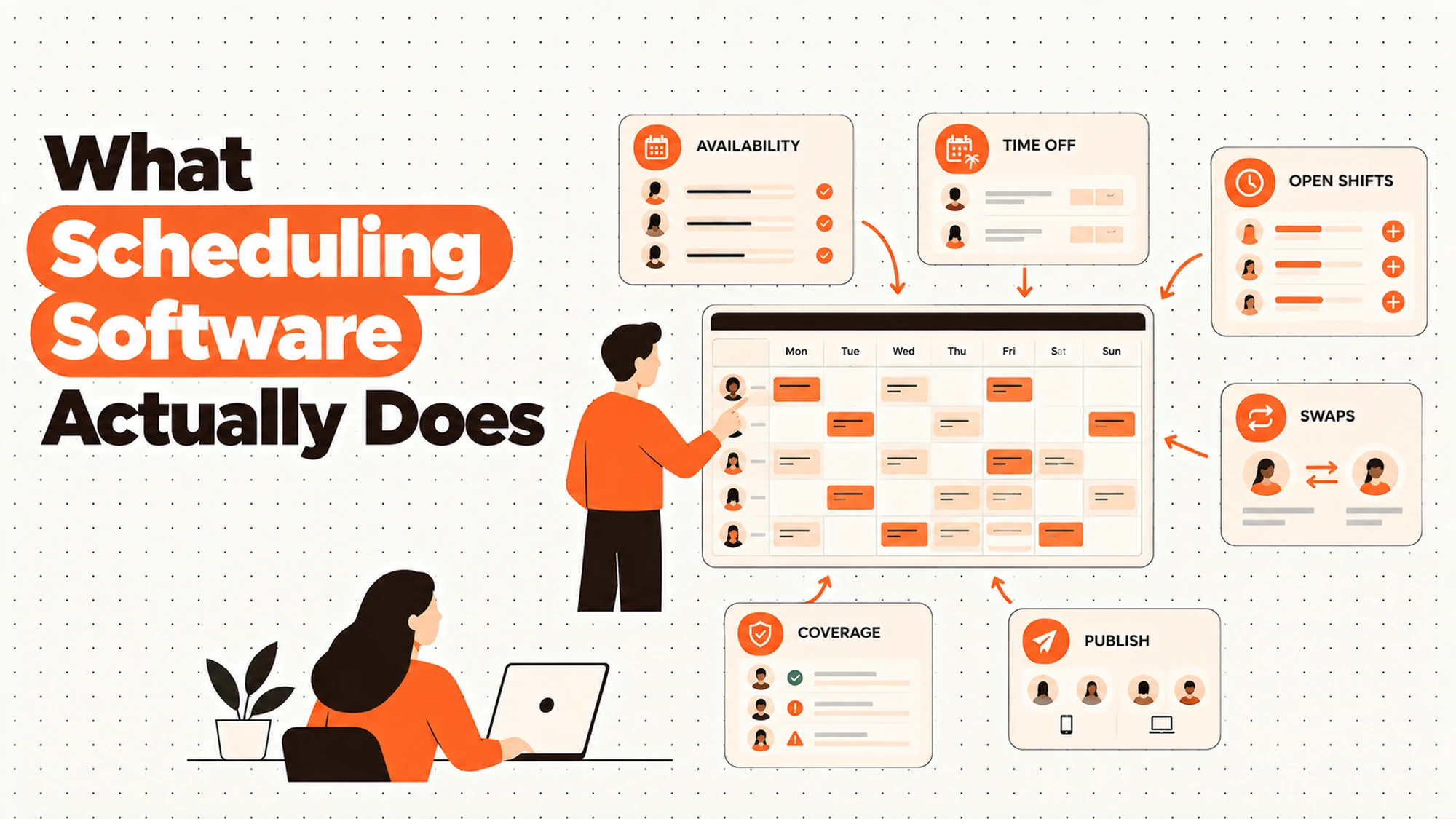
TL;DR
- The core decision: whether your problem is producing a rota or publishing one.
- When doing nothing is right: when the spreadsheet works and nobody is chasing people.
- What has to be true: somebody can say what changes at the moment a draft goes out.
- How the options split: by which of six jobs the tool actually does for you.
- Decision rule: buy for the publish and change problem, not for the drafting problem.
- Outcome to expect: the same difficult week, with fewer people not knowing about it.
The Spreadsheet Is Not the Problem
You build the rota in a spreadsheet. It takes an afternoon, it's fiddly, and somebody suggests there's software for this.
There is. But before you look at any of it, it's worth asking which part of your week is actually costing you, because the answer is usually not the afternoon with the spreadsheet. Ask most people who run a rota what goes wrong and you'll hear about the person who didn't know they were on, the three messages on Sunday night, the shift nobody covered, the change that reached everybody except the one person it affected. None of that is a drafting problem. The spreadsheet produced a correct rota. What failed was everything after.
That's the distinction worth holding. A scheduling system does two different jobs that get sold as one thing. It helps you produce a plan, which is largely arithmetic and constraint-juggling. And it publishes that plan to a group of people, at which point the plan stops being a document and becomes a commitment somebody arranges their week around.
Best tools for Employee Scheduling
The first job is the one demonstrations focus on, because it looks impressive. Drag a shift, watch it fill, see the week assemble. The second job is where almost all the value sits and where almost all the failures happen, and it's much harder to show in a demo because it involves other people's phones.
So the reframe: you're not buying a better way to make a rota. You're buying what happens at and after the moment you press publish. Everything below sorts the jobs by that, because it changes what you should be asking for.
One line to draw before we start. This is about planning time before it's worked. Recording time after it's worked, which is a different system doing a different job, belongs with our time and attendance material and doesn't appear here.
When You Genuinely Do Not Need to Act Yet
The spreadsheet works and nobody's chasing. The rota goes out, people know when they're on, changes are rare. That's a working arrangement, whatever anybody says about the spreadsheet.
Building the rota takes too long. An afternoon every week, every week. A real cost, though it's worth checking whether the time goes on the arithmetic or on chasing people for their availability first.
People don't reliably know when they're on. Somebody missed a shift because they never saw the rota, or you spend Sunday answering messages. That's the publication problem, and it's the one software genuinely fixes.
The edge case that forces it. You've taken on a second site, or a population with different patterns, and the way you've always done it doesn't extend. Worth working out which of the six jobs below has broken before looking at anything.
Five Questions This Reader Asks at 11pm
Do we actually need this? Possibly not, and the test is specific. If people reliably know when they're working and changes are rare, the tool solves a problem you don't have. If your week contains repeated conversations about who is on when, that's a publication and communication problem, and it's the one worth paying for.
What's the difference between this and time tracking? Scheduling happens before the week and says what should happen. Time recording happens after and says what did. They're frequently sold together and they're genuinely different jobs with different failure modes, and confusing them is how organisations end up buying one and expecting the other.
Will it build the rota for me? Some will generate a draft, and how useful that is depends entirely on whether your real constraints are in the system. Most aren't, which is why generated rotas usually need fixing by hand. Worth expecting a starting point rather than a finished week.
What happens when things change? The question to press hardest on, because changes are the bulk of the pain and the part demonstrations skip. How a change reaches the person affected, whether you can tell they've seen it, and what it looks like from their side are the three things worth watching.
What about the rules? Working time, rest between shifts, breaks, notice, and what a late change involves all differ by jurisdiction, sometimes differ by agreement, and several have changed recently. Nothing here tells you what applies to you. Establish it with local advice for your own population, then ask whether a system can be configured to reflect it.
Planning Time and Recording Time
| The activity | When it happens | Which system owns it |
|---|---|---|
| Collecting who is available | Before the week | Scheduling |
| Producing a draft rota | Before the week | Scheduling |
| Seeing what the draft costs | Before publication | Scheduling |
| Publishing to the people in it | Before the week | Scheduling |
| Handling changes to a published rota | During the week | Scheduling |
| Recording when somebody actually started | During and after | Time recording |
| Recording absence against a shift | During and after | Time recording |
| Producing hours for pay | After the week | Time recording, then pay |
The line between the fifth and sixth rows is the one that matters, and it's frequently blurred by products that do both. Everything above it is about intention: what is supposed to happen, and who has been told. Everything below is about record: what did happen, and what follows from it.
Both matter and they fail differently. A scheduling failure means somebody didn't know they were working. A time recording failure means somebody was paid wrongly or an absence went unrecorded. The first is an experience, the second is a correction, and a product that's strong at one isn't necessarily strong at the other.
Worth being clear which you're shopping for. Teams with a scheduling problem sometimes buy a strong time-recording product and find the rota part thin, and the reverse happens just as often.
Five Diagnostic Questions You Can Self-Assess Against
Where does the week's pain actually land? Building the rota, or everything after it goes out. Write down last week honestly. Most people discover the afternoon with the spreadsheet is the cheap part.
How do people currently find out? Trace it from the rota existing to a specific person knowing they're on Thursday. Count the steps and the places it can break.
How many changes did you make last week? Not in principle, last week. The number tells you whether you have a planning problem or a volatility problem, and they need different responses.
Who gets asked when somebody doesn't know? If the answer is one person, and that person is available at weekends, you have a dependency that no system removes but a good one reduces.
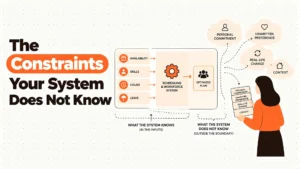
What do you actually know about your own constraints? Availability, skills, arrangements people rely on. If most of it lives in somebody's head, a system will produce rotas that need fixing until that changes.
Run these five with whoever builds the rota rather than whoever is sponsoring the purchase. The builder knows where the week actually hurts, and their answer is frequently different from the one in the business case.
Six Jobs a Scheduling System Is Asked to Do, Reviewed
Holding who is available and when
The system keeps a record of when each person can work. It earns its place because collecting availability is the slowest part of building any rota, and doing it by message every week is genuinely wasteful.
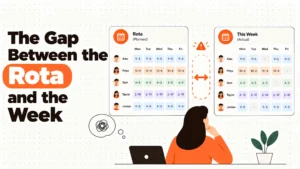
Where it falls short is completeness and truth. A declared availability is what somebody was willing to write down in a form, which is not the same as when they can actually work, and it goes stale quietly. The arrangements that matter most are frequently the ones nobody has formalised.
Worth having, and worth treating as a starting position rather than a fact. Expect it to be incomplete and design the review step around that.
The staleness problem is the one to plan for. Availability entered when somebody joined describes a life they may no longer have, and nothing prompts anybody to revisit it, so the record quietly drifts away from the truth while continuing to look authoritative.
Ask how the system handles somebody being available in principle but not for a particular week. Most people's real availability has exceptions in it, and a record that can only hold a repeating pattern forces those exceptions into a conversation the system never sees.
Producing a draft rota
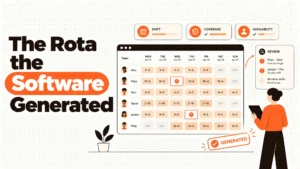
The system assembles a week from availability, demand and whatever rules it holds. It earns its place on speed and on removing the fiddly part: nobody enjoys manually checking that two people aren't double-booked.
Where it falls short is that a draft built from recorded constraints can only be as good as the recording. It will produce something technically valid that a manager who knows the team can see is wrong, and it can't tell you why.
Useful as a first pass. The measure of whether it's working is how much gets changed by hand afterwards, and that number is worth watching rather than ignoring.
That number is also the most honest evaluation you can run on a trial. A generator that produces a week needing four corrections is doing something; one needing forty has produced a document somebody now has to rebuild, which is slower than starting from scratch.
Watch which corrections repeat. The same fix made every week is a constraint that exists and isn't recorded, and writing it down once is usually cheaper than making the correction forever.
Showing what the draft costs before it goes out
The system tells you what the week will cost while it's still a draft. It earns its place by moving a decision forward in time: the trade between coverage and cost gets made by the person building the rota rather than discovered by somebody else weeks later.
Where it falls short is precision. The figure rests on assumptions about hours and rates that may not reflect everything, and premiums or additional payments for particular patterns differ by jurisdiction and by agreement, so what the system shows may not be the whole picture.
Genuinely valuable even when approximate. Establish what actually applies to your population with local advice, then check whether the system reflects it.
The reason approximate is fine here is that the decision it informs is comparative. Somebody deciding whether this version of the week is better than that one needs the two numbers to be wrong in the same direction, not to be exactly right.
Worth checking who can see it. A cost figure visible to the person building the rota changes their choices; the same figure visible only in a management report weeks later changes nothing at all except somebody's mood.
Publishing it to the people in it
The system puts the rota in front of everybody scheduled. It earns its place as the job that most justifies buying anything, because this is where manual arrangements fail and where the failures land on people.
Where it falls short is the last few metres. Publishing inside a system isn't the same as a person knowing, and whether that gap closes depends on how the people you schedule actually receive information, which is usually not by logging into things.
The job to evaluate hardest. Ask to see it from the perspective of somebody who has no work email and no reason to open an app.
Do that literally rather than in principle. Ask the vendor to show you the arrival on a phone, not the sending from an administrator's screen, because those are two completely different pieces of software and only one of them is the part that has to work.
The population you schedule is also usually the least well served by whatever else you run. People without desks tend to be outside your internal systems, on personal devices, and any evaluation that assumes otherwise is testing a population you don't have.
Handling what changes after publication
The system manages amendments to a published rota: cancellations, additions, moves, cover. It earns its place because this is the bulk of the ongoing work and the part most likely to go wrong.
Where it falls short is that most products treat a change as an edit, and it isn't. Somebody has arranged their week around the published version, and the system's job is to make sure the change reaches them and that you know it did. Plenty of products change the record and leave the notification to chance.
The second job to evaluate hardest. What applies when a change is made late, including whether anything is owed, differs by jurisdiction and by agreement and needs local advice.
The specific thing to watch is whether a change generates a notification to the affected person by default, or whether that's a separate action somebody has to remember. Under pressure, separate actions don't happen, and the person who most needed to know is the one who finds out on the day.
Ask what the system does when the change is made an hour before the shift. That's the case that matters and it's the one demonstrations skip.
Recording what actually happened for downstream use
The system captures what the week turned out to be. It earns its place as the handover point: scheduled hours have to reach pay somehow, and somebody has to reconcile plan against reality.
Where it falls short is that this is where scheduling ends and another system begins, and the boundary is frequently fudged. A product strong at planning may be thin here and vice versa.
Establish where your boundary sits. Scheduled hours reaching pay is a handover to a different process, and our payroll material covers what happens on the other side of it.
The part that goes wrong is the middle, where neither system considers itself responsible. Hours that were scheduled but not worked, or worked but not scheduled, have to be resolved by somebody, and if that person isn't named the resolution happens differently every week.
Worth deciding which record is authoritative when the two disagree. They will disagree, regularly, and the answer being obvious to everybody involved saves a recurring argument.
The Decision Table
| Situation | Scale | Setup | Primary Pain | Recommended Starting Point |
|---|---|---|---|---|
| Rota goes out, people know, changes rare | Any | Spreadsheet | None | Change nothing |
| An afternoon a week building it | Any | Spreadsheet | Time, but the cheap kind | Check where the time really goes |
| People miss shifts they did not know about | Any | Any | Publication, not planning | Evaluate on publish and change |
| Sunday spent answering messages | Any | Any | Communication | Delivery people actually receive |
| Many changes every week | Any | Any | Volatility, not tooling | Look at the forecast first |
| Generated rotas need heavy fixing | Any | Has a system | Constraints are not in it | Find the missing constraints |
| Cost discovered weeks later | Any | Any | Trade made by the wrong person | Cost visible in the draft |
| Second site, different patterns | Any | Spreadsheet | It does not extend | Work out which job broke |
| Nobody knows what rules apply | Any | Any | An assumed position | Local advice, per population |
The third and fourth rows are the ones that justify a purchase, and they're both after the rota exists. That's the pattern worth noticing: the problems people describe when they ask about scheduling software are overwhelmingly publication and change problems, and the products are overwhelmingly demonstrated on drafting.
The fifth row is the one that gets misdiagnosed most expensively. A team making many changes every week usually has a demand or forecasting problem rather than a tooling problem, and buying a system that makes changes easier can make the underlying problem worse by removing the friction that was limiting it.
The sixth row is the one that surfaces during a trial and gets ignored. Heavy manual correction of generated rotas is the system telling you what it doesn't know, and treating it as a quirk of the software rather than as information means the corrections continue indefinitely.
The Publish Button Is the Product
Before publication it's a document. After, it's a commitment. That transition is the whole thing. A draft can be wrong at no cost. A published rota is something people have arranged childcare, second jobs and travel around.
Publishing inside a system isn't publishing. The rota being visible to somebody who logs in is not the same as that person knowing. The gap between those two is where scheduling actually fails, and it's invisible from the administrator's screen.
Availability is a pull, not a push. Anything that requires the worker to go and look will be checked by the people who are already organised, and missed by exactly the people most likely to miss a shift.
You need to know it arrived. Whether somebody has seen their shifts is the single most useful thing a system can tell you, and plenty don't. Ask specifically, and ask what happens when the answer is no.
Changes are the real workload. Most of the ongoing effort in scheduling is amendments, not initial builds. A product that's excellent at drafting and casual about changes has optimised for the demo rather than for your Tuesday.
And the change is where the relationship is spent. Building a rota nobody objects to earns you nothing; handling a Wednesday change well is noticed by the person it lands on.
The people being scheduled are the hardest to reach. They generally have no work email, no desk, and no reason to install anything. Any evaluation that doesn't test from their side is testing the wrong half of the product.
A rota is a claim on somebody's week. That's the thing that makes this different from most software decisions. The output isn't a report or a record, it's an instruction to a person about when their time belongs to you, and the difference between doing that well and badly is felt personally.
Which is why the worker's view is the product. Every other kind of HR system is evaluated from the administrator's side because that's who uses it. This one is used, every week, by everybody in it.
The practical consequence is that the questions worth asking are unglamorous. Not how quickly you can build a week, but how somebody without a work email finds out about it, and what happens when it changes on a Wednesday.
Those questions also tend to separate vendors sharply, which the feature comparisons don't. Everybody can build a rota. The number who can tell you whether a particular person has seen a particular shift is much smaller.
Where These Arrangements Go Wrong
| The failure | How it shows up | What would have to change |
|---|---|---|
| Bought for drafting, needed for publishing | A faster rota, same problems after | Evaluate on publish and change |
| Publication assumed to mean delivery | Somebody misses a shift | Test from the worker's side |
| Changes treated as record edits | The one person affected never knew | Notification, and confirmation |
| Constraints not in the system | Every generated rota fixed by hand | Find what is missing |
| Cost seen after the week | The trade made by somebody else, later | Cost in the draft |
| Volatility mistaken for a tooling gap | Easier changes, more changes | Look upstream at demand |
The second row produces the failure that matters most to a person, and it's the one least visible to whoever bought the system. From the administrator's screen the rota was published. From the other end, somebody had no idea.
The sixth row is the one that gets worse after the purchase. Making changes easier removes the small friction that was implicitly rationing them, and teams frequently find they change published rotas more often afterwards, which is worse for everybody scheduled.
The fifth row is quieter and compounds. A cost figure that only appears after the week has been worked puts the coverage decision in one person's hands and the consequence in somebody else's, weeks apart, which is a reliable way to have the same argument every month.
What to Put in Writing
| Artefact | Who owns it | When it is written | What it prevents |
|---|---|---|---|
| Where last week's pain actually landed | Whoever runs the rota | Before looking at tools | Buying for the wrong job |
| The path from rota to a person knowing | Whoever runs the rota | Before evaluating | Publication assumed to be delivery |
| How many changes you made last week | Whoever runs the rota | Before evaluating | Volatility mistaken for tooling |
| The constraints that are not recorded | Whoever knows the team | Before any generation | Rotas fixed by hand forever |
| What applies to your population | You, with local advice | Before configuring anything | A position you assumed |
| Where scheduling ends and pay begins | Whoever runs the rota | Before go-live | A fudged handover |
The first three take an hour between them and they change what you shop for. Most people arrive at this decision believing they have a drafting problem, and the honest version of last week usually says otherwise.
The fourth row is the one to produce before any trial rather than after. A generated rota evaluated against constraints nobody wrote down will fail for reasons nobody can articulate, and the vendor will reasonably point out that the system was never told.
Questions to Ask Before You Commit
On delivery. How does somebody without work email find out? A bad answer is the mobile app.
On confirmation. Can we tell they've seen it? A bad answer is that it's delivered.
On changes. What happens when we change a published shift? A bad answer is that it updates.
On generation. What does the draft optimise for? A bad answer is the best rota.
On cost. Can we see the cost of a draft? A bad answer is in reporting.
On the boundary. Where does this stop and time recording start? A bad answer is that it's all included.
What Getting This Wrong Costs
The first cost is somebody not knowing they were working. They miss a shift, they get called, and the conversation goes badly because from their side nobody told them. It's a small operational problem and a large personal one, and it's the failure most likely to make a person start looking elsewhere for work. It also isn't fixed by better software unless the software is evaluated on exactly this.
It's also the failure that spreads. Somebody who was disciplined for missing a shift they never knew about tells colleagues, and what circulates afterwards is that the rota can't be trusted, which is corrosive in a way the original incident wasn't.
The second cost is a system bought for the wrong job. Teams describe publication problems and buy drafting tools, because drafting is what demonstrates well, and a year later the rota is quicker to build and the Sunday messages haven't stopped. The money is spent, the problem is unchanged, and the appetite for another look has gone.
That last part is the durable damage. A purchase that didn't help makes the next proposal harder to get approved, whatever its merits, and the people who were going to benefit are the ones who keep waiting.
The third cost is volatility that gets easier rather than smaller. When changing a published rota becomes frictionless, more changes get made, and each one lands on somebody who had arranged their week. The tool worked exactly as intended. The experience of being scheduled got worse, and nothing in the system will report that.
It's worth watching the change count before and after any implementation for exactly that reason. It's the one number that tells you whether the purchase improved the experience of the people in the rota or merely the experience of the person building it.
So before looking at anything, do three things. Write down honestly where last week's difficulty actually was. Trace the path from a rota existing to a particular person knowing about Thursday. And count last week's changes, because that number tells you whether this is a software problem at all.
None of the three needs a vendor, a budget or anybody's approval, and together they take about an hour. They also stay useful whatever you decide, because the same three answers shape how you'd configure anything you did buy.
When You Are Ready to Go Further
Start with the honest account of a week, because it's free and it usually redirects the whole exercise. Where the time went, where the friction was, what went wrong and for whom. Teams that do this reliably find that the drafting they were going to buy a solution for is the least costly part.
Then evaluate on publication and change rather than on building. Ask to see what a shift looks like on the phone of somebody who has never used the system, ask what tells you they've seen it, and ask what happens when you move a published shift on a Wednesday afternoon. Those three answers separate products far more than any comparison of drafting features.
If you can run a trial, run it over a week with real volatility rather than a quiet one. The quiet week exercises the part that was never in doubt, and everything interesting about these products happens when something goes wrong on a Tuesday.
Finally, establish what actually applies to the people you schedule, with local advice, before you configure anything. Working time, rest, notice and what a late change involves differ by jurisdiction and sometimes by agreement, and a system configured against an assumption will produce rotas that look fine and may not be. That's a question to settle first, not to discover.
It's worth doing per population rather than once. Organisations with people in different places, on different agreements, or in different categories of work frequently find the answer isn't the same for all of them, and a single configuration applied to everybody is where that surfaces.
HROpsLab publishes independent comparison work across HR tooling and workforce systems. We sell nothing, we take no vendor money, and we publish no paid placements. If the next step is seeing what the tools in this space actually do, our comparison work is one place to start.
Frequently Asked Questions
What does employee scheduling software actually do?
Two different jobs that get sold as one. It helps you produce a plan, which means holding availability, assembling a week and showing what that week costs. And it publishes the plan to the people in it, then handles what changes afterwards. The first job is what demonstrations focus on because it looks impressive on a screen. The second is where most of the value and nearly all of the failures sit, and it's harder to show in a demo because it involves other people's phones rather than yours.
What is the difference between scheduling and time and attendance?
Timing and purpose. Scheduling happens before the week and states what should happen: who is working, when, where. Time and attendance happens during and after, and records what did happen so it can feed absence handling and pay. They're often sold together and they fail in completely different ways: a scheduling failure means somebody didn't know they were working, while a time recording failure means somebody was paid incorrectly. A product that's strong at one isn't automatically strong at the other, so it's worth knowing which you're shopping for.
Is a spreadsheet good enough for scheduling?
Frequently yes, and the test is what happens after the rota exists rather than how long it takes to build. If people reliably know when they're working, if changes are rare, and if nobody spends Sunday evening answering messages, the spreadsheet is doing the job. What a spreadsheet cannot do is deliver reliably to people who have no work email, tell you whether somebody has actually seen their shifts, or make sure a change reaches the one person it affects. Those are the gaps worth paying to close.
What does publishing a schedule actually commit you to?
Practically, a great deal, because the moment a draft is published it stops being a document and becomes something people arrange their lives around: childcare, travel, a second job, a medical appointment. That's why a change afterwards costs so much more than an edit before. Legally, what publication commits you to differs by jurisdiction and sometimes by agreement, with some places setting requirements around notice and around changes made afterwards. Establish what applies to your own population with local advice rather than assuming.
What can scheduling software not do?
Know your people. Every rota is built from constraints, and the ones that determine whether a week is any good are frequently not recorded anywhere: an arrangement a previous manager agreed, a pairing that works, something somebody hasn't told you. A system builds from what it holds, so it produces technically valid rotas that somebody who knows the team can see are wrong. It also can't make a schedule reach somebody, only send it, and the difference between those two is where scheduling most often fails.
Do you need scheduling software at all?
Only if you can name what it would change. The useful test is where last week's difficulty actually landed. If it was the afternoon assembling the rota, that's real but it's usually the cheapest part of the problem. If it was people not knowing when they were on, changes that didn't reach the right person, or an evening spent answering messages, that's the publication and change problem, and it's the one a system genuinely addresses. If neither applies, buying something will change your process without improving it.
What should you establish before looking at scheduling tools?
Three things, and all of them are yours rather than a vendor's. An honest account of where last week's pain was, because most people assume it was drafting and find it wasn't. The path from a rota existing to a specific person knowing about a specific shift, traced step by step, since that's what you're actually buying. And what rules apply to the people you schedule, established with local advice, because working time, rest, breaks and notice differ by jurisdiction and by agreement and a system configured against a guess will produce confident and possibly wrong rotas.
How does scheduling connect to payroll?
Through a handover rather than as one process. The schedule says what should happen, time recording captures what did, and the resulting hours reach pay from there. Where that boundary sits varies by product, since some cover the whole span and some only part of it, and a fudged boundary is a common source of trouble because nobody owns the middle. Worth establishing explicitly which system holds what. What happens on the pay side of that handover is covered in our payroll material rather than here.
The rota is arithmetic. The publish button is a promise.