TL;DR
- Core decision: You're not buying a calendar. You're buying the system that decides who works when, who gets paid what, and what the company owes when a shift moves on Friday for Monday.
- Stay on Sling when: Your headcount is under 200, your jurisdictions are quiet on predictive scheduling, and the weekly roster is the main thing the tool has to do well.
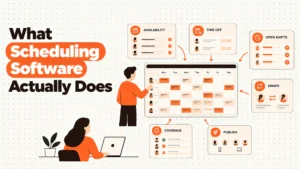
- What a scheduling tool must actually do: Track availability and skills, calculate overtime and break rules correctly, capture an auditable punch, and survive a shift swap at 6am without the manager rebuilding the week by hand.
- How the market splits: Three groups, not twelve. Lightweight SMB schedulers. Vertical specialists (restaurants, field service, construction). Enterprise workforce management platforms built for compliance-heavy multi-site operations.
- Decision rule: If the failure mode you fear is a compliance fine, pick the tool that names the regulation, not the one with the prettiest drag-and-drop.
- Expected outcome: A one-week pilot against your hardest shift pattern, run before you sign anything, will tell you more than any demo.
The phone rings at 9.14pm. A line cook has called in sick. The Saturday brunch is eleven hours away. You open Sling on the couch, find a name who can cover, send a swap offer, and hope. If the swap lands, the week is fine. If it doesn't, you're rebuilding a roster, recalculating overtime exposure, and re-checking that nobody is about to break a mandatory rest rule.
You have done this before. You will do it again. And somebody has just asked you, in a finance meeting, whether a different tool would be cheaper or safer.
The real issue isn't the monthly licence per user. The real issue is whether the tool you choose can carry the weight of the schedule when the schedule stops being a convenience and becomes a legal document.
Best tools for Employee Scheduling
| Tool | Rating | Pricing | Trial | Best for |
|---|---|---|---|---|
| Sling (your current tool) | 4.3/5 | From $2/user/month | Free plan available | Best affordable scheduling for shift-based teams |
| Deputy | 4.7/5 | From $4.50/user/month | Free trial available | Best all-in-one scheduling and time tracking platform |
| 7shifts | 4.6/5 | From $29.99/month | Free plan available | Best scheduling software for restaurants |
| When I Work | 4.5/5 | From $2.50/user/month | Free plan available | Best for retail and hospitality shift management |
| Homebase | 4.5/5 | Free / From $20/month | Free plan available | Best free scheduling software for small businesses |
| Connecteam | 4.6/5 | From $29/month (up to 30) | Free plan available | Best scheduling for deskless and field workers |
| ClockShark | 4.4/5 | From $16/month + $8/user | Free 14-day trial | Best scheduling for construction and field service |
| Shiftboard | 4.3/5 | Pricing on request | Free demo available | Best enterprise scheduling for complex workforces |
| Quinyx | 4.4/5 | Pricing on request | Free demo available | Best WFM and scheduling for European businesses |
| Workforce.com | 4.2/5 | Pricing on request | Free demo available | Best scheduling with advanced labour analytics |
When Sling is still the right answer
Stage one, your setup is genuinely fine. If you're a single site with under 200 hourly staff, no predictive scheduling ordinance applies to you, and your week is one repeating template, Sling at from $2/user/month handles the job. Drag, drop, swap, done.
Stage two, you feel cost friction, not capability friction. If managers are complaining about the interface, or if the time clock feels thin next to Deputy's, you're in tooling preference territory. That's a training problem before it's a platform problem.
Stage three, real risk appears. The risk isn't that Sling is bad. The risk is that the rules around the schedule are now more demanding than the tool was built for. Predictive scheduling rules in places like Oregon, Seattle, San Francisco, New York City, Chicago and Philadelphia require advance notice and pay a penalty when a posted shift changes late. Overtime thresholds and mandatory breaks are arithmetic the tool either performs correctly or silently leaves you exposed on. If your operations span any of these jurisdictions, the question is no longer whether the schedule looks tidy. The question is whether the tool can prove, on demand, that you gave proper notice, paid proper premiums, and respected rest rules. Talk to local counsel before you change anything.
Stage four, the edge case. Sling is a 5 to 200 employee product. If you're pushing past that headcount, across multiple sites, or into unionised environments, you've grown out of it. That's not a criticism. It's a category boundary.
Five questions you ask yourself at 11pm
Will it still pay overtime correctly when I add a fourth job on Sunday? It matters because weekly overtime in some jurisdictions is a 40 hour gate, while daily overtime in California is an 8 hour gate, and the wrong tool can silently let you cross the line.
What happens when a shift changes less than fourteen days out? It matters because several cities treat late changes as a payable event. The tool needs an audit trail, not just a push notification.
Can a manager on their phone stop a buddy punch without calling head office? It matters because every minute of unearned wages compounds across the week, and you're paying it back at premium rates.
Who owns the schedule, the manager or the algorithm? It matters because an auto-scheduler that ignores your overtime budget will produce a "compliant" week that costs you ten per cent more than the one you would have built.
When someone leaves, can the next person in the seat read the last six weeks? It matters because the schedule is the only document that tells payroll, HR and legal the same story. If it can't be exported and re-read, you've a system of trust, not a system of record.
How this market actually splits
Lightweight SMB schedulers. Tools like Sling, When I Work and Homebase compete on price and on how fast a non-technical manager can build a week. They're right for single sites under fifty people, simple rule sets, and owners who run the schedule themselves. They fail when you add a second site, a union, or a regulator who wants a printed audit trail.
Vertical specialists. 7shifts is built around restaurants, with tip pooling and POS-aware labour cost. Connecteam is built for deskless and field workers, with GPS-verified punches and mobile-first everything. ClockShark is built for construction and field service, with job costing wired in. They're right when the industry they were built for is your industry. They fail the moment your operation starts looking generic, or you ask them to handle a multi-state payroll.
Enterprise workforce management. Deputy, Shiftboard, Quinyx and Workforce.com sit at this end. They're right when you need skills-based assignment, certification expiry tracking, multi-site rule sets, or European-grade data handling. They fail when you're a fifteen person cafe paying for capabilities you'll never turn on.
Five diagnostic questions
Do my shifts change inside a regulatory notice window more than twice a month? If yes, the schedule is generating legal risk and the tool needs to be able to prove what was posted and when. A drag-and-drop canvas isn't enough.
Do I operate in more than one state, province, or country? If yes, you're paying for a system that can hold different rule sets in different jurisdictions, not one that lets you set hours per week in a single field.
Do my staff hold certifications that expire? If yes, you need a system that blocks assignment to a shift that requires a lapsed ticket, and a renewal workflow that doesn't depend on someone noticing.
Is my biggest labour cost problem overtime, or undercoverage? If overtime, you want real time cost against budget as you build the schedule. If undercoverage, you want demand forecasting wired into sales or footfall data.
Can my best manager leave on a Friday and the next manager in on Monday know what they're looking at? If no, the schedule is held in someone's head. The tool is failing even if the week is technically posted.
The nine alternatives, reviewed
Deputy
Best for businesses of all sizes (10 to 50,000 employees) with hourly, shift-based, or frontline workforces that need intelligent auto-scheduling, precise time clocking, and payroll integration in one platform. It earns a place because the AI powered schedule builder, the facial recognition time clock, and the real time labour cost dashboard are the most complete package in the category at from $4.50/user/month. It genuinely struggles on cost when you scale to large hourly teams, and the better reporting sits on the higher priced tiers, which means the version you can afford isn't the version your finance team will want six months in.
7shifts
Best for restaurant operators from single-location independents to multi-unit chains that need scheduling software built around food service workflows. It earns a place because tip pooling, role-based FOH and BOH views, and POS-integrated labour cost as a percentage of sales aren't bolt-ons, they're the product. At from $29.99/month it's priced for the vertical, not per seat, which suits small floor counts. It genuinely struggles outside hospitality, and the analytics that operators eventually want sit on a higher plan, so the upgrade conversation is coming.
When I Work
Best for retail, hospitality, and service businesses (10 to 500 employees) looking for affordable, easy-to-use scheduling software with solid time clocking and a mobile-first employee experience. It earns a place because one click schedule templates, self-service swaps, and GPS clock-in at from $2.50/user/month solve the three things small managers actually do every week. It genuinely struggles when the finance team asks for the kind of reporting Deputy produces out of the box, and payroll integration on the base plan is limited.
Homebase
Best for small businesses (1 to 30 employees) at a single location that want a complete scheduling, time clocking, and team communication solution without paying anything until they need multi-location or advanced HR features. It earns a place because the free plan is the most generous in the category, covering scheduling, time clock, and team messaging for unlimited employees at one location with no time limit. It genuinely struggles the moment you open a second site, at which point the paid plan starts and the per-location maths gets less friendly.
Connecteam
Best for companies with deskless, field, or mobile workforces (10 to 1,000 employees) in construction, cleaning, security, and home services. It earns a place because GPS clock-in with geofencing, mobile-first scheduling, and in-app training live in one app, and from $29/month for up to 30 users the unit economics work for crews of that size. It genuinely struggles in polished corporate environments, and a few of the advanced workflows are still maturing compared to longer established tools.
ClockShark
Best for construction, field service, and trade businesses (5 to 500 employees) that need GPS-verified time tracking tied to specific job sites, project cost tracking, and crew scheduling. It earns a place because the punch is geofenced to the actual job site, and the hours flow straight into job costing, which is what a foreman and a project manager both want to see. At from $16/month plus $8/user it's priced for crews, not knowledge workers. It genuinely struggles in office or retail environments, and the mobile app punishes you on bad signal.
Shiftboard
Best for enterprises (200 to 10,000 employees) in manufacturing, healthcare, energy, and security that need skills-based, compliance-aware scheduling across multiple sites. It earns a place because skills-based shift matching, multi-site scheduling, and certification expiry tracking are the actual product, not features bolted on later. It genuinely struggles on cost, since enterprise WFM pricing is enterprise WFM pricing, and implementation isn't a weekend project.
Quinyx
Best for mid-to-large European retailers, hospitality groups, and logistics companies (200 to 50,000 employees) that need AI-driven demand forecasting with strong GDPR compliance and Works Council support. It earns a place because the demand forecasting, schedule optimisation, and GDPR-native data handling are built for the European regulatory environment, not retrofitted to it. It genuinely struggles outside Scandinavia and Western Europe, and the pricing is on request because the deployment is on request.
Workforce.com
Best for multi-location retail, hospitality, and healthcare businesses (100 to 5,000 employees) that want scheduling and time tracking combined with advanced labour analytics. It earns a place because revenue per labour hour, cost per transaction, and schedule adherence reporting are operational analytics most schedulers don't produce. It genuinely struggles on interface polish compared to Deputy or 7shifts, and the pricing conversation requires a sales call before you can compare it to anything else on this list.
The Decision Table
| Situation | Scale | Setup | Primary Pain | Recommended Starting Point |
|---|---|---|---|---|
| Single site, quiet jurisdictions, simple rules | Under 200 employees | One location, weekly template | Price per user | Sling |
| Restaurant or food service, tips involved | 5 to 500 employees | Multi-site possible, FOH and BOH split | Labour cost as percent of sales, tip credit compliance | 7shifts |
| Field service, construction, mobile crews | 5 to 500 employees | Multiple job sites, GPS verification needed | Buddy punching, unverified hours, job costing | ClockShark or Connecteam |
| Multi-site retail or hospitality, US based | 100 to 5,000 employees | Several locations, shared rule sets | Cross-site reporting, schedule adherence | Workforce.com or Deputy |
| Unionised or heavily regulated, US based | 200 to 10,000 employees | Multiple sites, certification heavy | Compliance proof, skills-based assignment | Shiftboard or Deputy |
| European operations with Works Councils | 200 to 50,000 employees | Multi-country, GDPR exposure | Data residency, demand-driven scheduling | Quinyx |
| Small single-site, budget is the binding constraint | 1 to 30 employees | One location, no integrations needed | Total cost of ownership | Homebase (free plan) |
| Mixed hourly and salaried, mid-market | 50 to 500 employees | One or two sites, payroll integration matters | Manager experience, reporting depth | Deputy or When I Work |
The cost of getting this wrong
The licence fee is the number your finance team will see. The number that actually moves is the one that doesn't appear on the invoice. A missed advance notice in a predictive scheduling city is a payable penalty per affected shift, per affected employee, and it stacks against every late change you make that week. Unplanned overtime doesn't show up as a software cost. It shows up as a labour cost line that's fifteen per cent over forecast, every week, because the tool was not surfacing the threshold as you built the roster.
Then there's the manager rebuild. If your most experienced scheduler is spending three hours a week chasing swaps, fixing overtime, and reconciling breaks, that's six working days a year of a salaried person doing work a tool should be doing. And under all of it sits turnover from erratic shifts, which is the slowest and most expensive cost on this list, because you don't see it on a single week's P&L. You see it in your time to hire, your training spend, and the way your best people leave after six months.
So the question isn't what the alternative costs per user per month. The question is what one bad week, in the wrong jurisdiction, with the wrong tool, will cost you when the regulator asks for the schedule.
When you are ready to move beyond a basic setup
Most operators we speak to don't need a vendor demo. They need a clear answer to whether the tool they already use is the tool they should keep using, and a short list of the two or three that genuinely fit their situation.
That's what HROpsLab is built for. We are a review publication, not a vendor, and we sell nothing. Our team runs independent head-to-head comparisons, builds the scoring you see in pieces like this, and publishes the methodology so you can argue with it.
If you want a second opinion before you sign anything, our comparison work and our case studies are the place to start.
Frequently Asked Questions
Is Sling still a good choice in 2026?
Yes, for its target market. Single site operations under 200 hourly staff with simple rules and no predictive scheduling exposure will get full value from Sling at from $2/user/month, and the labour cost visibility is one of the best in the category at that price.
When should a Sling user seriously consider an alternative?
When the operations span more than one site, when the workforce passes 200, or when the business operates in a jurisdiction with predictive scheduling, daily overtime, or strict rest rules. At that point the tool needs more than a clean weekly grid.
What is the cheapest Sling alternative that still has a usable time clock?
Homebase offers a genuinely free plan for one location with scheduling, time clock, and team messaging, which makes it the lowest cost entry point. When I Work at from $2.50/user/month is the next step up if you need mobile clock-in with GPS and self-service swaps.
Which alternative is best for restaurants?
7shifts. Tip pooling, FOH and BOH scheduling, and POS integration with Toast, Square, and Clover are built into the product rather than added on. Labour cost as a percentage of sales is visible as you build the schedule.
Which alternative is best for construction or field service?
ClockShark. GPS-verified clock-ins tied to specific job sites, job costing against cost codes, and crew scheduling with skill matching are the core product, and the geofencing prevents the kind of unverified punches that cost you on Friday's payroll run.
Which alternative handles multi-site enterprise scheduling best?
For the United States, Shiftboard for compliance-heavy operations and Deputy for mixed hourly workforces. For Europe, Quinyx if GDPR-native data handling and Works Council reporting are non-negotiable. All three price on request, which is its own signal.
Do any of these tools help with predictive scheduling compliance?
Several claim to, but predictive scheduling rules vary city by city and change often. The tool needs an audit trail of when shifts were posted, when they changed, and what notice was given. Before you pick a tool to solve this, talk to local counsel about what your specific jurisdictions actually require.
How long should a pilot of a new scheduling tool run before committing?
A minimum of two full weekly cycles that include a weekend, a shift swap, and at least one late change. If the tool can survive that without a manager rebuilding the week by hand, it has earned a real conversation.
We give operations leaders independent, hands-on research into the workforce software they're about to bet a year on. No pay-to-play rankings. No vendor editing. Just the comparison we would want to read ourselves.