TL;DR
- Core decision: Deputy is the incumbent. The question is whether something narrower, cheaper, or more specialised does the job for less risk and less spend.
- Stay on Deputy if: you lean on its auto-scheduling, run multi-site operations, and use the labour cost dashboard in real time. The friction to switch is real, and the tool is solid.
- What a scheduling tool must do: publish a roster, track time, calculate overtime correctly, hold certifications, and survive a same-day edit without producing a legal exposure.
- How the market splits: restaurants, field and deskless work, and enterprise. Each cluster has a clear winner. Generalists sit in the middle and rarely beat specialists.
- Decision rule: start from the workflow that hurts, not the feature list. The tool that owns your worst hour is the tool to trial.
- Outcome to expect: a shorter week, lower overtime, fewer missed certifications, and one less 9pm rebuild.
| Tool | Rating | Pricing | Trial | Best for |
|---|---|---|---|---|
| Deputy (your current tool) | 4.7/5 | From $4.50/user/month | Free trial available | Best all-in-one scheduling and time tracking platform |
| 7shifts | 4.6/5 | From $29.99/month | Free plan available | Best scheduling software for restaurants |
| When I Work | 4.5/5 | From $2.50/user/month | Free plan available | Best for retail and hospitality shift management |
| Homebase | 4.5/5 | Free / From $20/month | Free plan available | Best free scheduling software for small businesses |
| Connecteam | 4.6/5 | From $29/month (up to 30) | Free plan available | Best scheduling for deskless and field workers |
| Sling | 4.3/5 | From $2/user/month | Free plan available | Best affordable scheduling for shift-based teams |
| ClockShark | 4.4/5 | From $16/month + $8/user | Free 14-day trial | Best scheduling for construction and field service |
| Shiftboard | 4.3/5 | Pricing on request | Free demo available | Best enterprise scheduling for complex workforces |
| Quinyx | 4.4/5 | Pricing on request | Free demo available | Best WFM and scheduling for European businesses |
| Workforce.com | 4.2/5 | Pricing on request | Free demo available | Best scheduling with advanced labour analytics |
Tuesday night, 11:47pm, two locations down
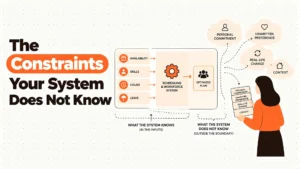
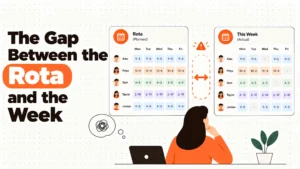
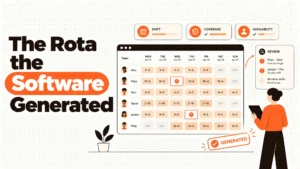
A manager in Phoenix is rebuilding Wednesday's roster. Someone called in sick at 10pm. The system has just emailed a notification to three staff that their shifts have changed. Two of them live in a city with a predictive scheduling ordinance. One of them is a minor, and their hours are now past a state limit. The manager doesn't know any of this. They're looking at a colour-coded grid and trying to cover a lunch shift.
This is the hour that decides whether your scheduling tool is good enough. Not the demo, not the feature comparison, not the dashboard your CHRO saw in a sales call. The hour when a roster changes, an overtime threshold gets crossed, a certification quietly expires, and a 16-year-old's school night is suddenly the company's problem.
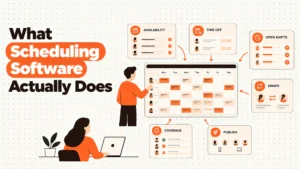
Most "best of" comparisons treat workforce software the way they treat a CRM. That's a mistake. A schedule isn't a plan. In several jurisdictions it's a legal artefact, and changing it late can trigger a pay penalty on every affected shift. Overtime is arithmetic. Mandatory breaks are arithmetic. A tool either performs that arithmetic correctly, or it leaves you exposed without warning.
Best tools for Employee Scheduling
The real question isn't which scheduler has the most features. It's which one handles the worst hour of your week without creating a second problem you didn't have.
When Deputy is still the right answer
Stage one, your setup is genuinely fine. If you run Deputy end to end, you lean on auto-scheduling, the labour cost dashboard is open in every manager meeting, and the time clock is biometric at the front door, the system is doing its job. Switching costs you weeks, not days, and the replacement won't match the feature surface for a year.
Stage two, the cost is starting to sting. Headcount is climbing, the per-user bill is climbing faster, and the advanced reporting tier is the one that would actually answer your questions. The temptation is to rip and replace. Resist it. Most platforms in this list will cost you more than Deputy once you add the modules Deputy already includes.
Stage three, the risk is real. You're crossing state lines, your predictive scheduling exposure is growing, and Deputy's compliance engine isn't catching it. Or your overtime errors are landing in payroll under "manual adjustment" every week because the auto-flag is off by a threshold. This is when the conversation changes from price to exposure.
Stage four, you've outgrown it. You need 200 skills, 1,500 staff, and a Works Council. Deputy is a strong generalist, and generalists lose to specialists at the edges. The honest answer at this stage is to look elsewhere, and we will get to where.
The point of these four stages is simple. Most of you reading this should not be looking at this list. If the pain is theoretical, you're still in stage one or two, and the right move is to fix your Deputy configuration, not replace it.
Five questions you are asking yourself at 11pm
Will it stop buddy punching? Most of these tools will. The honest difference is whether the verification is biometric, GPS, photo, or honour system. Read the small print on the kiosk tier.
What happens when I post a shift change on Tuesday for Thursday? A good tool re-emits a new schedule, flags the change, and in some jurisdictions surfaces a warning before you confirm. A bad tool posts the change and wishes you luck.
Does it calculate overtime the way my state does? Daily overtime isn't weekly overtime. Some states flip on the seventh consecutive day. A scheduler that doesn't model this will silently underpay or overpay, and you'll find out at audit.
What about breaks? Meal break premiums are mandatory in some places, and the scheduler is the only place where the trigger can be prevented. If your tool doesn't model break compliance, your managers are doing it by memory.
How long does a manager spend on this per week? The honest answer is usually 3 to 6 hours, and the tool that gets it under two is the one that pays for itself. Ask your current team before you ask a vendor.
How the market actually splits
Hospitality and restaurant. This is 7shifts territory. Tip pooling, FOH and BOH role separation, POS integration, and labour cost as a percentage of sales. When I Work and Sling sit beside it as generalist alternatives. None of them handle a job site with geofencing, and none of them are built for a clean-floor manufacturing environment. If your floors are kitchens, start here.
Deskless, field, and multi-site service. Connecteam, ClockShark, and Homebase live here. GPS time tracking, mobile-first scheduling, job costing, and training in one app. They're not built for an office HQ with salaried staff and a payroll team. If your staff don't have a desk, this is your shortlist.
Enterprise and complex workforce. Shiftboard, Quinyx, and Workforce.com. Skills matrices, certification expiry, multi-site rule sets, GDPR, and Works Councils. Pricing is on request because the contracts are negotiated. The implementation is measured in months. If you're under 200 staff you're not buying this. If you're over 5,000, you may already be talking to them.
Five diagnostic questions before you do anything
Where is your worst hour of the week? The schedule rebuild, the sick call, the no-show, the certification that expired last month. Whichever hour that's, the tool that owns it's the one to trial first. If you can't name that hour, you're not ready to switch.
How many jurisdictions do you operate in? One and Deputy is probably fine. Two and you need a tool that models the rules, not one that lets you write them. Five and you're looking at Shiftboard or Quinyx, full stop.
What is your real hourly cost per employee? Not the licence. The manager time, the payroll corrections, the compliance fines you dodged by accident. If that number is under $20 a month per head, switching rarely pays back. If it's over $40, switching is urgent.
Where is your staff? At a fixed kiosk, on a phone, in a truck, on a job site? The answer determines whether you need biometric, GPS, geofencing, or just a working mobile app. Most of the tools here do two of the four well. Few do all four.
What does your payroll team actually use? A scheduler that doesn't talk to your payroll system is a scheduler that produces a CSV every Friday and a reconciliation meeting every Monday. Ask the integration question before you ask the price.
The Nine Alternatives, Reviewed
7shifts
Built for restaurants, and it shows. The role-based view separates front of house and back of house in a way a generic scheduler can't. Tip pooling calculations are configurable by hours, role, or weight, with the audit trail your accountant will want at year end. POS integration pulls live sales into the scheduling view, so a manager is scheduling to a labour percentage, not a guess. Where it genuinely struggles is outside food service. The workflows assume a kitchen, a tip credit, and a service period. Put it in a clinic or a factory and you'll be fighting the interface by week two.
When I Work
A clean, affordable shift manager for retail and hospitality teams under 500 staff. The one-click schedule templates turn the weekly build into a 60-second task, and the employee self-service swap flow removes a real chunk of manager coordination. Mobile clock-in with GPS verification and overtime flagging is solid for the price. The honest weakness is payroll integration on the base plan, which is thin, and reporting that doesn't go as deep as Deputy once you move past headcount and hours. Good tool, narrow ceiling.
Homebase
The most generous free plan in the category, by a long way. Scheduling, time clock, and team messaging for unlimited employees at one location, no time limit. The drag-and-drop schedule builder is straightforward, and the onboarding is the easiest on this list. The catch is the wall you hit at multi-location, where the paid plan begins and the feature set changes. If you stay single site and under 30 staff, this is a credible alternative to paying Deputy from day one.
Connecteam
A mobile-first platform for deskless and field workforces. GPS time tracking with geofencing, in-app training, and a scheduling interface that works on a phone, which matters when your staff don't sit at a desk. Construction, cleaning, security, and home services are the sweet spot. The honest weakness is depth. Some of the advanced features are still maturing, and the corporate environment with salaried staff and complex approvals isn't where it wins.
Sling
A clean, low-cost scheduler with strong labour cost visibility. The colour-coded weekly grid and the overtime alert that fires as you build the schedule are the two features managers actually use. At $2 per user per month, it's one of the cheapest credible options on this list. The time tracking is functional, not advanced, and integrations on the free plan are limited. If your week is a 40-hour retail build with a cost ceiling, Sling is worth a trial.
ClockShark
Built for the job site, not the shop floor. GPS time tracking tied to specific job sites, job costing that feeds project profitability, and crew scheduling with skill and certification matching. Construction and field service are the use cases it was designed for. The honest weakness is any environment where staff aren't on a job site. A retail store, a clinic, an office. Put ClockShark in those settings and the GPS layer becomes friction, not value.
Shiftboard
An enterprise scheduler for complex multi-site workforces. Skills-based shift matching, certification expiry tracking with renewal workflows, and a centralised view across unlimited locations with per-site rule sets. Manufacturing, healthcare, energy, and security are the verticals. The honest weakness is the cost and the implementation runway. Pricing is on request, and a deployment that touches 1,000 staff across five sites is a quarter-long project, not a month.
Quinyx
The European specialist. AI demand forecasting that integrates weather, events, and historical sales into a staffing recommendation, and a schedule optimisation engine that balances demand against labour law and cost targets. GDPR-native data handling and Works Council reporting are built in, which matters if you operate across the EU. The honest weakness is reach outside Western Europe and Scandinavia, where the customer base and the local integrations thin out.
Workforce.com
A scheduler plus a labour analytics layer. Revenue per labour hour, cost per transaction, schedule adherence, overtime analysis by manager and location. The integrations with POS and footfall data are the differentiator, and the demand-based scheduling recommendations are a step beyond historical patterns. The honest weakness is the interface, which is functional rather than polished, and the pricing model that requires a sales call before you see a number.
The Decision Table
| Situation | Scale | Setup | Primary Pain | Recommended Starting Point |
|---|---|---|---|---|
| Restaurant, single or multi-unit, with tip pooling | 20 to 500 staff | POS in place, tip credit by state | Labour cost as % of sales, tip distribution | 7shifts |
| Retail or hospitality, tight budget, mobile-first staff | 10 to 500 staff | One to five locations, simple payroll | Weekly schedule build, shift swaps | When I Work or Sling |
| Single location, under 30 staff, no budget for a licence | 1 to 30 staff | One site, owner-operator | Free scheduling and time clock | Homebase |
| Field, construction, cleaning, security, home services | 10 to 1,000 staff | Job sites, vehicles, mobile crews | GPS verification, job costing, training | Connecteam or ClockShark |
| Enterprise, 200 to 10,000, complex skills and certifications | 200 to 10,000 staff | Multi-site, regulated, Works Councils | Skills matching, certification expiry, compliance | Shiftboard or Quinyx |
| Multi-location retail or healthcare, want analytics | 100 to 5,000 staff | POS or footfall data available | Labour cost per transaction, adherence | Workforce.com |
| Multi-site with strong Deputy usage, mostly cost friction | 10 to 50,000 staff | Deputy in place, feature mature | Licence cost climbing, advanced reporting tier | Stay on Deputy, fix configuration |
| Deputy in place with genuine compliance exposure | Any | Crossing state or country lines | Predictive scheduling, overtime rules | Quinyx or Shiftboard |
The cost of getting this wrong
The licence fee is the cheapest part of a bad scheduling decision. The expensive parts don't show up on the invoice. They show up the week you've to post a schedule change on a Tuesday for Thursday, in a city that pays a penalty for that. They show up in the 14 hours of unplanned overtime your manager approved because the auto-flag was off by a state-specific threshold, and that the system paid at straight time. They show up in the Tuesday night 11pm rebuild, which is now 90 minutes instead of 45, because the new tool doesn't model your team's availability the way Deputy did.
They show up in turnover. A frontline worker who gets two schedule changes a week, or who never knows whether they're working Saturday, doesn't stay for the holiday party. The cost of replacing one hourly hire in 2026, with recruiting, onboarding, and the first month's productivity loss, is widely cited in the $1,500 to $3,000 range. A scheduler that produces stable, predictable shifts pays for itself in retention, not in licence savings.
So the real question isn't which tool is cheapest. It's which tool is predictable enough that your managers stop rebuilding rosters at 11pm, accurate enough that your overtime calculations hold up to audit, and durable enough that a schedule change on Tuesday doesn't become a compliance question on Friday.
When you are ready to move beyond a basic setup
If you've read this far, you're past the "which one is cheapest" question and into the harder one. Which one fits your worst hour, your riskiest jurisdiction, your most expensive overtime error. That's the question we spend our time on at HROpsLab.
We are an independent review publication. We don't sell software, we don't take referral fees from vendors, and our comparisons are built from public data, vendor documentation, and operator interviews. When we recommend a starting point, it's because the tool fits the situation, not because the vendor has a deal with us.
If you want a deeper read on a specific scenario, a side-by-side that goes past the marketing page, or a second opinion on a shortlist you've already built, our comparison work is where that happens.
Frequently Asked Questions
Is Deputy still the best overall in 2026?
For a business running hourly, shift-based, or frontline workforces from 10 to 50,000 employees that wants intelligent auto-scheduling, biometric time tracking, and a real-time labour cost dashboard in one platform, yes. The weakness is on price at scale and on depth in the higher reporting tiers, which is where the alternatives earn their place.
Which Deputy alternative is cheapest for a small business?
Homebase, with a free plan that covers scheduling, time clock, and team messaging for unlimited employees at one location. Sling is the cheapest paid option at $2 per user per month, and When I Work starts at $2.50 per user per month. All three include a free plan or trial.
What is the best Deputy alternative for restaurants?
7shifts, by a clear margin. The role-based scheduling, tip pooling configuration, and POS integration with Toast, Square, and Clover are built for food service in a way Deputy isn't.
What is the best Deputy alternative for construction or field service?
ClockShark, for GPS time tracking tied to job sites and project cost coding. Connecteam is a strong alternative when the priority is mobile-first scheduling and in-app training for a deskless workforce.
What is the best Deputy alternative for enterprise scheduling?
Shiftboard for skills-based, multi-site scheduling with certification tracking. Quinyx if the operation is European and the priority is GDPR-native compliance and Works Council support.
Will switching off Deputy save money?
Sometimes. The honest answer depends on the modules you currently use, the headcount, and the modules the alternative charges for separately. Most platforms become more expensive than Deputy once you stack the add-ons. The savings case is strongest when a specialist tool replaces a generalist tool in a narrow use case.
How long does a workforce management platform take to implement?
Homebase and Sling can be live in a day. When I Work and 7shifts take a week. Connecteam and ClockShark take two to four weeks with field rollout. Shiftboard and Quinyx take a quarter or more for an enterprise deployment.
Do these tools handle predictive scheduling laws?
Some do, none cover every jurisdiction, and the rules change. Any tool that promises full compliance across every city is overstating it. Confirm the specific ordinance with local counsel before relying on the tool's automation.
HROpsLab is the operating manual for the people function. Independent, opinionated, and built for operators.