TL;DR
- Core decision: Switching scheduling software isn't a software decision. It's a labour-cost, compliance, and risk decision wearing a software costume.
- Stay on Homebase when: You run a single location with under 30 hourly staff, you don't sell across borders, and no local rule forces advance notice on shift changes.
- What the tool must do: Turn the rules in your head (overtime, breaks, certifications, predictive scheduling notice periods) into arithmetic the system performs on your behalf, every time, without you noticing.
- How the market splits: Free-and-simple, mid-market all-in-one, and enterprise workforce management. Each is a different product with different buyers.
- Decision rule: If a missed overtime calc, a late shift change, or a missed break can cost you more than the annual licence, the cheaper tool is the more expensive tool.
- Outcome to expect: Pick the category that matches your real exposure, not the demo. Two hours of honest self-assessment beats two weeks of vendor demos.
| Tool | Rating | Pricing | Trial | Best for |
|---|---|---|---|---|
| Homebase (your current tool) | 4.5/5 | Free / From $20/month | Free plan available | Best free scheduling software for small businesses |
| Deputy | 4.7/5 | From $4.50/user/month | Free trial available | Best all-in-one scheduling and time tracking platform |
| 7shifts | 4.6/5 | From $29.99/month | Free plan available | Best scheduling software for restaurants |
| When I Work | 4.5/5 | From $2.50/user/month | Free plan available | Best for retail and hospitality shift management |
| Connecteam | 4.6/5 | From $29/month (up to 30) | Free plan available | Best scheduling for deskless and field workers |
| Sling | 4.3/5 | From $2/user/month | Free plan available | Best affordable scheduling for shift-based teams |
| ClockShark | 4.4/5 | From $16/month + $8/user | Free 14-day trial | Best scheduling for construction and field service |
| Shiftboard | 4.3/5 | Pricing on request | Free demo available | Best enterprise scheduling for complex workforces |
| Quinyx | 4.4/5 | Pricing on request | Free demo available | Best WFM and scheduling for European businesses |
| Workforce.com | 4.2/5 | Pricing on request | Free demo available | Best scheduling with advanced labour analytics |
The 9pm Roster Rebuild
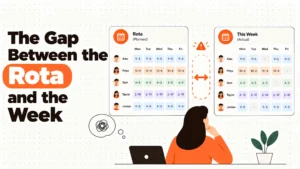
It's a Wednesday night. Your best shift leader has called in sick for Thursday morning. The opener is a 16-year-old on their first solo close, and you're dragging tiles on a laptop while your partner asks why you're still working. You have one hour to rebuild the morning, message three staff, and decide whether the Thursday rush is covered or whether you're driving in yourself. This is the moment a scheduling tool is judged. Not in the demo.
The schedule you're rebuilding isn't a planning artefact. In several jurisdictions it's a legal document. Predictive scheduling rules in places like Oregon, Seattle, San Francisco, New York City, Chicago and Philadelphia require advance notice of shifts, and pay a penalty when a posted shift changes late. The tool either builds that notice into the workflow or it doesn't. The arithmetic of overtime thresholds and mandatory breaks is similar: the system either computes it correctly on every schedule, or it silently leaves you exposed and you find out at audit, or at tribunal.
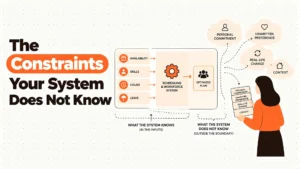
So the real question isn't "which scheduling app is nicest." The real question is: where is the silent risk in your current setup, and which tool removes it for less than it costs you to leave it in place?
Best tools for Employee Scheduling
When Homebase Is Still the Right Answer
Homebase isn't a product to escape from. It's a product many operators should stay on. Here's the honest ladder.
Stage 1: Your setup is genuinely fine. If you run a single location, have under 30 hourly staff, and your manager rebuilds the week in 40 minutes on a Sunday evening, you're paying nothing for Homebase and you've no real reason to move. The free plan covers scheduling, time clock, and team messaging for unlimited employees at one location. There's no competitor in this list that beats free.
Stage 2: Cost friction has started. You have crossed from one location to two, or you've outgrown the free tier and are now paying $20 per month for the paid plan. At that point the economics start to wobble. You're paying per location for features you could get per user elsewhere. The total may still be small. Look at it before you assume it's broken.
Stage 3: Real risk has appeared. Your city or state has passed a predictive scheduling rule. You operate in healthcare or another certified workforce. You have a manager who routinely edits shifts after they have been posted. You're still on the free plan and the audit trail is thin. At this stage, the question stops being about features and becomes about defensibility.
Stage 4: The edge case. You have outgrown Homebase not because it failed, but because you've become a different company. Multi-site retail, a field service operation across job codes, a European group with Works Councils. Stay if you can, move if you must, but don't blame the tool for your growth.
Five Questions You Ask Yourself at 11pm
"If I post a shift on Sunday and change it on Wednesday, does the system log the change and the cost?" If the answer is no, your predictive scheduling exposure is in a spreadsheet no one reads. This matters because predictability penalties are paid per shift, per affected employee, in some cities.
"Does the tool flag overtime before I approve the schedule, or only after the hours are worked?" Before is the only answer that protects margin. After is an invoice. The arithmetic difference between a 40-hour week and a 41-hour week in some US states is time-and-a-half on the full 41. The tool has to do that math on the schedule, not on the timesheet.
"When a shift changes at short notice, who gets notified, when, and is there a record?" Predictive scheduling rules in places like Oregon, Seattle, San Francisco, New York City, Chicago and Philadelphia require advance notice and pay a penalty when a posted shift changes late. The tool has to produce the receipt. If it doesn't, you're the receipt.
"Can the system tell me which of my employees is certified, licensed, or out of date, and stop me assigning them to a shift that needs that certification?" This is the difference between a scheduling tool and a workforce management platform. Most small operators never think about it. Then a health inspector walks in.
"If my best manager leaves, can a new manager run the roster on day one, or do they need a week of tribal knowledge?" Schedules that depend on one person aren't schedules. They're habits. Take local advice before changing anything in response to these questions, because the rules differ by city, state, and country, and the specifics matter.
The Three Categories This Market Splits Into
Free and simple. Homebase, When I Work, Sling, and (at one location) 7shifts on its free tier. They sell speed of setup and price. They're right when your exposure is low, your locations are few, and your compliance burden is light. They fail the moment you've a certification requirement, a predictive scheduling rule, or a second site. The price you pay for them is the work you do outside the tool.
Mid-market all-in-one. Deputy, Connecteam, ClockShark, and Workforce.com. They sell a full stack: scheduling, time, attendance, and often payroll integration, at a price per user that scales. They're right when you've outgrown the free tier, when you've multiple sites, or when your industry demands GPS, geofencing, or job costing. They fail when you've under 20 staff, because you're paying for capability you don't use.
Enterprise workforce management. Shiftboard, Quinyx, and the upper tiers of Deputy. They sell compliance, certification tracking, AI forecasting, and audit trails. They're right when the cost of getting a shift wrong is larger than the annual licence, and when you've the operational maturity to use them. They fail when you buy them for a 50-person operation, because the implementation cost alone will eat two years of licence fees.
Five Diagnostic Questions
How many locations do I roster from, today and in 12 months? Single location keeps you in the free tier. Two or more is where paid tools earn their place. If you expect to open more sites soon, buy for the future footprint, not the present one.
What is the cost of a missed overtime calculation, on a single employee, in a single week? Multiply by 52. Then by the number of states or countries you operate in. The annual cost of error is your real budget. If it's higher than the tool, the tool pays for itself.
Do I have employees with certifications, licences, or training expiry dates that gate which shifts they can work? If yes, you need skills-based matching, not a colour-coded grid. This is the line between scheduling software and WFM.
Does my jurisdiction require advance notice of shift changes, and pay a penalty when I miss it? If yes, you need a system that tracks notice and produces the record on demand. A spreadsheet won't survive an audit.
Is my schedule being rebuilt by one person, every week, under pressure? If yes, the real cost isn't the licence. It's the bus factor. The right tool reduces the rebuild to minutes and lets the schedule be read by anyone with manager access. That alone is worth the move.
The Nine Alternatives, Reviewed
Deputy
Best for: businesses of 10 to 50,000 employees that need intelligent auto-scheduling, precise time clocking, and payroll integration in one platform. It earns its place with AI-driven schedule generation, a real-time labour cost dashboard, and biometric clock-in that prevents buddy punching. The weakness is that advanced reporting sits on higher tiers, and at scale the per-user cost can sting on a large hourly team.
7shifts
Best for: restaurant operators, from single-location independents to multi-unit chains, that need tip pooling, back-of-house scheduling, and POS integration. It earns its place by speaking restaurant fluently, with tip credit-aware minimum wage, role-based FOH and BOH views, and real-time labour as a percentage of sales. The weakness is that it's less suited to non-hospitality industries, and the analytics that justify the spend live on higher plans.
When I Work
Best for: retail, hospitality, and service businesses of 10 to 500 employees that want affordable, mobile-first shift management. It earns its place with one-click schedule templates, employee-led swaps, and GPS-verified clock-ins at $2.50 per user per month. The weakness is that payroll integration is limited on the base plan, and the reporting doesn't reach the depth of Deputy.
Connecteam
Best for: companies with deskless, field, or mobile workforces of 10 to 1,000 employees in construction, cleaning, security, and home services. It earns its place with GPS time tracking, geofencing, mobile-first scheduling, and in-app training. The weakness is that some features are still maturing, and the product is best suited to non-corporate environments rather than a polished enterprise stack.
Sling
Best for: small to mid-size businesses of 5 to 200 employees that want clean scheduling with labour cost visibility at a low price. It earns its place at $2 per user per month with a colour-coded builder, overtime alerts during schedule creation, and a clean interface. The weakness is that time tracking is less advanced than Deputy, and integrations on the free plan are limited.
ClockShark
Best for: construction, field service, and trade businesses of 5 to 500 employees that need GPS-verified time tracking tied to specific job sites. It earns its place with job costing that feeds labour cost into project profitability and crew scheduling with equipment allocation. The weakness is that it's less suited to office or retail environments, and the mobile app needs decent connectivity.
Shiftboard
Best for: enterprises of 200 to 10,000 employees in manufacturing, healthcare, energy, and security that need skills-based, compliance-aware scheduling. It earns its place with skills-based shift matching, centralised multi-site scheduling, and certification expiry tracking. The weakness is the higher cost and the implementation time required to set it up properly.
Quinyx
Best for: mid-to-large European retailers, hospitality groups, and logistics companies of 200 to 50,000 employees that need AI-driven demand forecasting and Works Council support. It earns its place with machine-learning forecasts that integrate weather and events, an optimisation engine that balances demand and compliance, and GDPR-native data handling. The weakness is that it's less established outside Scandinavia and Western Europe, and pricing is enterprise-level.
Workforce.com
Best for: multi-location retail, hospitality, and healthcare businesses of 100 to 5,000 employees that want advanced labour analytics on top of scheduling. It earns its place with revenue per labour hour, cost per transaction, and demand-based scheduling fed by POS and footfall data. The weakness is that the UI is less polished than Deputy or 7shifts, and pricing requires a sales call to see.
The Decision Table
| Situation | Scale | Setup | Primary Pain | Recommended Starting Point |
|---|---|---|---|---|
| Single cafe or shop, free plan covers you | 1-20 staff | One location, no certifications | Time spent on admin | Stay on Homebase free |
| Two-location retailer, paying $20/month | 20-60 staff | Two sites, basic reporting | Cost per location, thin multi-site controls | Deputy or When I Work |
| Restaurant group with tip pooling | 20-200 staff | Multiple sites, FOH and BOH roles | Tip credit, labour as a percent of sales | 7shifts |
| Field service with crews and job codes | 10-200 staff | Multiple job sites, vehicles | Job costing, GPS verification, remote clock-ins | ClockShark |
| Construction, cleaning, or security mobile teams | 20-500 staff | Job sites changing daily | Geofencing, mobile-only workers, training | Connecteam |
| Enterprise manufacturer or hospital | 200-5,000 staff | Multiple sites, certifications, compliance | Skills matching, certification expiry, audit | Shiftboard |
| European multi-site retailer with Works Council | 500-10,000 staff | EU sites, GDPR, demand forecasting | Labour law compliance, demand-based rota | Quinyx |
| Multi-site retailer focused on labour analytics | 100-1,000 staff | POS and footfall data available | Revenue per labour hour, schedule adherence | Workforce.com |
The Cost of Getting This Wrong
The licence fee is the smallest number on the table. The real cost is the second-order cost. The predictability penalty when a posted shift changes 48 hours before it starts. The unplanned overtime that appears in the next pay run because the schedule quietly put someone at 41 hours. The manager who rebuilds the roster by hand every Sunday because the tool doesn't handle their exception. The turnover that comes when shifts move at short notice and the best staff leave first. None of these show up on a vendor quote. All of them show up in a P&L.
There's also the cost of staying still. Predictive scheduling rules in places like Oregon, Seattle, San Francisco, New York City, Chicago and Philadelphia have penalties that scale with every affected employee and every affected shift. A 50-person operation that misses the notice rule on a single week can face a bill that dwarfs the annual licence of any tool in this list. The exposure isn't theoretical. It's arithmetic.
So the question isn't "can I afford to switch." The question is "can I afford the version of staying where the schedule is decided in someone's head, on a Sunday night, under pressure, with the rules in their memory instead of in the tool?"
When You Are Ready to Move Beyond a Basic Setup
If you're reading this far, the cost of staying on a thin setup is already higher than the cost of a real evaluation. That's the moment to slow down, not speed up. Most operators who switch badly do so because they ran a single demo, took the prettiest screen, and signed a contract that didn't match their actual exposure.
That's the work HROpsLab exists to do. We are a review publication, not a vendor. We don't sell software, we don't take referral fees, and we don't rank by who pays us. We compare workforce tools the way an independent analyst should: by exposure, by category, and by the cost of getting it wrong. If you want a deeper view of how these tools handle predictive scheduling, overtime arithmetic, or multi-site certification, our comparison work goes further than a single article can.
The right next step is rarely a vendor call. It's a clear-eyed read of your own risk, followed by a shortlist of two or three tools in the right category, followed by a structured pilot. We can help with the first two.
Frequently Asked Questions
Is Homebase still worth using in 2026?
Yes, for single-location businesses with under 30 hourly staff and no predictive scheduling exposure, the free plan remains the strongest offer in the category. The paid tier starts to lose its edge once you've two or more sites or industry-specific compliance needs.
What is the cheapest paid alternative to Homebase?
Sling and When I Work both enter at $2 to $2.50 per user per month, which is the lowest published price in this category. Deputy enters at $4.50 per user per month. The cheapest line item is rarely the cheapest total cost once you add the features you actually need.
Which tool is best for restaurants with tip pooling?
7shifts is the most restaurant-native option in this list, with tip credit-aware minimum wage, FOH and BOH scheduling views, and POS integration that shows labour as a percent of sales. Deputy is a strong general-purpose alternative for restaurant groups that need more reporting depth.
Which tool is best for field service with GPS verification?
ClockShark is purpose-built for construction and field service with job costing and crew scheduling, while Connecteam is the stronger pick for cleaner mobile-first operations like cleaning, security, and home services. Both verify clock-ins by GPS and geofence.
Do any of these tools handle predictive scheduling compliance?
Several of them do, but the specifics depend on your jurisdiction. Predictive scheduling rules in places like Oregon, Seattle, San Francisco, New York City, Chicago and Philadelphia require advance notice and pay a penalty when a posted shift changes late. The right tool logs the change and produces the record. Take local advice on what your specific city or state requires.
When does an enterprise WFM platform make sense for a smaller business?
Rarely below 200 employees, and only when the cost of a single missed compliance event is larger than the annual licence. For most operators under that threshold, a mid-market all-in-one like Deputy or Workforce.com is the more honest fit.
How long does implementation take for tools like Shiftboard or Quinyx?
Enterprise WFM platforms typically require dedicated setup time measured in weeks, not days, because they need to be configured to your shift patterns, certifications, and labour rules. Mid-market tools like When I Work and Sling are usually live within a day.
We help operations leaders make workforce software decisions they can defend a year later.