

TL;DR
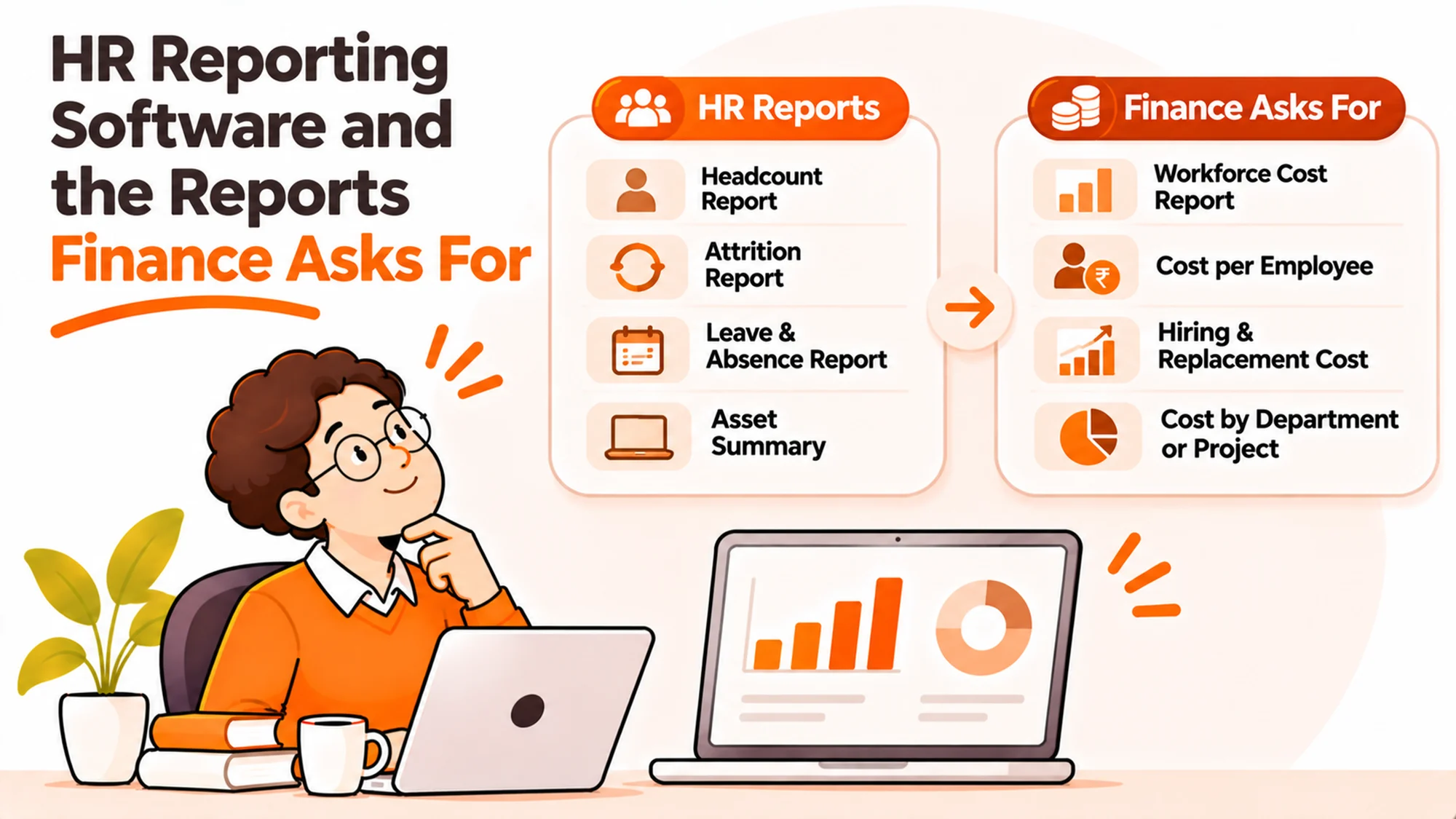
HR reporting software is built around people and finance asks about money. The translation between the two is where most requests stall, because the cost of a person is assembled from systems HR reporting cannot see.
- HR reports count people; finance wants cost.
- Cost per employee is assembled, not stored.
- Equipment spend usually sits elsewhere.
- Headcount has at least four definitions.
- Agree the definition before the number.
- A joined export beats a prettier dashboard.
Two different questions
HR reporting is built around a person as the unit. How many we have, how they are distributed, how long they stay, how they move.
Finance asks about money, with the person as an attribute. What does this team cost, what will it cost next quarter, what did we spend per head, where is the variance against plan.
Best tools for HR Operations
Both questions are legitimate and the second cannot be answered from the first, because most of what it costs to employ somebody is recorded in systems that are not the HR system and were never designed to report by person.
Why this surfaces as a reporting problem
It is really a data architecture problem that hr reporting software surfaces at the moment somebody asks a question it was never built to answer. The request lands on HR because it is about people, and HR discovers that the tool answering every internal question cannot answer this one.
Cost per employee is assembled
Worth walking through, because seeing the list makes the difficulty obvious.
Salary sits in payroll. Employer contributions sit in payroll, calculated differently by jurisdiction. Benefits sit with providers or a broker. Recruitment cost sits with the ATS or an agency invoice. Software licences sit with IT or procurement. Equipment sits with whoever bought it. Workspace cost sits in facilities, or nowhere at all for remote staff.
Seven sources, at least. The HR system holds none of them except possibly salary, and often holds a band rather than a figure.
So cost per employee is not a number any system stores. It is a number somebody constructs, and the construction involves choices that should be written down rather than redone each time.
| Component | Where it lives | In HR reporting? |
|---|---|---|
| Salary and contributions | Payroll | Sometimes, often banded |
| Benefits | Providers or broker | Rarely |
| Recruitment cost | ATS or invoices | No |
| Software licences | IT or procurement | No |
| Equipment | Asset register or finance | No |
| Workspace | Facilities, or nowhere | No |
Equipment is the component nobody can find
Of the seven, this is the one most reliably missing, and it is worth understanding why rather than treating it as an oversight.
Equipment spend is capital rather than payroll, so it lands in a different part of the accounts. It is bought in batches rather than per person, so attributing it to an individual requires a step nobody built. And it is bought by whoever happens to be buying, which on a distributed team may be several people.
The result is that when finance asks what a remote employee costs, the answer is usually assembled without any hardware in it, which understates it by a meaningful amount and makes a remote worker look cheaper than they are.
Two things fix it and neither is a reporting change. The asset register has to link devices to people, and purchases have to be attributable to a person or at least a team at the point of purchase. joining an asset register to your HRIS covers the first. The second is a procurement habit rather than a tool.
Worth noting for anybody building this for the first time: the number is lumpy. A new starter carries a device purchase and the person next to them carries none, so per-employee equipment cost only makes sense amortised across a refresh cycle rather than charged in the month it was spent.
Agree the definition before producing the number
The argument that wastes the most time, and it happens because nobody settled it in advance.
Headcount has at least four meanings in common use. People employed on a date. Full time equivalent. People including contractors. People excluding those on long leave or notice.
Each is defensible and they produce different numbers. HR usually reports the first, finance usually wants the second, and nobody says which they meant.
The useful discipline is to put the definition on the report itself rather than in a conversation. A figure labelled with what it counts, as at what date, including whom, cannot be misread and cannot be argued about later.
- Write the definition on the output, not in an email.
- Pick one and keep it, because comparability matters more than which you chose.
- State the date, since a month end and a month average differ.
- Say what is excluded, especially contractors and people on notice.
What usually works
The practical answer is less sophisticated than most vendors suggest, and more reliable.
Export from each system, join on a person identifier, and maintain the join rather than the dashboard. A spreadsheet or a simple warehouse table that finance and HR agree on beats a prettier report nobody trusts.
The maintenance is the real work, and it is mostly about identifiers. People appear with different names and different keys in different systems, and the join breaks on exactly the cases that matter: new starters, leavers, name changes, and anybody with an unusual arrangement.
Agree one identifier that every system carries, and make it something that does not change. An email address is a convenient key and a poor one, because people change names and therefore addresses. deciding which system is the record covers the broader question of which system is authoritative.
When a system cannot carry your identifier
This happens often, particularly with tools bought by one team that were never meant to join anything. A benefits portal or a shipping platform may have no field you can put an employee number in.
The workable answer is a mapping table you own, maintained alongside the join rather than inside either system. One row per person per system, holding whatever key that system does use. It is unglamorous and it is the only thing that survives a vendor change.
What makes it sustainable is updating it at joining and leaving rather than when a report breaks. Added to the onboarding and offboarding checklists it costs seconds; left until somebody needs a number, it becomes an afternoon of detective work every quarter.
The reporting cadence that works
Monthly for anything feeding a budget, and quarterly for anything describing a trend. Weekly reporting in this area produces noise, a standing meeting and a slow erosion of anybody’s interest in the numbers, because almost nothing in workforce cost moves meaningfully inside seven days.
The remote-specific complication
Distributed teams break several assumptions in standard HR reporting, and it is worth naming them.
Location means at least three things. Where somebody is employed, where they physically are, and which entity pays them. Standard reports usually carry one location field and the three can all differ.
Workspace cost does not disappear. It moves into equipment, stipends, allowances and shipping. Reports built for an office model simply have no line for it, so it goes uncounted rather than reported as zero.
Currency. Multi-country teams need a stated conversion approach, and a rate that moves between reporting periods will produce variance that has nothing to do with anything anybody did.
Sustainability reporting is increasingly part of this picture as well, and device purchasing is one of the few workforce costs with a published environmental reference behind it. the EPA on electronics and batteries management covers the disposal end and is worth knowing about before somebody asks you for a figure you have never produced.
The equipment and logistics line is the one most often missing entirely. Shipping a machine to somebody, recovering it later, storing it between hires: all real spend, all attributable to employing somebody in a particular place, and almost never in the per-employee figure. a managed laptop lifecycle service is the category of cost being discussed, and whether you buy it or do it yourself, it belongs in the number.
When to stop building reports
Two cases where the request should be pushed back rather than fulfilled.
Nobody can say what decision it informs. A report with no decision attached becomes a monthly obligation that outlives the person who asked for it. Ask what changes depending on the answer, and if nothing does, say so.
The underlying data is not good enough. Producing a precise-looking figure from unreliable inputs is worse than producing nothing, because somebody will act on it. If the asset register is wrong, a cost per employee figure built on it is wrong and looks authoritative.
One more component that belongs in a remote cost picture and rarely appears: whatever you provide so that somebody can work safely at home, from chairs to monitors. the HSE guidance on home working sets out why home working arrangements are a real obligation rather than a perk, and anything you supply as a result is a cost attributable to employing that person in that place.
And a word on what to do when finance asks for something you genuinely cannot produce. Say what you can produce, what is missing, and what it would take to close the gap. That conversation is more useful than a number with silent assumptions buried in it, and it is usually how the missing data eventually gets funded.
The missing line is usually equipment and logistics. See a managed laptop lifecycle service or laptop procurement across 80+ countries.
Frequently asked questions
Why can hr reporting software not answer finance questions?
Because it is built around people as the unit and most of the cost of employing somebody lives in other systems: payroll, benefits providers, procurement, IT and the asset register. Cost per employee is assembled by a person rather than stored anywhere.
What is usually missing from a cost per employee figure?
Equipment, almost always. It is capital rather than payroll, it is bought in batches rather than per person, and on a distributed team several people may be buying it. The result makes remote workers look cheaper than they are.
How should equipment cost be attributed?
Amortised across a refresh cycle rather than charged in the month of purchase, because the spend is lumpy. One new starter carries a device purchase and the person beside them carries none, which makes a monthly per-head figure meaningless.
Why do headcount numbers never match?
Because the word has at least four meanings: people employed on a date, full time equivalent, including contractors, and excluding those on leave or notice. All are defensible and they differ, so put the definition on the report rather than in an email.
What is the most reliable way to produce these reports?
Export from each system, join on a stable person identifier, and maintain the join rather than the dashboard. It is less sophisticated than what vendors describe and it is what finance and HR can actually agree on.
Why does the join keep breaking?
Identifiers. People appear differently across systems and the match fails on exactly the cases that matter: new starters, leavers, name changes and unusual arrangements. Email addresses are convenient keys and poor ones, because they change when names do.
What changes for distributed teams?
Location means at least three different things, workspace cost moves into equipment and shipping rather than disappearing, and currency needs a stated conversion approach. The equipment and logistics line is the one most often absent entirely rather than reported as zero.