

TL;DR
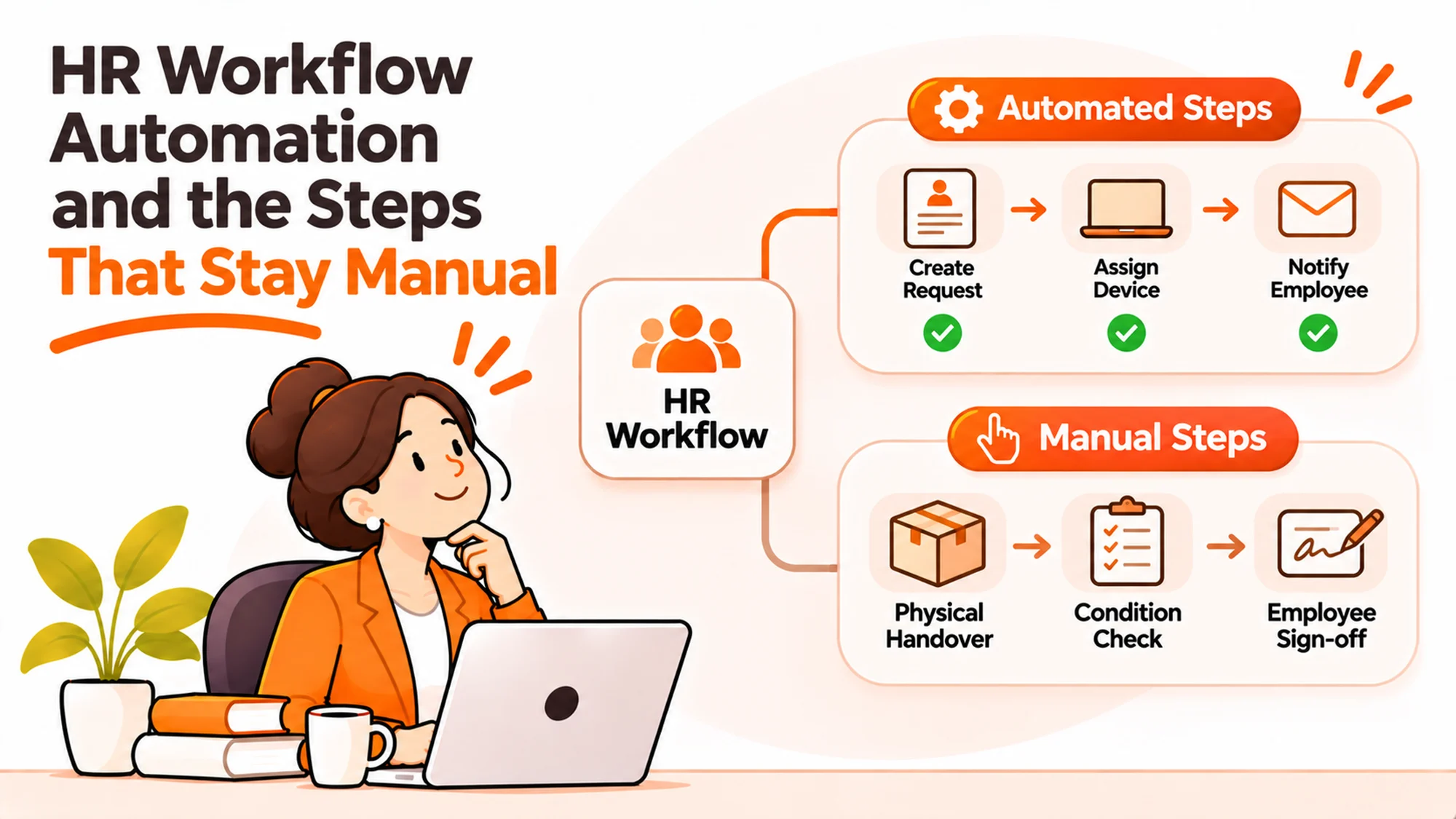
HR workflow automation can route an approval in seconds and cannot put a laptop in a box. Knowing exactly where it stops is what prevents a workflow reporting a task complete when nothing physical has happened.
- Digital steps automate fully.
- Physical steps automate up to the courier.
- A task marked done is not an event that happened.
- Automate the trigger before the task.
- Exceptions need an owner, not a queue.
- Measure what arrived, not what was sent.
Two kinds of step
Every HR process is a mix of two things, and automation treats them identically while reality does not.
Digital steps. Creating an account, routing an approval, sending a document for signature, updating a record, calculating an entitlement. Software acting on software, and genuinely automatable end to end.
Best tools for HR Operations
Physical steps. A laptop arriving at somebody’s home. A badge being collected. A machine coming back from a leaver. Software can request, schedule, remind and record. It cannot perform.
Workflow tools render both kinds as tasks in the same list, with the same tick box and the same green state when complete. That is convenient to build and to look at, and it is the source of nearly every problem in this article.
The consequence
A tick on a digital step means the thing happened, because the system did it. A tick on a physical step means somebody said it happened, or worse, that a related digital step happened and the tick was automatic.
What automates completely, and do it first
Worth listing, because this is where the clear return is and some of it is often still manual.
Offer and contract issue. Document collection and signature chasing. Account creation across systems. Approval routing with escalation when somebody is away. Entitlement calculation. Policy acknowledgement tracking. Reminders of every kind.
Access removal at departure deserves a particular mention, because it is both fully automatable and frequently left manual, and the risk of it being late is real rather than theoretical. CISA and its Secure Our World guidance covers the basics in plain language and the principle is simply that access should end when the relationship does.
If any of these is still being done by a person, that is where to start. how to decide what is worth automating covers the prioritisation question more fully, and the short version is that the digital steps repay the effort far faster than anything involving an object.
What automates only partly
The honest boundary, and the part most tooling is vague about because vagueness sells better.
| Step | Automatable | Who performs it |
|---|---|---|
| Decide what equipment is needed | Yes, from the role | The system |
| Place the order | Yes | The system |
| Deliver to a home address | No | A courier |
| Confirm it arrived and works | Partly | The new starter |
| Collect from a leaver | No | The leaver and a courier |
| Verify and wipe | Partly | Whoever receives it |
Three of those six need a person who does not work for you in the usual sense: a courier, a new starter at home, a departing employee. You can request and remind. You cannot instruct.
That is not a failing of the tools and no better tool fixes it. It is simply the shape of the problem, and any workflow diagram showing an unbroken automated line running all the way through it is describing something that does not happen in the real world.
The false completion
The defect worth the whole article, because it quietly corrupts your records rather than failing loudly.
A workflow places an order and marks equipment provided. The onboarding checklist goes green. The new starter has nothing, and will say so on their first morning, by which point the record already says otherwise.
The same pattern at the other end is worse. A task marks a device returned when a shipping label is generated. The case closes. The laptop stays in a drawer in another country and nobody will look at it again, because the system says it came back.
The rule is simple and has to live in the workflow rather than in a policy: a physical step completes when somebody observes the physical outcome. Arrival, not dispatch. Receipt, not request.
How to find out whether you have this
Take last quarter’s completed offboarding tasks and ask whoever receives devices to confirm how many actually arrived. If nobody can produce that second number, the first one is unverified, which is a different thing from wrong but is not evidence of anything.
Designing the step so it cannot lie
The fix is structural rather than procedural, and it is simpler than it sounds. Split every physical step into two: the request, which the system owns and can close by itself, and the confirmation, which only a person or a scan can close.
The request closes when the label is generated, the collection booked, the order placed. That is genuine progress and worth recording. The confirmation stays open until something arrives somewhere, and nothing in the workflow is permitted to close it automatically.
Two tasks instead of one looks like more administration and is actually less, because the alternative is a quarterly reconciliation exercise to work out which green ticks were real. The split also makes your reporting honest without anybody having to remember to be careful.
Automate the trigger before the task
The higher return change, and the one usually attempted second.
Most HR processes begin when somebody remembers. Somebody notices a start date approaching, or hears that a person is leaving, and starts the process. That is the weak point, and automating the steps downstream of it does not fix it.
Your HRIS already holds the events: start dates, end dates, role changes, location changes. Those should start the process without anybody acting, because the failures cluster exactly where a human would have forgotten.
Role changes are the forgotten one. Somebody moving from a support role to a design role may well need different equipment, and almost no process fires on that event. The person simply works with the wrong tool for months, and either complains eventually or quietly does not, which is the more common and more expensive outcome.
joining an asset register to your HRIS covers connecting the asset register to the system that holds those events, which is what makes the equipment half of this possible at all.
Exceptions need an owner
The part that decides whether automation reduces work or merely relocates it.
Every physical step has a failure mode. The delivery did not arrive. The address was wrong. The starter never confirmed. The leaver is not responding. The device came back broken. The courier cannot serve that country.
In a well-built workflow each of those raises an exception that somebody sees. In a badly built one they sit quietly as overdue tasks in a shared queue, and that queue becomes background noise within about a month of going live. Everybody learns to scroll past the red, which is worse than having no queue at all, because the organisation now believes the exceptions are being handled.
The difference is ownership. An exception assigned to a team is an exception nobody owns. Assigned to a named person with a date by which something must change, it gets resolved.
The most useful single addition is a defined decision point on recovery: at some agreed age, somebody decides to keep chasing, offer a buyout, or write it off with a reason recorded. Without that, unreturned device lists grow for years because nobody is empowered to close anything. what to do about unreturned equipment goes further.
One exception deserves a route of its own, because the clock matters. A device that cannot be recovered still holds company data, and the obligation to deal with that does not lapse because the case got old. NIST Special Publication 800-88 on media sanitization describes what a defensible outcome looks like, and where the machine is genuinely gone the honest record is a documented decision rather than an open task nobody will ever close.
What not to automate
Three things where the automation costs more than the problem.
Anything happening fewer than a handful of times a year. A rare process is better documented than automated, because the automation will be out of date by the time it next runs and nobody will remember how it works.
Steps requiring judgement. An accommodation request, a disputed deduction, an unusual exit. Routing these to the right person quickly is valuable; attempting to decide them in a workflow is not.
Anything where your data is wrong. Automating against an inaccurate record produces confident instructions about a situation that does not exist, at speed. Fix the record first. deciding which system is the record covers deciding which system is authoritative, which is usually the question underneath.
And one honest note about the physical half. Buying a service that performs the physical steps is a real option and a different decision from buying software. a managed laptop lifecycle service is that shape, and the point is not that it automates anything. It is that somebody else does the part nobody can automate.
The steps that stay manual still have to be done by somebody. See a managed laptop lifecycle service or a laptop retrieval service for remote employees.
Frequently asked questions
What can hr workflow automation complete on its own?
The digital steps: contracts, signatures, account creation, approval routing, entitlement calculation, policy acknowledgement and reminders. All of it is software acting on software, and access removal at departure in particular should be automated before anything else.
Where does it genuinely stop?
At the physical object. A system can decide what equipment is needed, order it, chase and record. It cannot deliver it, cannot pack it, and cannot be at somebody’s home when a courier calls. Three of the six steps in equipping or recovering a device need a person who does not work for you in the usual sense.
What is a false completion?
A task marked done when only a related digital step happened. Equipment marked provided when an order was placed, or a device marked returned when a shipping label was generated. It leaves your records confidently wrong rather than merely incomplete, which is worse.
Should we automate the trigger or the tasks first?
The trigger. Most processes begin when somebody remembers, and automating the steps downstream of a human memory does not fix the failures, which cluster exactly where somebody would have forgotten. Start dates and end dates already sit in your HRIS.
What triggers do teams most often miss?
Role changes. A person moving between roles may need different equipment, and almost no process fires on that event. They either work with the wrong tool and complain eventually, or work with the wrong tool and do not.
How should exceptions be handled?
Assigned to a named person with a date by which something must change. An exception assigned to a team is an exception nobody owns, and overdue tasks in a shared queue become background noise within about a month.
What should we not automate?
Anything that happens only a few times a year, which is better documented than automated; anything needing judgement, where routing quickly is useful but deciding is not; and anything where your underlying data is wrong, because automation then produces confident instructions about a situation that does not exist.