
TL;DR
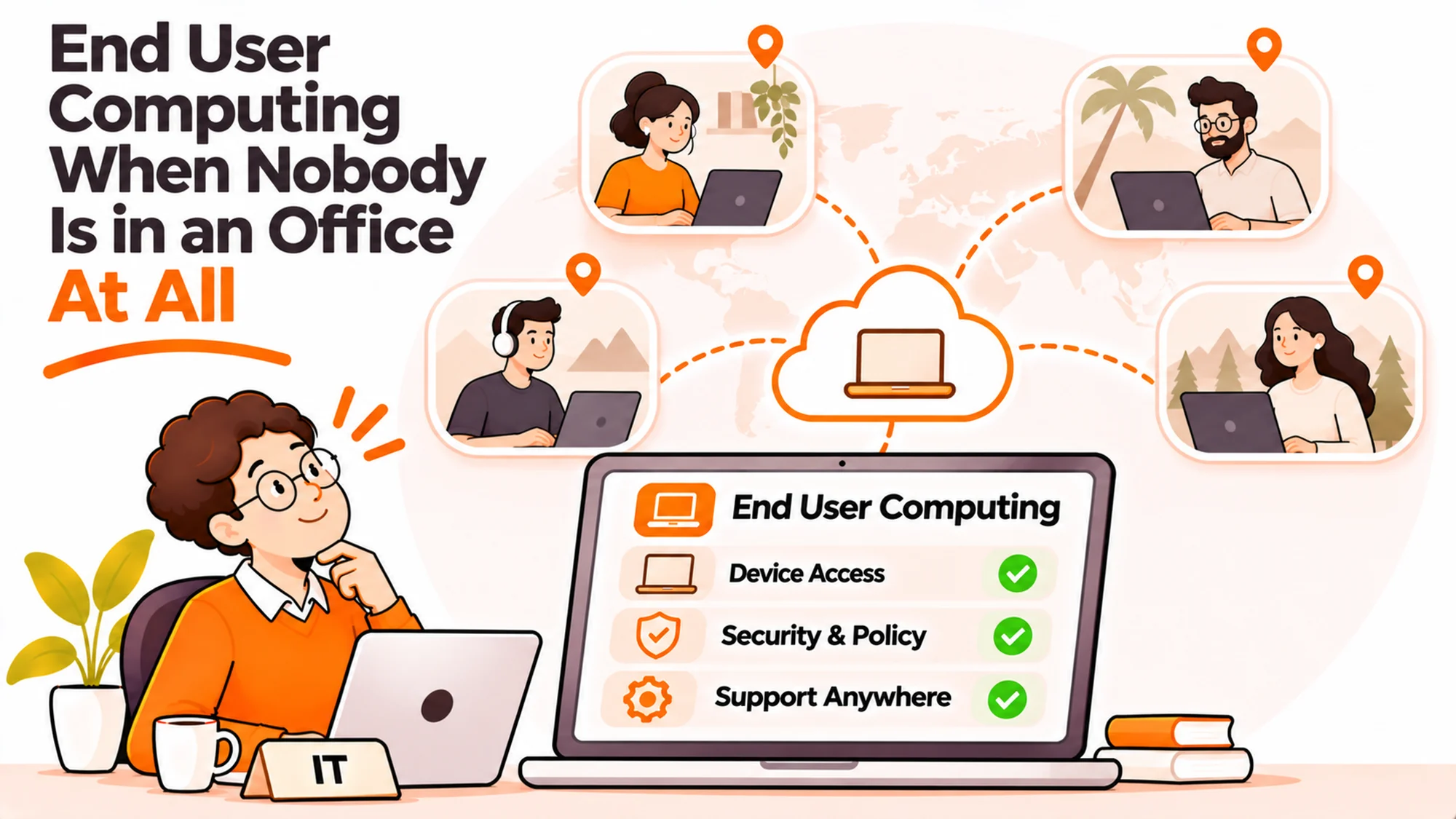
End user computing was built around a managed estate inside a building. Remove the building and most of the discipline survives, but three assumptions break completely, and those three are where distributed teams lose time and money.
- The practice assumed a building you controlled.
- Imaging, support and refresh are what break.
- Standardisation matters more, not less.
- Self service has a hard physical limit.
- Somebody has to own it, by name.
- At small scale, buy the service, not the stack.
What the discipline assumed
The practice grew up around a specific picture. A room with machines in it, a technician who could walk to any desk, a build process that ran over a network you owned, and a refresh where somebody wheeled a trolley round the floor.
Most of the thinking survives the move to remote work intact. Standardise where you can. Know what you have. Keep it patched. Plan the replacement before it fails.
Best tools for HR Operations
Three things do not survive, and they are the three that involve someone being physically near the machine: building it, fixing it, and replacing it.
Why this matters for an HR audience
Because when there is no IT function, these three land on operations or people teams by default. They are not usually described as anybody’s job, which is precisely why they go badly.
Building a machine nobody can touch
In an office, a new laptop is configured before anybody sees it. Remotely, the first person to open the box is the new starter, on their first morning, with no idea what should happen.
So configuration either happens before despatch or it happens over the internet with the starter following instructions. Both work and they fail differently.
Configured before despatch means a depot step, an extra leg of shipping, and a cost per device. It also means the machine arrives working, which is worth a great deal on somebody’s first day.
Configured by the starter is cheaper and depends on their home internet, their patience and the clarity of your instructions. It fails most often for the people least comfortable with technology, which correlates poorly with whose time is most valuable.
getting a starter ready for day one covers the readiness question in more depth. The decision worth making explicitly is which of the two you are doing, because many teams have never chosen and do whichever is convenient per hire.
Support without a desk to walk to
The second break, and the one that quietly consumes the most time.
Remote support handles software well. Someone cannot get into a system, something is misconfigured, an update failed. All of that is solvable from anywhere.
Hardware is different. A failed screen, a dead battery, a port that stopped working, a keyboard with water in it. None of those is fixable remotely and all of them stop somebody working.
| Problem | In an office | Remotely |
|---|---|---|
| Software fault | Remote or at the desk | Remote, unchanged |
| Hardware fault | Swap from the shelf | Ship a replacement, days |
| Accessory failure | Grab another | Order and wait |
| Total loss | Replace same day | New purchase, lead time |
Every row in the right column is measured in days rather than minutes, and each of those days is somebody unable to do their job. That is the real cost of remote end user computing and it rarely appears in any budget.
The two things that shorten the right column
A spare held near the person, and a replacement route that does not start from scratch. Those are the only two levers, and most teams have neither.
A spare does not have to be in the same house. Held in the same region, it turns a two week replacement into a two day one, which changes the calculation for any role where a lost week costs more than a year of holding one machine. For most skilled roles that comparison is not close.
The replacement route matters just as much. If every failure triggers a fresh purchase, an approval and a lead time, you are paying the full delay every time. If there is a standing arrangement that a replacement ships on request, the delay is shipping alone.
Standardisation matters more, not less
A counterintuitive point that matters once you accept the support problem above.
In an office, variety is manageable because a technician can learn each machine and spares are on a shelf. Remotely, every additional model multiplies the problem: more spare types to hold or not hold, more instructions to write, more unfamiliar hardware to diagnose over a video call.
So the case for a short menu of configurations is stronger remotely than it ever was in an office, which is the opposite of what people assume when they think of remote work as flexible.
Two or three options with a clear rule about who gets which, plus a documented exception route that is genuinely easy to use. If the exception route is hard, people buy their own machines and you get variety anyway, without the record.
Security benefits too. A small number of known configurations is far easier to keep patched than a long tail of individual choices, and CISA’s known exploited vulnerabilities catalogue is a reminder that unpatched machines are exploited in practice rather than in theory.
Refresh without a trolley
The third break, and the one people postpone until it becomes an emergency.
In an office a refresh is a scheduled exercise: new machines arrive, old ones are collected, somebody walks the floor over a fortnight. Remotely each replacement is an individual logistics event with a delivery, a handover of data, and a recovery of the old machine.
That last part is where it falls down. The new laptop arrives, the person starts using it, and the old one stays in their house indefinitely because nobody arranged its return and nobody is chasing.
The fix is sequencing rather than effort. Send the replacement, give a defined window to migrate, then collect the old one with packaging that arrives at their door. Without the collection step built in from the start, a refresh programme simply creates a second fleet nobody can see, sitting in the same houses as the first one.
NIST Special Publication 800-88 on media sanitization matters here as well, because a refreshed machine carrying years of company data needs a defensible outcome rather than a cupboard.
Somebody has to own this
The organisational point, and the one that decides whether any of the above happens.
In companies without an IT function, end user computing is usually nobody’s job. It is a collection of tasks that land on whoever is nearest: office manager, operations, people team, a technical person who became the default.
That arrangement works at twenty people and stops working somewhere around fifty, because the tasks stop being occasional interruptions and start being a continuous stream that nobody has been given time for.
What is needed is not necessarily a hire. It is a named owner with the authority to set the standard, approve exceptions, and hold a budget. Much of the execution can be bought.
- Name the owner, in writing, including what they decide.
- Separate deciding from doing. The first cannot be outsourced and the second usually can.
- Give them the register, because owning the decisions without the data is impossible.
- Review at headcount thresholds, not annually.
When to buy the service instead
The honest conclusion for most teams reading this.
Below a certain size, building an internal end user computing capability is not sensible. The volume does not justify a hire, the expertise is genuinely specialised, and the tasks are intermittent enough that nobody stays good at them.
What is usually right is to own the decisions and buy the execution: a standard you set, a register you control, and somebody else doing the shipping, configuring, collecting and wiping. a managed laptop lifecycle service is that shape of arrangement.
Where that stops being right is when your requirements get specific enough that a generic service cannot meet them, or when volume makes internal capability cheaper. Both are real and both arrive later than vendors suggest.
What not to do either way
Do not leave it unowned while you are deciding, which can take months. The default outcome in the meantime is that each hire is improvised by whoever is free, each departure quietly leaks a device, and the register drifts from approximate into fiction. the NIST Cybersecurity Framework is worth reading if you need to make the governance case for owning this properly, and the HSE guidance on home working is relevant for the separate but related question of what you owe people working at home.
Own the decisions, buy the execution. See a managed laptop lifecycle service or laptop procurement across 80+ countries.
Frequently asked questions
What changes about end user computing when everyone is remote?
Three things break and the rest survives. Building a machine, fixing hardware and refreshing the fleet all assumed somebody could be physically near the device. Standardisation, inventory and patching carry over largely unchanged.
Should laptops be configured before shipping or by the new starter?
Either works and they fail differently. A depot step costs an extra leg of shipping and means the machine arrives working on somebody’s first day. Self configuration is cheaper and fails most often for the people least comfortable with technology.
Why does hardware support cost so much more remotely?
Because every hardware fault becomes a shipping problem measured in days rather than a swap from a shelf measured in minutes. Each of those days is somebody unable to work, and that cost almost never appears in any budget.
Does remote work mean we can be more flexible on device choice?
The opposite. Every extra model multiplies spares, instructions and unfamiliar hardware to diagnose over a video call. The case for a short standard menu is stronger remotely than it ever was in an office.
What goes wrong with remote refresh programmes?
The old machine never comes back. The replacement arrives, the person starts using it, and the previous laptop stays in their house because nobody arranged collection. Without a built-in recovery step a refresh simply creates a second fleet nobody can see.
Who should own this when there is no IT team?
A named person with authority to set the standard, approve exceptions and hold a budget. It need not be a hire, because much of the execution can be bought, but it does need to be somebody specific rather than whoever happens to be nearest.
At what point should we build this internally?
Later than most vendors suggest. Below a certain volume the tasks are too intermittent for anybody to stay good at them, so owning the decisions and buying the execution is usually right until either your requirements become unusually specific or the volume makes a hire cheaper.