TL;DR
- Core decision: Swap ClockShark only when its job-site focus stops matching where your work actually happens, or when the cost per user has outgrown the value.
- Stay put if: You run field crews across real job sites, need GPS-verified punches, and your pricing sits below ~$24 per user per month all-in.
- What the tool must do: Calculate overtime and break entitlements correctly, give advance notice of schedule changes, and produce an audit trail a labour inspector would accept.
- Market split: Generalist schedulers, industry specialists, and enterprise workforce management. Each one fails a different way.
- Decision rule: Match the tool to the work environment first, the price second, and the features third.
- Outcome to expect: A shortlist of two or three platforms you can demo with real rosters, not a feature checklist.
| Tool | Rating | Pricing | Trial | Best for |
|---|---|---|---|---|
| ClockShark (your current tool) | 4.4/5 | From $16/month + $8/user | Free 14-day trial | Best scheduling for construction and field service |
| Deputy | 4.7/5 | From $4.50/user/month | Free trial available | Best all-in-one scheduling and time tracking platform |
| 7shifts | 4.6/5 | From $29.99/month | Free plan available | Best scheduling software for restaurants |
| When I Work | 4.5/5 | From $2.50/user/month | Free plan available | Best for retail and hospitality shift management |
| Homebase | 4.5/5 | Free / From $20/month | Free plan available | Best free scheduling software for small businesses |
| Connecteam | 4.6/5 | From $29/month (up to 30) | Free plan available | Best scheduling for deskless and field workers |
| Sling | 4.3/5 | From $2/user/month | Free plan available | Best affordable scheduling for shift-based teams |
| Shiftboard | 4.3/5 | Pricing on request | Free demo available | Best enterprise scheduling for complex workforces |
| Quinyx | 4.4/5 | Pricing on request | Free demo available | Best WFM and scheduling for European businesses |
| Workforce.com | 4.2/5 | Pricing on request | Free demo available | Best scheduling with advanced labour analytics |
The schedule that decided the budget
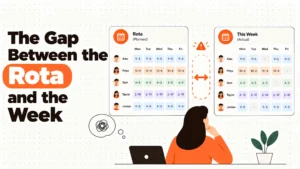
A regional plumbing contractor calls on a Friday. Three jobs are running, two are slipping, and the on-call dispatcher has just told the owner that the crew leader clocked in forty minutes before his shift because the system was open. The owner is staring at a screen that says the week is on budget. He knows it isn't. He pulls up last week's actuals, sees $3,400 in unplanned overtime, and starts the rebuild by hand. By Sunday night the new schedule is done. By Monday morning two of the changes have already triggered the predictive-scheduling notice rules in his city, and the penalty exposure is now a line item he has to explain to his accountant.
This is the moment most operations leaders reach for a new tool. Not because the software is bad. Because the gap between what the system says and what actually happened on the jobs has become a cost the business is absorbing without anyone flagging it.
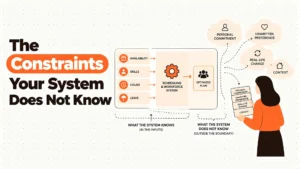
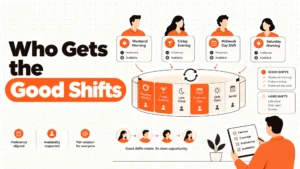
The real issue isn't which platform has the longest feature list. It's whether the tool you run treats the schedule as a planning artefact or as a legal document. In several US cities, the schedule you post is exactly that. Predictive scheduling rules in places like Oregon, Seattle, San Francisco, New York City, Chicago and Philadelphia require advance notice of posted shifts and pay a penalty when a posted shift changes late. Some rules also require predictability pay, written good-faith estimates of hours, and additional pay for last-minute changes initiated by the employer. Overtime thresholds, mandatory breaks, and split-shift premiums are arithmetic the tool either performs correctly or silently leaves you exposed on. Get it right and your week is quiet. Get it wrong and a single sick call becomes a fine.
Best tools for Employee Scheduling
We aren't lawyers and this isn't legal advice. Local rules vary, change often, and depend on headcount and sector. Use this piece to sharpen the question you take to one.
When ClockShark is still the right answer
Start with the honest case for keeping what you've. Four stages, from "no change needed" through "real risk" and into the edge case.
Stage 1: Your setup is genuinely fine. You run 30 to 200 hourly field staff across real job sites. Crews move between locations. You need a punch tied to GPS coordinates. Job costing feeds your project margin reports. Manager adoption is high and the mobile app works on the sites you actually use. There's no real reason to switch. The friction of a migration would cost more than any saving you would chase.
Stage 2: Cost friction. Your bill has crept past $24 per user per month once you add the modules you actually use. The $16 starting price understates what you pay. At that point you've a procurement problem, not a tooling problem. Renegotiate first. Audit the seats. Then look at the alternatives.
Stage 3: Real risk. The work has shifted. Your team is in a warehouse now, or a clinic, or a hotel, and the field-service framing is producing workarounds. Or your jurisdiction has tightened its predictive scheduling rules and you've evidence, even anecdotal, that the tool isn't flagging short-notice changes. The cost of doing nothing has become measurable.
Stage 4: The edge case. You're growing past 500 employees or expanding into multiple countries. ClockShark was not built for either, and pretending otherwise will hurt you in twelve months.
If you sit in stage 1 or 2, the rest of this article is interesting rather than urgent.
Five questions an operations manager asks at 11pm
Does this tool calculate overtime the way my state does? It matters because the arithmetic is the audit trail. A system that rounds hours in 15-minute blocks may look tidy and produce an underpayment claim six months later.
What happens to a posted shift when someone calls in sick at 6am? It matters because predictive scheduling rules in some cities treat that change as a triggered penalty, not a management choice. The tool needs to flag it before the manager hits publish.
Can I prove who approved the overtime, and when? It matters because the conversation with payroll on Monday morning is decided by the timestamp on the approval. If the system has no record, the business absorbs the cost.
Does the audit trail survive the manager leaving? It matters because the manager will leave. If the schedule history lives in their head, you've a continuity problem dressed as a software problem.
What does the employee actually see on their phone at 10pm? It matters because the published shift is the contract. A notification that arrives after the change has already happened is worse than no notification at all.
How this market actually splits
Generalist schedulers with serious time and attendance. Tools like Deputy, When I Work, Sling and Homebase cover scheduling, time clocking, and basic payroll integration across multiple industries. They're right for businesses between 10 and 500 hourly staff that want one platform, not five. They fail when the work has unusual rules. Tip credits, union shift bidding, complex skills matching, and predictive scheduling compliance on the employer's side stretch them thin.
Industry specialists. 7shifts for restaurants, ClockShark for construction, Connecteam for deskless and field workers. They're right when the workflows match. The scheduling templates, reports, and integrations are pre-shaped for the job. They fail the moment you've a second line of business that doesn't fit the assumption. A restaurant group that opens a catering arm. A field service company that takes on a maintenance contract.
Enterprise workforce management. Shiftboard, Quinyx, Workforce.com. They're right when you've 200-plus employees across multiple sites, complex skills and certification requirements, and a compliance function that produces monthly reports. They fail when the budget is small and the buying cycle is long. Pricing is on request for all three, which is itself a signal.
Five diagnostic questions for the reader
Are most of my employees working in one place, or moving between sites? This is the single biggest fork. Single-site retail, hospitality and clinics want generalist schedulers. Multi-site field crews want GPS, geofencing, and job costing, which is ClockShark's home turf.
How often does the published schedule change after it goes live? If your answer is "almost daily", the predictive scheduling penalty exposure is the real cost you're pricing. Pick the tool that flags and logs every change, not the one with the prettiest calendar.
What is my actual per-user cost today, including the modules I pay for? Most operations leaders under-estimate this. Add the base, the per-user fee, the integrations, and the SMS or notification charges. The number that matters is the all-in figure.
Do my employees need to swap shifts, claim tips, or complete training in the same app? If yes, the generalist schedulers start looking expensive because you're paying for three tools instead of one. If no, specialisation is fine.
What is the size of the compliance function in my business? Sole traders and small operators don't need enterprise WFM. Multi-site operators with 200-plus staff and a dedicated HR person usually do. Match the platform to the function you actually have.
The Nine Alternatives, Reviewed
Deputy
Best for mid-to-large hourly workforces that want auto-scheduling, time tracking, and payroll in one platform. It earns a place because the smart auto-scheduling and real-time labour cost dashboard are genuinely useful, and the facial recognition clock prevents buddy punching on shared tablets. The honest weakness is that advanced reporting sits on higher tiers, and the per-user cost compounds quickly on a 200-person team.
7shifts
Best for restaurant operators from single sites to chains. It earns a place because tip pooling, tip credit calculations, and POS-driven labour cost as a percentage of sales are built in, not bolted on. The honest weakness is that it's less useful outside hospitality, and the analytics that justify the upgrade live on the more expensive plans.
When I Work
Best for retail and hospitality teams that want affordable, mobile-first scheduling. It earns a place because one-click templates, employee self-service swaps, and GPS-verified mobile clocking cover the 80% case at a low price. The honest weakness is that payroll integration on the base plan is limited, and the reporting depth doesn't match Deputy or 7shifts.
Homebase
Best for small single-location businesses that want a free starting point. It earns a place because the free plan is genuinely usable for one location with unlimited employees, which is rare in this category. The honest weakness is that the moment you open a second site, the paid plan kicks in, and the advanced HR features stay thin.
Connecteam
Best for deskless and field workers, including construction, cleaning, security, and home services. It earns a place because GPS time tracking, mobile-first scheduling, and in-app training live in the same app, which suits crews that never see a desktop. The honest weakness is that some advanced features are still maturing, and corporate environments with formal HR processes may find it under-built.
Sling
Best for shift-based teams that want low price and clean scheduling. It earns a place because the colour-coded weekly view, overtime alerts, and labour cost tracking are strong for the price. The honest weakness is that the time tracking is less capable than Deputy, and integrations on the free plan are limited.
Shiftboard
Best for enterprises with complex multi-site workforces and certification tracking. It earns a place because skills-based shift matching, multi-site management, and certification expiry alerts are real differentiators in manufacturing, healthcare, energy, and security. The honest weakness is enterprise pricing and a setup cycle that demands dedicated project time.
Quinyx
Best for European mid-to-large retailers, hospitality groups, and logistics operators. It earns a place because AI demand forecasting, schedule optimisation, and GDPR-native data handling are built for European labour law from the ground up. The honest weakness is that it's less established outside Scandinavia and Western Europe, and pricing is opaque without a sales conversation.
Workforce.com
Best for multi-location retail, hospitality, and healthcare businesses that want labour analytics on top of scheduling. It earns a place because revenue per labour hour, cost per transaction, and demand-based scheduling using POS data go deeper than most competitors. The honest weakness is that the user interface is less polished than Deputy or 7shifts, and pricing requires a sales call to discover.
The Decision Table
| Situation | Scale | Setup | Primary Pain | Recommended Starting Point |
|---|---|---|---|---|
| Multi-site field crews, GPS-verified punches, job costing | 5 to 500 | Construction, field service, trades | Wanting field-native workflows and audit trail | ClockShark |
| Single cost per user has crept past $24 all-in | 30 to 300 | Any | Procurement pressure on existing field tool | Deputy or Connecteam |
| Single-location restaurant or hospitality group | 10 to 200 | Restaurants, cafes, hotels | Tip pooling, POS-driven labour %, FOH/BOH splits | 7shifts |
| Single or two-site retail or hospitality under 50 staff | 5 to 50 | Retail, cafes, small hotels | Price sensitivity, simple swaps, mobile clocking | Homebase or When I Work |
| Deskless or mobile workforce, training and compliance in one app | 10 to 1,000 | Cleaning, security, home services | Mobile-first scheduling, training delivery, GPS | Connecteam |
| Enterprise across multiple sites with skills and certification tracking | 200 to 10,000 | Manufacturing, healthcare, energy, security | Compliance exposure, skills matching, multi-site governance | Shiftboard |
| European mid-to-large operation with GDPR and Works Council needs | 200 to 50,000 | Retail, hospitality, logistics | EU data residency, demand forecasting, employee consent | Quinyx |
| Multi-site retail or healthcare wanting labour analytics on top | 100 to 5,000 | Retail chains, clinics, hospitality groups | Analytics depth, POS integration, schedule adherence | Workforce.com |
The cost of getting this wrong
The licence fee is the smallest line on the damage report. The bigger costs are the ones that show up in the next quarter, not the next invoice.
A 200-person hourly operation that triggers one predictive scheduling penalty per week at $50 per affected shift is spending $10,400 a quarter on changes it could have prevented. Unplanned overtime, the kind that creeps in because no one flagged the threshold at 38 hours, adds another layer of premium pay on top of base. A manager who rebuilds the roster by hand every Sunday is spending six hours a week on a task the right tool would do in 30 minutes, which is $7,800 a year at a $25 loaded hourly rate. Turnover from erratic scheduling is the line item nobody writes down, because the cost lives in recruitment fees, training time, and the customers who see a new face every month.
So the real question isn't which tool is cheapest. It's which one reduces the number of surprises your finance team has to explain at the monthly review.
When you are ready to move beyond a basic setup
If you're still on a free plan, or still running rosters in a spreadsheet, the gap is the tool. If you're on a paid platform and the gap is still there, the gap is the configuration. Most operations leaders we speak to aren't choosing the wrong product. They're using the right product at 40% of its capability, because nobody had time to set it up properly.
That's the work we do at HROpsLab. We compare workforce platforms head to head, publish the gaps the vendors don't advertise, and run side-by-side breakdowns of the kind you've just read. We don't sell software, and we don't take referral fees. Our revenue comes from independent research subscriptions and from the operators who read us before they buy.
If you want a second opinion on the shortlist you're about to build, that's the conversation we are built for.
Frequently Asked Questions
What is the main reason operations managers leave ClockShark?
The most common reason is that the work has shifted. The business started with field crews and job costing, and now it has a warehouse, a clinic, or a hospitality venue where the field-service framing creates friction. The second most common reason is cost creep past $24 per user per month once the modules you actually use are added.
Do any of these alternatives handle predictive scheduling compliance?
Several of them do, including Deputy, When I Work, Homebase, and the enterprise tools. Predictive scheduling rules vary by city and change often, so any tool evaluation should include a written check of how the platform logs, flags, and reports short-notice schedule changes. Take local legal advice before relying on the tool's defaults.
Which alternative is cheapest for a small single-location business?
Homebase has the most generous free plan in the category and supports unlimited employees at one location. When I Work starts at $2.50 per user per month and Sling starts at $2 per user per month. The right answer depends on whether you want team messaging, time clocking, and scheduling in one app, or just a schedule.
Can I switch from ClockShark without losing my job costing history?
Yes, but it requires planning. Most platforms export time entries and job codes in CSV, and the receiving system needs mapping before the import. The cleanest migrations we've seen run the two systems in parallel for at least one full pay cycle and reconcile by job before cutting over.
Which tool is best for a multi-site retail or hospitality chain?
Workforce.com is built for this case and pairs scheduling with the labour analytics a multi-site operator needs. Deputy also handles multi-site well and has stronger usability. For European multi-site operations, Quinyx is the more natural fit because of GDPR handling and Works Council support.
How long does an enterprise WFM implementation take?
Shiftboard, Quinyx, and Workforce.com typically run three to nine months for a mid-size enterprise, including discovery, configuration, pilot, and rollout. Build in time for data migration, manager training, and at least one full pay cycle in parallel with the legacy system.
Will my employees need to download a new app?
In most cases, yes. Deputy, 7shifts, When I Work, Homebase, Connecteam, Sling, Shiftboard, Quinyx, and Workforce.com all rely on an employee-facing mobile app for swaps, time clocking, and notifications. Plan for a two-week communication window and a manager-led rollout. Adoption usually settles within 30 days.
We help operations leaders choose workforce software without the sales pitch.