TL;DR
- The core decision: whether you need somewhere to track state, or whether your actual problem is that not enough suitable people apply.
- When doing nothing is right: when one person runs a handful of roles a year and nothing has been lost.
- What has to be true: somebody can say where every live candidate is without opening an inbox.
- How the options split: by whether the system records what happened or tries to improve what happens, which are different products.
- Decision rule: if the pipeline stages don't match how you actually hire, the system will describe a process nobody follows.
- Outcome to expect: fewer candidates lost, and a record of decisions you can still read next year.
The Inbox With Four People In It
A role is open. Applications arrive at a shared address. Three people are reading them, and each has a slightly different sense of who's promising.
One candidate gets two replies, from two people, an hour apart. Another gets none, because both readers assumed the other had it. A third applied a fortnight ago and is still waiting, sitting below a marketing email in a thread nobody has scrolled back to. And when somebody senior asks how the search is going, the honest answer requires twenty minutes of reconstruction.
None of this is carelessness. It's what happens when a process with states is run in a tool that has no concept of state. An inbox knows read and unread. Hiring needs applied, screened, interviewing, offered, declined, and it needs to know which of those a person is in without anybody remembering.
Best tools for Applicant Tracking (ATS)
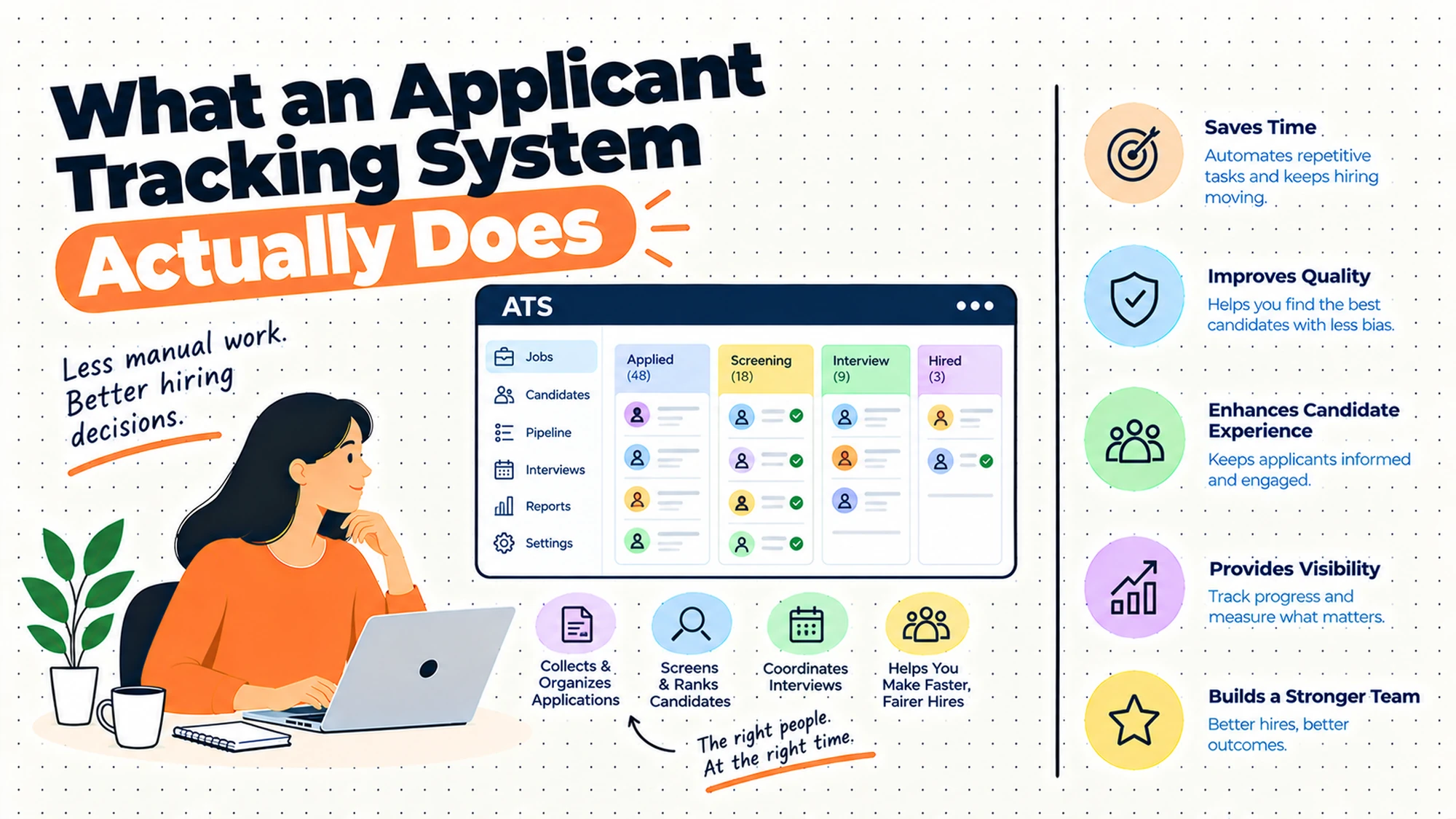
That's what an applicant tracking system is for, and it's a narrower thing than the category's marketing implies. It's a pipeline and a record. It knows where each person is, and it preserves what happened and who decided it. Everything else these products offer sits on top of those two jobs.
Most disappointment comes from expecting something else. Teams buy one hoping for more applicants, or better candidates, or a hiring process that works. They get a pipeline, which doesn't feel like any of those in month one, and conclude the product underdelivered.
So the question to settle before looking at anything: is your problem that candidates get lost and nobody can say what happened, or is it that not enough suitable people apply? The first is what this category solves. The second is a different problem and a different budget.
When You Genuinely Do Not Need to Act Yet
Your current setup is genuinely fine. One person handles a handful of roles a year, they know where everybody is, and nobody has been forgotten. An inbox owned by an organised person is faster than a system and costs nothing. This is not a failure state and it doesn't need improving.
Friction is starting to show. Two people replied to the same candidate, or somebody waited longer than they should have, or a hiring manager asked for an update you couldn't give immediately. Those are the first real signals, and the first fixes are often small: one person owning the inbox, an agreed convention for marking a candidate as claimed.
It has become a real cost. Candidates are being lost, the same questions get asked repeatedly, or reconstructing the state of a search takes real time each week. At this point the absence of a pipeline is producing waste you can observe, which is a different case from wanting to look more organised.
The edge case that forces it. You need to evidence how candidates were treated, you hire in volume, or you operate somewhere with obligations about applicant records, equal opportunity reporting or candidate data. Requirements around what may be collected, what must be recorded and how long applicant data may be kept differ sharply by jurisdiction and by sector, and several have been changing. Establish what applies where you hire with local advice, and let that define the requirement rather than accepting a vendor's account of it.
Five Questions This Reader Asks at 11pm
What does ATS stand for, and what does it actually do? Applicant tracking system. It does two things well: it holds the state of every candidate in every open role, and it keeps a record of what happened and who decided it. If you read nothing else about the category, read those two jobs, because every feature that impresses in a demo is built on them and inherits their quality.
Will it get us more candidates? Not directly, and this is the most common disappointment. Some systems distribute a role to places candidates look, which helps at the margin and is a distribution feature rather than a sourcing one. If your problem is that few suitable people apply, that's about what the role offers, how it's described and where it's visible, none of which a pipeline addresses.
Do we need one at our size? Size is the wrong variable. What matters is how many people need to know where a candidate is without asking somebody, and whether anything has been lost. Two people hiring for one role at a time genuinely don't need this. Four people hiring across six roles need it considerably more than the headcount suggests.
Will it replace our spreadsheet? The tracking spreadsheet, yes. The one somebody built to answer a specific question will persist, because it exists to do something the system doesn't. That's acceptable as long as it reads from the system rather than maintaining its own copy of candidate data, which is a second record and will diverge.
Can we just use the one bundled with our HR system? Frequently yes, and it's worth evaluating properly rather than assuming either way. A bundled module has a real advantage: the person you hire already exists in the record, so nothing gets retyped at the point of offer. It's also usually thinner on the pipeline side. Evaluate it against the same requirements as anything else and let the handover advantage count for what it's worth.
What the System Tracks, and What It Cannot Know
Being precise about this saves a lot of disappointment, because the gap between what's recorded and what people want to know is where most frustration lives.
| What the system records | What it tells you | The question it cannot answer |
|---|---|---|
| Which stage a candidate is in | Where they are right now | Whether they are still interested |
| When they moved between stages | How long each step took administratively | Whether the delay was yours or theirs |
| Who took an action, and when | An audit trail of decisions | Why the decision was made |
| Where the application came from | The channel recorded at entry | What actually made them apply |
| Structured feedback that was entered | What interviewers wrote down | What they thought and did not write |
| That a candidate was rejected | The outcome | Whether the assessment was sound |
| That a role was filled | Completion | Whether it was the right hire |
The second row causes more misreading than anything else on this list. Time between stages looks like a measure of process speed, and it mostly measures when somebody got round to clicking. A candidate interviewed on Tuesday whose outcome is recorded on Friday shows three days in a stage that actually took none. That gap is administrative behaviour, and it's indistinguishable in the data from a genuinely slow process.
The fifth row is the one that quietly degrades the record. The system holds what interviewers typed, which is a subset of what they thought, filtered by how much time they had and how comfortable they were writing it down. A sparse record is not evidence of a weak candidate. It's evidence of a rushed interviewer, and the two look identical six months later.
Five Diagnostic Questions You Can Self-Assess Against
Can you say where every live candidate is, right now, without asking anybody? That's the core job. If the answer needs a conversation or an inbox scroll, you don't have a pipeline, whatever you own.
Has anybody been lost? Not rejected. Lost: applied, never got a response, never got a decision. Most organisations have this and don't know, because the evidence is an absence. Search for applications with no recorded outcome and see what comes back.
Do your stages match how you actually hire? Read the stage list and compare it against the last real search. If there's a stage nobody uses, or a step that happens in reality and has no stage, the system is modelling a process you don't follow, and every number it produces inherits that mismatch.
Can a hiring manager see their own roles without asking you? If not, you've automated the record and kept the bottleneck. This is the most common half-implementation in the category, and it's usually a permissions decision nobody revisited after go-live.
Could you show how a specific candidate was handled, eighteen months later? Sometimes this matters and you'll want to know the answer before you need it. What you're obliged to be able to demonstrate differs by jurisdiction, so establish it locally rather than assuming the system's defaults cover you.
Six Things People Expect an ATS to Do, Reviewed
Replace a shared inbox that has become unmanageable
The most honest reason to buy one and the one most likely to be satisfied. An inbox has two states and hiring has six, so the mismatch is structural rather than a matter of discipline. A pipeline gives every candidate exactly one position that everybody sees the same way.
Where it falls short is the transition. An inbox is instantly usable by anybody; a system involves a login, a stage that has to be chosen, and a field that won't accept something. The first weeks frequently feel slower, and that's the cost of the state being visible to more than one person.
Expect the speed to drop before it improves, and say so to whoever approved the purchase. It's a predictable complaint and it passes.
There is a second adjustment worth setting expectations about. An inbox tolerates ambiguity, because a person reading it applies judgement to anything odd. A pipeline does not, so migration surfaces every candidate whose situation never quite fitted: the person who applied to two roles, the one who was referred before the role opened, the one who withdrew and came back. Those cases have always existed and nobody had to categorise them before.
Let hiring managers see where candidates are without asking
Removing the recruiter from a reporting role that adds nothing. It earns its place because the question gets asked constantly and answering it is pure interruption, and because a manager who can see the pipeline stops forming theories about what's happening in it.
Where it falls short is adoption, predictably. Managers use this infrequently enough to be unfamiliar every time, so anything requiring a remembered login and a navigation path loses to sending a message. The other failure is permissions set so tightly at go-live that managers can't see enough to be useful, and nobody revisits it.
Send them a link rather than expecting a visit, keep the view to their own roles, and check what they can actually see after launch.
Watch what they do with it once they have it, because the failure is usually silent. A manager who finds the view confusing will not report that; they will go back to messaging, and everybody will conclude the manager is not engaged. Asking two of them to open it in front of you for five minutes tells you more than any usage report, and it is usually one specific thing that needs fixing.
Distribute a role to where candidates will see it
Posting once and having it appear in several places. It earns its place on the administrative saving, which is real: posting the same role repeatedly by hand is tedious and error-prone, and the versions drift.
Where it falls short is the expectation attached. Distribution puts a role in front of people who are already looking in those places. It does not create interest, reach people who aren't looking, or make a role appealing. Teams that buy for this reason and see no change in application volume have usually diagnosed a sourcing problem and bought a distribution feature.
Useful, and worth very little if the role itself isn't attracting people. Fix the role description and the visibility separately.
One thing worth checking before you value this feature highly: where do your current hires actually come from? Many organisations discover that most of their hires arrive through a small number of routes, frequently including referrals and direct approaches, and that broad distribution contributes very little. If that is your pattern, the administrative saving is real and the reach argument is not, which changes how much the feature is worth to you.
Keep a record of decisions for later
An audit trail: who reviewed, who decided, what was recorded at each stage. It earns its place for reasons that are invisible until they matter, including questions about how somebody was treated and internal disputes about what was agreed.
Where it falls short is that the record is only as good as what people entered, and entry quality varies with how busy everybody was. A stage advanced with no note records that something happened and nothing about why.
What you need to be able to evidence, and for how long, differs by jurisdiction and by sector. Establish that with local advice and configure retention against it deliberately rather than leaving whatever the system shipped with.
The practical habit that makes the record worth having is asking interviewers to write down the evidence rather than the conclusion. A note saying strong communicator preserves nothing usable, because nobody can reconstruct what it was based on. A note describing what the person said when asked about a specific situation can still be evaluated by somebody else a year later, which is the point of keeping it.
Filter high volumes down to something reviewable
Reducing a large applicant pool to a shortlist worth a person's attention. It earns its place at genuine volume, where reading everything is not available and some reduction has to happen whether or not you design it.
Where it falls short is that filtering is exclusion, and exclusion based on a structured field is only as good as the field. Criteria applied to parsed or self-reported data will remove people the criteria weren't meant to remove, and nobody sees it happen because the excluded never appear.
Automated filtering that affects individuals is treated differently in different places and the position has been changing. Establish what applies where you hire before relying on it, and check what a filter removed rather than only what it kept.
There is a design choice that reduces the risk considerably and costs little: make filters sort rather than exclude. A criterion that moves matching applications to the top of a list leaves everybody reviewable, and a criterion that removes them does not. At high volume the practical difference is small, because nobody reaches the bottom of the list either way, and the distinction matters a great deal when somebody asks what happened to a particular application.
Make the hiring process better than it currently is
Worth naming because it's the unstated hope behind many purchases. Somebody senior wants hiring to improve, a system is a visible action, and the budget follows.
Where it falls short is that a pipeline encodes your process rather than improving it. If interviews are inconsistent, the system will record inconsistent interviews with timestamps. If nobody agrees what a good candidate looks like, it'll capture that disagreement in structured form. Occasionally that visibility is itself the improvement, because the problem becomes undeniable.
Use the sponsorship, and be honest about what changes. The process improvements are separate work and they don't require a purchase.
It is worth saying this plainly to the sponsor before rather than after, because the alternative is that hiring does not visibly improve in the first quarter and somebody concludes the purchase failed. Framing it as the thing that makes the current process visible, with the improvements as separate work that the visibility will inform, sets an expectation that the project can actually meet.
The Decision Table
| Situation | Scale | Setup | Primary Pain | Recommended Starting Point |
|---|---|---|---|---|
| One person, few roles, nothing lost | Under twenty | Single hirer | None | Change nothing |
| Two people replying to the same candidate | Any | Shared inbox | No claiming convention | Agree one, before buying |
| Candidates with no recorded outcome | Any | Any | No pipeline state | A tracking system |
| Managers asking for updates constantly | Any | Any | Recruiter as a reporting layer | Manager views, sent as links |
| Few suitable applicants | Any | Any | Not a tracking problem | Fix the role and its visibility |
| Reading everything is not possible | Over five hundred | High volume | Genuine triage | Filtering, checked for what it removes |
| Need to evidence how somebody was handled | Any | Regulated or multi-country | Obligation, not convenience | Establish locally, configure retention |
| Already have an HR system | Any | Bundled module available | Duplicate records at offer | Evaluate the module first |
| Stages do not match how you hire | Any | Existing system | A model of the wrong process | Redesign stages before reporting |
The fifth row is the misdiagnosis worth catching early, because it's expensive and common. A team frustrated that good people aren't applying will find every demo persuasive, buy a pipeline, and discover that the same small number of applicants is now beautifully organised. Tracking and attracting are different problems.
The last row matters more than it looks. Stage design is the configuration decision that determines what every report means, and it's usually made during implementation by whoever was available, using the vendor's defaults. Getting it wrong doesn't break anything visibly; it just means the numbers describe a process nobody follows.
The Pipeline Is a Model of Your Process
If you configure one thing carefully, make it the stages. Everything downstream inherits them.
A stage is a claim about how you hire: that this step exists, that it happens in this order, that a candidate is in exactly one of them at a time. When that claim matches reality, the pipeline is a useful picture. When it doesn't, people work around it, and the workarounds are invisible in the data.
Three failures recur. The first is too many stages, usually from mapping every conceivable variation. People then advance candidates in batches to catch up, which destroys the timing data and makes every duration figure meaningless. The second is too few, where a single interviewing stage covers three different conversations, so nobody can tell from the pipeline what's actually next for a candidate.
The third is stages that don't correspond to a decision. A good stage boundary is a point where somebody decides something: continue or not. A stage representing an administrative condition, such as awaiting scheduling, adds a position with no decision attached, and candidates accumulate in it because nothing forces them out.
Two more design choices matter and get less attention. Whether you use the same stages for every role sounds like a consistency question and is really a comparability one: different stages per role type means you can never compare across them, which is fine if you never wanted to. And what happens to somebody rejected at a late stage, because a system that treats all rejections identically loses the distinction between somebody unsuitable and somebody who was nearly right, which is exactly the person you want to find again.
One practical note. Stage changes are entered by people with other things to do, so the timestamps record administrative behaviour rather than events. Keeping the number of stages small makes the discipline achievable, which is the main reason to prefer fewer.
If the timing genuinely matters to you, record the event date separately from the entry date rather than trying to enforce same-day updates. Most systems allow this and almost nobody configures it, because it looks like an extra field for no benefit. It is the difference between knowing when an interview happened and knowing when somebody had a spare moment to say so.
Where Applicant Tracking Goes Wrong
| The failure | How it shows up | What would have to change |
|---|---|---|
| Stages modelled on an imagined process | Candidates parked, stages unused | Redesign against a real search |
| Bought to solve a sourcing problem | Same few applicants, better organised | Fix the role and its visibility |
| Manager permissions set tight at go-live | Updates still requested by message | Revisit access after launch |
| Filtering never checked for what it removed | Invisible exclusions nobody sees | Review a sample of what was filtered out |
| Rejections recorded without distinction | Losing the nearly-right candidate | Record the difference at rejection |
| Retention left at the default | Applicant data kept on no stated basis | Establish obligations, configure deliberately |
The fourth row is the one with genuine consequences attached. A filter is a decision applied at scale by something nobody watches, and its errors are invisible because the people it removed never appear in any view. Reviewing what a filter excluded, rather than only what it passed, is the only way to find out whether it's doing what you intended.
The last row accumulates quietly. Applicant records are personal data about people you have no ongoing relationship with, and what you may hold, on what basis and for how long differs by jurisdiction and by sector. A system left at its shipped defaults is making that decision for you, which is not a position anybody would choose deliberately.
What to Put in Writing
| Artefact | Who owns it | When it is written | What it prevents |
|---|---|---|---|
| The stages, and what decision each represents | Whoever runs hiring | Before configuration | A model of a process nobody follows |
| What a hiring manager can see and do | HR, with a manager | Before launch | Automating the record, keeping the bottleneck |
| What gets recorded at a rejection | Whoever runs hiring | Before the first rejection | Losing the nearly-right candidate |
| Who claims a candidate, and how | The hiring team | Before go-live | Two replies to the same person |
| What must be evidenced, where you hire | HR, with local advice | Before configuring retention | Defaults deciding your obligations |
| How long applicant data is kept, and why | HR, with local advice | At the same time | Records held on no stated basis |
The first row is the highest-value hour in this whole exercise. Take your last real search, write down what actually happened in order, and build the stages from that rather than from a template. Every duration, every conversion figure and every pipeline view is downstream of this decision, and it's the one most likely to be made quickly by whoever was configuring on the day.
Questions to Ask Before You Commit
On the problem. Are candidates getting lost, or not applying? A bad answer is both.
On stages. Do these match your last real search? A bad answer is roughly.
On managers. What can they see without asking? A bad answer is that they can request access.
On filtering. Who checks what was removed? A bad answer is nobody.
On the record. What gets written at a rejection? A bad answer is a reason code.
On retention. What are we obliged to keep, where we hire? A bad answer is the default.
What Getting This Wrong Costs
The first cost lands on candidates and is invisible to you. Somebody applies, hears nothing, and concludes something about how this organisation operates. They tell people. The ones most likely to be affected are the ones with options, who withdraw quietly rather than chasing, and you never learn they were interested. A pipeline with no lost candidates is worth more than any feature on a comparison page.
The second cost is the decision you can't reconstruct. Six months later somebody asks why a particular candidate didn't progress, or two people remember an interview differently, or a question arrives about how a search was handled. If the record is a stage change with no note, there's nothing to point at. That's occasionally awkward and occasionally more than awkward, depending on where you operate and what you're expected to be able to show.
The third cost is the reporting built on stage discipline nobody maintained. Numbers get presented, decisions get made, and the underlying data recorded when somebody clicked rather than when something happened. A confidently wrong figure about how long hiring takes will direct effort at the wrong part of the process, and the effort will produce no improvement because the problem was never there.
There is a fourth cost that falls on the recruiting team and rarely gets named. Running a hiring process out of an inbox means carrying the state of every search in your head, which is a constant background load: the sense that somebody is waiting, the checking at weekends, the reluctance to take leave. A pipeline removes that even when the volume is unchanged, because the responsibility for remembering moves from a person to a system.
So before evaluating anything, settle three things. Whether your problem is tracking or attracting, because they need different budgets. What your stages actually are, taken from a real search rather than a template. And what you're obliged to record and retain where you hire, which is a local question with a specific answer.
When You Are Ready to Go Further
None of this needs a purchase to begin. A claiming convention in a shared inbox, a written list of stages taken from your last real search, and a check for applications with no recorded outcome will tell you most of what you need to know about whether a system would help.
If you do buy one, spend the configuration effort on the stages and the manager view, and treat everything else as secondary. Those two decide whether the system becomes the place people work or a record somebody updates afterwards, and that distinction matters more than any feature comparison.
Then, once it's running, go looking for what you can't see. Applications with no outcome. Candidates parked in a stage for weeks. Whatever a filter removed last month. The value of a pipeline is that these become findable, and findable only helps if somebody looks.
HROpsLab publishes independent comparison work across HR tooling, applicant tracking and payroll. We sell nothing, we take no vendor money, and we publish no paid placements. If the next step is looking at what your current tooling actually supports here, our comparison work is one place to start.
Frequently Asked Questions
What is an applicant tracking system?
It's software that holds the state of every candidate in every open role and keeps a record of what happened and who decided it. Those are the two jobs, and every other feature in the category is built on top of them. The reason the distinction matters is that an inbox has two states, read and unread, while hiring has at least six, so running a process with states in a tool without them produces exactly the failures organisations experience: duplicate replies, candidates with no outcome, and nobody able to say where a search stands without reconstructing it.
Does an applicant tracking system get you more candidates?
Not directly, and this is the most common disappointment in the category. Some systems distribute a role to several places at once, which is a genuine administrative saving and puts the role in front of people already looking in those places. It doesn't create interest or reach people who aren't looking. If your actual problem is that few suitable people apply, that's about what the role offers, how it's described and where it's visible, and a pipeline addresses none of those. Diagnose which problem you have first.
Does a small company need an applicant tracking system?
Size is a weak predictor and it's how everybody asks. The question that matters is how many people need to know where a candidate is without asking somebody, and whether anything has been lost. One organised person running two roles a year genuinely doesn't need this, and an inbox they own is faster than any system. The signals worth acting on are two people replying to the same candidate, an applicant with no recorded outcome, and a hiring manager asking for an update you can't give immediately.
What is the difference between an ATS and a recruitment CRM?
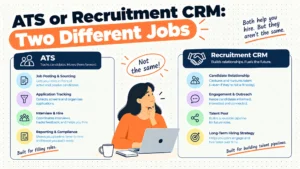
A tracking system manages people who applied to something specific that's open. A recruitment CRM manages relationships with people who haven't applied and may never apply. Those are different data shapes with different failure modes: a pipeline is about state and progression, a CRM is about contact history and staying in touch over long periods. Systems that claim both frequently do one properly, and the way to tell is to ask what happens to somebody you're interested in when no relevant role is open.
What data does an applicant tracking system hold?
Candidate contact details, whatever was submitted, the stage each person is in, the history of movements between stages, actions taken and by whom, and whatever interviewers recorded. That's personal data about people you may have no ongoing relationship with, most of whom won't be hired, which makes retention a real question rather than an afterthought. What you may hold, on what basis and for how long differs by jurisdiction and by sector, so establish it locally and configure deliberately rather than leaving whatever the system shipped with.
Can you use the recruiting module in your HR system instead?
Often yes, and it's worth evaluating properly rather than assuming either way. The real advantage is the handover: a person you hire already exists in the employee record, so nothing gets retyped at the point of offer and the two populations don't drift apart. The usual trade is a thinner pipeline, fewer distribution options and less flexibility in stage design. Evaluate it against the same requirements as anything else, and count the handover advantage for what it's genuinely worth rather than dismissing it.
What should the pipeline stages be?
Take your last real search, write down what actually happened in order, and build from that rather than from a template. A good stage boundary is a point where somebody decides continue or not. Stages representing administrative conditions, such as awaiting scheduling, add a position with no decision attached and candidates accumulate in them. Keep the number small, because stage changes are entered by people with other work and the discipline only holds if it's light. Every report you produce afterwards inherits this decision.
What can an applicant tracking system not tell you?
Whether a candidate is still interested, why a decision was made beyond what somebody typed, what actually prompted an application rather than the channel recorded at entry, and whether a hire was any good. It also can't distinguish a slow process from slow data entry, because the timestamps record when somebody clicked rather than when something happened. Treat the durations as a measure of administrative behaviour, which is useful in itself, and be careful about presenting them as a measure of how fast you hire.
The system tracks state and preserves evidence. It does not make you good at hiring.