TL;DR
Remote employee monitoring and device management are different things that get sold, discussed and resisted as though they were one. The distinction is not academic: one is about the state of a machine and the other is about the behaviour of a person, and staff can tell which you have installed.
- Device management watches the machine, not the person.
- Monitoring watches behaviour, and people know.
- Conflating them makes legitimate security sound sinister.
- Decide what question you are actually trying to answer.
- Requirements differ by jurisdiction; take local advice.
- Tell people plainly what is installed and why.
A note on what this article does not do
Said first because it shapes everything after it.
What any employer may or must do about monitoring differs by country, by region within some countries, by sector, and by the specific circumstances of the work. This article does not state what any law, regulation or regulator requires, permits or prohibits, and it names none.
Best tools for HR Operations
Those questions belong with your own legal advisers and, where you have them, your employee representatives. Nothing here substitutes for that.
What this article does cover is the part HR actually controls: what the two categories of software do, which question each answers, and how to handle the conversation with staff. That part is the same everywhere and it is where most of the damage is done.
The actual difference
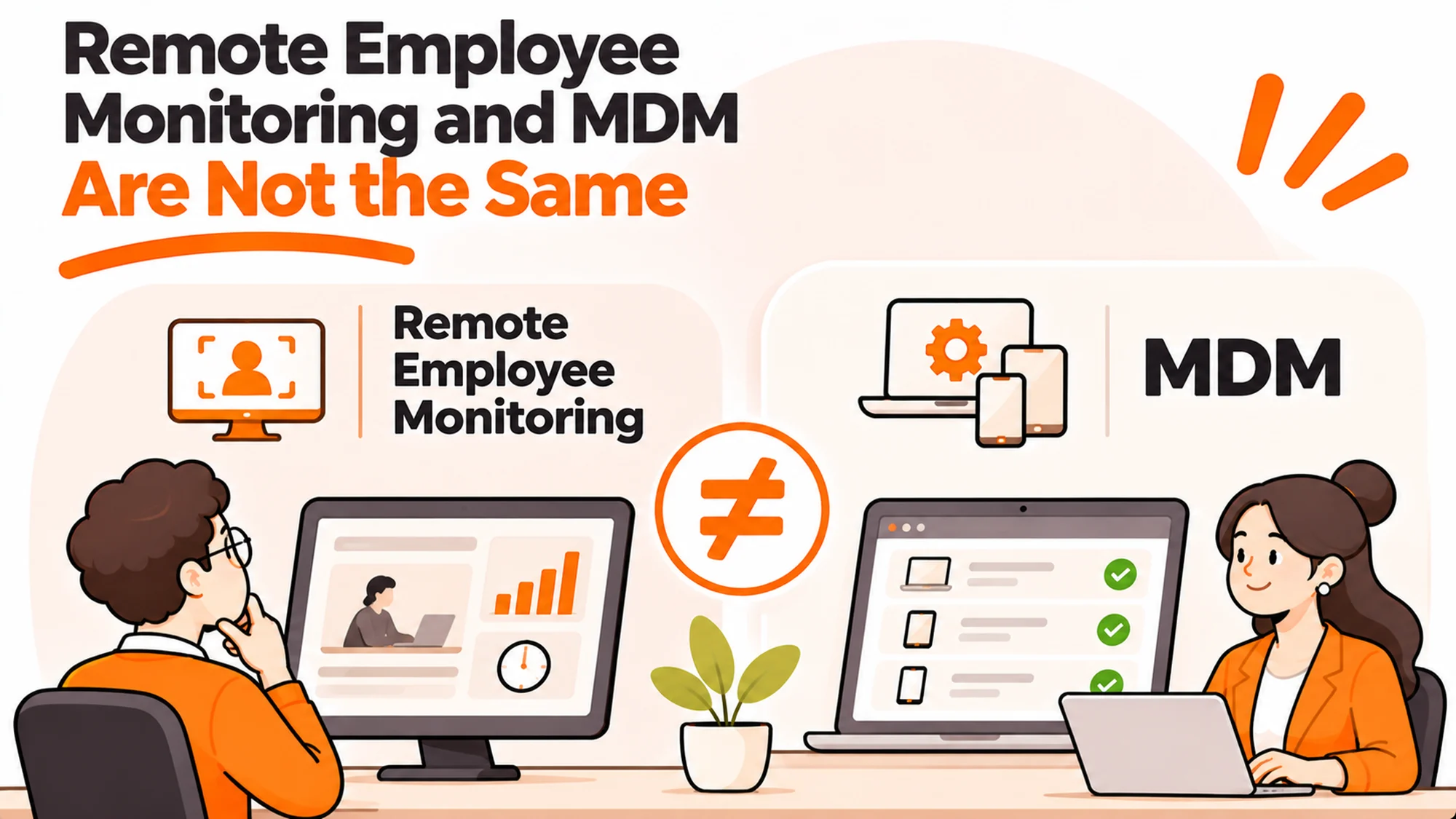
Device management answers questions about a machine. Monitoring answers questions about a person. The software may run on the same laptop and the questions are not alike.
Device management covers whether the disk is encrypted, whether the operating system is current, whether the right software is installed, whether the device has checked in, and whether it can be wiped if lost. It is a configuration and custody tool.
Monitoring covers which applications were used and for how long, what was typed, which websites were visited, periods of inactivity, and in some products screenshots or camera access.
| Question | Category |
|---|---|
| Is this laptop encrypted | Device management |
| Is it patched and checked in | Device management |
| Can we wipe it if lost | Device management |
| How long was this person idle | Monitoring |
| What did they type | Monitoring |
The first category is ordinary device management. The second is a different purchase with a different conversation attached, and the mistake most companies make is buying the second while explaining the first.
Why conflating them costs you
Because the resistance to one contaminates the other, and the one you need most is the one that suffers.
When a company announces it is installing management software, a proportion of staff hear surveillance. If nobody distinguishes the two, that reading stands, and a necessary security control becomes a trust problem.
The cost is practical rather than abstract. People decline enrollment, use personal machines for work to avoid it, or disable what they can. All three leave you less secure than before, and all three are rational responses to an explanation that was not given.
The fix is cheap: say precisely what the software can and cannot see, in plain words, before it is installed. putting device policy in the handbook covers where that sits in your documentation.
The sentence that does most of the work
Naming what it cannot do. “This cannot see your browsing, your keystrokes or your screen” resolves more anxiety than any amount of reassurance about intent.
Decide what question you are answering
Most monitoring purchases are made without this step, which is why they disappoint.
Three questions get mixed together. Is this person working? Is our data leaving the company? Is this device secure?
The third is device management. The second is a security question with its own tooling. The first is a management problem, and monitoring software answers it badly.
Activity metrics measure presence, not contribution. A person reading a long document shows as idle. A person moving a mouse shows as active. Managing on that data rewards the appearance of work, which is the opposite of what a remote team needs.
HSE guidance on home working is a reasonable external reference on home working practice, and it concerns how work is organised and supported rather than how it is observed.
If the real problem is performance
Which it usually is when monitoring comes up, address it as one.
The honest version is that somebody cannot tell whether a person is doing their job. That is a management question, and it has a management answer: clear expectations, work that is visible by being shared rather than observed, and a conversation.
Monitoring substitutes data for that conversation and the data does not support the conclusion anybody wants to draw from it. A low activity score is not evidence of a problem and a high one is not evidence of value.
It also changes the relationship permanently. A team that learns it is watched behaves like a watched team, including the people who were never the concern.
writing an employee equipment policy covers the equipment side of setting expectations, which is a narrower and more defensible place to be explicit.
What to do when a manager asks for it
This arrives as a request rather than a policy decision, usually from one manager about one team.
Ask what they would do differently with the data. The answer is often that they would raise a concern they already have, which means the data is being sought as evidence for a conversation rather than as a reason for one. That conversation can happen today without any software.
Where the answer is that they genuinely cannot tell what the team is producing, the problem is that the work is not visible, and the fix is in how work is shared rather than in how people are observed.
Where monitoring genuinely has a place
Specific, bounded situations: an active investigation, a regulated process with recording obligations somebody has advised you on, or a security incident. Each is time-limited and justified on its own facts, and none is a default setting for everybody.
If you do install something, say so
Four things to put in writing, whichever category you are installing.
What is installed, by name.
What it can see, specifically, and what it cannot.
Who can look, under what circumstances, and whether access is logged.
What happens on personal devices and on personal time, which is the question people actually have and rarely ask.
personal data on company devices covers the personal data side, which overlaps heavily and is worth settling at the same time.
Discovering surveillance is a different event from being told about it. The first produces a dispute. The second produces grumbling and then acceptance, and the cost difference between those two outcomes is large.
What actually makes a remote fleet secure
Four things, none of which involves watching anybody.
Encryption on every disk, verified rather than assumed. Patching on a cadence you can actually meet. Devices enrolled so they can be wiped if lost. And a process for getting hardware back when people leave.
That fourth one is where most real exposure sits and it gets the least attention. A laptop at a former employee’s house is a greater risk than anything an activity report would have told you, and no monitoring product addresses it.
CISA and the Secure Our World guidance covers the practices that sit around this, and the NIST Cybersecurity Framework is the frame if you need to present it alongside other controls.
RemoAsset’s laptop retrieval is the recovery side, published at 25+ countries. The security argument for it is stronger than the cost argument, and it is usually the one that persuades a board, because an uncontrolled device is a risk somebody has to own rather than an expense somebody has to justify.
The biggest remote risk is hardware you cannot reach. RemoAsset retrieves it across 25+ countries. See RemoAsset’s laptop lifecycle management or RemoAsset’s pricing.
Frequently asked questions
What is the difference between remote employee monitoring and device management?
One answers questions about a machine and the other about a person. Device management covers whether the disk is encrypted, whether the operating system is current, whether the device has checked in and whether it can be wiped if lost. Monitoring covers which applications were used and for how long, what was typed, which sites were visited, inactivity, and in some products screenshots or camera access.
Does this article say what the law requires?
No, deliberately. What any employer may or must do about monitoring differs by country, by region within some countries, by sector and by the specific circumstances of the work. Nothing here states what any law, regulation or regulator requires, permits or prohibits, and none is named. Those questions belong with your own legal advisers and your employee representatives.
Why does conflating the two cost us?
Because resistance to one contaminates the other, and the one you need most suffers. When a company announces management software, a proportion of staff hear surveillance, and if nobody distinguishes the two that reading stands. People then decline enrollment, use personal machines to avoid it, or disable what they can, all of which leave you less secure and all of which are rational.
What question are we actually trying to answer?
Three get mixed together: is this person working, is our data leaving the company, and is this device secure. The third is device management and the second is a security question with its own tooling. The first is a management problem that monitoring answers badly, since activity metrics measure presence rather than contribution and reward the appearance of work.
What if the real problem is performance?
Address it as one. The honest version is that somebody cannot tell whether a person is doing their job, which has a management answer: clear expectations, work made visible by being shared rather than observed, and a conversation. Monitoring substitutes data for that conversation, and a low activity score is not evidence of a problem any more than a high one is evidence of value.
If we do install something, what should we say?
Four things in writing. What is installed, by name. What it can see specifically, and what it cannot. Who can look, under what circumstances, and whether access is logged. And what happens on personal devices and on personal time, which is the question people actually have and rarely ask. Naming what it cannot do resolves more anxiety than reassurance about intent.
What actually makes a remote fleet secure?
Four things, none involving watching anybody. Encryption on every disk, verified rather than assumed. Patching on a cadence you can meet. Devices enrolled so they can be wiped if lost. And a process for getting hardware back when people leave. That fourth is where most real exposure sits and gets the least attention, since a laptop at a former employee’s house outweighs any activity report.