TL;DR
- Helpjuice prices by included users rather than per seat, which is unusual and is the main reason to compare against it carefully.
- Most Helpjuice alternatives charge per seat, so they look cheaper at 25 people and cost several times more at 300.
- Its entry tier includes 30 users, so a team of eight pays the same as a team of thirty. That is the clearest reason to look elsewhere.
- Two obvious alternatives, Guru and Document360, stopped publishing prices this year.
- The published-price options are Slab, Tettra, Notion and Confluence, and each suits a different shape of team.
- If the content is current and people still cannot get answers, none of these is the fix.
The Tier That Did Not Fit
Nine people in the People team, a handbook of about fifty policies, and a company of 210. They priced Helpjuice, liked it, and then stopped.
The entry tier includes 30 users. They had nine people who would ever write anything and 210 who needed to read. Neither number is 30. Going up a tier covered 100 readers, which was still less than half the company, and the tier above that covered everybody at roughly three times the entry price.
They were not being overcharged. The tiers simply did not land anywhere near their shape, and the shape, a handful of writers and a whole company of readers, is the most common shape in HR.
Best tools for HR Operations
The real issue is not price. It is that pricing models in this category are built around a mixture of writers and readers, and HR has an extreme ratio between the two.
What Helpjuice Actually Does Well
Worth stating before the alternatives, because "alternatives" articles usually imply the incumbent is worse and here it is not.
Included-user pricing. 249 per month including 30 users, 449 including 100, and 799 for unlimited users. Once you are above about 60 readers this beats most per-seat tools, and at a few hundred it is not close.
The unlimited tier is genuinely unlimited. For a company-wide handbook, a flat figure that does not move as you hire is structurally better than anything per-seat.
It does the theming for you. The team builds the knowledge base design on signup rather than handing over a template, which is unusual and saves a real amount of setup.
And it still publishes its prices, in a category where five of eleven vendors we checked do not. Its page shows no currency symbol anywhere, which is a presentational oddity rather than a problem, and worth knowing before you quote it.
What to do: check where you sit against its three tiers before looking elsewhere. If you are near 30, 100 or above, it is hard to beat on cost.
Why Teams Look for Helpjuice Alternatives
Four reasons, in rough order of how often they hold up.
The tiers do not fit. Under 30 users you pay for 30. Between 100 and unlimited you pay for unlimited. The steps are large and a company of 210 is awkwardly placed between them.
It is a knowledge base rather than an answering tool. Good search, good structure, and it returns documents. If the complaint is that people cannot get answers, that is not what this is.
No free tier. There is a trial, and no permanent free plan. For a very small team with no budget that rules it out immediately.
Public and internal in one product. If your handbook will never be public, some of what you are paying for is irrelevant, including SEO controls and reader-facing branding.
What to do: be specific about which of these applies. The first is a pricing-fit problem with a clear answer and the second is a different product category entirely.
The Published-Price Alternatives
Starting with the ones you can evaluate without a sales call.
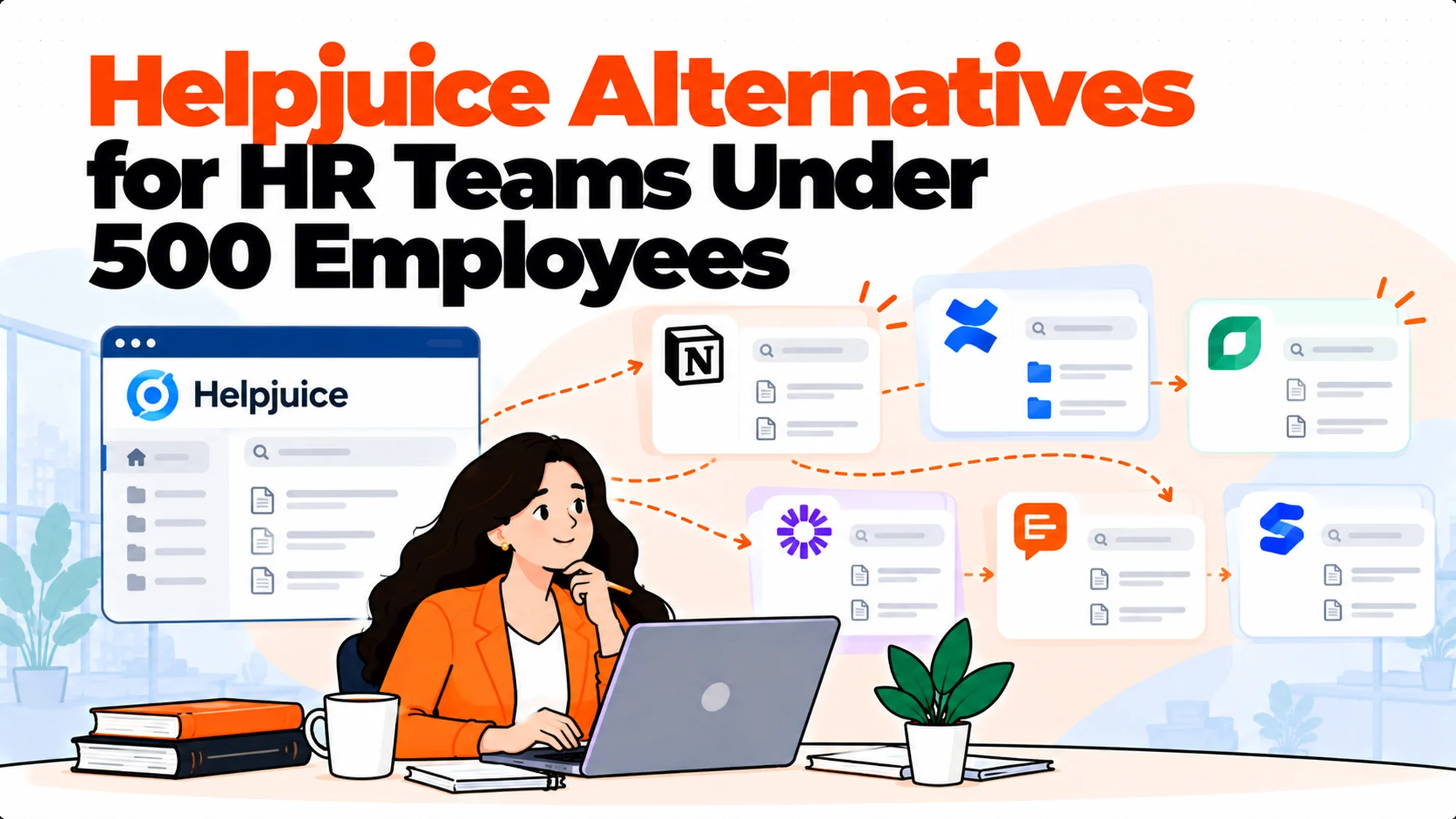
Slab is the best writing experience here, with unified search that reaches connected tools. Free to 10 users, then Startup at $6.67 and Business at $12.50 per user per month, both billed annually. Per seat, so it scales with readers.
Tettra answers in Slack, which is where HR questions actually get asked. $8 per user per month on its Scaling plan with a ten user minimum, billed yearly. Its question queue, turning unanswered questions into a documentation backlog, is the best single idea in the category.
Notion is where a lot of handbooks already live. Free, then $10 Plus and $20 Business per member per month. Weakest on governance, strongest on flexibility and existing adoption.
Confluence is a configurator. At 25 seats Standard is $7.15 per user per month; at 300 seats it falls to $5.78. Free to 10 users permanently. Usually already present if the company runs on Atlassian.
What to do: notice that all four are per seat. That is the structural difference from Helpjuice, and it is what the arithmetic below is about.
The Quote-Based Alternatives
Two worth a call, with the caveat that both changed this year.
Guru has the strongest verification workflow in this category, where content carries an owner and a review cycle so stale documents are visible. It stopped publishing prices and now offers a package built around your scale with a call booking.
Document360 has strong versioning and review reminders, suited to large structured document sets. It also stopped publishing, and its pricing page is now a three-step questionnaire.
Both will ask headcount and document volume first. Have those ready along with a priced baseline from the four above, which turns a discovery call into a comparison.
What to do: carry at most two quote-based vendors through an evaluation. Beyond that the calendar cost exceeds the first-year difference between the options.
The Arithmetic That Decides This
Per-seat and included-user pricing cross over, and where they cross is the whole decision.
At 25 people. Slab Business is $312.50 a month. Tettra Scaling is $200. Notion Business is $500. Helpjuice is 249 flat for up to 30 users. Helpjuice is mid-pack and the cheapest option is Tettra.
At 120 people. Slab Business is $1,500. Tettra is $960. Notion Business is $2,400. Helpjuice is 449 for its 100-user tier, which does not quite cover you, so realistically 799 unlimited. Helpjuice is now clearly cheapest.
At 300 people. Slab is $3,750. Tettra is $2,400. Notion Business is $6,000. Helpjuice is still 799. The gap is now large enough that nothing else is competitive on cost.
| Headcount | Slab Business | Tettra Scaling | Notion Business | Helpjuice |
|---|---|---|---|---|
| 25 | $312.50 | $200 | $500 | 249 |
| 120 | $1,500 | $960 | $2,400 | 799 |
| 300 | $3,750 | $2,400 | $6,000 | 799 |
What to do: run this at your own headcount before anything else. It reorders the shortlist more reliably than any feature comparison, and it takes four multiplications.
Two cautions on reading that table. The per-seat columns assume every employee needs an account, which is correct for a handbook and wrong if only managers read it, so halve the reader count if that describes you and the ranking shifts. And the Slab and Tettra figures are both annual-billing rates, so a team that needs monthly flexibility cannot actually buy at those numbers and should price the monthly equivalents instead.
The Helpjuice Alternatives, Side by Side
What each one is actually for, since the pricing arithmetic above says nothing about fit.
| Tool | Pricing model | Free tier | Strongest at | Weakest at |
|---|---|---|---|---|
| Helpjuice | Included users | No, trial only | Company-wide reading at flat cost | Tier steps are large |
| Slab | Per user, annual billing | Yes, to 10 users | Writing experience, unified search | Cost at scale |
| Tettra | Per user, 10 minimum | 30 day trial | Answering in Slack, question queue | Light on governance |
| Notion | Per member | Yes, genuinely usable | Flexibility, existing adoption | Permissions, drift |
| Confluence | Per user, volume-tiered | Yes, to 10 users | Already present, mature permissions | Search reputation |
| Guru | Quote-based | No | Verification workflow | No published price |
| Document360 | Quote-based | No | Versioning, large document sets | No published price |
Two columns do most of the work. Pricing model, because it determines the cost curve rather than the rate, and free tier, because it determines whether you can try it without a purchase order.
The published-price vendors are easier to evaluate, which is not the same as better, and it is worth being conscious of that bias rather than pretending it does not operate.
What to do: eliminate on the weakest column first. Each of these has one thing that rules it out for some teams, and finding yours early saves a demo.
Every figure in this article was read from each vendor's own page in October 2026. Helpjuice publishes its tiers with the included-user counts beside them, and the others are equally plain, so check before quoting any of them, including these.
Where Per-Seat Still Wins
Being fair to the alternatives, because the arithmetic above is not the whole picture.
Below about 30 readers. Helpjuice's entry tier includes 30 users whether you have eight or thirty, so a small team pays for capacity it does not use. Per-seat is genuinely cheaper there.
When only a subset needs access. If the handbook is read by managers rather than everybody, the reader population is much smaller and per-seat pricing stops being punitive.
When you want a free tier. Confluence, Slab and Notion all have real free tiers. Helpjuice has a trial.
And when the tool is already paid for. If the company runs on Confluence or Notion, the marginal cost of using it for HR content may be nothing at all.
What to do: count your actual readers rather than your headcount. If the handbook genuinely only needs to reach 40 managers, the comparison looks completely different from one where all 300 people need it.
Be careful with that reasoning, though, because it is also how handbooks end up unavailable to the people who most need them. A library restricted to managers because per-seat licensing made it expensive is a library that employees cannot check for themselves, which pushes every question back to a human and recreates the problem the purchase was meant to solve. If you find yourself narrowing the reader population to make the pricing work, that is a signal about the pricing model rather than about who should be allowed to read the handbook.
What All of Them Share
The gap that makes several teams buy twice, and it is worth knowing before you choose.
They return documents. Every tool here has search, and search gives a list of pages. The employee asked a question and the answer is inside one of those pages.
Which is why questions to HR do not fall after launch. The library got better and the retrieval did not, so people still ask the person who answers in thirty seconds.
Several have added AI answering of varying quality. Ask each one what happens when the documents do not cover a question, and test it with three questions you know are not covered.
And ask how quickly an edited document changes the answer. A policy updated on Monday should not be answered from the old version on Tuesday.
What to do: separate the housing decision from the answering decision. They are frequently different products, and bundling them produces a platform that is excellent at the part you did not need.
Migrating Away From Helpjuice
If you are leaving rather than choosing for the first time, four things take the time and none of them is the export.
Rebuilding the theming. Helpjuice does the design work for you on signup, which is genuinely useful and means the thing you move to will look worse until somebody spends time on it. Budget that rather than discovering it.
Deciding what not to move. Every library accumulates superseded versions. Moving everything reproduces the mess in a new tool and you will not get a second chance at the cull.
Rebuilding permissions. They do not transfer. For HR content with pay or performance material alongside the handbook, this is a redesign rather than an export.
Redirecting everything that points at the old place. Onboarding checklists, offer letters, bookmarks and links inside other policies. A handbook nobody can reach is the same as no handbook.
What to do: if you are moving purely on price, price the migration too. Several weeks of somebody's attention frequently exceeds the first year's difference, and that calculation changes the decision more often than people expect.
Reading a Helpjuice Alternatives Comparison Critically
Most published comparisons in this category mislead in the same three ways, including ones written in good faith.
They compare rates rather than models. A table of monthly prices puts per-seat tools at the top because it implicitly assumes a small number of seats. Change the assumed headcount and the table reorders completely.
They ignore minimums and billing terms. Tettra's published rate carries a ten user minimum, so the real floor for a small team is ten seats rather than its headcount. Slab's paid tiers are billed annually, so a monthly figure describes something you cannot actually buy monthly.
They quote prices that are no longer published. Several comparisons still list tier prices for Guru and Document360. Both stopped publishing this year, so those figures describe a past state and nothing on either vendor's current page confirms them.
What to do: check three things on any comparison table you did not build, this one included. The headcount behind each figure, whether a minimum or annual term applies, and the date the prices were read. Those three corrections change rankings more often than the underlying rates do.
Helpjuice Alternatives by the Shape of Your Team
Rather than by feature, since fit is mostly about shape.
A handful of writers and a whole company of readers. The most common HR shape, and the one included-user and flat pricing exist for. Above roughly 60 readers, per-seat options start losing badly.
A small team where everybody writes. Twelve people in People Ops, all editing. Per-seat is fine here and the free tiers are genuinely sufficient for a while.
Questions asked in chat rather than a portal. Tettra, because the surface matters more than the library. A knowledge base nobody opens is worth nothing regardless of its features.
Heavy compliance obligations. Guru or Document360, through a sales call, because versioning and review workflows are what you are buying and the published-price options are lighter there.
Already standardised on Atlassian or Notion. Use what you have first and spend the saved effort on content and ownership.
What to do: identify your shape before reading another feature matrix. Most Helpjuice alternatives are good products and the question is almost never quality, it is fit against these five shapes.
When None of These Is the Answer
Three situations where the shortlist is wrong rather than incomplete.
The content is wrong rather than hard to find. Rewriting is the project. Moving wrong content to a better tool produces findable wrong content, and you will have spent the budget.
Nobody owns the library. Every governance feature in every product assumes somebody acts on it. Without an owner they are configuration you did once. We covered that specific failure in HR knowledge management.
Deskless staff with no accounts. If a third of your people have no login, the handbook is unreachable for them regardless of which tool wins the comparison.
What to do: check all three before shortlisting. Each one invalidates the entire comparison rather than shifting it.
The Answering Option
If the library is current and people still cannot get answers, there is a shape that is not a knowledge base.
It reads the documents where they already are. No migration, no new editor, no second home for content. Questions get an answer with a link to the source.
Matram is one of these, and it is owned by the same people who publish this site, which you should weigh against everything in this section. It publishes flat pricing at $29, $69 and $199 per month with unlimited seats. That addresses the same structural problem the included-user model addresses, approached from a different direction.
Its limits are specific. There is no free tier, only a 30 day trial without a card. It answers rather than actioning tickets, so it will state the policy and not process the request. And it is not an ITSM or HR workflow platform, so there is no case management or approval routing.
It does not replace a knowledge base. It has no authoring, no versioning and no review workflow. If you need those, you need one of the tools above, possibly as well.
What to do: work out whether you need a place to write documents or a way to get answers from them. Several teams need both, and knowing that in advance stops you expecting one product to do both well.
What the Tier Steps Actually Mean
Included-user pricing behaves differently from per-seat in a way that catches budgets out, and it is worth understanding before choosing it.
Per-seat pricing is a slope. Every hire adds a predictable small amount. It grows continuously and nobody notices until the annual total is examined.
Included-user pricing is a staircase. Nothing changes as you grow from 31 to 99 people, and then one hire crosses a threshold and the bill steps up. The step is visible and feels disproportionate precisely because the previous year was flat.
Neither is worse. They fail differently. The slope is invisible and relentless. The staircase is predictable and lumpy, and it is far easier to forecast because you know exactly where the steps are.
And the steps favour you between them. A company growing from 110 to 290 people on an unlimited tier pays the same throughout, while a per-seat tool nearly triples over the same growth.
What to do: if you choose a tiered model, write the thresholds into the budget with the headcount that triggers them. The step is only a surprise if nobody wrote down where it was.
Why This Category Is Getting Harder to Compare
Two changes this year that affect how you should run an evaluation of Helpjuice alternatives.
Vendors are moving upmarket. Guru and Document360 both stopped publishing prices in 2026, repositioning around enterprise AI knowledge packages where the figure depends on connected systems, document volume and implementation. That is commercially coherent and it means a shortlist is harder to assemble than it was two years ago.
Answering is becoming the headline feature. Every tool here either has an answering layer or is building one, and the quality varies enormously. The differences are real and they are almost impossible to see in a feature matrix, because every vendor describes the capability in the same words.
Which pushes evaluation toward testing rather than reading. The comparison that matters is twenty of your own questions asked of each shortlisted product, and no amount of published comparison substitutes for it.
What to do: weight your evaluation toward a structured trial rather than a feature comparison, and keep the questions you used. They become the regression test when a vendor changes their model or you reconsider in two years.
The Decision Table
| Situation | Scale | Setup | Primary Pain | Recommended Starting Point |
|---|---|---|---|---|
| Fewer than 30 readers | Under 40 | Nothing in place | Paying for 30 users | Per-seat, or a free tier |
| Whole company reads the handbook | 120 plus | Per-seat tool | Cost scales with readers | Helpjuice unlimited |
| Awkwardly between tiers | 100 to 200 | Helpjuice priced | Tier steps are large | Compare per-seat at your size |
| Questions asked in Slack | Any | Portal nobody opens | Wrong surface | Tettra |
| Already on Confluence or Notion | Any | Licence exists | No marginal cost | Use what you have |
| Must prove what changed when | Any | Compliance pressure | No version proof | Guru or Document360, via a call |
| Content current, questions continue | Any | Library fine | Retrieval | An answering layer |
What to Ask in Every Demo
Five questions, and the first two disqualify faster than anything else.
What does this cost at our exact headcount, counting readers? Not writers. The reader number is the one that drives per-seat pricing.
Is there a free tier or only a trial? It matters more than it sounds for a team with no budget this quarter.
What happens when the documents do not contain the answer? Test it; do not accept the description.
How quickly does an edited document change the answer? Ask for a number in minutes or hours.
What does migration look like for fifty documents? Scale the question to your reality rather than accepting the standard answer built for larger customers.
What to do: ask the first question in the first call. In a category where several vendors no longer publish, how directly a vendor answers it tells you a great deal about the weeks ahead.
The Trial That Tells You Something
Two weeks, structured, rather than a month of occasional poking that produces a preference.
Move five real policies, not sample content. Your five most-asked-about ones. Have the person who will maintain them do the moving and note where each tool made it awkward.
Set your hardest permission rule in each. The case where a document must be visible to one group and hidden from an overlapping one. This is where products separate and where demos never go.
Ask twenty real questions. From last month's HR inbox. Count how many produce a usable answer without opening a document. That count is the result.
Ask three questions the documents do not answer. The honest behaviour is to say so. A fluent sourceless paragraph is the failure mode that matters most, because people act on it.
Then check the cost at twelve-month headcount. Not today's. The crossover between pricing models usually sits inside a year of hiring.
What to do: collect the twenty questions before you start. They are the only consistent measurement across vendors and they take ten minutes to gather from whoever currently answers them.
Two Things Teams Regret
Both predictable, both avoidable, both reported consistently.
Choosing on rate and inheriting a cost curve. A per-seat tool picked at 40 people because it was cheapest is, at 250, several times the cost of the option rejected. By then it holds the content and switching is a migration, so the saving in year one becomes a trap in year three.
Buying a library when the problem was retrieval. The content improves, the questions continue, and the conclusion drawn is that the tool was wrong rather than the diagnosis. The next migration lands on something with the same fundamental behaviour and the same outcome.
What to do: write the complaint down in one sentence before shortlisting, and check in month four whether that sentence is still true. If it is, the tool was never the issue and another migration will not help.
A Short Answer, If You Want One
Most people reading about Helpjuice alternatives want a recommendation rather than a framework, so here is the honest short version by situation.
If you are above about 100 readers and want a published price, stay. Helpjuice's unlimited tier is hard to beat and none of the per-seat Helpjuice alternatives gets close at that size. The arithmetic above is the whole argument.
If you are under 30 readers, look at the free tiers. Confluence to 10 users, Notion's free plan, Slab to 10 users. Paying for 30 included users when you have nine is the clearest reason to look elsewhere, and at that size you may not need to pay at all.
If questions get asked in Slack, pick Tettra. Surface beats library. Among Helpjuice alternatives it is the one that changes behaviour rather than storage, and the question queue is a genuine advantage nobody else matches.
If you must prove what changed and when, call Guru. Accept that you cannot price it from a web page any more, and go in with a priced baseline from the published vendors.
And if the content is current and people still ask, none of these is your answer, which is the most common finding and the one the comparison tables cannot tell you.
What to do: match yourself to one of those five and stop comparing. The differences between the remaining candidates are smaller than the difference between buying the right shape and the wrong one.
What Getting This Wrong Costs
The visible cost is paying for a tier that does not fit your shape, which is the opening story and is a few hundred a month.
The larger cost is choosing on the rate rather than the model. A per-seat tool chosen at 40 people because it was cheapest is, at 250 people, several times the cost of the option that was rejected, and by then it holds all your content and switching is a migration. The decision that felt like a saving in year one is the one you cannot easily unwind in year three.
The second cost is buying a knowledge base when the problem was retrieval. The library improves, the questions continue, and the natural conclusion is that the tool was wrong rather than the diagnosis. So teams migrate again, to another tool with the same fundamental behaviour, and arrive at the same place having spent twice.
And the third is the tier you grow into without noticing. Included-user pricing is stable until you cross a threshold, at which point it steps rather than creeps. A company moving from 95 to 105 people sees a change that looks disproportionate because it is a step rather than a slope, and nobody has budgeted for it because the previous year's line item was smooth.
There is a fourth cost that is easy to miss, and it is about attention rather than money. An evaluation of this category consumes several weeks of somebody senior enough to make the decision, and that person is almost always the same person who would otherwise be fixing ownership and rewriting the five most-asked-about policies. Those two pieces of work are free, take an afternoon each, and reliably reduce question volume. The evaluation may produce a better tool and it will not produce either of them, so running the procurement first has a real opportunity cost that nobody books against the project.
So the question is not which Helpjuice alternative is cheapest. It is how many people need to read, how many need to write, and whether what you actually need is a better library or a way to get answers out of the one you have.
A Twelve-Month Check
Whatever you pick, four questions a year on tell you whether the choice held, and all four are cheap to answer.
Did questions to HR about documented things fall? The only measure that reflects whether the project worked. If it did not move, you solved housing and the problem was retrieval.
Is the content still current? Check the last-reviewed date on your ten most-read policies. If they are all older than a quarter, the tool is not the issue and ownership never got fixed.
Has the bill moved in a way you expected? For per-seat, it should have tracked hiring. For tiered, it should have stepped at a threshold you wrote down. An unexpected increase means the model was not understood at purchase.
Would you choose it again at your current size? The honest version of this question is uncomfortable and it is the one that catches a tool chosen for a company you no longer are.
What to do: put those four in a calendar entry for twelve months after launch, with the before-numbers written into it. Without the before-numbers the review is an opinion, and opinions tend to defend the original decision.
How These Compare on the Things Nobody Demos
Four practical differences that only show up after a few months of real use.
Search behaviour on near-duplicate titles. Every library ends up with three documents whose names are similar. Some tools surface the current one; others return all three with no indication which is live.
What happens to a document when its owner leaves. Most tools do nothing, and the page quietly becomes unowned. Guru's verification model is the clearest exception and it is the single strongest argument for that product.
Whether readers can flag something as wrong. A one-click way for an employee to say "this looks out of date" turns your whole workforce into a detection mechanism, and support for it varies widely.
How quickly an edit propagates to the answering layer. If a tool answers questions, a policy edited on Monday must not be answered from the old version on Tuesday. Ask for a number.
What to do: ask about these four specifically in a trial rather than a demo, because they are invisible in a scripted walkthrough and they are what you will live with.
When You're Ready to Compare
Count readers and writers separately, as two numbers. Nearly every mistake in this category comes from treating them as one.
Then price your shortlist at your twelve-month headcount rather than today's, because per-seat and included-user pricing cross over and where they cross is usually within a year of hiring for a growing company.
And test retrieval before you commit to any of them. Ask your shortlist the twenty questions your HR inbox actually received last month and count how many come back as answers rather than page lists. That number tells you whether you are shopping in the right category at all.
Frequently Asked Questions
What makes Helpjuice different from most alternatives?
It prices by included users rather than per seat, with tiers covering 30, 100 and unlimited users. Almost everything else in this category charges per seat, which means the bill rises with every reader you add. For an HR handbook, where a handful of people write and the whole company reads, the included-user model is structurally better above roughly 60 readers and the gap widens considerably as you grow.
Why would a small team avoid Helpjuice?
Because the entry tier includes 30 users whether you have eight or thirty, so a very small team pays for capacity it will not use. There is also no permanent free tier, only a trial, while Confluence, Slab and Notion all offer genuine free plans for small teams. Below about 30 readers the per-seat alternatives are usually cheaper, which inverts above that point.
Which alternatives still publish their prices?
Slab, Tettra, Notion and Confluence all publish openly. Guru and Document360 both stopped this year, and Glean has no pricing page at all. That is five of the eleven vendors we checked in this category publishing nothing as of October 2026, which means a shortlist containing several of them turns into a procurement exercise with a multi-week calendar rather than an afternoon's comparison.
How do I compare per-seat against included-user pricing?
Price both at three headcounts: today, twelve months out, and roughly double. Per-seat tools look cheapest at the smallest size and become most expensive at the size where a handbook is genuinely company-wide. The crossover for most teams lands somewhere around 60 to 100 readers, which a growing company passes through within a year or two, so the model matters more than the rate.
Will any of these stop employees asking HR the same questions?
Only partly. Every tool in this comparison returns documents when somebody searches, and the answer usually sits inside a long document under a heading nobody would have searched for. Several have added AI answering of varying quality. The test worth running is asking each one twenty questions from your actual HR inbox and counting how many come back as a usable answer rather than a list of pages.
We only need managers to read the handbook. Does that change things?
Substantially. Per-seat pricing stops being punitive when the reader population is 40 managers rather than 300 employees, and the arithmetic that favours included-user pricing depends entirely on the reader count being large. Count your actual readers rather than your headcount before comparing, because the two can differ by a factor of five and the ranking moves with it.
Does Helpjuice work for internal-only content?
Yes, and part of what you are paying for is built for public documentation, including SEO controls, custom domains and reader-facing branding. None of that is useful for a handbook nobody outside the company should see. Internal-first tools such as Tettra, Slab and Guru express "everybody inside, nobody outside" more simply, which is worth weighing if your content will never be public.
What if we need both a knowledge base and better answers?
Then budget for both rather than expecting one product to do both well. A knowledge base gives you authoring, versioning and review cycles. An answering layer gives you retrieval against documents wherever they live, with no migration. Teams that insist on a single tool generally end up with a platform that is strong at the part they did not need, while the complaint that started the project continues unchanged.