TL;DR
- Confluence pricing is a configurator, not a price list. The per-user rate falls as seat count rises, so small teams pay more per head than every comparison article suggests.
- At 25 seats, Standard is $7.15 and Premium $14.10 per user per month. At 300 seats the same plans are $5.78 and $11.16. The lower pair is what usually gets quoted.
- The free tier is real: $0 forever for up to 10 users, not a trial.
- HR rarely buys Confluence. It inherits it from engineering, which changes the question from what to buy to what you already have.
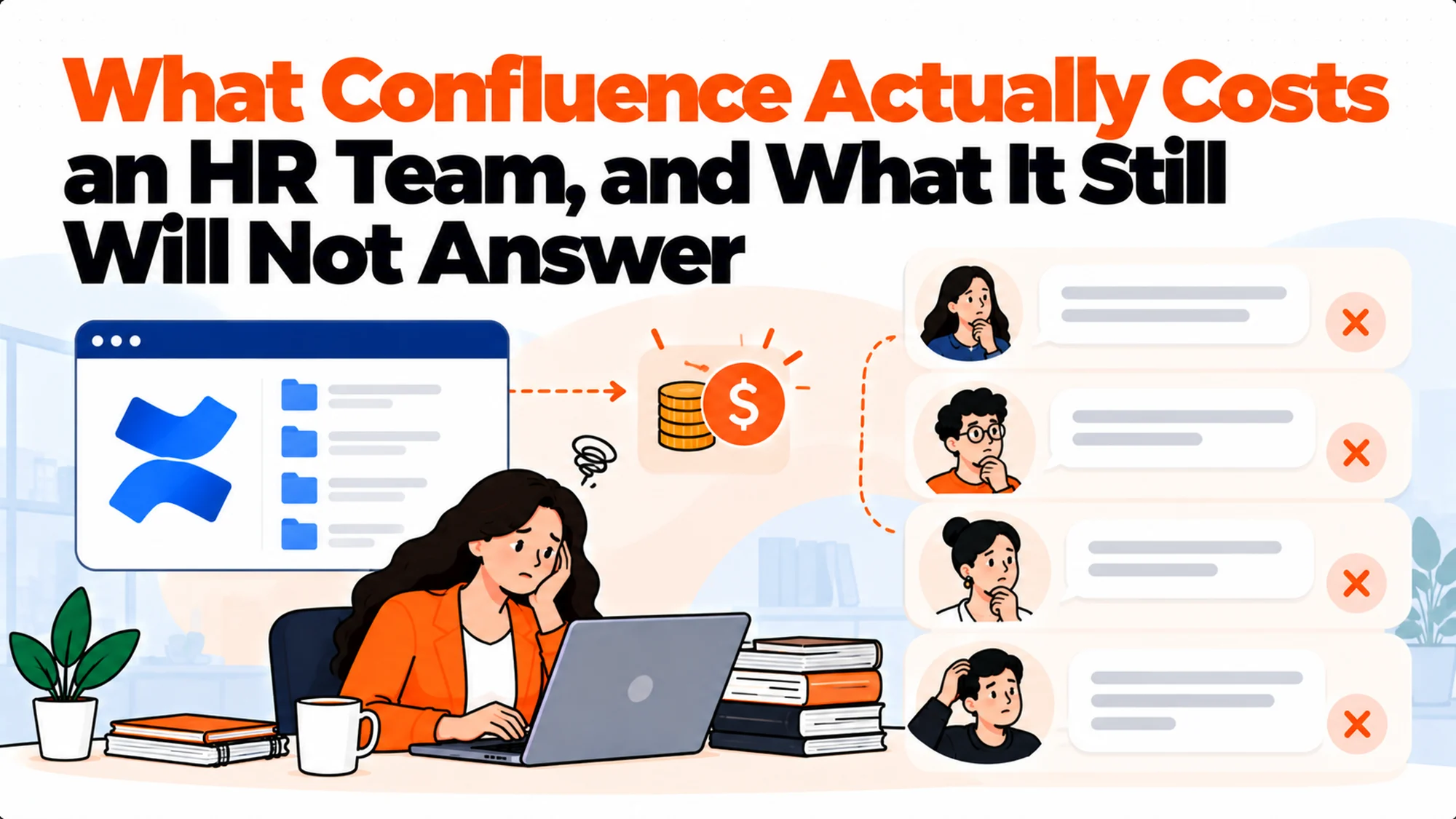
- The cost that matters is not the licence. It is that people still cannot find the answer, which is why teams end up paying twice.
- Run the seat-count arithmetic for your own team before quoting any figure from anywhere, including this article.
The Quote That Was Wrong by Forty Per Cent
The budget line said $1,734 a year. Somebody had read a comparison article, found $5.78 per user per month for Confluence Standard, which is the rate at a much larger seat count, multiplied by 25 people, multiplied by 12, and written it down. It looked carefully done.
The actual quote came back at $2,145. Same plan, same 25 people, same month. Nobody had been misled by Atlassian, and nobody had made an arithmetic mistake. The $5.78 was simply the price at a larger seat count, a different company size entirely, and the article it came from had not said so.
That gap is about forty per cent on the entry plan, and it widens on Premium. It is not a large sum in absolute terms. It is a large sum relative to the confidence with which it was written down.
Best tools for HR Operations
The real issue is not that somebody used a stale number. It is that Confluence pricing is a function with an input, and almost everybody writes about it as though it were a constant.
How Confluence Pricing Actually Works
The pricing page carries a team-size field and a billing toggle. Change either and every figure on the page changes with it. That is the whole mechanism, and understanding it removes most of the confusion in this category.
The per-user rate falls as seats rise. Atlassian discounts by volume, so a company of 300 pays less per person than a company of 25. This is ordinary enterprise pricing and entirely reasonable. It just makes a single quoted number meaningless without its seat count.
Both figures are real. Neither is a trick. The problem is that a writer comparing tools picks whatever the page showed at its default, and the default is not your company.
The annual toggle changes it again. Billing annually is advertised as saving up to 17 per cent against monthly, which moves the figure a third time.
Here is what we measured on the same page on the same day, changing only the seat count:
| Seats | Standard, per user per month | Premium, per user per month |
|---|---|---|
| 25 | $7.15 | $14.10 |
| 300 | $5.78 | $11.16 |
What to do: open the pricing page, type your actual headcount into the team-size field, and read the figure that appears. It takes fifteen seconds and it is the only number that applies to you.
What a 25-Person HR Team Really Pays
Arithmetic, written out, because a per-user figure is hard to feel.
Standard at 25 seats. $7.15 per user per month. Across 25 people that is $178.75 a month, or $2,145 a year before any annual discount.
Premium at 25 seats. $14.10 per user per month, which is $352.50 a month or $4,230 a year. Premium is where unlimited pages and spaces, better admin controls and the stronger analytics sit.
The free tier. $0 for up to 10 users, permanently. For an HR team of six that is a genuine answer and not a trap, though it caps at ten and the ceiling arrives quickly once you add anybody outside the core team.
And the number nobody budgets. Whoever maintains the space. Confluence does not charge for that, and it is the largest real cost in this list.
What to do: price Standard first and treat Premium as a specific decision about admin controls and analytics rather than a general upgrade. Most HR teams we have seen on Premium are there because the whole company is, not because HR needed it.
Reading the Confluence Pricing Page Without Being Misled
The page is honest. It is simply built for somebody who knows their own headcount, and most people arrive at it to get a number for an article or a budget line.
Set the team size first, before reading anything. Every figure on the page is downstream of that field. Reading the tiers and then setting the seat count is the wrong order, because the numbers you just absorbed were for somebody else's company.
Then set the billing period. Monthly and annual are different numbers, and the annual saving is advertised as up to 17 per cent. "Up to" is doing work there: the saving varies by plan, so check it on the plan you want rather than assuming the headline.
Note what the free tier actually includes. It is capped at 10 users and limited on storage and some features, but it is not time-limited. That makes it genuinely different from a trial, and worth knowing before you assume a small team has to pay.
And read the Enterprise column as a different product. It is quote-based, billed annually, and aimed at multi-site organisations. If you see no price there, that is the page working correctly rather than failing to load.
The page is at Atlassian's own Confluence pricing, and it is the only source worth quoting, including against this article. Confluence pricing changes without anybody announcing it to you.
What to do: screenshot the page with your seat count visible in the field. When somebody questions the budget line in four months, that screenshot is the answer and a remembered number is not.
What Happens to Confluence Pricing as the Team Grows
The volume discount is the thing that makes this category confusing, and it cuts in a direction most budgets do not model.
Per-user cost falls as you add people. Growing from 25 to 300 seats takes Standard from $7.15 to $5.78 per user per month. The per-head figure improves by roughly nineteen per cent.
But the total rises steeply anyway. Twenty-five seats at $7.15 is $178.75 a month. Three hundred seats at $5.78 is $1,734 a month. The discount softens the curve; it does not bend it down.
Which is the trap in a growth plan. A budget built on "it gets cheaper per person as we grow" is true per person and badly wrong in total, and the total is what finance sees.
The thresholds are not published as a ladder. You cannot look up the exact seat counts where the rate steps. You can only read the figure at a given number, which means modelling a growth plan requires checking the page at several headcounts rather than applying a formula.
What to do: price Confluence pricing at today's headcount and at your twelve-month hiring plan, and put both in the budget. Checking two numbers takes a minute and prevents the conversation where the licence quietly tripled and nobody flagged it.
Cloud, Data Center and Which One You Are Actually Pricing
A source of wrong numbers that has nothing to do with seat counts.
Cloud is what the pricing page shows by default and what almost every company starting today will buy. The figures in this article are Cloud figures.
Data Center is a different product with different pricing, aimed at organisations that need to run it themselves for regulatory or scale reasons. Its numbers are not comparable, and quoting one against the other produces a nonsense comparison.
Server is gone. Atlassian ended support for its Server products, so anything you read about Server pricing is describing something you cannot buy. If a comparison article quotes Server rates, it is old enough that its other figures are suspect too.
Which matters to HR mainly as a verification step. If somebody hands you a Confluence pricing figure and you cannot tell which product it describes, treat the whole figure as unverified rather than adjusting it.
What to do: confirm you are comparing Cloud with Cloud before doing any arithmetic. It is a ten second check and it invalidates a surprising number of the figures in circulation, particularly in older comparison articles that have been quietly refreshed at the top and never re-checked underneath.
HR Almost Never Buys Confluence
This is the part that makes most Confluence pricing articles beside the point for an HR reader, including the arithmetic above.
It arrives from engineering. Confluence comes bundled with Jira in a very large share of companies, and by the time HR has an opinion the licence already exists, the spaces already exist, and the question is not what to buy.
Which changes the real question entirely. It is no longer "what does Confluence cost". It is "we already pay for this, so why is the handbook still impossible to find anything in". That is a different problem with a different budget.
Your marginal cost may be a few seats, or nothing. If the company already licenses everyone, adding the HR team costs nothing at all. If HR sits outside the licence, you are buying seats at the company's existing tier, which is likely cheaper per head than a standalone HR purchase.
But the cost of the workaround is yours. The hours spent answering questions that the handbook already answers sit in the HR budget regardless of who pays for Confluence.
What to do: before pricing anything, find out what your company already pays for and at what tier. In roughly half the HR teams we have talked to about this, the answer changed the project from a purchase into a configuration exercise.
What the Licence Does Not Buy
Confluence is a good place to put documents. The gap is between having documents and getting answers, and the licence does not close it.
Search returns pages, not answers. Somebody asking about carry-over leave gets a list of documents that mention leave. The answer is in one of them, under a heading they would not have searched for, four screens down.
Which is why people ask a person instead. Asking a colleague works on the first attempt. Searching works on the third, if at all. People optimise for that, every time, and no amount of reorganising the space changes the arithmetic.
Rovo is Atlassian's answer to this, and it is a real one. It searches and answers across Confluence content rather than returning a ranked list. If you are already paying for Confluence, trying it is the obvious first move and costs nothing extra on the plans that include it.
Its limit is its boundary. It is strongest inside the Atlassian set and weaker against documents kept elsewhere, which matters if half your policy content lives in a shared drive or a payroll system.
What to do: test the answering you already have before buying anything new. Ask it ten real questions that employees actually asked last month, and count how many come back with a correct answer and a usable source. That number decides whether you have a tooling problem or a content problem.
When Confluence Is the Wrong Place for HR Content
Four situations where the licence is fine and the fit is not.
Permissions that need to be precise. Confluence permissions are mature, but HR content has unusually sharp edges: pay bands, performance notes, grievance records and the handbook can all end up in the same space with different audiences. Space-level and page-level restrictions handle it, and they take real administration to keep right.
Content nobody in HR can edit confidently. If the space was set up by engineering and HR is nervous about breaking something, the documents go stale. A knowledge base nobody updates is worse than no knowledge base, because people believe it.
A workforce that does not have accounts. Frontline and deskless staff frequently have no Atlassian login at all. If a third of your people cannot open the handbook, the handbook is not where the handbook should be.
Policy that needs acknowledgement tracking. Confluence will show you a page. It will not reliably tell you who read which version of a policy and when, which is the thing an auditor asks for.
What to do: check the last of these against whoever owns compliance before assuming Confluence is sufficient. We covered the acknowledgement problem separately in handbook acknowledgement tracking, because it is usually what forces a second tool.
The Three Ways HR Teams End Up Paying Twice
The expensive pattern in this category is not an overpriced licence. It is two licences doing one job badly.
One: Confluence for engineering, something else for HR. Perfectly reasonable, and it means two systems, two sets of permissions, and employees who do not know which one has the answer. The cost is the confusion as much as the second licence.
Two: Confluence plus an answering layer. Also reasonable, and increasingly common. The documents stay where they are and a second tool answers questions about them. This is cheaper than it sounds if the answering tool is priced flat, and expensive if it is priced per seat on top of a per-seat wiki.
Three: Confluence plus a person. The most common and the least visible. Somebody in HR is the search index. That cost never appears in a software budget and is larger than both of the above.
What to do: price the third option honestly before dismissing it as free. A few hours a week of a People Partner answering questions already in the handbook is a real number, and it is usually larger than the licence being debated.
What Premium Adds, and Whether HR Needs It
The upgrade decision is where most of the money moves, so it deserves naming rather than a feature list.
Unlimited pages and spaces. Standard has limits that most HR teams will never reach on their own, and that a whole company will.
Admin controls and analytics. Who read what, which pages are dead, and the controls to manage a large space properly. For an HR team of twenty-five this is mostly unused. For a compliance function it occasionally is not.
Better permissions tooling. Not different permissions, better tools for administering them at scale.
The honest answer for most HR teams is Standard. If you are on Premium, it is very likely because the rest of the company is, which is fine and is not an HR decision.
What to do: if HR is buying its own seats, start on Standard and let a specific unmet need justify the upgrade. The upgrade roughly doubles the per-user cost at 25 seats, from $7.15 to $14.10, which is a material difference at any headcount.
How to Compare This Against Anything Else
Three rules that make a comparison honest, all of which were broken in the budget line at the top of this article.
Compare at your seat count, not at a default. Any per-user tool has to be priced at your actual headcount. This applies to the alternatives as much as to Confluence.
Separate readers from writers. Most knowledge tools charge for both. In a typical company the people who read a policy outnumber the people who write one by something like twenty to one, so a per-seat price multiplies against the wrong population. Flat and included-user pricing do not, which is the real structural difference in this category rather than the headline rate.
Count the migration. Moving a document set is a project. If a cheaper tool requires moving everything out of Confluence, the licence saving may be the smallest number in the decision.
What to do: build one table with your real headcount, both pricing models and a line for migration effort. The ranking frequently inverts against the headline rates, and it is the only comparison worth showing a finance partner.
Who Should Own the HR Space, and Why It Decides the Cost
Every failed knowledge base we have looked at failed on ownership rather than tooling, and ownership is invisible in a Confluence pricing comparison.
Engineering owning the instance is fine. Engineering owning the HR space is not. The people who know whether a policy is current are in HR, and if they are nervous about editing a space somebody else configured, the content ages and the licence stops earning anything.
Name one person, not a team. A space with a team as its owner has no owner. The failure is quiet: nobody notices that nothing has been reviewed for eleven months until somebody acts on a policy that changed in March.
Give them a review cadence with dates on it. Quarterly is enough for most HR content and annual is not, because the things that change most often, pay and leave and benefits, are also the things people ask about most.
And give them permission to delete. A space that only grows becomes unusable regardless of what you paid for it. The most useful thing an owner does is archive the eleven superseded versions of the expenses policy.
What to do: write the owner's name into the space description where readers can see it. It costs nothing, it makes staleness somebody's visible responsibility, and it does more for the value of the licence than any upgrade.
What a Confluence Pricing Comparison Usually Leaves Out
Four costs that sit outside the per-user rate and are generally larger than the difference between the plans being compared.
Setup and structure. Somebody has to decide how spaces are organised, who can see what, and where things live. For an HR space with sensitive content this is a few days of real work, not an afternoon.
Migration from wherever the handbook is now. Usually a shared drive, sometimes a stack of documents in email. Moving it is the project; the licence is the easy part.
Training people to find things. Not to use Confluence, which is straightforward, but to know that the handbook is there at all. Adoption is the thing that fails silently, and a tool nobody opens costs exactly as much as one everybody uses.
The answering gap. Covered above and worth repeating as a cost line: if people still ask a person, you are paying for the wiki and the person.
What to do: add a one-off setup line and a recurring maintenance line to any Confluence pricing comparison you build. The ranking between tools rarely changes. The decision about whether to do the project at all sometimes does.
Questions Worth Asking Before Your Renewal
If Confluence is already in place, the renewal is the only moment anyone looks at the number, so it is worth arriving with these.
How many of our licensed seats were active in the last ninety days? Companies routinely pay for leavers and for people who have never opened it. This is the single most reliable saving available and it needs no negotiation.
Which plan are we on, and who decided that? A surprising number of teams are on Premium because somebody enabled a trial years ago and nobody turned it off.
What did we actually use Premium for? If the answer is nothing anybody can name, the downgrade at 25 seats roughly halves the per-user cost.
Is the HR content better served somewhere else? Not a licence question, but the renewal is when there is attention on it, and the acknowledgement and permissions limits above are real.
And what would it cost to add an answering layer instead of upgrading? Flat-priced answering on top of a Standard licence is frequently cheaper than moving everybody to Premium, and it addresses the complaint people actually have.
What to do: pull the active-seat number before the renewal date rather than after it. It is the only one of these questions whose answer is a direct refund of money you are already spending.
One caution on timing. Atlassian bills annual plans in advance, so a downgrade decided a week after renewal applies a year later, and the saving you identified evaporates into a date. Put a calendar reminder six weeks before the renewal rather than trusting that somebody will raise it, because the person who notices the renewal is usually the person who processes the invoice rather than the person who knows whether the plan is right.
The Decision Table
| Situation | Scale | Setup | Primary Pain | Recommended Starting Point |
|---|---|---|---|---|
| HR team of under 10, no existing licence | Under 10 | Nothing in place | Cost of starting | Confluence free tier, $0 to 10 users |
| HR inside a company already on Atlassian | Any | Licence exists | Findability, not cost | Test the answering you already pay for |
| HR team of 25 buying its own seats | 25 | Standalone | Per-head cost higher than quoted | Standard at your real seat count |
| Documents fine, nobody can find anything | Any | Confluence in place | Search returns pages, not answers | Add an answering layer, keep the documents |
| Large deskless workforce | 200 plus | No accounts for most staff | A third of people cannot open it | Somewhere that does not need a licence to read |
| Policy needing acknowledgement records | Any | Confluence in place | No reliable read tracking | A policy tool alongside, not instead |
| Content nobody in HR dares edit | Any | Engineering-owned space | Documents go stale | Fix ownership before fixing tooling |
What the Alternatives Actually Cost
For comparison, read from each vendor's own page on the same day. These are the published figures, and the structural difference matters more than the rates.
Notion publishes Free, Plus at $10 and Business at $20 per member per month. Per seat, so it scales with readers.
Slab publishes Free to 10 users, then Startup at $6.67 and Business at $12.50 per user per month, both billed annually. Also per seat.
Helpjuice prices by included users rather than per seat: 249 per month including 30 users, 449 including 100, and 799 for unlimited users. Its page carries no currency symbol, which is worth knowing before you quote it.
Tettra publishes $8 per user per month with a ten user minimum, billed yearly, so the real floor is ten seats even for a team of four.
Guru and Document360 publish nothing at all as of October 2026, and both stopped recently. Their pricing pages now route to a call and a questionnaire respectively.
| Tool | Model | Published entry point |
|---|---|---|
| Confluence | Per user, volume-tiered | $7.15 per user per month at 25 seats |
| Notion | Per member | $10 per member per month |
| Slab | Per user, annual only | $6.67 per user per month |
| Helpjuice | Included users | 249 per month for 30 users |
| Tettra | Per user, 10 minimum | $8 per user per month |
| Guru | Quote-based | Publishes nothing |
| Document360 | Quote-based | Publishes nothing |
What to do: notice that two of the seven have stopped publishing. That is the category moving upmarket, and it means a like-for-like comparison now requires sales conversations you may not want to have.
The Answering Layer Option
If the documents are fine and the problem is retrieval, there is a cheaper shape than replacing the wiki.
Keep the documents where they are. An answering layer reads them in place. No migration, no retraining, no second place for content to live.
Matram is one of these, and it is owned by the same people who publish this site, which you should weigh against everything in this paragraph. It reads the handbook and policy pages you already keep and answers questions about them with a link to the source. It publishes flat pricing at $29, $69 and $199 per month with unlimited seats, which is the relevant structural point: the bill does not move as more of the company starts asking.
Its limits are real and worth stating. There is no free tier, only a 30 day trial. It answers rather than actioning tickets, so it will tell somebody what the leave policy says and will not book the leave. And it is not an ITSM or HR workflow platform, so it has no case management or approvals of its own.
It is also not the answer if your documents are the problem. An answering layer makes bad documents findable, which is worse than leaving them buried. Fix the content first.
What to do: decide which problem you have before shopping. Documents good and search bad is an answering problem. Documents bad is a writing problem, and no tool on this page solves it.
A Worked Comparison at Three Company Sizes
Numbers make the structural point concrete, and the ranking changes with headcount in a way a single table never shows.
At 8 people. Confluence is free, permanently, under its 10-user cap. Notion has a free plan too. Tettra is effectively unavailable at its real floor, because the ten user minimum means a team of eight pays for ten. At this size the decision is not about money at all; it is about which tool somebody will actually keep current.
At 25 people. Confluence Standard is $178.75 a month. Notion Business is $500 a month at $20 per member, or $250 on Plus. Slab Business is $312.50 a month billed annually. Helpjuice is 249 a month flat for up to 30 users, which at this size beats every per-seat option on this list and keeps beating them as you grow toward 30.
At 120 people. Every per-seat tool has multiplied by roughly five while the included-user and flat-priced tools have moved once or not at all. This is the point where the model matters more than the rate, and where teams that chose on headline price start rebuying.
The pattern worth taking away. Per-seat pricing is cheapest at the smallest sizes and worst at the sizes where a knowledge base actually earns its keep, because value and cost rise together. Flat and included-user pricing is the opposite.
What to do: price your shortlist at your twelve-month headcount rather than today's. The tool that looks cheapest in the first month is frequently the one you replace in the second year, and replacing it costs more than either licence.
What Getting This Wrong Costs
The direct cost is a budget variance of a few hundred pounds, which nobody will remember.
The real cost is that an under-quoted licence gets approved and then the project stalls, because the money was approved for a tool and the problem needed a tool plus somebody to own the content. Confluence is very rarely the reason a knowledge base fails. The reason is that nobody was given the job of keeping it current, and the licence conversation absorbed all the attention that question deserved.
The second cost is paying twice without noticing. A company on Confluence that adds a per-seat knowledge tool for HR is now paying two per-seat prices for one set of documents, and employees still do not know which one has the answer. That is a worse outcome than either tool alone.
And the third is the invisible one. If a People Partner spends four hours a week answering questions the handbook already answers, that is roughly a tenth of a role. Against that, the entire licence debate is noise, and it is the only number in this article that nobody puts in a spreadsheet.
There is also a quieter version of this, which is paying the right amount for the wrong plan. A team on Premium that cannot name a Premium feature it uses is spending roughly double the Standard rate at 25 seats for admin controls nobody opens. That is not a dramatic failure and nobody gets blamed for it, which is exactly why it persists through renewal after renewal until somebody finally asks the question at the right moment.
So the question is not what Confluence costs. It is whether anybody will own the content after you buy it, and whether the people who need answers can get one without asking a human.
When You're Ready to Decide
Open the pricing page and type your own headcount into the team-size field. Whatever figure you were working from almost certainly came from a different company size, and in this category that is a forty per cent error rather than a rounding one.
Then find out what your company already pays for. If Confluence is already licensed, the purchase decision may not exist and the real work is configuration and ownership.
And test the answering you already have before buying more of it. Ten real questions, counted honestly, will tell you whether you have a retrieval problem or a content problem. Only one of those is solved by spending money.
Keep the evidence while you do it. A screenshot of the pricing page with your seat count in the field, a note of the date you read it, and the ten questions with their answers is about twenty minutes of work and it survives the three conversations that follow: the one where finance asks where the number came from, the one where somebody produces a lower figure from a comparison article, and the one six months later where a vendor has changed their pricing and nobody can remember what you were originally comparing. Every vendor in this category changes pricing without telling you, and two of them stopped publishing it entirely this year.
Frequently Asked Questions
Why do different sources quote different Confluence prices?
Because Confluence pricing is a configurator rather than a list, and the per-user rate falls as seat count rises. A writer who screenshots the page at its default sees one number, and a reader at a different company size needs another. Both are genuine prices from the same page on the same day. Always type your own headcount into the team-size field rather than trusting any quoted figure, including the ones in this article.
Is the Confluence free tier actually free?
Yes, for up to 10 users, permanently, rather than as a time-limited trial. It includes pages, spaces and templates, with limits on storage and some advanced features. For an HR team of six working on its own it is a real answer. The ceiling arrives quickly once you add anyone outside the core team, and there is no partial step between the free tier and paying for every seat.
Should an HR team buy Standard or Premium?
Standard, unless something specific forces the upgrade. Premium adds unlimited pages and spaces, stronger admin controls and better analytics, and at 25 seats it roughly doubles the per-user cost. Most HR teams on Premium are there because the whole company is, which is a company decision rather than an HR one. Start on Standard and let an unmet need justify the move.
We already have Confluence. Do we need anything else?
Test what you have before deciding. Atlassian's answering layer searches and answers across Confluence content rather than returning a list of pages, and if you are already licensed it costs nothing to try. Ask it ten questions employees genuinely asked last month and count the correct answers with usable sources. If most come back right, you have a content problem rather than a tooling one.
Why is per-seat pricing a problem for a knowledge base?
Because it charges for readers and writers at the same rate, and in most companies readers outnumber writers by something like twenty to one. A per-seat tool therefore multiplies against your whole headcount while only a handful of people ever create content, and the bill rises precisely when the thing starts working and more people use it. Flat and included-user models avoid that, which is a bigger structural difference than the headline rate.
What does Confluence not do for HR content?
It will not reliably tell you who read which version of a policy and when, which is what an auditor asks for. It assumes everyone has an account, which frontline and deskless staff frequently do not. And its search returns documents rather than answers, which is why people ask a colleague instead. None of those is a flaw in the product; they are a mismatch between a wiki and what HR content has to prove.
How should I compare Confluence against the alternatives?
At your real seat count, with readers and writers counted separately, and with migration effort as a line item. Those three corrections frequently invert the ranking against the headline rates, because a cheaper per-user tool that requires moving your entire document set out of Confluence may be the most expensive option in the room once somebody has to do the moving.
Have any knowledge base vendors stopped publishing prices?
Yes, and recently. Guru and Document360 both published tiers until this year and now do not; as of October 2026 Guru routes to a sales call and Document360 to a three-step questionnaire. Glean has no pricing page at all. That is five of the eleven vendors we checked publishing nothing, which means comparing them requires sales conversations and makes the ones that still publish considerably easier to evaluate.