TL;DR
- Notion vs Confluence is usually decided by what your company already runs, not by a feature comparison, and that is a reasonable way to decide it.
- Notion is better to write in. Confluence is better at permissions. For an employee handbook, permissions matter more than most teams expect.
- Neither will tell you who read which version of a policy and when, which is the thing an auditor asks for.
- Both return documents rather than answers, which is why people keep asking HR directly after the handbook goes live.
- Both are priced per seat, so both scale with the number of readers rather than the number of writers. The cost table below prices each at 25 people.
- If the handbook already lives in one of them and is current, the useful project is retrieval, not migration.
The Handbook Nobody Opened
It took eleven weeks to write. Forty-one pages, properly structured, reviewed by two partners and legally checked. It went live in Notion on a Monday with an announcement in the all-hands channel, and it was genuinely good.
Three months later the People team was still answering the same questions. How much carry-over leave. Whether the notice period in the handbook applied to probation. What the expenses limit was for client dinners. All forty-one pages were right there, searchable, well written.
The handbook had not failed. It had been read once by about a third of the company on the day it launched, and after that people did what they had always done, which was ask somebody who would answer in thirty seconds.
Best tools for HR Operations
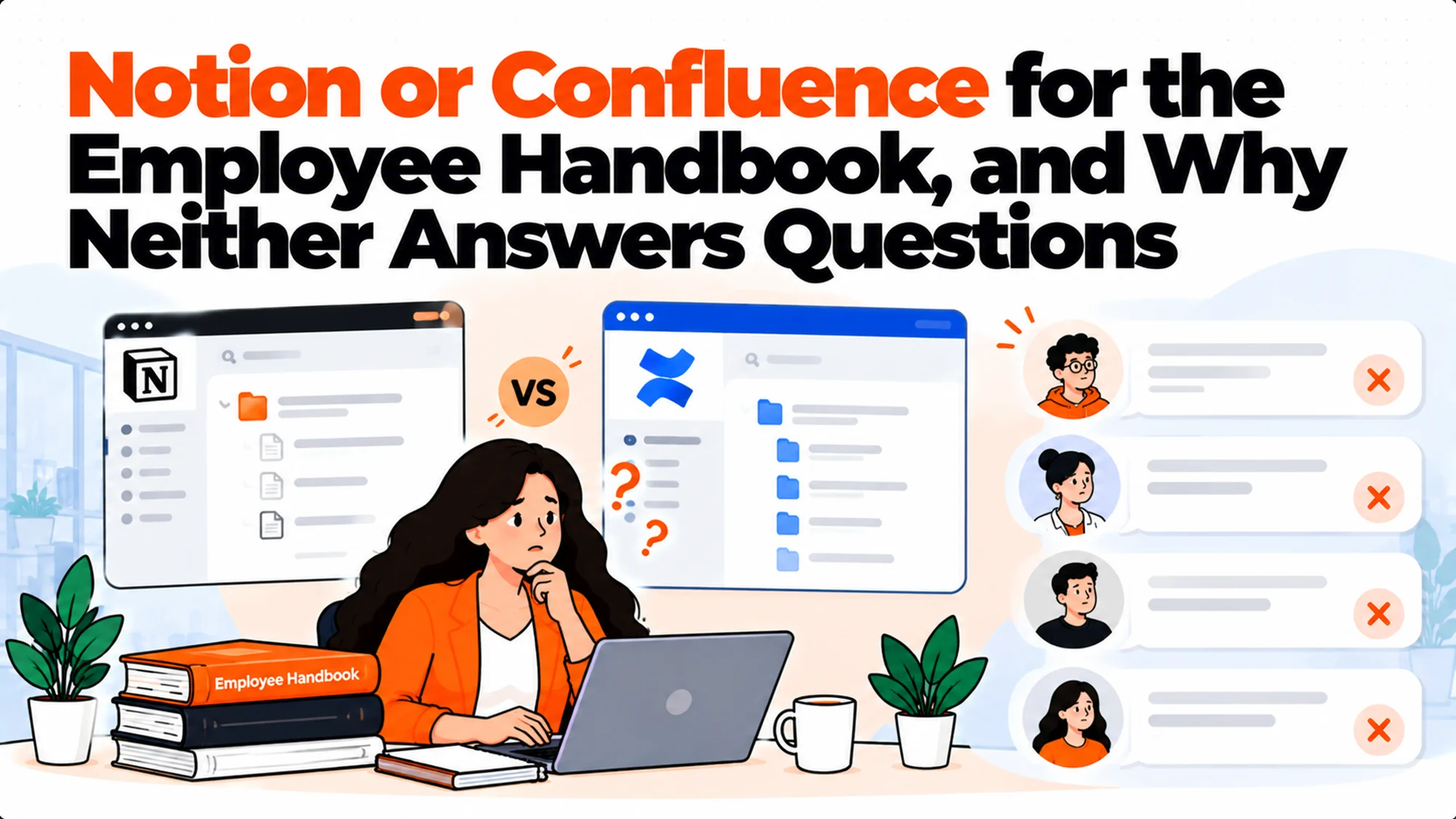
The real issue is not Notion vs Confluence. It is that a handbook is a document and a question is a question, and the gap between them is where every one of these projects quietly disappoints.
Why Notion vs Confluence Is Usually Already Settled
Before the feature list, the honest observation about how this decision actually gets made.
You probably already have one. Confluence arrives with Jira. Notion arrives because somebody started using it for meeting notes and it spread. Very few companies evaluate both from nothing.
And having one is a strong argument for using it. A handbook in the tool people already open beats a better handbook in a tool they have to remember exists. Adoption follows habit far more than it follows quality.
The exception is when HR cannot edit it comfortably. If the space was configured by engineering and HR is nervous about changing anything, content goes stale, and stale is worse than ugly.
The other exception is permissions. If you cannot express the access rule your content needs, that is a real reason to move regardless of habit.
What to do: check which one your company already pays for and whether HR can edit freely in it. If both answers are good, the comparison below is interesting rather than decisive.
Writing: Notion Wins and It Is Not Close
The thing people mean when they say they prefer Notion.
The editor is better. Blocks, drag and drop, embeds that work, and a writing experience that does not require training. For a People team maintaining content between other responsibilities, this matters more than any admin feature.
Templates are easier to make and reuse. A policy template that everybody actually uses is worth more than a governance feature nobody configures, and Notion makes the first one trivial.
Databases sit alongside prose naturally. A policy register with owners, review dates and status, right next to the policies themselves, is genuinely useful and awkward in Confluence.
Confluence is not bad, it is heavier. Spaces, page trees, macros and a sense that the tool was designed around software documentation, because it was.
What to do: if the person maintaining the handbook will be an HR generalist rather than someone technical, weight the editor heavily. The handbook that gets updated beats the handbook with better governance, every time.
Permissions: Confluence Wins and It Matters More Than You Think
The reason the comparison does not end at the editor.
HR content has unusually sharp edges. The handbook is for everybody. Pay bands are for managers. Performance templates are for a smaller group. Grievance records are for almost nobody. These frequently live adjacent to each other.
Confluence permissions are mature and granular. Space-level and page-level, inherited and overridable, built for organisations where different groups need different views of the same library.
Notion permissions are coarser. Page-level sharing with inheritance, workspace and teamspace controls, and it works, but expressing "managers only, excluding managers in this department" is harder and easier to get subtly wrong.
The failure mode is quiet. Nobody finds out that a page was shared too widely until somebody mentions a number they should not have. There is no alert for this in either tool.
What to do: list the three most sensitive document types you hold and try to express their access rules in both before deciding. If one of them makes a rule awkward, that is your answer and it outweighs the editor.
What Neither of Them Does
Three gaps that catch HR teams specifically, and that neither tool is at fault for.
Acknowledgement tracking. Neither will reliably tell you who read version three of the expenses policy and when they read it. Both show a page. An auditor asks who accepted which version on what date, and the answer has to come from somewhere else.
Version-aware distribution. When a policy changes, neither will tell the fourteen people whose role makes that change material. They will both quietly serve the new version to whoever happens to look.
Answers instead of documents. Both have search. Search returns pages. The question was a question. This is the gap the story at the top of this article fell into and it is the most common disappointment in the whole category.
What to do: if acknowledgement records are a real requirement, accept now that you need something alongside whichever you choose. We covered that specific problem in handbook acknowledgement tracking, because it is usually what forces a second tool rather than a different one.
What Notion vs Confluence Costs at Your Size
Both are per seat, which is the structural point that matters more than the rate.
Confluence is a configurator. The per-user price falls as seat count rises. At 25 seats Standard is $7.15 and Premium $14.10 per user per month. At 300 seats the same plans are $5.78 and $11.16. Any figure quoted without its seat count is for somebody else's company.
Notion publishes a flat per-member rate. Free, then Plus at $10 and Business at $20 per member per month. Simpler to price and more expensive per head at small sizes.
Both have real free tiers. Confluence is free forever to 10 users. Notion's free plan is genuinely usable. For a small team the comparison is not financial at all.
| At 25 people | Monthly | Model |
|---|---|---|
| Confluence Standard | $178.75 | Per user, falls with volume |
| Confluence Premium | $352.50 | Per user, falls with volume |
| Notion Plus | $250 | Per member, flat rate |
| Notion Business | $500 | Per member, flat rate |
What to do: price both at your twelve-month headcount rather than today's. The gap widens as you grow, and the decision frequently gets made at a size the company has already left.
Feature by Feature, for the Handbook Specifically
General comparisons of these two cover project management and roadmaps. This one covers only what a handbook needs.
| What a handbook needs | Confluence | Notion |
|---|---|---|
| Comfortable editing by a non-technical owner | Workable, heavier | Better |
| Granular access rules on sensitive pages | Better | Coarser |
| Templates for repeated policy types | Workable | Better |
| A policy register with owners and review dates | Awkward | Better |
| Version history on a specific policy | Good | Good |
| Proving who accepted which version | No | No |
| Telling affected people a policy changed | No | No |
| Answering a question rather than returning a page | Rovo, inside Atlassian | Notion AI, inside the workspace |
| Reading without a paid seat | No | No |
Two rows decide most cases. Access rules, where Confluence is genuinely stronger, and comfortable editing, where Notion is. Everything else is close enough not to matter.
Three rows are "no" for both, and those are the ones that send teams to a third tool rather than from one of these to the other.
What to do: mark which rows are actually requirements for you before reading the column entries. Most teams discover two or three matter and the rest is preference, which makes the decision considerably faster.
One row deserves a longer note, because it is the one people assume is covered. Reading without a paid seat is a no for both, and it rules both out for a meaningful part of many workforces. Warehouse staff, drivers, retail teams and field engineers frequently have no account in either system, and the handbook is the one document in the company that every single person is supposed to be able to read. If that describes a chunk of your people, neither tool is a complete answer no matter how the other rows score, and the realistic shape is a published version somewhere open alongside the maintained version in whichever tool your office staff use.
Both vendors publish their current rates openly, which is worth noting in a category where several do not. Notion's pricing page lists its tiers plainly, and Atlassian's does the same behind a seat-count field. Two of the alternatives in this space stopped publishing prices this year, so check the figures yourself before quoting them anywhere, including from here.
The Seat Problem Both Share
Worth separating out, because it is the thing that eventually sends teams looking at a third option.
Readers hugely outnumber writers. In a company of 200, perhaps eight people ever write a policy and 200 need to read one. Per-seat pricing charges for all 200.
So the bill rises as the thing succeeds. Get adoption up and costs follow it. That is an uncomfortable incentive for a tool whose whole purpose is that everybody uses it.
Neither tool is being unreasonable. Per-seat is standard and both deliver value to every seat for other reasons. It is simply a poor fit for a document set whose value is mostly in being read.
Which is why flat and included-user models exist, and why they look irrelevant at 20 people and compelling at 200.
What to do: work out your reader-to-writer ratio before comparing rates. If it is above about ten to one, the pricing model will matter more than the per-seat difference between these two.
What Each One Is Actually Built For
Understanding the design intent explains most of the differences, and it stops the comparison feeling arbitrary.
Confluence was built for software documentation. Technical specifications, architecture decisions, runbooks, release notes. Content with a clear owning team, a review process and an audience that already works in the same toolchain. Everything about it follows from that: spaces map to teams, permissions map to org structure, and the integration with Jira is the point rather than a feature.
That origin is why HR content fits awkwardly. An employee handbook has no owning team in the Confluence sense, its audience is everybody rather than a team, and it has nothing to link to in Jira. It works, and you can feel that it is being used slightly against the grain.
Notion was built as a flexible workspace. Notes, wikis, databases, project tracking, whatever shape you want. There is no assumed content type, which is why a policy register with owners and review dates is natural in Notion and fiddly in Confluence.
That flexibility is why it drifts. With no enforced structure, an eighty-page handbook accumulates whatever structures four different people thought made sense, and nothing stops that happening.
Neither was built for policy. That is the honest summary. Policy management tools exist because policy has requirements, acknowledgement records, scheduled review, version-aware distribution, that general-purpose tools do not cover. Both of these host a handbook well and neither manages policy.
What to do: if your handbook is a document people read, either tool is fine. If it is a controlled document you must prove things about, you are shopping in the wrong category and the comparison above will not resolve it.
Reading the Published Comparisons Carefully
A note on sources, because this comparison is written about constantly and much of it is stale or sponsored.
Check the date and the seat count. Confluence pricing is seat-dependent, so a comparison that quotes one figure without saying at what size is wrong for most readers. Notion's rates have changed more than once.
Check whether it covers permissions at all. Most Notion vs Confluence comparisons are written for general knowledge management, where permissions are a footnote. For HR content they are the deciding factor, and a comparison that skips them is not answering your question.
Check whether the writer has a side. A great many of these are published by competitors to both, which is fine as long as you know, and is the same disclosure we make about ourselves on this site.
And check what it says about answering. A comparison that does not mention that both return documents rather than answers has not engaged with the problem most readers actually have.
What to do: read two comparisons and discard whatever they disagree on, then verify the remaining facts on the vendors' own pages. It is quicker than it sounds and it removes most of the stale information in circulation.
Where the Handbook Should Live If Neither Fits
Three situations where the answer is outside this comparison entirely.
A large deskless workforce. If a third of your people have no Notion or Atlassian account, the handbook is unreachable for them regardless of which you pick. It needs to be somewhere readable without a seat.
Heavy compliance requirements. If you need versioning, approval workflows and acknowledgement records as a matter of course, a policy management platform does that natively and both of these do not.
Multiple legal entities with different handbooks. Maintaining several near-identical handbooks that differ in specific clauses is painful in both. Purpose-built policy tools handle variants properly.
What to do: if any of these describes you, stop comparing these two and look at the policy management category instead. We covered the boundary in policy management software, and it is a different purchase with a different budget.
How Each One Behaves as the Handbook Grows
A handbook starts at fifteen pages and ends at eighty. The two tools degrade differently and both degradations are predictable.
Confluence gets administratively heavy. More spaces, more permission exceptions, more pages whose owner left. It stays navigable because the structure is enforced, and it becomes a thing that needs administering rather than maintaining.
Notion gets structurally loose. Because anybody can create a page anywhere in any shape, an eighty-page handbook in Notion tends to grow several competing structures, and the fourth person to add a policy puts it somewhere reasonable that is not where the first three would have looked.
Search degrades in both, differently. Confluence returns too many results from too many spaces. Notion returns results whose titles do not indicate which is current, because three pages are called Expenses Policy.
The common failure is duplicates. Both tools make it easy to create a second copy of a policy and neither makes it easy to notice. This is the single most common content problem we see in handbooks over fifty pages.
What to do: whichever you pick, run a duplicate check twice a year. Search your ten most important policy names and confirm exactly one live page comes back for each. It takes twenty minutes and it catches the thing that quietly makes a handbook untrustworthy.
What Happens When a Policy Changes
The workflow neither tool covers well, and the one HR actually has to run.
Editing is the easy part. Both handle that.
Knowing who needs to be told is not. A change to the expenses limit matters to everybody. A change to the relocation policy matters to four people. Neither tool knows the difference, so either everybody gets told about everything or nobody gets told about anything.
Proving the old version existed matters later. When somebody says the rule was different in March, you need the March version with a date. Both keep history; neither surfaces it in a way that settles an argument quickly.
And the bot problem, if you have added answering. A changed policy means the answering layer must stop quoting the old one. Check how quickly whatever you use re-reads changed documents, because a confident answer from last quarter's policy is the worst outcome in this whole article.
What to do: write the change process down as four steps, name who does each, and test it on a real policy change rather than a hypothetical one. The tool choice barely affects this and the process gap is what actually hurts.
The Migration Nobody Prices
If you are moving the handbook from one to the other, four costs that are not the licence.
Deciding what not to move. Every existing library contains superseded versions. Moving everything reproduces the problem.
Rebuilding permissions by hand. They do not transfer. This is a redesign rather than an export.
Fixing links. Internal links break, and if the handbook is linked from onboarding checklists or offer letters, those break too.
Telling everybody, repeatedly. The most under-budgeted line. People keep going to the old place for months.
What to do: if the handbook is current and correct where it is, think very hard before moving it. The gain from a better editor is real and smaller than nine months of somebody's attention.
What the Rest of the Company Thinks
A handbook decision made entirely inside HR tends to get reversed, and the reversal is usually about something nobody in the meeting raised.
IT cares about account provisioning and offboarding. Another tool with its own seats is another thing to add people to and remove them from. If the handbook lives somewhere nobody else uses, that overhead lands on IT and they will have an opinion eventually.
Finance cares about the per-seat line growing with headcount. Both of these tools do that, and a licence that grows automatically with hiring is one finance will question at renewal even if nobody questioned it at purchase.
Legal cares about what can be proven. Not where the handbook lives, but whether you can show which version somebody accepted. Neither tool answers that, and it is better to surface it early than during a dispute.
Managers care about whether it answers questions. They are the ones currently being asked, and they will judge the project entirely on whether that stops.
What to do: show the four requirements to one person from each group before deciding. It takes a day and it prevents the version of this project that gets unpicked eight months later for a reason HR was never told about.
Three Mistakes Worth Avoiding
Common, avoidable, and all three are about process rather than product.
Picking on the editor alone. The editor decides whether maintenance is pleasant and permissions decide whether you have an unfixable problem. Preference is not the same as requirement, and the editor test only ever produces a preference.
Launching with an announcement and nothing else. One message in a channel produces a spike and a reversion. The handbook needs to be linked from the places people already go: onboarding, the offer letter, the leave request flow.
Treating it as finished when it goes live. The handbook in the story at the top was correct on launch day and will be wrong within a year, and the belief that it is out of date is what ends adoption permanently. A named owner and a quarterly review is the whole fix and it costs nothing.
What to do: put the review dates in a calendar before launch, not after. The project that ships without them is the project that quietly stops being true.
The Decision Table
| Situation | Scale | Setup | Primary Pain | Recommended Starting Point |
|---|---|---|---|---|
| Company already on Atlassian | Any | Jira is the system of record | Splitting content | Confluence, use what exists |
| Company already on Notion | Any | Notion is where things live | Habit beats features | Notion, use what exists |
| HR maintains it between other work | Under 150 | Either | Content goes stale | Notion, for the editor |
| Pay and performance beside the handbook | Any | Either | Access rules hard to express | Confluence, for permissions |
| Acknowledgement records required | Any | Either | Neither tracks reads by version | A policy tool alongside |
| Large deskless workforce | 200 plus | Most staff have no account | Unreachable for a third of people | Neither; somewhere seat-free |
| Handbook current, questions continue | Any | Either, working fine | Retrieval, not housing | An answering layer on top |
Running a Two-Week Trial That Tells You Something
Most evaluations of these two produce a preference rather than a finding. Two weeks structured like this produces a finding.
Week one, content. Move your five most-asked-about policies into both. Not the whole handbook, five policies. Have the person who will maintain them do the moving, and note where each tool made it awkward.
Then set your hardest permission rule in both. The one where a document must be visible to one group and invisible to another that overlaps with it. Write down which tool made you think harder.
Week two, questions. Take the twenty questions your HR inbox actually received last month. Ask each tool's search or answering feature all twenty. Count how many produce a correct answer without opening a document.
That count is the whole result. If both score low, your problem is retrieval and neither tool is the answer, which saves you a migration. If one scores noticeably higher, you have a real finding rather than an impression.
Keep the twenty questions afterwards. They become the regression test for whatever you do next, and they are the only measurement in this whole area that is specific to your company.
What to do: collect the twenty questions before you start the trial. Asking the person who answers employee questions to forward a month of them takes ten minutes and it is the most valuable ten minutes in the project.
What Actually Fixes the Opening Story
The handbook in that story was good, lived in a reasonable tool and was ignored anyway. Three things would have changed the outcome, and only one of them is a tool.
Answers rather than pages. People ask colleagues because colleagues answer. A tool that returns a sentence with a source link competes with that; a tool that returns a list of pages does not.
A named owner with a review cadence. Not because the content was wrong on day one, but because it will be in eleven months, and the belief that the handbook is out of date is what kills adoption permanently.
Answering where people already are. A handbook people must remember to visit loses to a question they can ask in the channel they are already in.
None of these is Notion vs Confluence. Both can host a good handbook. Neither closes the gap between a document and a question, and that gap is what the story was about.
What to do: measure question volume to HR before and after whatever you do. It is the only honest measure of whether the handbook is working, and page views are not a substitute for it.
The Third Option Most Teams Have Not Considered
If the handbook is current and people still ask, there is a shape that is not a wiki at all.
An answering layer reads your existing documents. It stays where it is, in Notion or Confluence or both, and the layer answers questions about it with a link to the source. No migration, no new editor, no second home for content.
Matram is one of these, and it is owned by the same people who publish this site, which you should weigh against everything here. It publishes flat pricing at $29, $69 and $199 per month with unlimited seats, which addresses the seat problem both tools above share: the bill does not rise as more of the company starts asking.
Its limits are specific. There is no free tier, only a 30 day trial. It answers rather than actioning tickets, so it will tell somebody the carry-over rule and will not book the leave. And it is not an ITSM or HR workflow platform, with no case management or approvals of its own.
It does not fix a bad handbook. If the content is wrong, an answering layer delivers the wrong answer faster and with more confidence. Content first.
What to do: test it with the exact questions from your own HR inbox last month. This shape either closes your gap completely or is irrelevant, and an hour of real questions tells you which.
How to Run the Comparison Honestly
Four steps that produce a decision you can defend, rather than a preference.
Write the handbook's requirements down first. Who must read it, who must edit it, what must be restricted, and what must be provable. Four lines.
Try the editor with the person who will maintain it. Not the person running the evaluation. The maintainer's comfort predicts whether the content stays current, which predicts everything else.
Express your hardest permission rule in both. This is where one of them usually becomes awkward, and it is a more informative test than any feature matrix.
Price at twelve-month headcount. Both are per seat, so both get worse as you grow, and the gap between them moves.
What to do: do the permission test before the editor test. It is the one that can rule a tool out, and the editor test only ever produces a preference.
What Getting This Wrong Costs
The visible cost is a handbook in the slightly less convenient tool, which nobody will ever measure and which matters very little.
The expensive version is a handbook in a tool whose permissions cannot express your access rules. That surfaces as somebody seeing a pay band they should not have seen, and it surfaces months after the decision, when nobody connects it to a tooling choice made in a meeting about editors. Of everything in this comparison, this is the one with a real downside.
The second cost is a migration that buys nothing. Moving a current, correct handbook from Confluence to Notion because the editor is nicer is a real project with a real communication burden, and the complaint that started it, that people keep asking HR, survives the move entirely. It has to, because it was never about the editor.
And the third is the belief that writing the handbook was the project. Eleven weeks of good work went into the handbook in the opening story and it changed very little, because the work that mattered was making answers reachable and nobody had scoped that. The handbook was necessary and it was not sufficient, and the gap between those two is where the disappointment lives.
So the question is not Notion vs Confluence. It is whether anybody will keep the handbook current, whether your access rules can be expressed, and whether asking it a question returns an answer or a list.
When You're Ready to Decide
Start with which one your company already runs. If HR can edit freely there and your permission rules work, use it and spend the saved effort on the content.
If you are genuinely choosing, test permissions before editors. The editor decides whether maintenance is pleasant. Permissions decide whether you have a problem you cannot fix later.
And once the handbook is live, measure questions to HR rather than page views. If the questions continue, the handbook was not the whole project, and the remaining part is retrieval rather than housing.
One last thing worth saying plainly, because it runs against how this decision usually gets framed. The difference between these two tools is smaller than the difference between a handbook somebody owns and a handbook nobody owns. We have seen excellent handbooks in Confluence and excellent handbooks in Notion, and in every case the common factor was a named person with a review date in their calendar rather than anything about the software. We have also seen stale, contradictory handbooks in both, and the common factor there was that the migration project finished and the ownership question was never answered. If you take one thing from this comparison, take that, and treat the tool choice as the smaller decision it actually is.
A reasonable sequence, then. Decide ownership. Write or fix the content. Put it in whichever tool your company already runs, unless permissions force the other one. Then measure whether questions fall, and if they do not, the remaining problem is retrieval and it has its own answer that does not involve moving anything.
Frequently Asked Questions
Is Notion or Confluence better for an employee handbook?
Notion is better to write in and Confluence is better at permissions, and for a handbook the permissions question usually matters more than teams expect, because pay bands and performance content often sit near the handbook with different audiences. In practice the decision is usually settled by what your company already runs, and that is a reasonable way to settle it, since a handbook in the tool people already open beats a better one in a tool they must remember exists.
Which is cheaper for a 25-person team?
Confluence, at its published rates, and the cost table in the body prices both at 25 seats. Both are charged per seat, so both rise with headcount. The structural difference is that the Confluence rate falls as seat count increases while the Notion rate stays constant per member, so the gap widens as you grow. Both also have genuine free tiers, so below about ten people the comparison is not a financial one at all.
Can either of them track who read a policy?
Not in the way an auditor means. Both will show you a page and some view data. Neither reliably records that a named person accepted version three of the expenses policy on a specific date, which is the record a compliance review asks for. If you need that, plan for a policy management tool alongside whichever you choose rather than expecting either to cover it.
Why do people keep asking HR after the handbook goes live?
Because a handbook is a document and a question is a question. Both tools return pages when somebody searches, and the answer is usually inside one of those pages under a heading nobody would have searched for. Asking a colleague produces an answer in thirty seconds, so people do that instead. The gap is retrieval rather than content, and it is why handbook projects so often disappoint despite the handbook being good.
We already have one of them. Should we move?
Probably not, if the handbook is current and your permission rules work. A migration means deciding what not to move, rebuilding permissions by hand, fixing broken links and then telling everybody repeatedly for months. The gain from a nicer editor is real and much smaller than that. Move when you cannot express an access rule you need, or when HR genuinely cannot edit without fear of breaking something.
What about a deskless workforce?
Then neither is the right answer on its own, because both assume an account. If a third of your people have no login, the handbook is unreachable for them whichever you pick, and no amount of writing improves that. Look for somewhere the handbook can be read without a seat, and treat the tool your office staff use as a separate question.
Does Notion's flexibility cause problems for HR content?
It can. The same freedom that lets you build a policy register with owners and review dates lets a workspace sprawl into something nobody can find their way around, and answering quality follows the organisation of the content. Confluence's heavier structure is more annoying to set up and more resistant to that drift. Neither is wrong; they fail in opposite directions.
What if the handbook is good and the questions continue anyway?
Then you have a retrieval problem, and a different wiki will reproduce it because the new wiki also returns documents. The shape that addresses it reads the documents where they already are and answers questions with a source link, which requires no migration and can be tested against your real question history in an afternoon. Fix the content first if it is stale, because faster delivery of a wrong answer is worse than a buried one.