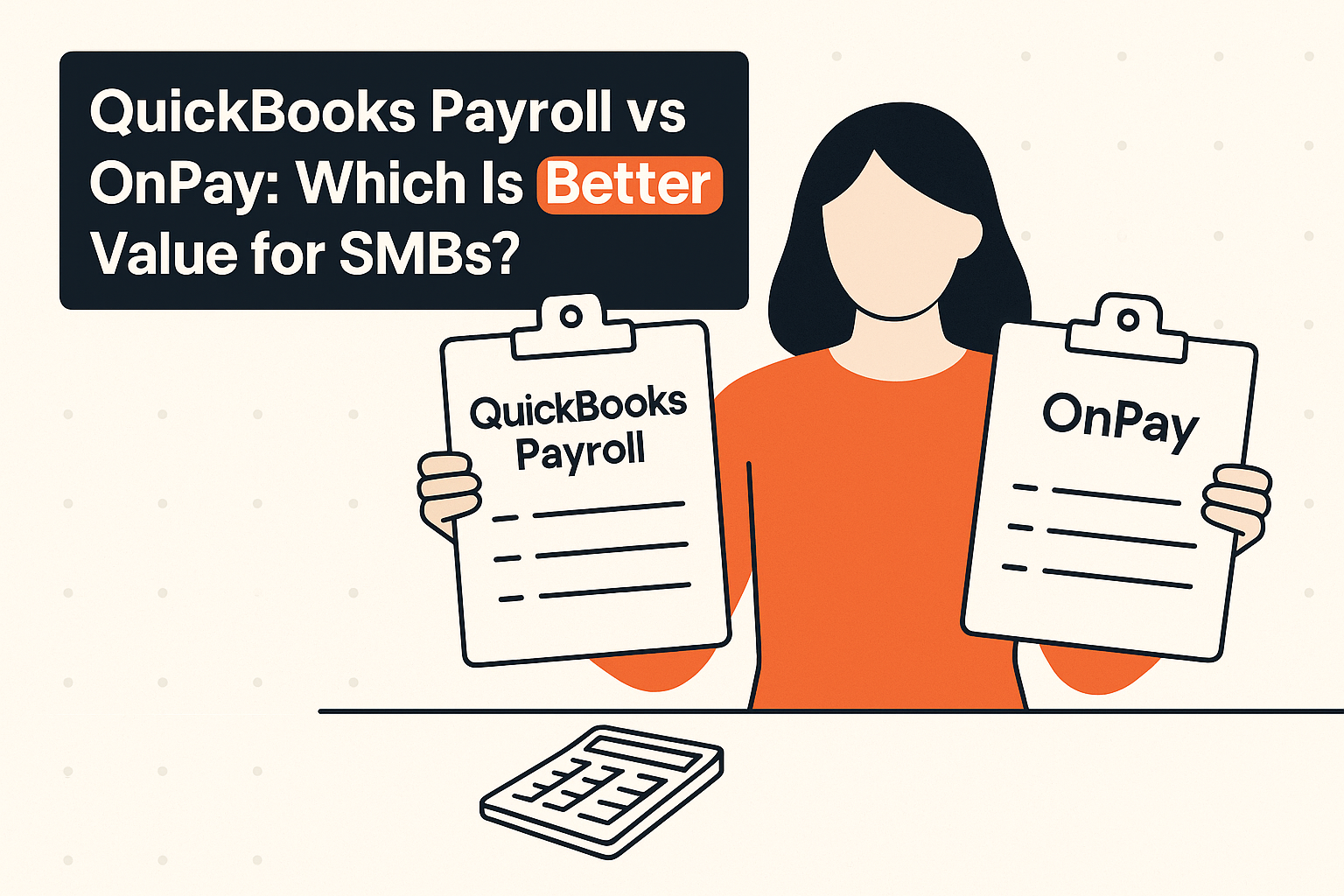
Selecting between QuickBooks Payroll and OnPay comes down to whether you prioritize seamless ledger unification or flat-rate predictable pricing with built-in HR features. In this quickbooks payroll vs onpay evaluation, small business owners who already rely on QuickBooks accounting must weigh the frictionless convenience of an all-in-one financial ecosystem against the transparent, single-tier simplicity of a standalone payroll provider. Both platforms handle core payroll execution, but their underlying architectures, pricing dynamics, and vendor ecosystems serve fundamentally different operational strategies.
TL;DR
- Choose QuickBooks Payroll if you already use QuickBooks accounting and want to eliminate manual journal exports, re-keying errors, and month-end reconciliation headaches.
- Choose QuickBooks Payroll if you plan to scale your operational back office into advanced inventory, project costing, or unified accounting modules within a single software umbrella.
- Choose OnPay if you want a strictly predictable bill with one core plan that includes multi-state filing, tax remittances, and end-of-year forms without tier upgrades.
- Choose OnPay if you need an included foundational HR layer—including employee self-service, e-signatures, online I-9/W-4 onboarding, and PTO tracking—without paying extra base fees.
- Choose OnPay if you refuse long-term commitments and demand a month-to-month agreement with free cancellation at any time.
- Choose QuickBooks Payroll if access to optional upgrades like same-day direct deposit, 24/7 priority support, and tax penalty protection is critical to your operational safety net.
Pricing at a glance
| Metric / Feature | QuickBooks Payroll | OnPay |
|---|---|---|
| Base Monthly Fee | $42.50/mo (Core plan) | $49.00/mo (Single standard plan) |
| Per-Worker Monthly Fee | $6.00 per employee | $6.00 per employee |
| Pricing Model Structure | Tiered structure (Core, Premium, Elite) | Single all-inclusive tier with optional add-ons |
| Included HR Tools | Basic employee profiles (advanced HR via higher tiers/add-ons) | Self-service portal, e-signatures, I-9/W-4 onboarding, PTO tracking, doc storage |
| Multi-State Payroll | Included in standard payroll processing | Included at no extra fee across all 50 states |
| Contract / Lock-in | Month-to-month, deep ecosystem software lock-in | Month-to-month, cancel anytime at no charge |
| Pricing Transparency | Standard published base rates; upgrades required for advanced features | Highly transparent; single base price with clear optional add-on fees |
What is QuickBooks Payroll? Deep Dive for QuickBooks Accounting Users
QuickBooks Payroll is an integrated payroll solution built specifically to sit natively inside the Intuit ecosystem. For small business owners who already manage their general ledger through QuickBooks accounting, adding QuickBooks Payroll transforms an isolated bookkeeping tool into an operational command center. Rather than running payroll in a separate application and manually exporting CSV files or adjusting journal entries, QuickBooks Payroll records payroll expenses, tax liabilities, and wage payouts directly into your chart of accounts in real time.
The primary value proposition of QuickBooks Payroll lies in this elimination of administrative friction. When payroll runs, wage expenses are automatically mapped to the appropriate accounts, payroll taxes are debited and tracked, and bank feeds reconcile effortlessly. This native integration offers significantly deeper administrative value than lighter tools like Wave Payroll, while giving business owners room to add inventory, time tracking, and broader financial reporting down the line.
Best tools for Payroll Software
QuickBooks Payroll is organized into distinct functional tiers starting at the Core tier ($42.50/mo base plus $6 per employee per month). For businesses requiring tighter cash flow management or enhanced operational safeguards, higher service tiers such as Premium and Elite introduce features like same-day direct deposit, round-the-clock 24/7 technical support, and full tax penalty protection. Under tax penalty protection, Intuit assumes responsibility for pay-out costs associated with filing errors if the setup inputs were accurate.
However, choosing QuickBooks Payroll means stepping directly into the Intuit ecosystem software web. While it provides richer reporting capabilities than basic tools and streamlines weekly payroll tasks, it ties your payroll management directly to your accounting platform subscription, making future platform migrations complex.
What is OnPay? Deep Dive into Single-Tier Payroll Simplicity
OnPay takes a fundamentally different approach to payroll software design. Built around a single, all-inclusive pricing tier, OnPay delivers full-service payroll, automated tax administration, and essential human resource management tools without forcing small business owners to navigate complex feature matrices or upgrade traps. At its core price point of $49 per month plus $6 per employee per month, OnPay processes payroll runs across all 50 U.S. states without tacking on fees for multi-state tax withholding, local tax filings, or year-end tax document distribution.
Where OnPay sets itself apart from standard standalone processors is its included foundational HR software layer. Without requiring an upgrade to a higher subscription plan, OnPay provides an employee self-service portal, digital onboarding workflows with in-app I-9 and W-4 processing, e-signature collection, centralized employee record storage, and automated paid time off (PTO) tracking. This built-in infrastructure allows growing businesses to handle basic personnel administration from the exact same dashboard used to run payroll.
For organizations with specialized HR demands, OnPay offers structured, transparent add-ons rather than forcing full-plan upgrades:
- HR Add-on: $15 per month base fee plus $2 per worker per month for advanced HR administration.
- Compliance Resources: $10 per month for targeted regulatory guides and setup assets.
- Live HR Support: $75 per month for direct access to certified HR advisors.
While OnPay integrates cleanly with major accounting applications, its benefits marketplace is somewhat thinner and its overall third-party software integration catalog is smaller than broader ecosystems like Gusto. Nevertheless, OnPay excels at delivering transparent, predictable, month-to-month payroll processing without long-term contracts or cancellation penalties. When reviewing options across the wider market, evaluating OnPay alongside platforms in our guide to the best payroll software platforms highlights how its single-tier approach eliminates hidden costs for small teams.
How Pricing Really Works: Tier Structures, Add-ons, and Hidden Expenses
Understanding the true cost of payroll software requires looking beyond advertised headline rates and analyzing how pricing structures scale as your headcount and functional requirements grow. The contrast between QuickBooks Payroll and OnPay illustrates two distinctly different pricing philosophies: tiered feature gating versus single-tier base pricing with modular add-ons.
QuickBooks Payroll Core begins at a lower monthly base rate of $42.50 per month plus $6 per employee per month. This entry tier handles full-service automated payroll processing, automated tax filings, and basic reporting. However, businesses needing faster cash clearance or enhanced operational security must upgrade to Premium or Elite tiers. These higher tiers unlock advanced capabilities such as same-day direct deposit, 24/7 technical support, and tax penalty protection. Because Intuit uses tiered feature gating, businesses that require fast deposit turnarounds or complete tax safety guarantees will see their monthly base platform expenses rise beyond the Core starting rate.
In contrast, OnPay uses a standard base fee of $49 per month plus $6 per employee per month for its primary platform. Every client on this core plan gets access to multi-state processing, automated tax filings, same-day or next-day direct deposit options (subject to account approval), and full HR administrative features. OnPay does not lock essential software functions behind higher plan tiers.
Instead, OnPay monetizes advanced operational requirements through clear optional add-ons:
- HR Add-on: $15/mo base + $2/worker/mo
- Compliance Resources: $10/mo
- Live HR Support: $75/mo
When evaluating these models, decision-makers must account for overall feature requirements. If your firm needs direct access to certified HR advisors, adding OnPay’s Live HR Support add-on ($75/mo) increases total software expenditure. Conversely, if you only need standard payroll execution with integrated digital onboarding and basic HR tools, OnPay’s base pricing remains completely stable, whereas QuickBooks Payroll may require tier jumps if your team demands specialized support or penalty guarantees.
QuickBooks Payroll vs OnPay: Total Cost at 5, 15 and 30 Employees
To illustrate how these pricing models compare in practice, let us examine total operational costs across three standard small business headcounts: 5 employees, 15 employees, and 30 employees. All calculations reflect published base and per-employee rates over monthly and annual cycles.
Scenario A: 5 Employees
QuickBooks Payroll (Core Tier):
- Base monthly fee: $42.50
- Employee per-capita fee: 5 employees × $6.00 = $30.00
- Total Monthly Expense: $42.50 + $30.00 = $72.50
- Total Annual Expense: $72.50 × 12 months = $870.00
OnPay (Standard Plan):
- Base monthly fee: $49.00
- Employee per-capita fee: 5 employees × $6.00 = $30.00
- Total Monthly Expense: $49.00 + $30.00 = $79.00
- Total Annual Expense: $79.00 × 12 months = $948.00
OnPay (With HR Add-on):
- Base monthly fee: $49.00 + $15.00 (HR base) = $64.00
- Employee per-capita fee: 5 employees × ($6.00 + $2.00) = 5 × $8.00 = $40.00
- Total Monthly Expense: $64.00 + $40.00 = $104.00
- Total Annual Expense: $104.00 × 12 months = $1,248.00
At 5 employees, QuickBooks Payroll Core is $6.50 per month cheaper than OnPay's standard plan ($72.50 vs $79.00), resulting in an annual savings of $78.00. However, OnPay’s standard plan includes built-in HR onboarding tools and document storage that are absent from QuickBooks Core.
Scenario B: 15 Employees
QuickBooks Payroll (Core Tier):
- Base monthly fee: $42.50
- Employee per-capita fee: 15 employees × $6.00 = $90.00
- Total Monthly Expense: $42.50 + $90.00 = $132.50
- Total Annual Expense: $132.50 × 12 months = $1,590.00
OnPay (Standard Plan):
- Base monthly fee: $49.00
- Employee per-capita fee: 15 employees × $6.00 = $90.00
- Total Monthly Expense: $49.00 + $90.00 = $139.00
- Total Annual Expense: $139.00 × 12 months = $1,668.00
OnPay (With Live HR Support Add-on):
- Base payroll cost: $139.00
- Live HR Support fee: $75.00
- Total Monthly Expense: $139.00 + $75.00 = $214.00
- Total Annual Expense: $214.00 × 12 months = $2,568.00
At 15 employees, the monthly gap between QuickBooks Payroll Core and OnPay Standard remains exactly $6.50 per month ($132.50 vs $139.00). The variable employee charge ($6/head) is identical on both platforms; the $6.50 difference comes entirely from the baseline software subscription ($42.50 vs $49.00).
Scenario C: 30 Employees
QuickBooks Payroll (Core Tier):
- Base monthly fee: $42.50
- Employee per-capita fee: 30 employees × $6.00 = $180.00
- Total Monthly Expense: $42.50 + $180.00 = $222.50
- Total Annual Expense: $222.50 × 12 months = $2,670.00
OnPay (Standard Plan):
- Base monthly fee: $49.00
- Employee per-capita fee: 30 employees × $6.00 = $180.00
- Total Monthly Expense: $49.00 + $180.00 = $229.00
- Total Annual Expense: $229.00 × 12 months = $2,748.00
OnPay (With Full HR Suite: HR Add-on + Compliance + Live HR):
- Base payroll + HR base: $49.00 + $15.00 = $64.00
- Compliance add-on: $10.00
- Live HR Support add-on: $75.00
- Subtotal base fixed software cost: $149.00
- Employee per-capita fee: 30 employees × ($6.00 + $2.00) = $240.00
- Total Monthly Expense: $149.00 + $240.00 = $389.00
- Total Annual Expense: $389.00 × 12 months = $4,668.00
This baseline financial comparison shows that on standard core payroll processing, QuickBooks Payroll Core and OnPay remain extremely close in cost regardless of headcount size. The primary financial evaluation depends on whether you stay on QuickBooks Core or need upper-tier feature add-ons. To contextualize these cash outflows across additional tools like Gusto, Patriot, Paychex Flex, or ADP Workforce Now, consult our full benchmark guide to the best payroll software for small business.
Where QuickBooks Payroll Wins: Ecosystem Native Integration and Workflow Speed
The main advantage of choosing QuickBooks Payroll is its native integration with QuickBooks accounting software. For a business owner or internal bookkeeper who processes financial transactions daily inside QuickBooks, executing payroll within that same platform saves significant operational time.
+——————————————————————-+
| QUICKBOOKS ECOSYSTEM WORKFLOW |
+——————————————————————-+
| [ QuickBooks Accounting ] <—> [ QuickBooks Payroll Core ] |
|---|
| v v |
| Real-Time Ledger Updates Automated Direct Deposit |
| Instant Wage & Tax Mapping No Manual CSV Journal Export |
+——————————————————————-+
When you approve a pay run in QuickBooks Payroll:
- Payroll liabilities, net pay disbursements, and tax withholding figures post instantly to the general ledger.
- The manual step of exporting payroll summary reports from a third-party application, formatting columns, and importing CSV journal entries is completely eliminated.
- Class tracking and project-level accounting flow cleanly from pay runs into job-costing sub-ledgers.
This single-vendor structure also simplifies reconciliation. When direct deposits hit the business checking account, QuickBooks matches the bank feed withdrawal against the corresponding ledger payroll entry with zero manual keying. This eliminates ledger discrepancies caused by typos or mismapped accounts during manual journal exports.
Additionally, QuickBooks Payroll provides more advanced accounting reporting features than lightweight options like Wave Payroll. As business operations grow, companies using QuickBooks Payroll can seamlessly add time tracking, expanded financial reporting, and advanced inventory modules within the familiar Intuit interface. For existing users who value absolute accounting continuity above all else, this unified setup is a major efficiency boost.
Where OnPay Wins: Transparent Flat-Rate Pricing and Built-in HR Essentials
OnPay excels by delivering complete operational transparency alongside a functional employee management interface. While many payroll providers gate essential HR features behind expensive higher-tier subscriptions, OnPay includes foundational HR administration in its core $49 base plan.
+——————————————————————-+
| ONPAY ALL-INCLUSIVE WORKFLOW |
+——————————————————————-+
| [ OnPay Standard Platform ] |
| ($49/mo base + $6/worker/mo – All 50 States) | ||||
|---|---|---|---|---|
| +——————–+——————–+—————–+ | ||||
| Digital Onboard | Employee Portal | PTO Tracking & | ||
| (I-9, W-4, eSign) | (Paystubs, Tax) | Document Storage | ||
| +——————–+——————–+—————–+ |
+——————————————————————-+
OnPay’s built-in employee onboarding workflow handles new hire administrative tasks digitally:
- New workers receive an automated portal invitation to complete setup forms online.
- Federal and state tax forms (W-4) and employment eligibility attestations (I-9) are completed with built-in e-signatures.
- Submitted documents are securely stored in OnPay’s employee document vault, removing the need for physical paperwork or separate file storage tools.
Furthermore, OnPay includes comprehensive PTO management tools directly out of the box. Administrators can define custom paid time off policies, set up accrual rules, track vacation balances, and review time-off requests directly within the primary application.
Another operational advantage is OnPay’s flat approach to state filings. Processing payroll for employees working across multiple state jurisdictions can quickly trigger unexpected fee add-ons with other payroll providers. OnPay includes multi-state payroll processing, automated tax withholding calculations, agency remittances, and tax form filings across all 50 states within its single base subscription price.
Finally, OnPay operates strictly on a month-to-month service structure without long-term locks or cancellation penalties, giving small business owners maximum financial flexibility.
Where Both Tools Struggle: Vendor Lock-in vs Platform Limitations
While both QuickBooks Payroll and OnPay are effective tools, each carries distinct operational trade-offs that business leaders must carefully evaluate.
QuickBooks Payroll creates substantial vendor lock-in. Because payroll functionality is deeply tied to QuickBooks accounting software, decoupling payroll from your financial operations later is difficult. If you choose to migrate your accounting software to another ledger platform in the future, you will be forced to migrate your entire payroll setup, employee profiles, year-to-date tax balances, and direct deposit arrangements as well. Furthermore, Intuit’s tiered model means that critical protective measures—such as tax penalty protection or 24/7 technical support—are strictly reserved for higher-tier accounts, leaving entry-level Core subscribers on standard support channels.
On the other hand, OnPay operates as a standalone payroll application, which introduces operational trade-offs for heavy QuickBooks power users:
- It requires an initial API sync or manual mapping setup to push payroll transaction data into external general ledgers.
- While OnPay offers direct integration with QuickBooks accounting, it operates as an external third-party application rather than an internal system feature.
- OnPay features a smaller overall integration library and a thinner employee benefits broker marketplace compared to platforms like Gusto.
- Businesses seeking advanced international workforce payments, complex global equity tracking, or deep enterprise HR architecture will find OnPay’s scope focused tightly on core US small-business operations.
Organizations evaluating multi-country expansion or enterprise-level HR management may eventually require global systems like Deel, Papaya Global, or enterprise HR suites like ADP Workforce Now or Rippling. Understanding these platform boundaries ensures you choose software that aligns with your long-term growth plans.
Feature Breakdown: Tax Filing, Multi-State Payroll, and Onboarding
Evaluating specific operational workflows helps highlight the practical differences between QuickBooks Payroll Core and OnPay Standard across key administrative categories.
| Operational Feature | QuickBooks Payroll (Core Tier) | OnPay (Standard Tier) |
|---|---|---|
| Federal Tax Filings (941/940) | Automated filing & remittance included | Automated filing & remittance included |
| State Tax Filings & Remittances | Included for state of record | Included for all 50 states at no added cost |
| Multi-State Processing | Included | Included |
| Direct Deposit Speed | Standard 2-day direct deposit | Same-day or 2-day (subject to account approval) |
| Digital Onboarding Tools | Basic employee profile setup | Full onboarding: e-signatures, W-4, and I-9 |
| PTO Accrual & Request Tracking | Basic tracking | Complete custom PTO policy & accrual management |
| Document Vault & Records Storage | Limited basic storage | Built-in employee document repository |
| Accounting Ledger Sync | Native direct integration (QuickBooks) | Third-party direct API integration |
| HR Advisory Services | Available in Elite / upper tiers | Available via $75/mo Live HR add-on |
| Tax Penalty Guarantees | Reserved for Elite tier | Standard support review included |
When processing regular payroll runs within a single state, both systems perform reliably. Each platform calculates federal, state, and local withholdings, initiates direct deposits, and files required quarterly tax returns automatically.
The operational differences become clear during onboarding and team management:
- OnPay provides a complete digital onboarding workflow that guides new hires through digital W-4 tax setups, I-9 document verification, direct deposit details, and employee handbook e-signatures.
- QuickBooks Payroll Core focuses heavily on core financial setups, offering leaner native onboarding tools while relying on user upgrades or secondary add-ons for expanded human resource workflows.
Migration and Implementation: Switching Costs and Practical Setup Steps
Transitioning payroll providers requires careful planning to prevent service disruptions, tax filing gaps, or double-withholding errors. Whether you are moving from an external provider to QuickBooks Payroll or transitioning off legacy spreadsheets to OnPay, following a structured implementation methodology is essential.
+——————————————————————-+
| PAYROLL MIGRATION TIMELINE |
+——————————————————————-+
| Step 1: Quarter-End Alignment (Ideal cutoff window) |
| Step 2: Collect YTD Wage Summaries & Master Tax IDs |
| Step 3: Parallel Calculation Run & Direct Deposit Verification |
| Step 4: Formal Agency TPA Authorization & Prior System Cut-Off |
+——————————————————————-+
Step 1: Migration Timing
The ideal time to switch payroll platforms is at the end of a calendar quarter (March 31, June 30, September 30, or December 31) or the start of a new tax year (January 1). Transitioning at quarter-end ensures that quarterly tax filings (Form 941 and state returns) are completed neatly by a single provider, preventing overlapping returns or reporting discrepancies.
Step 2: Gathering Documentation
Before starting system setup, collect the following required company records:
- State Employer Identification Numbers (EINs) and State Unemployment Insurance (SUI) tax rates.
- Official deposit schedules assigned by federal and state revenue agencies.
- Year-to-Date (YTD) wage, tax withholding, and benefit deduction summaries for every active and terminated employee in the current calendar year.
- Active employee profiles, including Social Security numbers, addresses, Form W-4 details, and direct deposit routing details.
Step 3: Platform Setup and Data Entry
- QuickBooks Payroll Setup: If you are already using QuickBooks accounting, open the Payroll tab to begin setup. The system will guide you through mapping payroll expenses to your existing general ledger accounts. Enter employee historical wage data carefully to ensure accurate W-2 reporting at year-end.
- OnPay Setup: Create your OnPay account and configure company settings. Enter your state tax IDs and unemployment tax rates. OnPay offers complimentary data migration support, allowing you to upload prior payroll records for their onboarding team to review and input.
Step 4: Parallel Run and Direct Deposit Verification
Run a parallel test pay period before processing your first live payroll. Calculate gross pay, tax withholdings, and net disbursements manually or across both platforms to ensure tax tables match down to the penny. Verify bank account routing numbers and execute small test debits if required.
Step 5: Power of Attorney and System Cutoff
Submit State Third-Party Access (TPA) authorisations and federal Form 8655 documents to grant your new payroll provider authorization to file tax returns on your behalf. Finally, formally terminate processing access with your previous vendor to prevent duplicate tax filings or unexpected software renewal charges.
Contracts, Locking in Value, and Negotiation Strategies
Software procurement strategies differ depending on whether you are negotiating with single-tier transparent providers or larger enterprise platforms. Both QuickBooks Payroll and OnPay offer month-to-month billing without multi-year contract requirements, but maximizing software value requires strategic management.
OnPay uses a flat, standardized pricing model. Because OnPay advertises a clear base rate ($49/mo + $6/worker/mo) with no mandatory tier upgrades, traditional pricing negotiations are rare for small accounts. Instead, business owners can maximize long-term software value by carefully selecting optional add-ons. Avoid adding live HR advisory support ($75/mo) or specialized compliance packages ($10/mo) until operational demands explicitly require them.
With QuickBooks Payroll, business owners should monitor Intuit's promotional pricing structures carefully. Intuit frequently offers intro discount campaigns (such as 50% off base subscription rates for the first 3 to 6 months). When evaluating total software expenses, model your budget using full undiscounted base charges ($42.50/mo Core) to ensure long-term software affordability after introductory discounts expire.
Key contract and financial considerations include:
- Ecosystem Lock-in Management: Recognize that adopting QuickBooks Payroll deepens your operational dependence on Intuit products. If software costs rise over time, switching payroll vendors means uncoupling your accounting ledger workflows as well.
- Reviewing Add-on Fees: Check for hidden operational costs like paper check delivery charges, tax amendment processing fees, or wire transfer fees. Both platforms offer free direct deposits, but custom payment methods may incur extra processing charges.
- Evaluating Alternatives: Keep informed about market rates across comparable systems like Gusto, Patriot, Paychex Flex, and ADP Workforce Now. Periodic benchmarking ensures your total operational software spend remains competitive relative to your company size.
Final Verdict: Which Payroll Platform Belongs in Your Stack?
Choosing between QuickBooks Payroll and OnPay ultimately depends on whether you value unified accounting integration or transparent, feature-complete standalone payroll processing.
Choose QuickBooks Payroll Core if:
- You run your entire business accounting on QuickBooks and want to completely eliminate manual payroll journal entries and monthly ledger reconciliations.
- You prefer consolidating administrative software tools under a single vendor to simplify software management.
- Your business operations plan to expand into advanced time tracking, inventory management, or specialized job-costing modules natively supported within the Intuit ecosystem.
Choose OnPay if:
- You prefer predictable, single-tier pricing that delivers full-service payroll, automated multi-state tax processing, and year-end tax forms without forced plan upgrades.
- You need an included HR software layer—featuring digital W-4/I-9 onboarding, e-signatures, document storage, and custom PTO tracking—out of the box.
- You prefer month-to-month software flexibility with no multi-year lock-in, free cancellation, and transparent add-on pricing.
By evaluating your firm's administrative priorities, internal bookkeeping workflows, and long-term growth plans against these benchmarked costs and features, you can confidently choose the platform that delivers the highest long-term value for your business stack. For a broader analysis of competing tools across the small-business ecosystem, explore our comprehensive analysis of the best payroll software for small business.
Related reading
Frequently asked questions
Is QuickBooks Payroll cheaper than OnPay for small teams?
QuickBooks Payroll Core ($42.50/mo base + $6/worker) starts slightly lower than OnPay ($49/mo base + $6/worker), saving $6.50 monthly. However, OnPay includes multi-state processing and onboarding HR tools in its base price, whereas QuickBooks reserves advanced features, fast deposits, and penalty protection for higher plan tiers.
Can OnPay integrate cleanly with my existing QuickBooks accounting software?
Yes. OnPay offers a direct API integration with QuickBooks accounting. While payroll runs are created inside OnPay's separate application, completed wage figures, tax obligations, and journal line items automatically sync over to your QuickBooks general ledger, eliminating manual entry steps.
Does OnPay charge extra fees for multi-state payroll tax filings?
No. OnPay includes multi-state payroll processing, state tax withholdings, agency remittances, and tax filings across all 50 U.S. states within its single baseline fee structure ($49/mo + $6/worker/mo) without charging extra add-on state processing fees.
What happens if I want to cancel my subscription with either provider?
Both OnPay and QuickBooks Payroll offer flexible month-to-month billing models. OnPay allows users to cancel service at any time with no fees or long-term contracts. QuickBooks Payroll allows month-to-month cancellations, though removing payroll disrupts native accounting automation workflows inside your QuickBooks account.
Which system offers better built-in employee HR and onboarding features?
OnPay delivers superior native HR functionality on its core plan. It includes digital onboarding workflows, in-app Form I-9 and W-4 completion, e-signatures, document storage, and PTO tracking. QuickBooks Payroll Core focuses primarily on payroll execution, reserving broader HR tools for higher subscription tiers.
Are tax filing penalty guarantees included in standard payroll subscriptions?
OnPay handles tax calculations and filings accurately, but does not provide an explicit financial penalty guarantee on its base plan. QuickBooks Payroll reserves its full tax penalty protection guarantee—where Intuit pays filing penalty costs—strictly for subscribers on its top-tier Elite plan.