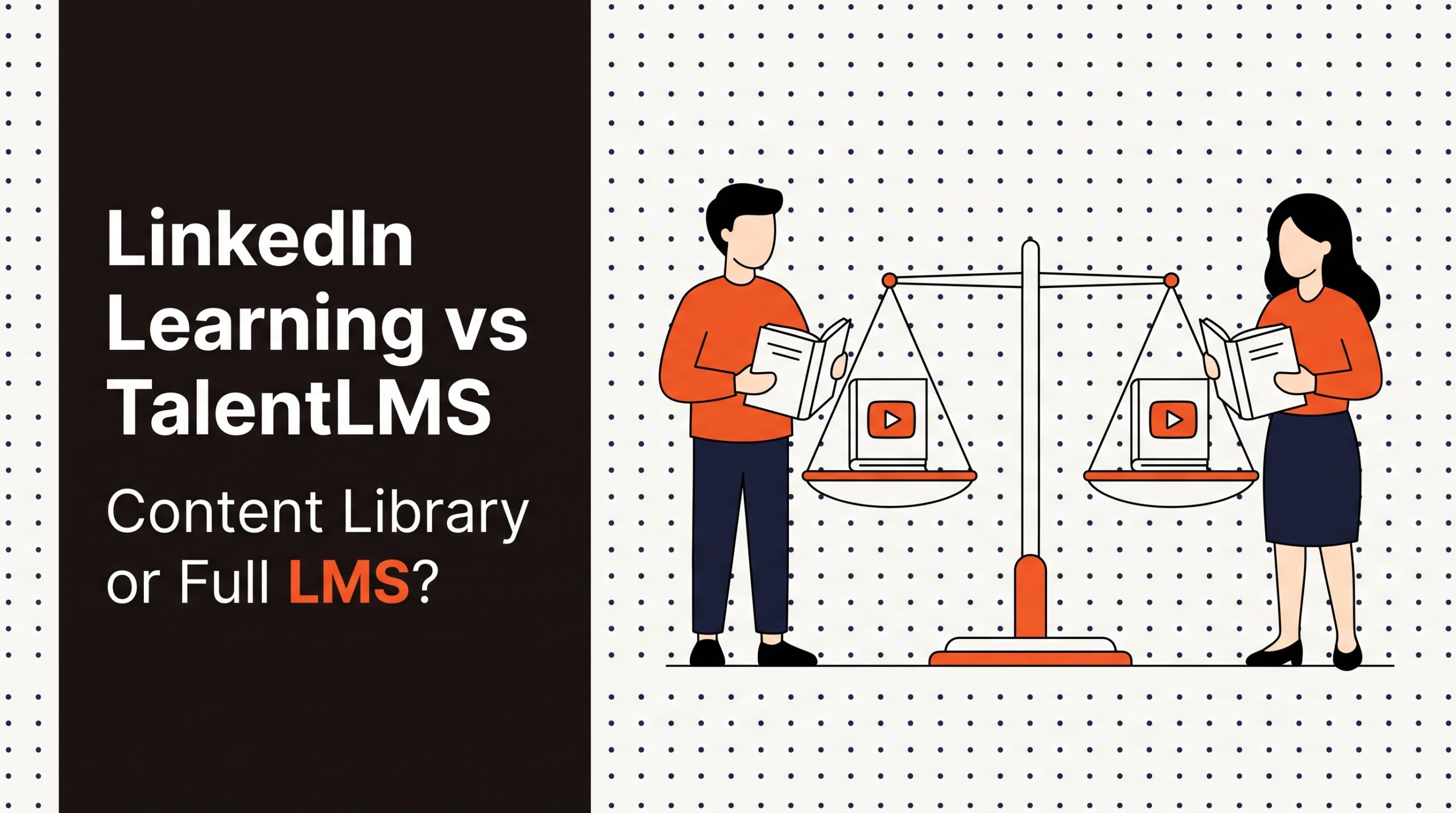
Evaluating linkedin learning vs talentlms requires recognizing that these two systems solve fundamentally different HR challenges. Organizations evaluating learning platforms often mistake LinkedIn Learning for an all-in-one learning management system (LMS) when it is primarily a premium off-the-shelf video content library. TalentLMS, by contrast, is a dedicated LMS engineered to build, host, track, and assign internal operational training, company compliance, and custom onboarding programs.
TL;DR
- Understand the core difference: LinkedIn Learning provides pre-built video content for professional development; TalentLMS provides software infrastructure to create, manage, and track custom training programs.
- Do not buy LinkedIn Learning as a stand-alone compliance engine: It lacks granular assignment rules, mandatory recertification tracking, custom content authoring, and complex policy sign-offs required for regulatory oversight.
- Use TalentLMS if custom operational training is your priority: It allows you to build proprietary courses, host custom videos or SCORM packages, and administer quizzes for your specific business processes.
- Expect dual-stack investments for mature teams: Many 50-500 employee companies pair TalentLMS as their central administrative platform with LinkedIn Learning integrated as an external content library.
- Calculate LinkedIn Learning per-seat annual commitments: LinkedIn Learning charges $379.88 per user per year on its Teams plan (2-20 users) and custom quotes between $350 and $500 per user per year for Enterprise (21+ users).
- Budget TalentLMS based on active user brackets: TalentLMS offers flat base tiers covering user bands (such as Core at 1-40 users and Pro at 1-100 users), with additional active users priced at approximately $6 per user per month.
- Negotiate Enterprise terms early: Organizations licensing 500+ seats on LinkedIn Learning can secure 15 to 25 percent discounts off mid-range quotes, while multi-year agreements on either platform yield an additional 10 to 20 percent savings.
Pricing at a glance
Understanding the price points of LinkedIn Learning and TalentLMS requires comparing seat-based annual commitments against bracketed active-user software subscriptions. The table below outlines published list pricing, alternative reporting source figures, and custom quote benchmarks.
| Pricing Metric / Feature | LinkedIn Learning | TalentLMS |
|---|---|---|
| Primary Pricing Model | Per user, annual contract | Per active user bracket, monthly or annual |
| Entry-Level / Small Team Tier | Teams Plan: $379.88 per user/year (2–20 seats) | Core Tier: $69/mo or $119/mo (covers 1–40 users) |
| Mid-Tier Growth Bracket | Enterprise Plan: $350–$500 per user/year estimate | Grow Tier: $109/mo or $229/mo (covers 1–70 users) |
| Scale / Pro Bracket | Enterprise Plan: Custom quote (seat volume scaled) | Pro Tier: $179/mo or $449/mo (covers 1–100 users) |
| Additional Seat Pricing | Custom tiered quotes based on seat count | ~$6 per additional active user/month above base |
| Free Tier Option | None (trial options only) | Free Forever plan (5 users, 10 courses) |
| Contract Billing Options | Annual upfront payment required | Monthly or Annual (10% discount on annual) |
| Enterprise Volume Discount | 15–25% off mid-range quotes at 500+ seats | Custom enterprise contract terms |
| Multi-Year Discount | 10–20% discount on 3-year contracts | Negotiable on custom Enterprise tiers |
When building an enterprise learning budget, note that market benchmarks across the mid-market show LMS platforms typically cost either a flat monthly rate of $150 to $500 or a per-user rate of $3 to $10 per user per month. In broader enterprise settings, annual software investments range from $0 for open-source frameworks up to $120,000 or more per year for comprehensive talent ecosystems.
Best tools for Onboarding & LMS
What LinkedIn Learning actually is: An off-the-shelf content engine
LinkedIn Learning functions primarily as an external video content engine designed for professional self-development, business skill growth, and technical upskilling. Rather than acting as a platform for hosting proprietary company content, it grants employees access to a vast, pre-built library taught by industry instructors. Organizations purchase licenses to give their workforce access to thousands of courses covering leadership, software engineering, creative design, sales methodologies, and workplace soft skills.
As an educational delivery vehicle, LinkedIn Learning focuses on self-directed learning and skill development. Learners log into the portal, search for topics relevant to their current roles or career goals, and consume video modules at their own pace. The platform provides personal recommendations driven by professional profile data, helping workers identify skills gaps and complete structured learning paths.
However, HR administrators must understand that LinkedIn Learning is not a learning management system. It does not provide built-in authoring tools to build proprietary training modules from internal company documents, standard operating procedures, or product specification manuals. While administrators can assign specific LinkedIn Learning courses to employees and view basic completion metrics, the platform cannot manage custom compliance sign-offs, host external SCORM files, or track non-video assessments.
When companies buy LinkedIn Learning, they buy subject-matter expertise and off-the-shelf content assets. It acts as an online training library that solves the challenge of content creation for general business capabilities. If your organization needs to train staff on Excel, project management frameworks, or foundational leadership skills without spending hundreds of hours building course materials internally, LinkedIn Learning provides an immediate, turn-key solution.
What TalentLMS actually is: A configurable learning management system
TalentLMS is a learning management platform engineered to create, deliver, organize, and monitor custom internal and external training programs. Unlike content-only libraries, TalentLMS acts as the central administrative hub for an organization's entire learning operation. HR managers, instructional designers, and department leaders use TalentLMS to upload custom slide decks, record standard operating procedure videos, convert existing documentation into interactive lessons, and build graded quizzes.
The platform provides a flexible administrative environment where administrators can establish multi-tier organizational hierarchies, group learners by department or location, and automate course assignment workflows. For instance, when a company hires a new operations analyst, TalentLMS can automatically trigger an onboarding track that includes company history, cybersecurity protocols, hardware policies, and role-specific training modules. To explore how platforms manage employee orientation alongside broader training workflows, review our guide to the best onboarding software platforms.
TalentLMS also supports regulatory compliance, safety certifications, and mandatory annual training. HR administrators can construct courses that enforce sequential lesson navigation, require passing scores on formal assessments, and automatically trigger annual recertification reminders. It tracks user progress down to specific test questions, time spent within individual modules, and signed compliance acknowledgments.
Beyond internal workforce training, TalentLMS supports multi-tenant configurations ("branches") that allow organizations to deliver training to external audiences, such as channel partners, franchisees, or customers, under separate branding and administrative permissions. While TalentLMS includes options to purchase or integrate off-the-shelf content libraries, its primary purpose is serving as the administrative software infrastructure that powers an enterprise's proprietary training delivery.
LinkedIn Learning vs TalentLMS: Core architectural differences
The technical and functional distinction between these platforms stems from how their underlying software architectures treat educational content and system administration. A direct comparison of linkedin learning vs talentlms highlights two distinct software models: content-as-a-service versus platform-as-a-service.
+———————————————————————————–+
| LEARNING STACK ARCHITECTURE |
+———————————————————————————–+
| |
| [ Content Layer ] LinkedIn Learning Content Library |
| (Off-the-shelf professional & technical videos) |
| │ |
| ▼ |
| [ Delivery & Admin ] TalentLMS Core Platform |
| (Custom courses, SCORM, quizzes, tracking, branches) |
| │ |
| ▼ |
| [ Identity & Data ] HRIS / Identity Provider / Data Warehouse |
|---|
+———————————————————————————–+
LinkedIn Learning operates on a single-tenant access model to a centralized, vendor-managed media library. The content, video player, user interface, and skill taxonomies are standard across all client accounts. Administrators possess light management controls, such as creating curated learning paths out of existing library videos, highlighting specific content on an organizational dashboard, and assigning courses to individual users or groups. However, the data framework revolves around course consumption metrics: video views, course completions, and hours viewed. You cannot alter the underlying video content, insert custom exam questions into a vendor's lecture, or mandate that a worker sign a custom policy document within the video workflow.
TalentLMS operates as an administrative database and content management portal. It gives administrators full control over content structure, course availability, pass/fail thresholds, user permissions, and reporting parameters. The system ingests content formats including SCORM, xAPI, PDF, MP4, and interactive web elements. Administrators can construct conditional learning paths, where completing "Module A" with an 80 percent grade unlocks "Module B."
Furthermore, TalentLMS separates user activity tracking from content source constraints. System administrators can track whether an employee completed an internally authored safety course, an uploaded vendor video, or an integrated third-party lesson. While LinkedIn Learning is a destination where users go to consume specific external media, TalentLMS is an administrative engine where HR teams build, enforce, and audit learning operations across the company.
How pricing really works: Subscription models and hidden fee structures
Understanding the financial structure of both platforms requires analyzing their seat counting methodologies, tier structures, and recurring billing models. Buyers must evaluate published lists alongside custom quote ranges to prevent unexpected budget overruns.
For LinkedIn Learning, pricing is calculated purely on a per-seat annual commitment model. For small teams requiring 2 to 20 seats, LinkedIn Learning offers a published Teams plan at $379.88 per user per year. For organizations requiring 21 seats or more, the software moves to custom-quoted Enterprise pricing. Mid-market buyer data shows that typical negotiated Enterprise rates range between $350 and $500 per user per year depending on total seat count, contract length, and integration options.
When contracting at scale, organizations purchasing 500 or more seats typically achieve unit costs 15 to 25 percent below mid-range Enterprise quotes. Additionally, committing to a three-year agreement routinely unlocks 10 to 20 percent contract discounts. Buyers operating across international divisions should also account for geographic price variations, as EMEA and APAC pricing models can differ by 5 to 15 percent from US list prices.
+———————————————————————————–+
| PRICING MODEL COMPARISON SUMMARY |
+———————————————————————————–+
| LINKEDIN LEARNING |
| • Model: Per Named User / Annual Seats |
| • Teams Plan (2-20 users): $379.88 per user/year |
| • Enterprise Plan (21+ users): $350-$500 per user/year (Custom quote) |
| • Key Variable: Fixed named seats licensed annually |
|---|
| TALENTLMS |
| • Model: Active User Brackets + Per-User Overage |
| • Core Tier (1-40 users): $69/mo or $119/mo published list |
| • Grow Tier (1-70 users): $109/mo or $229/mo published list |
| • Pro Tier (1-100 users): $179/mo or $449/mo published list |
| • Overage Rate: ~$6 per additional active user/month above base bracket |
| • Discount: 10% discount for upfront annual billing |
+———————————————————————————–+
TalentLMS employs an active-user tier structure, billing based on the number of unique users who log into the platform during a billing cycle rather than total registered user profiles. Published tiers offer entry-level access through Core, Grow, and Pro plans, backed by an upfront 10 percent discount when billed annually. Base plan published brackets operate as follows:
- Core Tier: Base bracket covers 1 to 40 active users. Published list pricing is presented at $69 per month ($828 per year) on standard tiers, while secondary industry reporting sources reference entry rates from $119 per month ($1,428 per year) on specialized annual billing tiers.
- Grow Tier: Base bracket covers 1 to 70 active users. Published list pricing stands at $109 per month ($1,308 per year), with alternative industry reporting citing starting points of $229 per month ($2,748 per year).
- Pro Tier: Base bracket covers 1 to 100 active users. Published list pricing is $179 per month ($2,148 per year), while secondary reporting lists Pro configurations starting at $449 per month ($5,388 per year).
- Additional Active Users: Across primary plans, active usage beyond base tier brackets is billed at approximately $6 per additional active user per month.
- Free Tier: A Free Forever tier covers up to 5 active users and 10 total courses.
Because TalentLMS charges based on active monthly log-ins rather than total stored employee profiles, companies with fluctuating workforce numbers or seasonal training cycles can maintain inactive records without paying full seat rates for inactive employees.
Total cost analysis at 20, 100, and 500 users
To demonstrate real-world financial commitments, let us evaluate total annual costs across three headcount tiers: 20 users, 100 users, and 500 users. Arithmetic calculations are shown explicitly to reflect published pricing, quote averages, and combined stack implementations.
Scenario A: 20-User Organization
At 20 seats, a company can leverage LinkedIn Learning’s published Teams tier and TalentLMS’s base Core bracket.
- LinkedIn Learning Standalone (Teams Plan):
- Formula: 20 users × $379.88 per user per year
- Total Annual Cost: $7,597.60
- TalentLMS Standalone (Core Tier, 1–40 Bracket):
- Option 1 (Published $69/month list): $69 × 12 months = $828.00 per year (Applying the 10% annual discount: $828.00 × 0.90 = $745.20 per year).
- Option 2 (Alternative $119/month list): $119 × 12 months = $1,428.00 per year.
- Total Annual Cost Range: $745.20 to $1,428.00
- Combined Dual Stack (TalentLMS Core + LinkedIn Learning Teams):
- Formula: $745.20 (TalentLMS min) + $7,597.60 (LinkedIn) = $8,342.80 per year.
- Formula: $1,428.00 (TalentLMS max) + $7,597.60 (LinkedIn) = $9,025.60 per year.
- Total Annual Cost Range: $8,342.80 to $9,025.60
Scenario B: 100-User Organization
At 100 users, LinkedIn Learning transitions to Enterprise quoting, while TalentLMS fits into its Pro tier bracket.
- LinkedIn Learning Standalone (Enterprise Quote Range $350–$500/user/year):
- Low Estimate: 100 users × $350 = $35,000.00 per year.
- Mid-Range Estimate: 100 users × $425 = $42,500.00 per year.
- High Estimate: 100 users × $500 = $50,000.00 per year.
- Total Annual Cost Range: $35,000.00 to $50,000.00
- TalentLMS Standalone (Pro Tier, 1–100 Bracket):
- Option 1 (Published $179/month list): $179 × 12 months = $2,148.00 per year (Applying 10% annual discount: $2,148.00 × 0.90 = $1,933.20 per year).
- Option 2 (Alternative $449/month list): $449 × 12 months = $5,388.00 per year.
- Total Annual Cost Range: $1,933.20 to $5,388.00
- Combined Dual Stack (TalentLMS Pro + LinkedIn Learning Enterprise Mid-Range):
- Formula: $1,933.20 (TalentLMS min) + $42,500.00 (LinkedIn Mid) = $44,433.20 per year.
- Formula: $5,388.00 (TalentLMS max) + $42,500.00 (LinkedIn Mid) = $47,888.00 per year.
- Total Annual Cost Range: $44,433.20 to $47,888.00
Scenario C: 500-User Organization
At 500 active users, TalentLMS requires overage calculations above its 100-user Pro base bracket, while LinkedIn Learning qualifies for 500+ seat volume discounts.
- LinkedIn Learning Standalone (500 Seats with Volume Pricing):
- Base Mid-Range Rate: $425.00 per user per year.
- Applying 15% Volume Discount: $425.00 × (1 – 0.15) = $361.25 per user per year.
- Annual Cost (15% discount): 500 × $361.25 = $180,625.00 per year.
- Applying 25% Volume Discount: $425.00 × (1 – 0.25) = $318.75 per user per year.
- Annual Cost (25% discount): 500 × $318.75 = $159,375.00 per year.
- Applying 3-Year Contract Discount (20% off $159,375.00): $159,375.00 × 0.80 = $127,500.00 per year ($255.00 per user per year).
- Total Annual Cost Range: $127,500.00 to $180,625.00
- TalentLMS Standalone (Pro Base + 400 Overage Users):
- Additional Users: 500 total active users – 100 base users = 400 overage active users.
- Overage Cost: 400 users × $6.00 per user per month = $2,400.00 per month ($28,800.00 per year).
- Option 1 ($179/mo base with 10% discount): ($179 × 12 × 0.90) + $28,800.00 = $1,933.20 + $28,800.00 = $30,733.20 per year.
- Option 2 ($449/mo base): ($449 × 12) + $28,800.00 = $5,388.00 + $28,800.00 = $34,188.00 per year.
- Total Annual Cost Range: $30,733.20 to $34,188.00
- Combined Dual Stack (TalentLMS Pro + LinkedIn Learning 500-Seat Mid-Volume):
- Formula: $30,733.20 (TalentLMS min) + $159,375.00 (LinkedIn 25% disc) = $190,108.20 per year.
- Formula: $34,188.00 (TalentLMS max) + $180,625.00 (LinkedIn 15% disc) = $214,813.00 per year.
- Total Annual Cost Range: $190,108.20 to $214,813.00
| Headcount Scenario | LinkedIn Learning Standalone | TalentLMS Standalone | Combined Dual Stack |
|---|---|---|---|
| 20 Users | $7,597.60 / year | $745.20 – $1,428.00 / year | $8,342.80 – $9,025.60 / year |
| 100 Users | $35,000.00 – $50,000.00 / year | $1,933.20 – $5,388.00 / year | $44,433.20 – $47,888.00 / year |
| 500 Users | $127,500.00 – $180,625.00 / year | $30,733.20 – $34,188.00 / year | $190,108.20 – $214,813.00 / year |
Where LinkedIn Learning wins: Strengths in off-the-shelf professional development
LinkedIn Learning excels in organizations that prioritize professional growth, executive coaching, soft-skill enhancement, and technical upskilling without dedicating internal staff to course creation. Producing high-quality video content internally requires substantial instructional design, recording, and editing resources. LinkedIn Learning eliminates this operational burden by delivering thousands of professionally produced, vetted courses instantly.
+———————————————————————————–+
| LINKEDIN LEARNING ADVANTAGES |
+———————————————————————————–+
| |
| [ Ready Content ] ──► Instant access to thousands of professional courses |
| [ Skill Discovery] ──► AI recommendations driven by LinkedIn profile data |
| [ Zero Authoring ] ──► Removes internal instructional design overhead |
| [ Professional Certs]► Directly pushes course completions to LinkedIn Profiles |
|---|
+———————————————————————————–+
A major advantage of LinkedIn Learning is its recommendation engine driven by LinkedIn profile data. Because the system understands an employee’s job title, industry background, career trajectory, and professional network, it automatically highlights relevant training modules. For instance, a junior software developer promoted to team lead will automatically receive recommendations for engineering management, constructive feedback, and project scoping.
The platform also provides strong learner engagement due to user familiarity and career incentives. Employees value completing LinkedIn Learning pathways because badges and certificates integrate with their public LinkedIn profiles. This social proof encourages self-directed learning, driving voluntary course adoption rates that traditional, mandatory corporate LMS platforms often struggle to achieve.
Finally, for technology and professional services organizations that must stay current on rapidly evolving software tools, cloud architectures, and management methodologies, LinkedIn Learning updates its library continuously. Subscribers gain immediate access to fresh course material on new software frameworks, legal updates, and business trends without paying licensing add-ons or waiting for internal HR teams to update legacy materials.
Where TalentLMS wins: Strengths in custom workflows and compliance tracking
TalentLMS excels where business performance depends on training employees, contractors, or external partners on company-specific processes, proprietary operational workflows, and strict regulatory standards. While pre-built content is useful for general career growth, it cannot teach a new employee how your enterprise processes customer orders, configures proprietary hardware, or executes mandatory safety routines.
+———————————————————————————–+
| TALENTLMS ADVANTAGES |
+———————————————————————————–+
| |
| [ Custom Authoring] ──► Upload videos, PDFs, SCORM packages & build quizzes |
| [ Compliance Rules] ──► Mandatory completions, passing scores & recertifications |
| [ Active User Pricing]► Pay only for users who log in during the billing cycle |
| [ Multi-Tenancy ] ──► Create branded sub-branches for partners/departments |
|---|
+———————————————————————————–+
The core administrative power of TalentLMS lies in its course creation, structuring, and assessment engine. HR administrators can drag and drop internal presentation decks, insert MP4 video assets, upload SCORM packages from external instructional tools, and build custom exams. You can configure exact pass/fail scores, enforce sequential lesson progression, limit exam retry attempts, and generate automated completion certificates. HR teams looking to streamline mandatory training workflows alongside structured orientation paths can evaluate dedicated platforms in our analysis of the best employee onboarding software.
Compliance management is another major operational strength. TalentLMS enables administrators to set up recurring training cycles, such as mandatory annual cybersecurity refreshers or quarterly workplace safety protocols. The system automatically handles notification schedules, tracks overdue assignments, flags non-compliant personnel for manager intervention, and exports detailed audit trails for regulatory compliance officers.
Additionally, TalentLMS offers advanced structural flexibility through its multi-tenant "branch" architecture. Mid-market companies can establish separate learning environments for different subsidiaries, regional offices, or external partner networks. Each branch can feature custom branding, unique domain names, localized user roles, and tailored course catalogs, all managed under a single primary administrative subscription.
Where each tool struggles: Critical trade-offs and operational friction
Neither platform provides a complete solution for every learning requirement, and choosing one over the other without understanding their limitations can create operational bottlenecks.
LinkedIn Learning Friction Points
- Zero Custom Content Creation: You cannot upload internal company documents, record proprietary process videos, or host custom policy handbooks within LinkedIn Learning as a stand-alone platform.
- Inflexible Compliance Controls: The system cannot enforce strict exam retake rules, mandate custom pass thresholds on company materials, or manage multi-tier policy acknowledgments.
- High Fixed Cost per Seat: Billing is tied to total assigned licenses rather than active monthly usage. Paying $350 to $500 per seat per year for disengaged employees who do not log in creates significant budget inefficiency.
- Lack of External Audience Management: You cannot easily establish separated, re-branded training portals for external vendors, resellers, or clients.
TalentLMS Friction Points
- Empty Content Environment: Out of the box, TalentLMS contains no pre-built video library. HR teams must author every lesson internally or purchase third-party course packages.
- Authoring Overhead: Creating and maintaining custom training libraries requires internal instructional design resources, video production time, and ongoing content updates.
- Lower Native Self-Direction: Learners rarely log into an internal administrative LMS to browse for general career development during free work hours, leading to lower optional engagement compared to consumer-focused libraries.
- Scale Costs for Large Active Audiences: While active-user billing is efficient for small-to-medium user bases, rapid spikes in active monthly users trigger overage charges of approximately $6 per active user per month above base brackets.
Implementation, integrations, and content migration realities
Deploying either platform requires technical evaluation of identity management, HRIS synchronization, content ingestion standards, and system administration workflows.
+———————————————————————————–+
| TECHNICAL INTEGRATION LANDSCAPE |
+———————————————————————————–+
| |
| [ Identity Layer ] SSO / SAML 2.0 / Okta / Azure AD / Google Workspace |
| │ |
| ▼ |
| [ Data Core ] HRIS Integration (Workday, BambooHR, Rippling, etc.) |
| │ |
| ▼ |
| [ Learning Layer ] TalentLMS (LMS Core) ◄── AICC/CMI5 ── LinkedIn Learning |
| (Content Engine) |
|---|
+———————————————————————————–+
LinkedIn Learning implementation is fast from a technical standpoint because no course authoring is required. Primary administrative setup involves connecting Single Sign-On (SSO) providers via SAML 2.0 or Okta, configuring HRIS data syncs to automate user provisioning, and establishing custom learning paths. If an enterprise uses an external LMS (such as TalentLMS, Docebo, Absorb LMS, 360Learning, Cornerstone OnDemand, or SAP Litmos), LinkedIn Learning can integrate directly using AICC, xAPI, or CMI5 standards. This setup allows employees to launch LinkedIn Learning courses directly inside their primary LMS while automatically syncing course completion data back to central administrative records.
TalentLMS implementation requires broader operational planning focused on content strategy and taxonomy structure. Technical setup includes configuring domain mapping, SSO integration, user role permissions, and branch hierarchies. However, the heaviest operational lift involves content creation and migration. HR teams migrating from legacy platforms or manual file systems must format course packages into supported standards (SCORM 1.2, SCORM 2004, xAPI), build question banks, establish certificate templates, and define automated assignment rules.
When implementing both platforms in a combined stack architecture, TalentLMS serves as the central orchestration system, handling user groups, automated onboarding sequences, and regulatory compliance tracking. LinkedIn Learning acts as an external content provider, streaming its professional video library into the TalentLMS interface via standard LMS integration protocols.
Contract negotiation strategy and vendor management advice
Procuring learning software requires strategic planning to minimize total cost of ownership while securing maximum contract flexibility. HR and procurement leaders should leverage standard industry benchmarks during vendor negotiations.
When negotiating LinkedIn Learning contracts, remember that seat pricing for Enterprise tiers (21+ users) is highly flexible based on volume and contract duration. Buyers should never accept initial list quotes of $500 per user per year without pursuing volume discounts.
+———————————————————————————–+
| CONTRACT NEGOTIATION CHECKLIST |
+———————————————————————————–+
| |
| [ ] Target 15–25% discounts off mid-range quotes for 500+ seat purchases |
| [ ] Secure 10–20% multi-year contract discounts for 3-year term commitments |
| [ ] Model TalentLMS active vs. registered user ratios before choosing base tier |
| [ ] Lock in flat per-user overage caps ($6/mo standard) for unexpected spikes |
| [ ] Request true-up clauses allowing dynamic seat adjustments at annual renewals |
|---|
+———————————————————————————–+
For transactions involving 500 seats or more, demand unit pricing positioned 15 to 25 percent below the standard $425 mid-range benchmark ($318.75 to $361.25 per seat per year). If your organization has stable long-term headcount, committing to a 3-year agreement locks in an additional 10 to 20 percent discount. Always negotiate for true-up provisions that allow your organization to adjust total license counts annually rather than forcing fixed seat commitments during unforeseen company downsizings.
When contracting with TalentLMS, evaluate active user log-in ratios before selecting a base plan bracket. Because TalentLMS charges based on active monthly log-ins, spending time analyzing how many total registered users actively complete courses each month prevents overpaying for unused tier capacity.
For example, a company with 300 registered employees where only 80 log in during a typical month can subscribe to the 100-user Pro tier ($179/month published base or $1,933.20/year annually) rather than purchasing custom enterprise tiers for 300 users. Ensure your agreement locks in standard overage rates (around $6 per additional active user per month) to avoid unpredictable price spikes during high-volume training months, such as annual compliance audit cycles.
Decision framework: Choosing LinkedIn Learning, TalentLMS, or a combined stack
Selecting the right software architecture requires analyzing your primary training requirements, content creation resources, compliance environment, and total available budget.
+———————————————————————————–+
| BUYING DECISION MATRIX |
+———————————————————————————–+
| IF YOUR PRIMARY NEED IS: ──► CHOOSE THIS ARCHITECTURE: |
|---|
| • General skill development & soft skills ──► LinkedIn Learning Standalone |
| • No internal capacity to build courses ──► LinkedIn Learning Standalone |
| • Custom standard operating procedures ──► TalentLMS Standalone |
| • Strict regulatory compliance & auditing ──► TalentLMS Standalone |
| • External partner / client training ──► TalentLMS Standalone |
| • Full operational training + professional ──► Combined Stack |
| career development library (TalentLMS + LinkedIn Learning) |
+———————————————————————————–+
Choose LinkedIn Learning Standalone If:
- Your core objective is offering voluntary professional upskilling, leadership development, software training, and general career growth opportunities to your workforce.
- You have zero internal instructional design resources and no capacity to produce, record, or update custom training modules internally.
- You do not need to track mandatory compliance certifications, record custom policy sign-offs, or enforce passing scores on proprietary company assessments.
Choose TalentLMS Standalone If:
- You must train employees, contractors, or external channel partners on custom company operating procedures, proprietary software workflows, and unique job roles.
- Your organization operates in regulated industries requiring strict tracking of mandatory safety courses, cybersecurity recertifications, and audited completion logs.
- You want a flexible, active-user pricing model that allows you to store large pools of user profiles while paying only for individuals who log in during a given billing cycle.
Choose a Combined Dual Stack If:
- You need a central administrative platform to manage custom onboarding paths, operational procedures, and compliance tracking, but also want to provide employees with premium professional development content.
- Your budget can support both an administrative LMS base cost (such as TalentLMS Pro at $1,933.20 to $5,388 per year) and seat-based video library licensing ($350 to $500 per user per year for LinkedIn Learning Enterprise).
- Your HR team wants to streamline all learning administration under a single portal by integrating LinkedIn Learning directly into TalentLMS using standard CMI5, xAPI, or AICC integration protocols.
| Organizational Requirement | LinkedIn Learning | TalentLMS | Combined Stack |
|---|---|---|---|
| Off-the-shelf business video library | High (Primary core) | Low (Requires add-ons) | High (LinkedIn powered) |
| Custom SOP & policy authoring | None (Not supported) | High (Core feature) | High (TalentLMS powered) |
| Compliance certification tracking | Basic completion logs | Advanced automated rules | Advanced (TalentLMS tracked) |
| Multi-tenant partner sub-branches | Not supported | Supported (Branch feature) | Supported (TalentLMS branches) |
| Pricing basis | Per licensed user seat | Per active monthly user | Active LMS tier + License seats |
| Deployment speed | Instant (Turn-key) | Medium (Requires authoring) | Medium (Integration setup) |
Related reading
Frequently asked questions
Is LinkedIn Learning a full-featured Learning Management System?
No. LinkedIn Learning is an off-the-shelf video content library designed for professional upskilling and career development. It lacks core LMS capabilities such as custom course authoring, proprietary document uploads, advanced pass/fail quiz builders, sequential learning path enforcement, and strict compliance recertification tracking. Organizations requiring operational training governance use an LMS like TalentLMS.
Can I upload custom company onboarding videos into LinkedIn Learning?
No. LinkedIn Learning does not support hosting custom internal company content, uploading proprietary videos, or distributing internal employee handbooks as a stand-alone platform. To host custom company training, build interactive quizzes, or administer internal orientation sequences, you must use a dedicated platform like TalentLMS or integrate both solutions within a combined stack environment.
How does TalentLMS active-user pricing work compared to LinkedIn Learning?
TalentLMS charges based on active user brackets (such as Core covering 1–40 users or Pro covering 1–100 users), counting only unique individuals who log into the system during a billing cycle, with extra active users costing roughly $6 per month. LinkedIn Learning charges a fixed annual license fee per named seat ($379.88/user/year on Teams; $350–$500 estimated on Enterprise) regardless of activity.
Can LinkedIn Learning integrate directly inside TalentLMS?
Yes. LinkedIn Learning supports integration standards including AICC, xAPI, and CMI5, allowing its video course catalog to be embedded directly into TalentLMS. This integration allows employees to launch and complete LinkedIn Learning content within the TalentLMS portal while automatically syncing completion records, user progress metrics, and compliance logs back into central TalentLMS administrative reports.
What are the standard volume discounts for enterprise buyers?
LinkedIn Learning Enterprise quotes for 21+ users typically range between $350 and $500 per user per year. Organizations procuring 500+ seats can routinely negotiate discounts 15 to 25 percent below mid-range quotes, with multi-year contracts delivering an additional 10 to 20 percent savings. TalentLMS offers an upfront 10 percent discount on published monthly plan brackets when billed annually.
Which platform handles mandatory compliance and safety training better?
TalentLMS is far better suited for mandatory compliance and regulatory safety training. It provides advanced exam configuration tools, sequential lesson progression, enforced pass/fail grading, automated annual recertification triggers, policy sign-off tracking, and exportable audit logs. LinkedIn Learning tracks basic course completions but cannot enforce custom regulatory exam rules or host proprietary compliance documents.