TL;DR
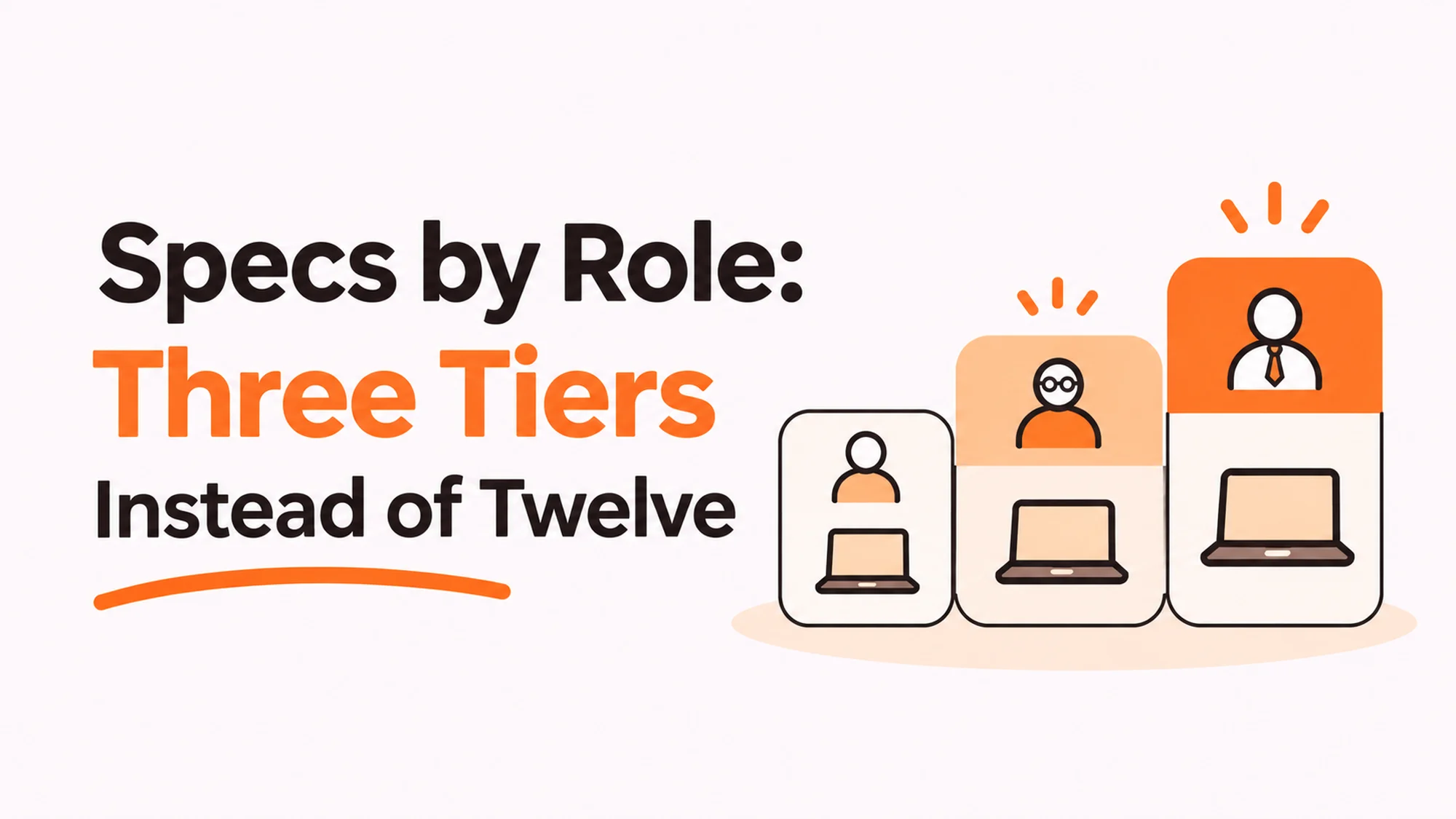
Choosing specs by role turns every laptop request from a negotiation into a lookup. Most teams either have one standard machine that frustrates half the company, or a catalogue so long nobody can support it. Three tiers, drawn on what the work needs rather than on job titles, covers almost everybody and leaves a clean route for the genuine exceptions.
- Draw the tiers on what the work demands, never on seniority.
- Three tiers covers most companies. Twelve is a support problem, not a policy.
- The deciding question is what runs locally, not what the person prefers.
- Keep one exception route that is fast, and log every exception.
- Accessibility requests never go through this process. They get their own route.
- Review the tiers when the toolchain changes, not on a calendar.
Why specs by role beats a single standard
One standard machine is appealing. It is simple to buy, simple to support and simple to explain.
It is also wrong for part of your company in both directions. Too heavy for the people who live in a browser and a document editor, which means you overspent. Too light for the people compiling code or editing video, which means they wait, and waiting is more expensive than the specification difference.
Best tools for Device Management
The opposite failure is a catalogue. Twelve configurations, each justified individually, none of them stocked, every order a bespoke purchase and every support call a different machine.
Three tiers sits between. Enough variation to fit the work, few enough that you can hold stock, write documentation and train whoever answers the tickets.
The line that matters
Draw tiers on workload, not on job title and never on seniority. A director who writes documents needs the standard machine. A junior engineer compiling all day does not.
Specification by seniority is the most common version of this policy and the least defensible, because it prices the machine on status rather than on what it has to do.
What belongs in each tier
| Tier | Fits | Decided by |
|---|---|---|
| Standard | Browser, documents, meetings, light analysis | Nothing heavy runs locally |
| Elevated | Development, large datasets, many applications at once | Compilation or memory pressure |
| Specialist | Video, 3D, simulation, colour-critical work | A named tool with published requirements |
The useful test for each boundary is a question rather than a spec sheet: what does this person run on the machine itself, as opposed to in a browser tab or on a server?
Most modern work answers that with very little, which is why the standard tier covers more people than teams expect. The exceptions are real and they are narrower than the requests suggest.
What to write down per tier
- The workload description, in plain words, so somebody can self-select.
- Memory and storage, because those drive most of the real difference.
- The screen arrangement, since a second monitor often substitutes for a bigger laptop.
- The expected service life, which is usually longer for the heavier tiers.
That last field matters beyond procurement. Where equipment is capitalised, the useful life assumption under IAS 16 on property, plant and equipment should reflect what each tier actually achieves, and a single blended figure across three very different tiers is rarely accurate.
Avoid naming specific models in the policy. Models change every year and a policy citing a discontinued machine is immediately ignored.
Handling the exceptions without reopening everything
Disclosure: RemoAsset, named below, is owned by the same people who publish HROpsLab. It is described with its limitations stated, on the same terms as every other supplier. This site takes no vendor money and sells no placements.
Every tier system generates exception requests. The question is whether yours has a route for them or whether each one becomes a renegotiation of the policy.
Keep one route, make it fast, and log what comes through it. The log is the valuable part: if the same exception appears eight times, it is not an exception, it is a missing tier.
The separation that matters most
Accessibility and health related requests must not travel through this process at all.
Routing somebody who needs specific equipment for a health reason through the same queue as somebody who wants a larger screen is both slower and wrong. It also puts a budget holder in the position of assessing a question they are not qualified to assess.
Give those requests their own path, with a different owner, and say so explicitly in the policy. This is the single most important line in the document and it is frequently missing.
Where a supplier helps and where it does not
Holding three configurations rather than twelve is what makes stock possible, and stock is what turns a two week lead time into a two day one. A supplier buying and warehousing to your tiers can keep machines ready in each market, which is the practical argument for procurement run against a standard specification.
What it does not do is decide your tiers or arbitrate exceptions. Those are your decisions, and a supplier offering to simplify them is usually offering to sell you whatever it already stocks.
The decision table
| Situation | Scale | Setup | Primary pain | Recommended starting point |
|---|---|---|---|---|
| One machine for everyone | Under 50 | Single standard | Wrong at both ends | Add an elevated tier only |
| Catalogue of twelve | 50 to 200 | Bespoke per request | No stock, slow delivery | Collapse into three tiers |
| Constant upgrade requests | Any | Tiers exist | Policy reopened weekly | One logged exception route |
| Specs set by job title | Any | Seniority based | Indefensible and costly | Redraw on workload |
| Engineers waiting on builds | Any | Standard tier only | Time lost to compiling | Measure the wait, then upgrade |
What happens when somebody changes role
Tier systems are written for new joiners and then meet their first internal move, which nobody planned for.
Somebody moves from support into engineering. Their work now needs the elevated tier and they are holding a standard machine that is eighteen months old. Three options exist and teams tend to pick whichever is least visible rather than whichever is right.
Replace immediately. Correct when the new work is genuinely blocked, wasteful when it is not, and it strands a machine with half its life left.
Wait for the refresh. Cheapest, and it means somebody spends a year waiting on builds, which usually costs more than the machine.
Upgrade what is upgradeable. Memory and storage on some machines, a second screen on most. Often enough, and far cheaper than a replacement.
The rule worth writing down
Tier changes follow the work, not the title, and they take effect when the new work starts rather than at the next refresh. Then add one line: the released machine goes back into the pool rather than staying in a drawer.
That second line is the one that pays. An internal move generates a perfectly good spare machine, and without a route back into the pool it becomes a cupboard device that quietly ages out of usefulness.
When to redraw the tiers
Not on a schedule. Redraw when the work changes.
Three triggers matter. A toolchain change, such as a move to containerised development or a new design suite, alters what runs locally. A platform change, such as moving a product to the browser, usually moves people down a tier rather than up. And a hiring shift that adds a function you did not have before brings workloads nobody wrote rules for.
Outside those, leave it alone. Tiers that change frequently cannot be stocked and lose the main benefit of having them.
The measurement that settles arguments
When somebody requests an upgrade, ask what they are waiting for and how long. A developer who can say builds take eleven minutes has made a business case. Somebody who finds the machine slow has made a complaint, and the two need different responses.
Most requests turn out to be the second, and most of those are solved by memory or a second screen rather than a new machine. A smaller number are genuinely the first, and those are worth approving quickly because the waiting is costing more than the hardware.
Where security requirements drive part of the specification, note that standards such as ISO/IEC 27001, the information security management standard speak to controls and management rather than to hardware tiers, so a security requirement rarely dictates a processor. It more often dictates encryption and management agent support, which belong in every tier.
For the accessories question that sits alongside this, see our guide to docks and peripherals.
See how holding three configurations shortens lead times at laptop procurement against a standard spec, or read our guide to docks and peripherals.
Frequently asked questions
How many laptop tiers should we have?
Three for most companies. One standard machine is wrong at both ends: too heavy for people who live in a browser, too light for anybody compiling or editing video, where waiting costs more than the specification difference. A catalogue of twelve cannot be stocked, makes every order bespoke and turns every support call into a different machine. Three fits the work while staying supportable.
Should specs be set by seniority?
No, and it is the most common version of this policy as well as the least defensible. A director who writes documents needs the standard machine. A junior engineer compiling all day does not. Setting specs by seniority prices the hardware on status rather than on what it has to do, which is both expensive and hard to explain to the people it disadvantages.
What decides which tier someone needs?
One question: what runs on the machine itself rather than in a browser tab or on a server. Most modern work answers that with very little, which is why the standard tier covers more people than teams expect. Compilation and memory pressure push somebody to elevated, and a named tool with published hardware requirements pushes them to specialist.
How should we handle exception requests?
Keep one fast route and log everything that goes through it. The log is the valuable part, because if the same exception appears eight times it is not an exception, it is a missing tier. Without a route, each request becomes a renegotiation of the whole policy, which is how teams end up with a catalogue of twelve configurations they never intended.
Where do accessibility requests fit?
Outside this process entirely, with their own owner and their own path, stated explicitly in the policy. Routing somebody who needs particular equipment for a health reason through the same queue as somebody who wants a bigger screen is slower and wrong, and it puts a budget holder in the position of judging something they are not qualified to judge. This line is frequently missing and it matters most.
Should the policy name specific laptop models?
No. Models change every year and a policy citing a discontinued machine is ignored within months. Write the workload description in plain words so people can self select, plus memory and storage because those drive most of the real difference, the screen arrangement since a second monitor often substitutes for a bigger laptop, and the expected service life, which is usually longer for heavier tiers.
When should the tiers be redrawn?
When the work changes, not on a calendar. A toolchain change alters what runs locally, a move to browser based tools usually pushes people down a tier rather than up, and hiring into a function you did not previously have brings workloads nobody wrote rules for. Outside those triggers, leave them alone, because tiers that change often cannot be stocked and lose their main benefit.