TL;DR
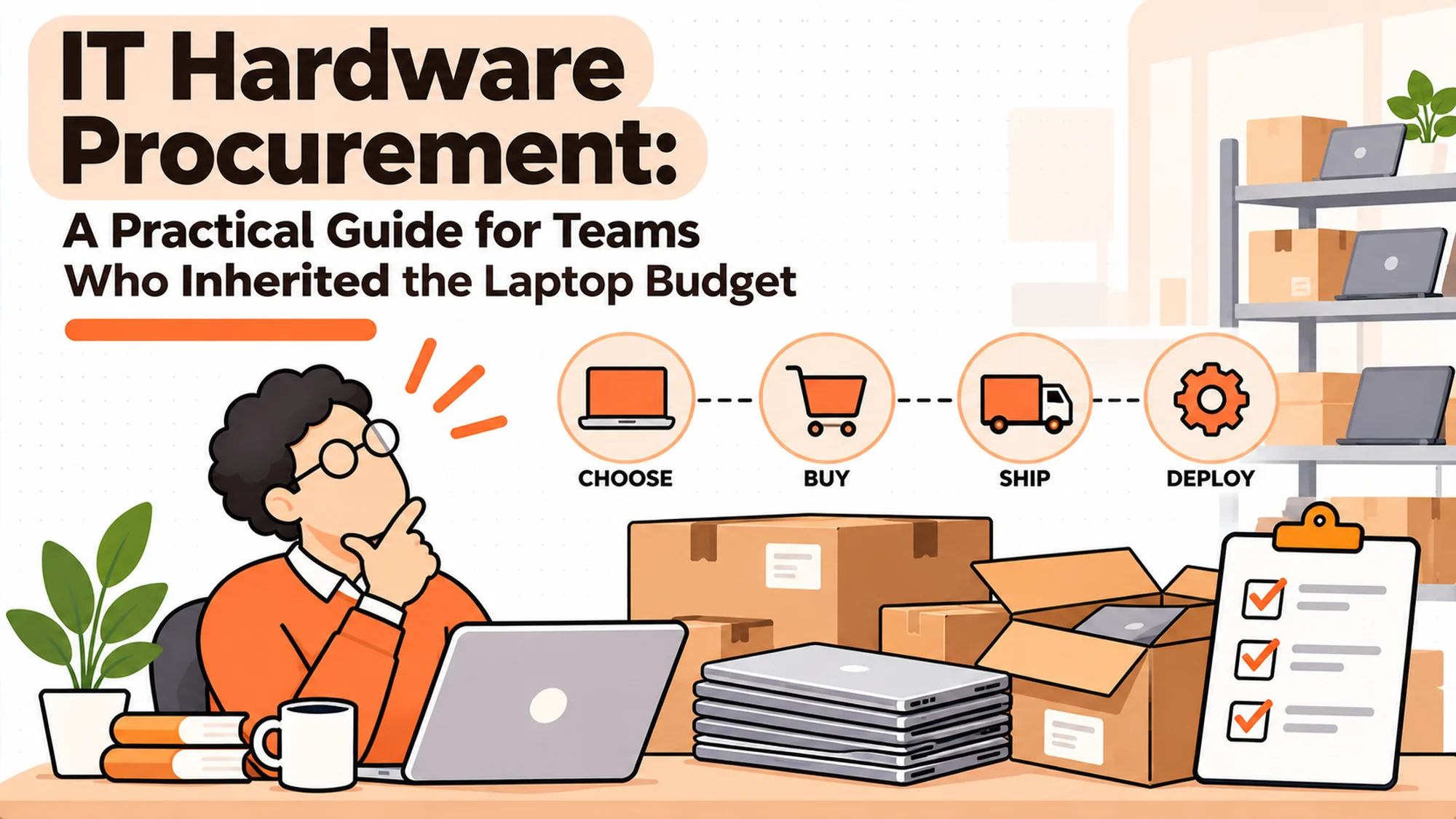
- IT hardware procurement is the work of deciding what machines people get, buying them, getting them to the person, and knowing where they are afterwards. Most companies do the first two well and the last two badly.
- You do not need a procurement function at twelve people. You need one the first time somebody starts on Monday and their laptop lands on Thursday.
- The job splits four ways: specification, purchase, delivery, and the record. A vendor that does three of them is normal. A vendor that claims all four is worth checking.
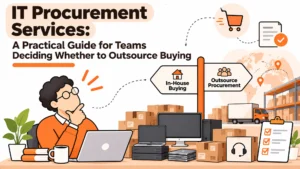
- Four buying models exist: direct from the manufacturer, through a reseller, through a lifecycle platform, and renting. They fail in different places.
- Most of this category has stopped publishing prices. Of eleven vendors checked for this piece, four publish a rate you can read without talking to anybody.
- The thing that goes wrong is not the buying. It is that the register and the reality drift apart, and nobody notices until an audit or a leaver.
The Thursday Problem
A company of about sixty people hires a designer. She accepts on a Tuesday, starts three weeks later on a Monday. Somewhere in those three weeks, somebody is supposed to order her a machine.
Nobody does, exactly. The hiring manager assumes IT picked it up from the offer. IT assumes they get a ticket when it is time. The ticket arrives on the Friday before she starts, because that is when the ops person builds the onboarding checklist. The machine is ordered that afternoon, ships Monday, and arrives Thursday. She spends three days on a borrowed machine with none of her tools on it, and her first week is a write-off.
Nobody did anything wrong. Every person acted reasonably given what they could see. The failure is that the trigger for buying a laptop lives in four people's heads and in none of the systems, and the lead time nobody measured turned out to be nine days.
Best tools for Device Management
The real issue is not that the laptop was late. It is that no single person could have told you, on the Tuesday she accepted, whether a machine was coming.
When You Do Not Need Any of This
Under about fifteen people, buying machines one at a time is fine. Somebody orders a laptop when somebody joins. The record is a spreadsheet or a shared folder of receipts. It works because one person holds the whole picture in their head and that person is in every conversation.
Between fifteen and forty, you feel the friction but it is survivable. Lead times start to bite. Somebody buys the wrong spec. You discover two people have the same machine name. You fix it in an afternoon because the numbers are small.
Past about fifty, it becomes a liability rather than an annoyance. Not because the buying is harder but because the gap between what you think you own and what you own becomes impossible to close by memory. A leaver takes a machine with them and nobody can say for certain whether it was theirs to take.
The edge case that breaks all of the above is geography. Twelve people in one office is simple at any level of process maturity. Twelve people in nine countries is not simple at twelve, let alone sixty. If your team is distributed, the thresholds above drop by roughly half, because the thing that scales badly is not headcount, it is the number of places a machine has to reach.
What Teams Actually Need
These are the five questions people ask at eleven at night, phrased the way they actually phrase them.
"How long does it actually take to get somebody a laptop?"
Measure it. Not the vendor's quoted shipping time, the real interval from the moment a start date is confirmed to the moment a working machine is in the person's hands. Most teams who measure this for the first time find it is between seven and fourteen days domestically and considerably longer across a border. That number is what your onboarding has to be built around, and until you have it you are guessing.
It matters because every other decision follows from it. If your real lead time is eleven days, a two-week notice period means you are always late, and the fix is a spare pool rather than a faster vendor.
"What do I buy for this role?"
Standardise on two or three configurations rather than letting every hire specify a machine. A standard developer machine, a standard everything-else machine, and an exception path. The exception path is the important part: it is what stops standardisation becoming a fight.
It matters because non-standard machines are where the cost and the support burden both hide. Twelve different models across sixty people means twelve sets of drivers, twelve warranty terms and twelve resale values.
"Who is allowed to spend this money?"
Write down the number below which a manager can approve, the number above which Finance has to, and who signs when the two disagree. One line each.
It matters because an undefined approval threshold does not mean no approvals. It means every purchase gets escalated to whoever is most risk-averse, which is slower than any policy would have been.
"What happens when somebody leaves?"
The honest answer in most companies is nothing, for a while, and then an awkward email. Decide in advance who triggers the return, how the machine gets back, and what happens if it does not.
It matters because this is the single largest source of silent loss. A machine that never comes back is a full replacement cost plus whatever is still on the disk.
"Where is the list?"
Not where is the spreadsheet. Where is the list that you would be willing to hand an auditor, and when was it last checked against reality.
It matters because the list is the only artefact here that compounds. Everything else is a transaction. The record is the asset.
How to Actually Measure Your Lead Time
Everything above tells you to measure the lead time and then does not say how. Here is how, and it takes about a week of calendar time and perhaps two hours of work.
Take your last twenty hires. Twenty is enough to see a pattern and small enough that you can do it by hand. For each one, find four dates: the day the offer was accepted, the day somebody placed the order, the day the machine shipped, and the day the person actually had it working. The first and last are usually easy. The middle two are where the data is thin, which is itself the finding.
You are looking for four intervals rather than one total.
| Interval | What it measures | Typical finding |
|---|---|---|
| Accept to order placed | Whether the trigger works | The largest and most variable gap, often 3 to 10 days |
| Order placed to shipped | Vendor and stock | Short and stable if the machine is in stock, long if not |
| Shipped to delivered | Logistics and geography | 1 to 3 days domestic, 4 to 20 cross-border |
| Delivered to working | Setup and enrolment | Invisible in most records and frequently 1 to 3 days |
Almost every team that does this finds the same thing: the vendor is not the problem. The gap between somebody accepting an offer and somebody placing an order is bigger than all three of the other intervals combined, and it is entirely internal. That is good news, because it is the interval you can fix without changing vendors or spending anything.
The second finding is usually that the last interval exists at all. A machine that arrived on Friday and was usable on Tuesday is a machine that was late, but no system records it that way, because the delivery tracking says Friday and everybody stops counting there.
Write the four numbers down. The median matters less than the worst case, because the worst case is what your onboarding promise has to survive.
The Spare Pool, and the Arithmetic Nobody Does
Once you know your real lead time, the spare pool stops being a vague good idea and becomes a calculation.
A spare pool is a small number of standard machines sitting ready, so that a person starting sooner than your lead time allows still gets a working laptop on day one. The question is how many, and the answer is not a percentage of headcount, which is how it is usually guessed.
It is a function of three things: your hiring rate, your lead time, and how much variance you are willing to absorb. If you hire roughly four people a month and your worst-case internal lead time is three weeks, then at any moment you have about three people in flight who could be caught short. A pool of three to four standard machines covers almost all of it. If you hire twelve a month on the same lead time, you need closer to nine.
Two things make the pool cheaper than it looks. The machines are not idle, they are pre-staged, and a machine pulled from the pool is immediately replaced by the order that would have been placed anyway, so the pool is a timing device rather than extra inventory. And a standardised pool only works if you standardised the configurations first, which is the real reason to standardise.
Two things make it more expensive than it looks. Machines sitting in a cupboard still age, and a laptop held for eight months has lost both warranty months and resale value. And somebody has to own the pool, physically, which is a real job in a distributed company where there is no cupboard.
The honest version of this is that a spare pool solves a lead-time problem by spending money, and fixing the accept-to-order gap solves the same problem by spending attention. Do the second one first.
What a Standard Configuration Actually Contains
Standardising on two or three machines sounds obvious and then falls apart in practice, because people standardise the model and nothing else. A configuration is more than a laptop.
It is the machine, the memory and storage, the operating system version, the peripherals that come with it, the warranty term, and the enrolment path. Two companies can both say they standardise on one laptop model and have wildly different support burdens because one of them pinned the rest and the other did not.
The exception path is the part that decides whether any of this survives contact with real people. A standard that admits no exceptions is a standard people route around, and the routing-around is invisible until an audit. A standard with a documented exception path, where somebody can ask for a different machine, give a reason, and get an answer within a few days, is a standard that holds.
Exceptions split into four kinds and they deserve different treatment. Accessibility or health needs, which should never queue behind anything. Genuine role requirements, where the work does not fit the standard machine. Location constraints, where what you buy centrally is not supported or not available locally. And preference, which is legitimate to decline. The most damaging design error in this whole area is routing the first category through the same queue as the fourth.
The Four Ways to Buy
Direct from the manufacturer
You buy from Apple, Dell or Lenovo through a business account. Volume discounts, direct warranty, and for Apple fleets, enrolment into automated device management if you buy through them or an enrolled reseller.
When it is right: one country, one or two manufacturers, somebody internally who likes doing this. The margin is best here and the warranty path is shortest.
When it fails: the moment you need a machine in a country the manufacturer's business arm does not serve well, or when you need somebody to hold stock. Manufacturers sell you machines. They do not hold a spare pool for you, and they do not get a laptop back from a leaver in another country.
Through a reseller
A reseller sits between you and the manufacturers, consolidates the buying, and usually adds imaging, asset tagging and some warranty handling.
When it is right: mixed-manufacturer fleets, or a company that wants one invoice and one account manager rather than four.
When it fails: resellers are built around offices. Their model assumes a loading bay and a person to receive a pallet. Ask one to ship eleven individual machines to eleven home addresses in seven countries and the model strains, or the price does.
Through a lifecycle platform
A newer category that buys, stores, ships, retrieves and wipes, with a web console on top. The pitch is that one vendor covers the whole life of the machine rather than just the purchase.
When it is right: distributed teams, and specifically teams where a meaningful share of hires are somewhere the company has no office.
When it fails: two ways. First, coverage is uneven, and a vendor strong in Western Europe and North America may be quoting a partner rather than an operation in the markets you actually need. Second, these platforms are logistics businesses. They are not asset discovery tools and they are not software licence managers, which matters if what you actually needed was an inventory system.
Renting
Monthly per-device fees, machine returns at the end, replacement on a cycle.
When it is right: genuinely short horizons. A six-month project team. A seasonal intake. A company that cannot or does not want to put hardware on its balance sheet.
When it fails: anything past about thirty months. The arithmetic stops working and you have paid more than the machine cost while owning nothing. Rental is a cash flow instrument, not a cost saving, and vendors who present it as a saving are describing the first year and not the fourth.
What Changes When You Cross a Border
The decision table above says "coverage gaps and customs" and then moves on. Customs is where most distributed IT hardware procurement actually goes wrong, so it is worth being specific about what the obstacles are.
A laptop crossing a border is a commercial import, not a parcel. It has a commodity code, a declared value and a duty treatment, and somebody is the importer of record. If you ship a machine to an employee's home address and nominate them as the recipient, you may have made a private individual the importer of a company asset, which is a problem for them and sometimes for you.
Duty and import tax are charged on the declared value. Understating the value to reduce the charge is fraud. Declaring it accurately means the landed cost of a machine can run meaningfully above its purchase price in some markets, and that difference belongs in your budget rather than arriving as a surprise invoice.
Some things cannot be shipped the way you expect. Lithium batteries carry handling restrictions, which is why a laptop sometimes cannot travel by the fastest route. This is not a vendor being slow.
Automated enrolment usually depends on where you bought the machine. For Apple fleets the device has to be purchased through Apple or an enrolled reseller to appear automatically in device management. Buying a machine locally in-market because it is faster can therefore cost you the zero-touch setup, and the person spends an hour on a setup assistant instead of ten minutes.
In-region stock is the only real fix for the slow markets. A vendor holding machines in the region ships domestically, which removes the customs step entirely. This is the single largest practical difference between lifecycle platforms, and it is also the thing most worth verifying claim by claim. Ask which specific markets the vendor holds stock in, rather than which markets it covers, because covering a market can mean partnering with a courier.
The practical consequence for a buyer is that a country list is close to meaningless on its own. Two vendors can both list forty countries and mean entirely different things by it. The question that separates them is what happens in your three hardest markets, named specifically, with a lead time attached to each.
Who Owns IT Hardware Procurement
In most companies under two hundred people the honest answer is that three functions each own part of it and none owns the outcome.
IT owns the specification and usually the support burden afterwards. HR or Ops owns the trigger, because the thing that starts the process is somebody accepting a job. Finance owns the money and increasingly the contract, especially once leasing enters the conversation. That split is reasonable. The failure is not the split, it is that the handoffs between the three are rarely written down, so each one assumes another has acted.
The fix is smaller than a reorganisation. Name one person accountable for the outcome, which is a working machine on day one, and give them visibility of the trigger. Accountability without visibility is just blame, so if the accountable person cannot see accepted offers, that is the first thing to fix.
Then write three sentences. Who places the order and against what signal. Who approves spend above the threshold and how long they have. Who triggers the return when somebody resigns. Three sentences will not cover every case, and they do not need to, because the exceptions were never the problem. The problem is the ordinary case falling between two people who both thought it was handled.
One warning about putting IT hardware procurement entirely inside IT. It makes sense on paper, because IT knows the machines. In practice IT is usually the function furthest from the hiring signal, and a team that learns about a new starter from the onboarding ticket is structurally unable to beat its own lead time. If procurement sits in IT, the trigger has to be piped to them automatically rather than arriving as a request.
How to Choose: Five Questions
How many countries do you actually ship to, this year?
Not the list of countries you have employees in. The list you will ship a machine to in the next twelve months. These are different numbers and the second one is usually smaller, which makes the problem more tractable than it looks.
What is your real lead time, measured?
If you cannot answer in days, that is the first project, and it is a week of work rather than a vendor selection. Everything downstream depends on it.
Who owns the register today, by name?
If the answer is a team rather than a person, nobody owns it. If the answer is a person who left, you have a bigger problem than procurement.
What happens to a machine when it comes back?
Most companies have no answer, which means returned machines accumulate in a cupboard or somebody's spare room until they are too old to reissue. A returned machine that sits for eleven months has lost most of what it was worth.
Would you sign a thirty-six month commitment to this vendor today?
If not, do not sign a thirty-six month commitment. The single most common regret in this category is a long contract signed on a good demo, with an exit clause nobody read.
The Options
Eleven vendors were checked on 29 October 2026, each read from its own pricing page. What follows is what they publish, not what they are reported to charge.
RemoAsset. Buy, rent or lease, with shipping, retrieval, storage and wiping across a wide country list, and a console tracking the machine through all of it. Disclosure: RemoAsset is our own product. We build it, which is why it appears here and why its limits are stated as plainly as everything else on this page.
Best for distributed teams where the hard part is getting a machine to a person and getting it back. Its Subscription tier publishes a figure, from $1,499 per year, and it is the only tier that does; everything else is quoted. Where it struggles: it does no network discovery, so it will not find machines nobody told it about, and it does no software licence management, so it will not tell you what is installed or what you are paying for. If the problem you are solving is "what is on our network", this is the wrong category of tool entirely.
Scalefusion. Device management rather than procurement, included here because teams routinely conflate the two. It publishes an unusually transparent ladder across three separate product lines, which is also its trap. Scalefusion UEM Essential is $2 per device per month and Growth is $3.50, both billed annually only with a minimum of ten devices. The identity product, OneIdP, is $4 for Access Core and $5 for Access Pro. The security product, Veltar, is $3 for Security Core and $4 for Security Pro.
Note that $4 appears twice for two different products, OneIdP Access Core and Veltar Security Pro, so the figure is meaningless without the product name attached. Note also that the Scalefusion 360 Enterprise Suite at $12.42 per device per month is a bundle of three products, not a UEM rate. Best for teams who need enrolment and policy. It does not buy or ship anything.
Miradore. Device management with a genuinely free tier for up to fifty devices after a fourteen-day trial, then Premium at $3.30 per device per month paying monthly or $2.75 paying annually, and Premium+ at $4.75 monthly or $3.95 annually. Best for small fleets that need management without a procurement relationship. Its pricing page is at the plans-pricing path; the obvious pricing URL returns a 404, which has caused at least one person to record it as a dead vendor.
Setyl. IT asset and spend management, starting from $300 per month on the entry tier with Advanced and Advanced Managed quoted. Best for teams whose actual problem is knowing what software and hardware they pay for. Where it struggles: it is a record and spend tool, not a logistics one.
Workwize. A lifecycle platform with strong warehousing. Best for teams who need stock held in region. It publishes no price of its own; the figures on its pricing page are savings claims rather than rates.
Firstbase. Equipment provisioning and retrieval for distributed teams. Publishes nothing, demo only. Note the live page is at firstbase.com; the older hq domain returns a 200 and then redirects to a homepage, which a status check alone would ship as a working link.
GroWrk. A lifecycle platform across a wide country list. Publishes no price of its own. Its pricing page carries estimated annual costs for its competitors, which is worth knowing before you quote anything from it as fact.
allwhere, Torii, Oomnitza, Lansweeper. All quote or demo only as of 29 October 2026. Torii and Oomnitza are asset and spend platforms rather than procurement; Lansweeper is discovery. None of them buys a laptop for you.
What Belongs in the Contract
The question above asks whether you would sign a thirty-six month commitment today, and then leaves you with no guidance about what to sign. Five clauses carry most of the risk in an IT hardware procurement agreement, and all five are negotiable at the start and almost impossible to change later.
What happens to your data and your records if you leave. You will accumulate a serial-level history inside the vendor's system: who held what, when it shipped, what was wiped and when. Establish now that you can export it, in a usable format, without a fee and without a notice period. A register you cannot take with you is a register you are renting.
What happens to machines in their warehouse if you leave. If the vendor holds your spare pool and your returns, those are your assets sitting in somebody else's building. The contract should say how they come back, who pays, and how long it takes. The unpleasant version of this conversation happens when you are already leaving and have nothing left to bargain with.
What the service level actually promises, and what happens when it is missed. Most equipment service levels in this market describe a target rather than a commitment, and the remedy for a miss is frequently nothing. That may be acceptable. It is only acceptable if you knew.
Which markets are operated and which are partnered. Put the list in the agreement rather than taking it from the website, because the website changes and because partnered markets behave differently. A clause naming your three critical markets with a lead time attached is worth more than a forty-country appendix.
What a price increase looks like. Annual uplift capped at something, or notice periods before a change, or nothing at all. Multi-year agreements without an uplift clause are a bet on the vendor's restraint.
None of these is exotic and none requires a lawyer to raise. They are worth asking in the first commercial conversation rather than the last, partly because the answers tell you a lot about the vendor, and partly because a vendor who will not commit to an export path in writing has told you something useful for free.
The broader point is that this category is young enough that terms vary wildly between vendors, far more than the headline rates do. Two providers can be within a few per cent on price and completely different on what happens when you want to leave, and the second difference will cost you more than the first ever did.
The Decision Table
| Situation | Scale | Setup | Primary Pain | Recommended Starting Point |
|---|---|---|---|---|
| One office, one country | Under 40 | Manager buys, spreadsheet record | Nothing yet | Direct from the manufacturer, and write down the lead time |
| One office, growing fast | 40 to 150 | IT owns the budget | Spec sprawl and approvals | Reseller, plus two standard configurations |
| Distributed, few countries | 30 to 100 | Ops owns it, no IT function | Delivery dates and returns | Lifecycle platform, RemoAsset or Workwize |
| Distributed, many countries | 100+ | IT and Ops split it | Coverage gaps and customs | Lifecycle platform, verify each market individually |
| Short-horizon team | Any | Project-based | Capital commitment | Rent, and set a calendar reminder at month 24 |
| Fleet exists, record does not | 50+ | Anybody | Nobody knows what is owned | Not procurement. Start with discovery, Lansweeper or Setyl |
The Reconciliation Nobody Schedules
The TL;DR says the register and reality drift apart. Here is the work that stops it, and almost nobody does it on a schedule.
A reconciliation is a check of the list against the world. Not a check of the list against itself, which is what most inventory reports are. You take the register and you confirm, for some sample of rows, that the machine exists, that the person named still has it, and that the person named still works here.
Run it quarterly. Sample rather than audit everything, unless the fleet is small enough to do completely. A sample of thirty rows takes a couple of hours and tells you the error rate, and the error rate is the number you actually need, because it tells you whether the register is a document or a decoration.
| What you check | How | What a bad result looks like |
|---|---|---|
| The machine exists | Ask the named holder to confirm the serial | More than one in twenty cannot find it |
| The holder is current | Match the register against the payroll list | Any leaver still holding an asset |
| The status is true | Compare "in storage" rows against the actual store | Phantom spares that were reissued |
| The value is current | Check age against your depreciation schedule | Machines fully depreciated but still listed at cost |
The second row is the one that finds real money. Matching the asset register against the current employee list is a five-minute operation in most companies and it reliably surfaces machines assigned to people who left months ago. Those are either lost, or sitting in a drawer somewhere, and the difference matters because one is a write-off and the other is a machine you can reissue.
What makes this work is that it is scheduled and small. An annual full audit is a project, gets deferred, and is eventually done badly under time pressure. A quarterly sample of thirty is a Tuesday afternoon, and it catches drift while the drift is still correctable.
The failure mode to watch for is reconciling the register against a system that derives from the same source. If your inventory tool and your register both pull from the same purchase records, checking one against the other proves nothing at all. The check has to touch the physical world or a genuinely independent list.
The Cost of Getting This Wrong
There are three layers to this, and companies almost always see only the first one. It is also the cheapest of the three, which is why the budget conversation and the actual problem rarely meet.
The visible cost is the machines you buy twice. A laptop that never came back from a leaver, a spare that sat so long it aged out, a rush order at retail because the planned one was late. Those are real and they are also the smallest number on this page.
The larger cost is the time of the people around it. Every late machine generates a chain of messages, a borrowed laptop, a manager apologising, and a new joiner forming a view of how organised the company is during the one week they are paying closest attention. None of that appears in a budget line.
The cost nobody counts is the compounding error in the record. Each small drift between the register and reality is harmless. A machine reassigned without updating the row. A return logged against the wrong person. A device bought outside the process. After two years of this the register is not slightly wrong, it is unusable, and the work to rebuild it is an audit of every employee rather than a correction.
So the question worth asking is not what your machines cost. It is this: if somebody asked you today to produce a list of every machine your company owns, who has it, and what it is worth, how long would it take and how much of the answer would be a guess?
When You Are Ready to Move Beyond the Spreadsheet
The spreadsheet is not the problem, and replacing it with software does not fix anything on its own. Plenty of companies run two hundred machines on a well-maintained sheet because one person takes it seriously and reconciles it quarterly. Plenty of others have a platform and an inventory that is forty per cent fiction.
What changes the answer is when the work stops fitting in one person's head. Specifically: when machines move between countries, when the people joining and leaving outnumber what one person can track alongside their actual job, and when somebody outside the team starts asking for evidence rather than an estimate.
At that point the thing to buy is not a tool but a defined handoff. Something has to own the moment a start date is confirmed, the moment a machine ships, the moment it arrives, and the moment a leaver is triggered. Whether that is a platform or a person with a calendar matters much less than whether it exists at all.
If you take one thing from this page, make it the measurement. Nearly every team that runs the twenty-hire exercise finds the same result: the slow part of IT hardware procurement is internal, it costs nothing to fix, and it was invisible because no system was recording it. Vendors are the expensive answer to a question most companies have not yet asked properly. Measure first, then buy, and the buying decision gets easier because you will know what you are actually buying your way out of.
Frequently Asked Questions
What is IT hardware procurement?
It is the end-to-end work of getting computing equipment to the people who need it: deciding the specification, buying the machines, delivering them, and maintaining a record of what you own and who has it. The term is often used to mean only the buying, which is why the delivery and record parts are so frequently nobody's job.
How much does IT hardware procurement software cost?
Most of this category no longer publishes a price. Of the vendors checked on 29 October 2026, Scalefusion, Miradore, Setyl and RemoAsset publish a figure you can read without a sales conversation; allwhere, Firstbase, GroWrk, Workwize, Torii, Oomnitza and Lansweeper do not. Treat any published comparison of per-device costs with care, because most of the numbers in circulation are third-party estimates rather than vendor rates.
Should we buy, lease or rent laptops?
Buy if you keep machines three years or more and have the cash, because it is cheapest over the life of the machine. Rent if the horizon is genuinely short, under about two years, or if keeping hardware off the balance sheet matters more than total cost. Lease sits between the two and is mostly a financing decision rather than an operational one, so it is worth involving whoever owns the cash flow forecast before the vendor conversation rather than after.
Do we need a procurement platform if we only hire in one country?
Probably not. The value of these platforms is concentrated in cross-border shipping, in-region stock and retrieval, and if none of those is your problem then a good reseller relationship plus a maintained record will do the same job for less. Revisit it when you hire your first person somewhere you have no office.
What is the difference between procurement and asset management?
Procurement is the act of acquiring machines. Asset management is knowing what you have afterwards, where it is and what it costs you. They are frequently sold together and they are genuinely different jobs, which is why a logistics platform will not discover devices on your network and a discovery tool will not ship anything to anybody.
How long should it take to get a new hire a laptop?
Measure yours rather than adopting a benchmark, because the honest answer depends on your buying model and your geography. What matters is that the number is known and that your onboarding is designed around it, so that a person with a two-week notice period is not routinely starting without a machine.
Who should own hardware procurement, IT or HR?
Whoever owns the trigger. The decision that starts the process is a hiring decision, which usually sits with HR or Ops, and the decision about what to buy is technical, which usually sits with IT. The common failure is splitting them without naming the handoff, so the two sides each assume the other has started.