When evaluating gusto vs quickbooks payroll, operations leaders are deciding whether to consolidate payroll within their existing QuickBooks accounting environment or transition to a dedicated HR platform. The head-to-head decision between gusto vs quickbooks payroll comes down to whether your operational priority is eliminating financial reconciliation friction or providing a comprehensive employee benefit and human resource infrastructure.
TL;DR
- Choose QuickBooks Payroll if you already manage accounting inside QuickBooks and want to completely eliminate manual journal exports, bank reconciliation steps, and multi-vendor ledger alignment.
- Choose QuickBooks Payroll if your operations require native tax penalty protection, 24/7 technical support, or same-day direct deposit capabilities found in higher tiers.
- Choose Gusto if you require a full employee benefits marketplace with dedicated coverage, health insurance management, and performance management tools in a unified HR portal.
- Choose Gusto if you operate across multiple states or run complex contractor operations using specialized employee time-tracking and compensation structures.
- Choose Gusto if you need access to dedicated HR advisors, certified HR experts, and priority support to manage compliance risks without expanding internal headcount.
Pricing at a glance
| Platform | Entry Base Price | Entry Per-Person Price | Core Tier Breakdown | Transparency & Inclusions |
|---|---|---|---|---|
| Gusto | $49.00 / month | $6.00 / employee | Simple: $49/mo + $6/person (single-state payroll). Plus: $80/mo + $12/person (multi-state, time tracking, next-day pay). Premium: $180/mo + $22/person (HR experts, custom reporting). | Fully transparent pricing posted online. Base tier restricted to single-state operations. Benefits marketplace included across all tiers. |
| QuickBooks Payroll | $42.50 / month | $6.00 / employee | Core: $42.50/mo + $6/employee. Premium & Elite: Pricing is custom/quote-only in our data sheet (adds same-day deposit, 24/7 support, and tax penalty protection). | Entry price is clearly defined. Deepest value realized when paired with existing QuickBooks accounting subscription to remove ledger export steps. |
Evaluating entry-level software subscription costs alone rarely reveals the true operational cost of running employee operations. While QuickBooks Payroll enters the market at $42.50 per month plus $6.00 per employee for its Core tier, Gusto starts at $49.00 per month plus $6.00 per person for its Simple tier. On paper, QuickBooks Payroll presents a lower initial barrier to entry, but platform costs shift as operations expand across state lines, require integrated time tracking, or demand dedicated support resources.
For instance, Gusto’s entry-level Simple tier explicitly limits processing to single-state operations. Once an organization hires an employee in a second state or requires integrated time tracking and next-day direct deposit, it must escalate to Gusto’s Plus tier at $80.00 per month plus $12.00 per person. Conversely, QuickBooks Payroll organizes its feature upgrades into Premium and Elite tiers (pricing available upon inquiry/quote), which introduce operational fail-safes such as same-day direct deposit, round-the-clock support, and tax penalty protection guarantees.
Best tools for Payroll Software
When selecting between these platforms, finance and operations managers must evaluate the core feature set against long-term organizational goals. If you want to review how these choices stack up across the broader market landscape, consult our benchmark guide to the best payroll software for growing teams.
Understanding gusto vs quickbooks payroll for small business operations
The operational debate around gusto vs quickbooks payroll centers on organizational architecture: is payroll fundamentally an extension of general ledger accounting, or is it the foundation of human resource management? For small business owners, this distinction determines daily administrative workflows, system adoption rates, and administrative overhead.
QuickBooks Payroll approaches human capital from an accounting-first perspective. Because payroll represents the largest single expense on most general ledgers, keeping payroll processing inside the QuickBooks ecosystem ensures that every salary dollar, tax withholding, and benefit deduction automatically updates financial statements without requiring manual data transfers. This structure eliminates export steps, standardizes chart-of-accounts mapping, and ensures real-time cash flow visibility for financial controllers.
Gusto approaches payroll from an employee-centric and HR-first perspective. Recognizing that payroll is the primary interface between management and staff, Gusto builds its workflow around onboarding, benefits administration, performance management, and compliance support. While it offers seamless general ledger integrations with platforms like QuickBooks Online and Xero, its core value proposition is freeing operational leaders from HR administration rather than strictly simplifying double-entry bookkeeping.
Understanding this core distinction prevents businesses from selecting a platform based solely on list price. A company with straightforward employee structures, zero multi-state compliance needs, and a heavy operational reliance on QuickBooks accounting will naturally lean toward QuickBooks Payroll. Conversely, an organization focused on talent retention, competitive health insurance benefits, and cross-border or multi-state hiring will find Gusto’s modern HR ecosystem far better suited to its operational footprint.
What is Gusto? Platform overview and HR capabilities
Gusto is a cloud-based payroll, benefits, and human resources platform engineered specifically for growing operations. Built to simplify complex administrative burdens, Gusto combines automated tax filing, worker compensation management, and flexible pay structures into an accessible user interface. Over the past decade, Gusto has expanded from a simple direct-deposit service into a full-featured HR ecosystem, earning a Trustpilot rating of 3.5 while serving hundreds of thousands of small and mid-sized entities.
The platform operates across three structured employee payroll tiers and a dedicated contractor management framework:
- Gusto Simple: Priced at $49 per month plus $6 per person, this entry tier handles full-service automated payroll, employee self-service portals, basic reporting, and direct health insurance administration. It is strictly limited to single-state payroll processing, making it ideal for localized teams with straightforward pay structures.
- Gusto Plus: Positioned at $80 per month plus $12 per person, the Plus tier adds multi-state payroll capabilities, native time tracking, project tracking, next-day direct deposit, and team management tools. This tier serves expanding businesses that hire remote personnel or require operational labor reporting.
- Gusto Premium: Built for mature small businesses at $180 per month plus $22 per person, Premium includes dedicated account advisors, actionable performance and compensation management tools, custom reporting engines, and direct access to certified HR experts for regulatory compliance guidance.
- Contractor-Only: At $35 per month plus $6 per contractor, this specialized plan provides 1099 payment processing, direct deposit, self-service contractor onboarding, and automated year-end Form 1099-NEC creation.
Beyond payroll execution, Gusto functions as a dedicated benefits broker and HR hub. Its platform allows businesses to manage health insurance policies, 401(k) retirement accounts, health savings accounts (HSAs), and flexible spending accounts (FSAs) directly inside the payroll interface. Because benefit deductions integrate seamlessly with employee profiles, payroll updates automatically when health insurance plans, contribution rates, or employee lifecycles change, eliminating dual-entry administrative tasks.
What is QuickBooks Payroll? Deep accounting integration and ecosystem
QuickBooks Payroll is Intuit’s natively integrated payroll solution, designed specifically to operate within the broader QuickBooks accounting software ecosystem. Rather than functioning as a standalone HR tool that syncs with financial ledgers via third-party APIs, QuickBooks Payroll exists directly inside the accounting interface. This architectural alignment delivers unmatched speed and convenience for finance teams already using QuickBooks to manage cash flow, accounts payable, and tax compliance.
The core value proposition of QuickBooks Payroll rests on removing operational friction between payroll execution and financial accounting. In a standard setup, running payroll through third-party platforms requires exporting payroll journal entries, mapping ledger accounts correctly, and performing manual monthly bank reconciliations. QuickBooks Payroll removes these steps completely:
- Direct Ledger Synchronization: Payroll wage expenses, employer tax liabilities, and accrued benefits feed directly into your QuickBooks chart of accounts the moment a payroll run is finalized.
- Core Tier Efficiency: Starting at $42.50 per month plus $6 per employee, the Core tier provides full-service automated payroll processing, wage calculation, and federal and state tax filing without requiring journal exports.
- Advanced Feature Expansion: The higher-level Premium and Elite tiers (priced via custom quotes) add operational capabilities like same-day direct deposit, 24/7 premium customer support, and direct tax penalty protection guarantees.
- Scalable Business Infrastructure: Organizations using QuickBooks Payroll retain room to scale their internal business operations by adding integrated QuickBooks HR functionality, inventory management, and time tracking over time without switching core financial vendors.
By keeping payroll processing inside the accounting environment, QuickBooks Payroll minimizes data discrepancies and administrative delays. Business owners who rely on QuickBooks for daily bookkeeping can review cash balances, run payroll, and evaluate labor costs relative to gross margins inside a single software ecosystem, making it a compelling option for finance-led organizations.
Tiered pricing structures and hidden operational costs
Evaluating software software pricing requires looking beyond advertised base monthly subscription rates to examine per-employee fees, tier upgrades, and operational extras. Both Gusto and QuickBooks Payroll use tiered pricing models designed to scale alongside business growth, but their feature segmentation strategies create distinct cost trajectories as employee headcounts increase.
Gusto Tier Progression:
[Simple: $49 base + $6/person] –> [Plus: $80 base + $12/person] –> [Premium: $180 base + $22/person]
(Adds Multi-State & Time) (Adds Dedicated Advisor & Certified HR)
QuickBooks Payroll Tier Progression:
[Core: $42.50 base + $6/person] –> [Premium & Elite Tiers: Custom Quote]
(Adds Same-Day Deposit & Tax Penalty Protection)
Gusto’s pricing model shifts significantly when stepping up from the Simple tier ($49/mo + $6/person) to the Plus tier ($80/mo + $12/person). While Simple appears competitive for a localized firm, adding just one employee working in an adjacent state immediately forces a transition to the Plus tier. This move doubles the per-person monthly fee from $6 to $12 while increasing the base cost by $31 per month. For a business with 10 employees, upgrading from Simple to Plus raises monthly payroll software costs from $109 to $200—an 83.48% increase driven entirely by geographic distribution or time tracking requirements.
QuickBooks Payroll maintains an entry base price of $42.50 per month plus $6 per employee for its Core plan, making it cheaper than Gusto Simple ($49 + $6/person) at baseline. However, access to critical risk mitigation features—such as tax penalty protection (where Intuit pays penalties and interest if an error occurs) and same-day direct deposit capabilities—requires upgrading to Premium or Elite plans, which carry custom quote-based pricing.
When comparing these software tiers to alternatives like Patriot, OnPay, or Paychex Flex, operations teams must account for total software expenses alongside labor overhead. To see how these cost dynamics align with industry-wide platform options, read our detailed comparison of the top payroll services for modern operations.
Total cost modeling at 5, 15, and 45 employees
To illustrate how total software spending scales over time, let us model exact monthly expenditure calculations across three standard operational benchmarks: a 5-person boutique, a 15-person growing team, and a 45-person mid-sized organization.
Scenario A: 5 Employees
- Gusto Simple Tier:
- Base fee: $49.00
- Per-person fee: 5 employees × $6.00 = $30.00
- Total Monthly Cost: $49.00 + $30.00 = $79.00 / month
- Gusto Plus Tier:
- Base fee: $80.00
- Per-person fee: 5 employees × $12.00 = $60.00
- Total Monthly Cost: $80.00 + $60.00 = $140.00 / month
- Gusto Premium Tier:
- Base fee: $180.00
- Per-person fee: 5 employees × $22.00 = $110.00
- Total Monthly Cost: $180.00 + $110.00 = $290.00 / month
- QuickBooks Payroll Core Tier:
- Base fee: $42.50
- Per-employee fee: 5 employees × $6.00 = $30.00
- Total Monthly Cost: $42.50 + $30.00 = $72.50 / month
At 5 employees, QuickBooks Payroll Core ($72.50/mo) provides a modest cost savings of $6.50 per month compared to Gusto Simple ($79.00/mo). However, if the business requires multi-state payroll or integrated time tracking, Gusto Plus ($140.00/mo) nearly doubles the monthly commitment.
Scenario B: 15 Employees
- Gusto Simple Tier:
- Base fee: $49.00
- Per-person fee: 15 employees × $6.00 = $90.00
- Total Monthly Cost: $49.00 + $90.00 = $139.00 / month
- Gusto Plus Tier:
- Base fee: $80.00
- Per-person fee: 15 employees × $12.00 = $180.00
- Total Monthly Cost: $80.00 + $180.00 = $260.00 / month
- Gusto Premium Tier:
- Base fee: $180.00
- Per-person fee: 15 employees × $22.00 = $330.00
- Total Monthly Cost: $180.00 + $330.00 = $510.00 / month
- QuickBooks Payroll Core Tier:
- Base fee: $42.50
- Per-employee fee: 15 employees × $6.00 = $90.00
- Total Monthly Cost: $42.50 + $90.00 = $132.50 / month
At 15 employees, single-state operations see QuickBooks Payroll Core ($132.50/mo) retain its structural pricing advantage over Gusto Simple ($139.00/mo) by $6.50 per month. If Gusto Plus is required due to multi-state staffing, the total difference expands to $127.50 per month ($260.00 vs $132.50).
Scenario C: 45 Employees
- Gusto Simple Tier:
- Base fee: $49.00
- Per-person fee: 45 employees × $6.00 = $270.00
- Total Monthly Cost: $49.00 + $270.00 = $319.00 / month
- Gusto Plus Tier:
- Base fee: $80.00
- Per-person fee: 45 employees × $12.00 = $540.00
- Total Monthly Cost: $80.00 + $540.00 = $620.00 / month
- Gusto Premium Tier:
- Base fee: $180.00
- Per-person fee: 45 employees × $22.00 = $990.00
- Total Monthly Cost: $180.00 + $990.00 = $1,170.00 / month
- QuickBooks Payroll Core Tier:
- Base fee: $42.50
- Per-employee fee: 45 employees × $6.00 = $270.00
- Total Monthly Cost: $42.50 + $270.00 = $312.50 / month
For a 45-person company running single-state operations, QuickBooks Payroll Core ($312.50/mo) costs $6.50 less per month than Gusto Simple ($319.00/mo). But if that same 45-person business scales onto Gusto Premium to leverage dedicated HR advisors and custom reporting capabilities, total monthly software spend scales to $1,170.00 per month—reflecting an $857.50 monthly delta over QuickBooks Payroll Core.
Monthly Software Spend Comparison (Core/Simple Tiers):
———————————————————————-
Headcount QuickBooks Payroll Core Gusto Simple Monthly Delta
———————————————————————-
5 Employees $72.50 $79.00 $6.50
15 Employees $132.50 $139.00 $6.50
45 Employees $312.50 $319.00 $6.50
———————————————————————-
Where Gusto wins: Benefits administration and modern employee UX
Gusto shines when an organization shifts focus from basic pay delivery to total rewards, workforce retention, and strategic human resource administration. While QuickBooks Payroll effectively manages employee paychecks, Gusto serves as a dedicated HR operating platform designed to support growing businesses.
Gusto Ecosystem Advantages:
[Integrated Health Insurance Brokers] —> [Unified Employee Onboarding Self-Service]
[Built-in HR Compliance & Advisors] —> [Automated Multi-State Payroll Processing]
Primary areas where Gusto delivers superior operational value include:
- Fully Integrated Benefits Marketplace: Gusto acts as a licensed health insurance broker across supported states. Businesses can shop for, quote, and implement medical, dental, and vision insurance coverage directly inside the platform. Once selected, deductions map straight into payroll profiles without manual intervention or third-party administration fees.
- Dedicated Advisory and HR Expertise: On the Premium tier ($180/mo + $22/person), organizations gain direct access to certified HR experts and a dedicated account advisor. This setup provides guidance on complex employment laws, handbooks, and termination protocols, helping businesses avoid expensive external HR consulting fees.
- Modern Employee Portal: Gusto provides employees with an intuitive portal (Gusto Wallet) for downloading pay stubs, reviewing tax documents (W-2s/1099s), updating withholdings, and managing charitable contributions. Workers retain lifetime access to this portal even after leaving the company, reducing post-offboarding document requests.
- Advanced Performance and Compensation Management: Gusto Premium includes structured performance reviews, feedback workflows, and compensation benchmarking tools. Rather than purchasing separate software packages like Payscale or Pave, companies can manage pay grades and annual review cycles right inside their payroll system.
- Seamless Contractor Ecosystem: At $35/mo + $6/contractor, Gusto gives 1099 workers a clean self-service portal to enter bank details, track payments, and access end-of-year tax forms, making it ideal for creative agencies and consulting firms.
For organizations that prioritize workforce satisfaction, modern onboarding, and streamlined employee administration, Gusto delivers a comprehensive operational infrastructure that far exceeds simple check-writing capabilities.
Where QuickBooks Payroll wins: Native accounting, direct ledger syncing, and tax protection
QuickBooks Payroll wins primarily on accounting efficiency, operational speed, and ledger integration. For businesses that operate entirely inside the QuickBooks software framework, running payroll through Intuit eliminates administrative overhead and reduces manual error vectors between payroll software and the accounting system.
Key operational advantages delivered by QuickBooks Payroll include:
- Elimination of Journal Exports and Reconciliations: When running payroll through standalone systems like Gusto, Patriot, or OnPay, accounting teams must configure API integrations or manually export CSV journal entries. If chart-of-accounts mapping breaks, liabilities and payroll expenses can post incorrectly. QuickBooks Payroll records transactions directly into the accounting ledger in real time, eliminating mapping failures and manual reconciliation steps.
- Same-Day Direct Deposit Capabilities: Through its Premium and Elite tiers, QuickBooks Payroll offers same-day direct deposit functionality. Business owners can submit payroll up until 7:00 AM PT on payday morning without delaying employee direct deposits. This flexibility allows companies to hold cash in interest-bearing accounts longer and manage working capital tightly.
- Guaranteed Tax Penalty Protection: In the Elite tier, Intuit offers tax penalty protection guarantees. If a payroll tax calculation error or filing delay occurs while using the platform, Intuit’s tax support team investigates, resolves, and pays up to $25,000 per year in federal, state, or local tax penalties and interest fees.
- Unified Vendor Management: Managing operations through a single software vendor streamlines billing, system administration, and user management. Business owners can grant permissions to bookkeepers and CPAs inside a single interface rather than configuring external API integrations.
- Extensible Business Ecosystem: QuickBooks Payroll exists within a broader suite of enterprise business management tools. Companies that plan to add inventory management, project costing, or field management later can do so within the Intuit product umbrella without migrating payroll services.
For finance-first managers, CPAs, and controllers, these operational efficiencies make QuickBooks Payroll a compelling option for maintaining reliable accounting standards.
Operational friction points: Where both platforms struggle
Despite their popularity, both Gusto and QuickBooks Payroll introduce operational friction points that can frustrate growing teams. Understanding these limitations helps operations leaders evaluate whether a platform aligns with their organizational requirements or if an alternative enterprise tool like Rippling, ADP Workforce Now, or Paychex Flex is required.
Common Platform Friction Points:
Gusto:
- Base tier limited to single-state processing
- Trustpilot score (3.5) reflects customer support delays
- Steep price jumps from Simple ($49+$6) to Plus ($80+$12) and Premium ($180+$22)
QuickBooks Payroll:
- Basic HR capabilities compared to dedicated HR platforms
- Premium/Elite tier pricing requires custom quotes
- Vendor lock-in ties payroll processing directly to QuickBooks accounting
Gusto Friction Points
- Trustpilot Rating and Support Delays: Gusto holds a 3.5 rating on Trustpilot, with reviews highlighting support delays during quarter-end filings and complex tax registration inquiries. Unless upgraded to the Premium tier, support routes through standard ticketholders, which can lead to processing backlogs during busy tax seasons.
- Cost Scaling for Multi-State Hiring: Moving a single employee across state lines requires an immediate platform upgrade from Simple ($49/mo + $6/person) to Plus ($80/mo + $12/person), significantly increasing software expenses for small teams with distributed workers.
- Limited Enterprise Customization: While ideal for small businesses, Gusto lacks the custom workflow engines, advanced labor distribution rules, and global employer-of-record (EOR) capabilities found in enterprise systems like Rippling, Deel, or Papaya Global.
QuickBooks Payroll Friction Points
- Lightweight HR Capabilities: QuickBooks Payroll offers basic HR functionality compared to purpose-built HR platforms. It lacks built-in compensation benchmarking engines, performance review suites, and direct benefits marketplace capabilities.
- Quote-Only Upper Tier Pricing: While Core tier pricing is transparent at $42.50 base + $6/employee, pricing for Premium and Elite tiers requires custom quotes. This lack of upfront pricing transparency makes long-term budget modeling difficult for finance teams.
- Ecosystem Lock-in: QuickBooks Payroll relies heavily on the QuickBooks accounting environment. If an enterprise transitions its general ledger accounting software to NetSuite or Sage Intacct, it must migrate its payroll processing to a new vendor.
For companies with complex global operations, cross-border workforce management, or advanced ERP requirements, reviewing our comprehensive index of the best payroll software for modern businesses will help surface alternative enterprise systems.
Workflow automation and time tracking capabilities compared
Automating labor cost management requires seamless integration between time tracking, wage calculations, and payroll processing. Manual timecard entry introduces data transcription errors, increases administrative overhead, and leads to overtime calculation mistakes. Both Gusto and QuickBooks Payroll address this challenge, but their operational execution differs significantly.
Gusto approaches time tracking through integrated mobile self-service applications and native platform features. On the Plus tier ($80/mo + $12/person) and Premium tier ($180/mo + $22/person), employees can log hours, record breaks, and request time off (PTO) directly inside the Gusto web and mobile apps. Geofencing features automatically log hours based on job site locations, while managers approve digital timesheets before launching a payroll run. Overtime rules apply automatically based on state employment standards, mapping hours directly into employee paychecks.
QuickBooks Payroll relies on its integration with QuickBooks Time (formerly TSheets) across its upper-tier offerings. This integration allows field workers, hourly employees, and project-based contractors to track billable hours, map time directly to specific customer accounts or job codes, and record GPS pin locations during shifts. For operations that require job costing—such as construction firms, field service companies, or professional services agencies—time tracking inside the QuickBooks ecosystem ensures labor costs stream directly into project profitability reports.
Time Tracking & Automation Capabilities:
————————————————————————————–
Feature Gusto (Plus/Premium Tiers) QuickBooks Payroll (Upper Tiers)
————————————————————————————–
Native Time Tracking Included in Plus/Premium Integrated via QuickBooks Time
Job Costing Alignment Basic Project Tracking Advanced Job & Client Mapping
Geofencing / Location Checks Available Available via Mobile App
Automated Overtime Rules State-Specific Mapping State-Specific & Custom Rules
Direct PTO Syncing Automatic Payroll Mapping Automatic Ledger Mapping
————————————————————————————–
While Gusto excels at streamlined HR PTO management, QuickBooks Payroll delivers superior operational depth for companies that need to tie employee hours directly to client invoices and job costing reports.
Migration, payroll conversion, and platform setup workflows
Switching payroll providers requires careful execution to protect employee pay schedules and maintain accurate tax records. Converting to a new platform requires migrating historical wage data, quarter-to-date (QTD) tax withholdings, year-to-date (YTD) earnings statements, local tax registrations, and benefit deduction parameters.
Migration Phase Plan:
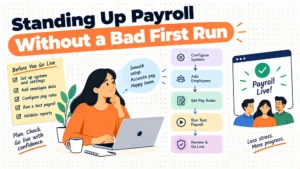
[Phase 1: Tax & Identification Setup] -> [Phase 2: YTD Earnings Data Transfer] -> [Phase 3: Direct Deposit & Benefit Verification]
The Gusto Migration Workflow
- Account Registration and State Tax Setup: Administrators input company identification details, Federal Employer Identification Numbers (FEIN), state withholding tax accounts, and state unemployment insurance (SUI) tax rates.
- YTD Data Entry: Migration teams upload or manually input historical pay stubs and tax records for the current calendar year. This ensures Form W-2 generation remains accurate at year-end.
- Employee Self-Onboarding Invites: Gusto sends digital onboarding links to employees. Staff log in to enter direct deposit routing numbers, home addresses, tax withholding allowances (Form W-4), and personal details, reducing administrative data entry.
- Benefits and Bank Authorization: Existing health benefit policy carrier details are linked, and debit authorization (ACH) is established to handle automatic tax payments and wage distribution.
The QuickBooks Payroll Migration Workflow
- Accounting Ledger Alignment: Migration begins inside the existing QuickBooks accounting system. Chart of accounts mapping connects wage expenses, tax liabilities, and benefit payables directly to historical accounting categories.
- Historical Payroll Data Sync: If converting from another payroll system mid-year, historical employee earnings records are entered into QuickBooks to establish accurate tax threshold tracking (e.g., FUTA and Social Security caps).
- Bank Account and Penalty Protection Setup: Direct deposit bank connections are verified. If setting up the Elite tier, Intuit tax specialists review prior filings to activate tax penalty protection coverage.
- Direct Deposit Verification: Micro-deposits confirm bank routing details before running live payroll, ensuring paychecks deposit cleanly on standard pay schedules.
Standard industry practice recommends converting payroll providers at the start of a calendar quarter (January 1, April 1, July 1, or October 1) to simplify tax reporting. Converting mid-quarter requires inputting detailed payroll-by-payroll wage records to ensure quarter-end Form 941 tax filings match exact tax deposits.
Contract terms, tier upgrades, and vendor negotiation strategy
Both Gusto and QuickBooks Payroll operate primarily on flexible monthly subscription models, eliminating long-term annual contract requirements for standard service tiers. However, optimizing software costs requires understanding tier upgrade thresholds, add-on fees, and promotion renewal schedules.
Contract Structure & Fee Matrix:
- Gusto Base Commitments: Monthly cancellation flexibility; clear online tiers (Simple, Plus, Premium).
- Gusto Add-On Fees: Contractor plan ($35 base + $6/contractor); Premium tier upgrades ($180 base + $22/person).
- QuickBooks Base Commitments: Monthly billing; core tier transparency ($42.50 base + $6/person).
- QuickBooks Upper Tiers: Premium and Elite tiers require custom quotes from sales reps.
Operational Negotiation Strategies
- Benchmark Against Competitor Per-Employee Pricing: When negotiating quote-only pricing for upper-tier offerings with sales representatives, use published entry rates as leverage. Mention competitive market offers from providers like Patriot, OnPay, or Wave Payroll to secure discounted monthly base pricing or reduced per-employee fees.
- Leverage New Customer Promotional Periods: Intuit frequently offers introductory discounts (e.g., 50% off monthly base fees for the first 3 months) on QuickBooks Payroll subscriptions. Operations managers should request these promotional extensions when upgrading accounting tiers or adding payroll services to an existing account.
- Audit Employee and Contractor Roster Counts Monthly: Both platforms charge recurring per-person fees for active workers. Terminated employees or inactive contractors who remain marked as "active" in the software continue to trigger monthly per-head fees. Establishing a monthly offboarding checklist ensures inactive personnel are archived before billing cycles renew.
- Evaluate Multi-State Growth Triggers Before Upgrading: If operating on Gusto Simple ($49 base + $6/person), hiring an employee in a second state requires an upgrade to Gusto Plus ($80 base + $12/person). Operations teams should evaluate whether hiring a multi-state worker justifies the increased monthly base fee and doubled per-person software costs across the entire company.
By actively monitoring user seats, tracking multi-state footprint updates, and reviewing vendor invoices monthly, companies can keep software costs aligned with real operational needs.
Final verdict: How to choose between Gusto and QuickBooks Payroll
Choosing between Gusto and QuickBooks Payroll requires matching platform capabilities to your organization's primary operational focus. Both platforms reliably deliver calculated paychecks and manage tax withholdings, but they serve different business priorities.
Select QuickBooks Payroll if your company operates primarily within the QuickBooks ecosystem and prioritizes accounting efficiency above all else. By eliminating export steps, standardizing general ledger mapping, and offering optional same-day direct deposit and tax penalty guarantees, QuickBooks Payroll minimizes administrative overhead for finance teams and bookkeepers. It is ideal for localized businesses, professional service providers, and companies that rely heavily on job costing and integrated financial reporting.
Select Gusto if your company views payroll as part of a broader HR, benefits, and employee engagement strategy. With its built-in benefits marketplace, modern employee portal, multi-state payroll management, and dedicated access to HR experts on higher tiers, Gusto provides a complete HR foundation for expanding businesses. It is best suited for distributed teams, fast-growing startups, and businesses that need strong health insurance coverage and HR support without increasing internal administrative headcount.
Operational Decision Framework:
[Evaluate Core Operational Priority]
|
+————————-+————————-+
| |
[Accounting Focus] [HR & Benefits Focus]
| |
[QuickBooks Payroll Core: $42.50 + $6] [Gusto Simple: $49 + $6]
- Direct General Ledger Sync * Benefits Marketplace Included
- Removes Export/Reconciliation Step * Modern Employee Self-Service Portal
- Optional Same-Day Direct Deposit * Multi-State Options (Plus Tier)
By framing your evaluation around platform architecture, accounting integration, and total personnel administration needs, you can select the right tool to support your business as it grows.
Related reading
Frequently asked questions
Can I run payroll in Gusto and sync it with QuickBooks accounting?
Yes. Gusto features an automated API integration with QuickBooks Online. When you complete a payroll run in Gusto, wage expenses, employer tax liabilities, and benefit deductions stream into your QuickBooks general ledger, mapping directly to your established chart of accounts without manual CSV entry.
Is QuickBooks Payroll cheaper than Gusto for small teams?
At entry level, QuickBooks Payroll Core ($42.50 base + $6/employee) costs $6.50 less per month than Gusto Simple ($49 base + $6/person). However, actual costs depend on required features like multi-state processing, integrated time tracking, or same-day deposit, which require higher pricing tiers on both platforms.
Does Gusto handle multi-state payroll on its entry tier?
No. Gusto’s entry-level Simple plan ($49/mo + $6/person) is strictly limited to single-state payroll processing. If your business hires employees across state lines, you must upgrade to the Gusto Plus plan ($80/mo + $12/person) to unlock multi-state tax processing and reporting capabilities.
How does tax penalty protection work in QuickBooks Payroll?
Tax penalty protection is included in the upper-tier Elite plan (priced via custom quote). If a tax calculation error or filing delay occurs, Intuit’s tax team works with tax authorities to resolve the issue and covers up to $25,000 per year in federal, state, or local tax penalties and interest fees.
What is Gusto's customer rating on Trustpilot?
Gusto maintains a 3.5 rating out of 5 stars on Trustpilot. Reviews highlight the platform's intuitive employee self-service features and automated payroll tools, while negative feedback often mentions customer support response times during peak tax season and tier price increases.
Which platform is better for managing 1099 contractors?
Gusto offers a dedicated Contractor-Only plan for $35/mo + $6/contractor, which includes self-service onboarding, direct deposit, and automated end-of-year 1099-NEC creation. QuickBooks Payroll also supports 1099 contractor payments within its core platform, integrating payments directly into your accounts payable ledger.