TL;DR
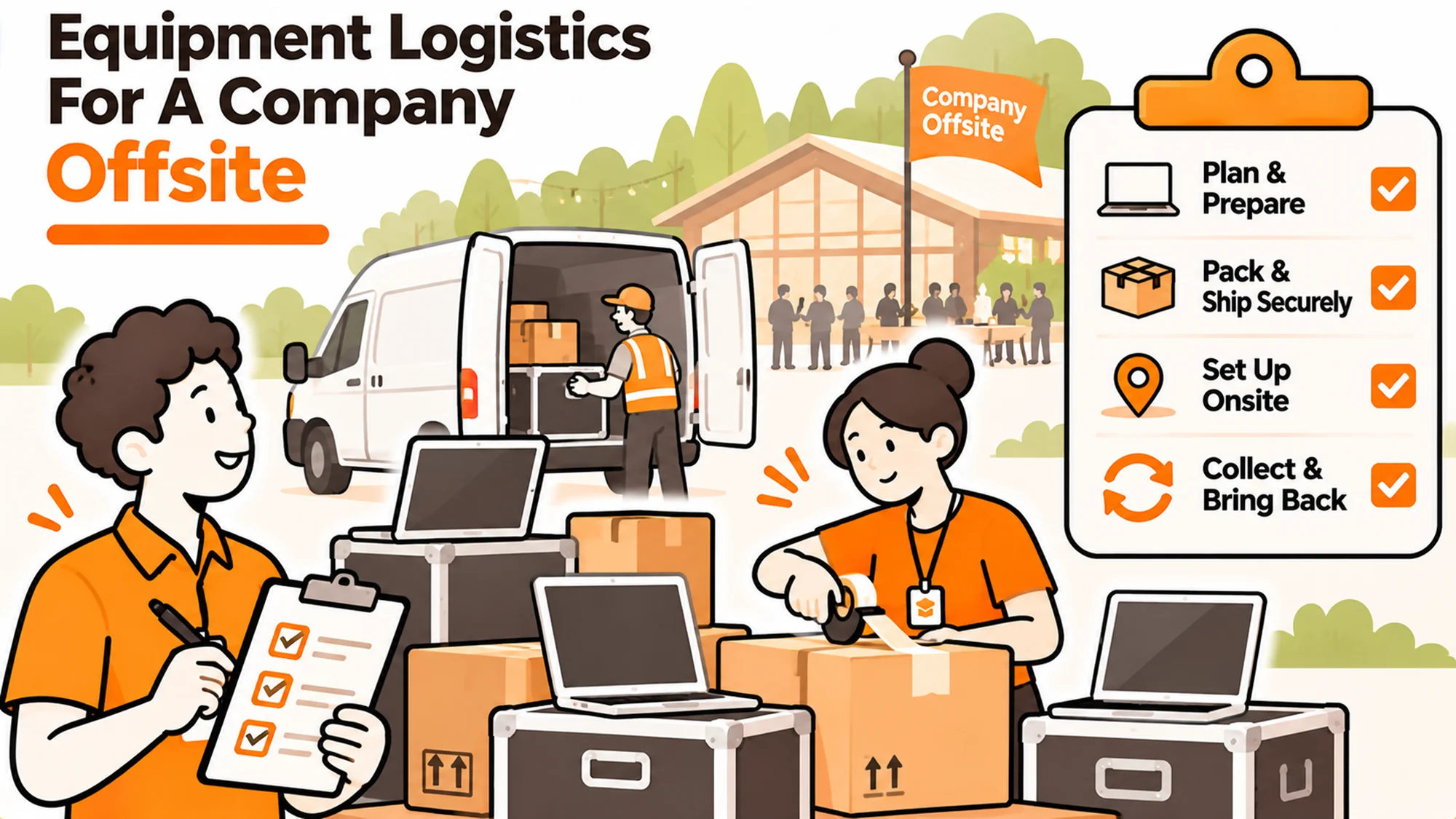
Equipment for a company offsite splits into two things. There is what the event itself needs, which is mostly power, connectivity and screens. And there is the fact that for a few days your entire distributed device estate is physically in one room, which is the only time that happens all year.
- People bring their own work laptops. Plan power and network, not devices.
- Travel is when damage and theft rates spike. Say something beforehand.
- Swaps, repairs and collections are vastly easier in person than by post.
- It is the cheapest asset audit you will ever run.
- Decide in advance who handles equipment issues on site.
The moment this becomes real
Say sixty people fly in for three days. The agenda is full, the venue is booked, and equipment appears nowhere in the planning because everybody brings their own laptop.
On day one, two people have machines that will not hold charge for a session. Someone’s screen was damaged in transit. Four people needed a refresh three months ago and have been waiting for a shipping slot to their country. Two leavers who were never collected from are, remarkably, in the building.
Best tools for HR Operations
None of it is dealt with, because nobody owns equipment for the event and the agenda has no space in it. Everyone flies home and each of those problems returns to being an international logistics exercise. The real issue is not the faulty laptops. It is that the one moment when all of this is easy was spent entirely on workshops.
When this is lighter than you think
Four stages where this needs almost no planning.
- Small gatherings. Under about fifteen people in a normal meeting room, the venue’s facilities cover it.
- Short, single session events. A half day does not need a power plan, because batteries last.
- Venues used to corporate events. Conference hotels have solved power and connectivity many times. Ask what they provide.
- Purely social offsites. If nobody is expected to work, most of this disappears and the travel advice is all that remains.
It matters for working offsites of thirty people or more, for multi day events, and for teams spread across countries where in person access is genuinely rare.
The five questions teams actually ask
What does the venue actually provide? Ask specifically about power sockets per table, network capacity for the number of simultaneous users, and screens with the connections your laptops use. Venue descriptions are optimistic and sixty people on a connection sized for twenty is a visible failure in the first session.
What about power adapters? If people are travelling internationally, some will arrive without the right plug. A box of adapters at reception costs very little and prevents a predictable problem. The same applies to a couple of spare chargers for common models.
Should we warn people about travel? Briefly, yes. Damage and theft rates are higher during travel than at any other time: hotel rooms, airports, taxis. Two lines in the joining instructions about carrying devices in hand luggage and not leaving them visible covers it.
Can we do swaps and repairs there? This is the opportunity. A machine due for refresh can be swapped over a coffee break instead of through a two week international shipment. If you know who needs what in advance, bring the hardware with you.
Who handles problems on the day? Name somebody, even if it is not their normal job. Without an owner, equipment issues get raised to whoever is organising the event and compete with the catering.
Three ways teams treat an offsite, and where each breaks
Ignore equipment entirely. The default. People bring laptops, it mostly works. It breaks on the venue basics, where power and network are genuinely the organiser’s problem, and it wastes the access the event creates.
Plan the venue requirements only. Power, network, screens, adapters. This is the minimum and most teams that think about it stop here. It breaks by leaving value on the table, since the fleet is in one place and nothing is done about it.
Treat it as an equipment window too. Bring refresh machines for people who are due, collect devices from anybody leaving soon, and do a quick audit of what people actually hold. This works. It breaks on preparation, because you have to know who needs what before anybody flies.
Five questions four weeks out
Planning equipment for a company offsite is mostly asking early.
What has the venue confirmed in writing? Power per table and network capacity, not a general reassurance.
Who is due a refresh? Pull the list now. Those machines can travel with somebody.
Is anybody leaving in the next quarter? Collecting in person beats collecting internationally.
Who owns equipment issues on the day? Name them and tell everyone.
How many people are travelling internationally? That is your adapter count.
What is actually available
Five honest options, including ours.
Rely on the venue. Best for small or short events. Zero effort. Struggles at scale, where network capacity and power density become real constraints.
Bring a kit. Adapters, spare chargers, a few cables and a couple of loaner machines. Cheap and it covers most incidents. Struggles if nobody is designated to carry and manage it.
Hire equipment locally. Best for screens and specialist kit rather than laptops. Avoids shipping. Struggles on cost and on availability at short notice.
Use the event for swaps and collections. Best value available and most often missed. Struggles entirely on preparation, since the list has to exist before travel.
RemoAsset. Relevant where the offsite is the moment to resolve a backlog that logistics could not, since machines for refresh can be delivered to the venue via delivery across 80+ countries and collected devices handled through retrieval rather than carried home in somebody’s suitcase. Where it struggles: for a single event most of this is a box of adapters and a spreadsheet, and that is genuinely the right answer. Its published pricing starts with a pay as you go plan and a yearly subscription above it.
Where to start, by situation
| Situation | Scale | Setup | Primary pain | Recommended starting point |
|---|---|---|---|---|
| Small team, half day | Under 15 | Meeting room | None | Check sockets and move on |
| Working offsite, one country | 30 plus | Conference venue | Power and network capacity | Get venue capacity confirmed in writing |
| International attendees | Any | Travel involved | Wrong plugs on arrival | Bring a box of adapters and spare chargers |
| Refresh backlog in hard markets | Any | Shipping is slow | Swaps keep slipping | Bring the machines and swap in person |
| Leavers among attendees | Any | Remote staff | Collection is expensive | Collect devices at the event |
What the gap actually costs
The event itself rarely fails on equipment. Venues mostly have power, people mostly have adapters, and a session with patchy wifi is an irritation rather than a disaster.
The cost is the opportunity nobody counts. Collecting a laptop from a leaver in another country is an expensive, slow and frequently unsuccessful exercise. Doing it in a hotel lobby takes two minutes. The same is true of a refresh swap, a repair handover, and simply asking people what they actually hold.
A company that runs one offsite a year and uses it for this gets an annual reconciliation of its entire distributed estate for free. One that does not pays full international logistics rates for every single one of those transactions, spread across the following twelve months. So the question is not what the offsite needs. It is what it makes possible.
When the offsite is your only physical access
For a fully distributed company, an annual gathering may be the only time anyone from the company is in the same room as the hardware. That is a genuinely unusual asset and it is almost always spent entirely on the agenda.
The preparation it takes is small. Four weeks out, pull three lists: who is due a refresh, who is leaving in the next quarter, and who the register says holds something unusual. Those three lists turn an offsite into a logistics window without touching the programme.
It does not replace having a way to move devices the rest of the year, and that is the honest limit. An offsite once a year cannot be your retrieval strategy, which is what a laptop lifecycle management service is actually for. It is simply the cheapest few days of the year, and worth using deliberately rather than by accident.
See how devices are collected when there is no offsite to wait for
Read our guide to running an equipment amnesty
Related reading
- Running an equipment amnesty
- Equipment for constant travellers
- Setting a hardware refresh cycle
- Telling people their laptop is changing
- Device security while travelling is covered in the NCSC device security guidance, and carriage of devices in baggage is addressed by IATA.
Frequently Asked Questions
What equipment for a company offsite actually needs planning?
Mostly the venue side: power sockets at the density people will need, network capacity for everyone connecting at once, and screens with the right connections. People bring their own laptops, so the planning is about the environment rather than about devices.
What should we ask the venue specifically?
Sockets per table, network capacity for your actual headcount rather than a general reassurance, and what display connections their screens use. Venue descriptions tend to be optimistic, and sixty people on a connection sized for twenty fails visibly in the first session.
Should we provide power adapters?
For international attendees, yes. A box of adapters and a couple of spare chargers for common models costs very little and prevents an entirely predictable problem. Some people will arrive without the right plug no matter what the joining instructions said.
Is it worth doing device swaps at an offsite?
It is the single most valuable thing you can do there. A refresh that would take a two week international shipment happens over a coffee break. The requirement is preparation: you need the list of who is due before anybody travels.
Can we collect devices from leavers at the event?
Yes, and it is far easier than any remote collection. If somebody attending is leaving in the next quarter, arranging the handover there saves an expensive and frequently unsuccessful international retrieval later. Check the list before travel.
Should we warn people about travelling with laptops?
Two lines in the joining instructions is enough. Damage and theft rates rise during travel, and most of it comes down to hand luggage rather than hold, and not leaving devices visible in cars or hotel rooms. It is cheap advice that prevents real losses.
Who should handle equipment problems during the event?
Name somebody in advance, even if it is not normally their role. Without a named owner, every equipment question goes to whoever is organising the event and competes with the catering and the agenda, which means it does not get handled at all.