
TL;DR
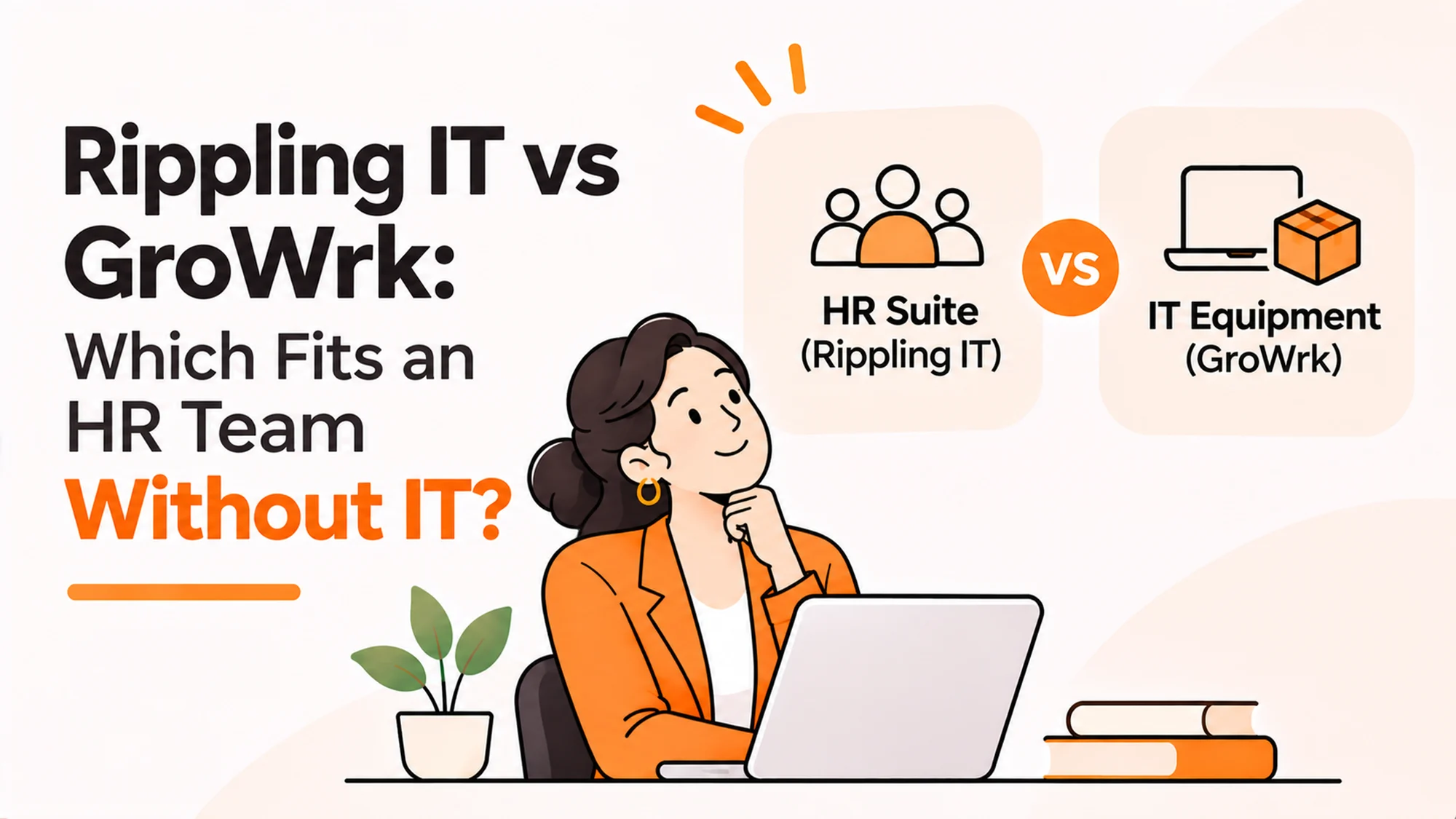
Rippling IT vs GroWrk is really a question about your HR system. Rippling IT runs laptops as part of Rippling’s HR platform, so a hire or an exit entered there orders, ships, locks and collects the device. GroWrk is a separate equipment company that sits beside whatever HR system you already use. For an HR team with no IT department, that one fact decides more than any feature list. RemoAsset, which we own, is compared too, with its limits stated.
- Rippling IT assumes Rippling HR. Its device work starts from the employee record in Rippling, so it suits companies that already run their people there.
- GroWrk works beside any HR system. Its Flex plan lists HRIS integrations, and its A La Carte plan has no subscription.
- Rippling’s price has a missing number. Its pricing FAQ says plans start at $8 per employee per month, with a monthly base fee, and the base fee is not stated.
- GroWrk publishes no price of its own. Its pricing page prints estimated costs for rivals. We repeat none of them.
- GroWrk sizes its plans. A La Carte is described as best under 50 employees and Flex as for 100 plus.
- RemoAsset prints a starting price and works with any HR system. It is our product, so its limits are stated below.
Rippling IT vs GroWrk: start with your HR system
Most comparisons of these two start with features. For an HR team, that is the wrong place to begin.
Rippling IT is not a standalone product you bolt onto any company. It is the device side of Rippling’s platform, and it reads from the same employee record as Rippling’s HR and payroll. When somebody is hired in Rippling, the laptop order follows. When somebody leaves in Rippling, the return box follows.
Best tools for Device Management
GroWrk is a separate equipment company. It buys, ships, stores and collects laptops, and it does not mind which HR system you use. Its Flex plan lists HRIS integrations, so your own system can tell it about joiners and leavers.
So the first question is simple. Do your people already sit in Rippling? If yes, Rippling IT starts with a head start no outside supplier can match. If no, buying an HR platform to get laptop automation is the wrong way round.
This piece covers devices only. Rippling’s HR and payroll product is a different decision, and a much bigger one.
What Rippling IT does when nobody does IT
Rippling’s device page reads as if it were written for the team this article is about: one where HR owns laptops by default.
On a hire, it says a single event triggers the device purchase, configuration, app installs, security policies and shipment. Rippling says it is an authorised reseller for Macs and PCs, so the laptop is bought inside the platform. It pulls the shipping address from the employee record and hides it from people who should not see it.
On an exit, it says it automatically ships a padded box and a prepaid label to the leaver. Because the device side runs in step with HR’s offboarding, you can schedule the exact time a laptop is locked and wiped. It also lists offboarding steps for Google accounts, such as moving ownership of files.
Unused laptops can go to Rippling’s warehouses. The page says each device gets a 10-point inspection, a wipe and a physical clean, with warehousing in the US and 26 plus other countries. Then it can be reassigned to the next hire.
Rippling also runs its own device management software for Mac and Windows. For a team with no IT person, that matters. The laptop’s settings live in the same place as the employee.
What GroWrk offers, and for which size
GroWrk sells two plans and sizes each one by headcount.
A La Carte is described as best under 50 employees. It gives free platform access with individual charges for each order you make. The page lists global procurement, device retrievals, storage, global logistics, pre-configuration and remote wiping, plus an API.
Flex is described as for companies with 100 plus employees. It adds a subscription fee and lists HRIS integrations, zero-touch deployment through device management, a customer success manager, a dedicated account manager, an employee dashboard, end of life and buy-back services, and support around the clock.
Elsewhere on its site, GroWrk groups customers as startups at 0 to 100 employees, mid-market at 100 to 500 and enterprise at 500 to 1,000 plus. It says it works in 150 plus countries and publishes a country coverage guide for procurement, shipping and retrieval.
Notice the gap. One plan is best under 50 and the other starts at 100. If you have 70 people, ask which plan GroWrk would put you on, and what changes when you cross 100.
Side by side, including RemoAsset
The table below uses only what each supplier publishes on its own pages.
| Question | Rippling IT | GroWrk | RemoAsset |
|---|---|---|---|
| Needs a particular HR system | In practice, Rippling HR | No | No |
| How an exit reaches it | Natively, from the Rippling record | HRIS integration on Flex, or a request | HRMS integration on Subscription, or a request |
| Published price | Plans start at $8 per employee per month, with a monthly base fee | None of its own | Subscription from 1,499 dollars a year; pay as you go has no figure |
| Device management | Its own, for Mac and Windows | Zero-touch deployment on Flex; remote wiping on both | Native tool on Subscription if you have none |
| Storage | US and 26 plus other countries | On both plans | Local storage add-on |
| Reach claim | Warehousing countries as above | 150 plus countries | Procurement 80 plus; ten named retrieval markets |
Read the first row before the rest. It decides whether the other rows matter.
A leaver’s last day under each
Here is what an HR coordinator actually does in each case. Say a sales rep in Denver resigns with two weeks’ notice.
With Rippling IT. You enter the termination date in Rippling, as you would anyway. Rippling sends the return box. You pick the time the laptop locks, usually the end of the last working day. Rippling says group memberships in connected apps update when somebody leaves. Your remaining job is to check the device arrived.
With GroWrk. You record the exit in your own HR system. On Flex, an HRIS integration can pass it to GroWrk. On A La Carte, somebody requests the retrieval in GroWrk’s platform. GroWrk handles the box and the courier, and remote wiping is on its feature list. Its plans cover devices rather than app logins, so closing the leaver’s accounts is a separate job.
The difference is not the box. Both send one. The difference is how many places HR types the same exit, and who remembers the accounts.
Start either route during the notice period rather than after it. Our guide to equipment during the notice period explains why a return asked of a current employee goes better than one asked of a former one.
The IT jobs that still need an owner
Neither option makes IT disappear. Each takes some jobs off HR and leaves others behind.
- Security settings. Somebody decides the screen lock, the encryption and which apps go on. Rippling’s device management holds those settings, but a person still chooses them.
- The broken laptop. A screen cracks in week three. Ask each supplier who the employee contacts, and who pays.
- The wipe record. When a laptop is erased, you want proof. NIST Special Publication 800-88 is the standard most buyers ask about.
- The final stop. Old laptops end with a recycler or a buyer. The R2 standard for responsible recycling is what a recycler’s claim is measured against.
- The battery. Laptops travel under rules for lithium batteries, and the IATA guidance on shipping lithium batteries is what couriers work to.
Rippling covers more of this list inside one platform, provided you are on it. GroWrk covers the physical work and, on Flex, deployment through device management. Write the list down and put a name beside each line before you sign anything.
What each one says about price
Rippling’s pricing FAQ says plans start at $8 per employee per month, with a monthly base fee. The base fee is not stated, and the total depends on which products you take. So that figure is a floor for part of the bill, not a price for device management.
There is also a structural point. Rippling charges per employee, so the bill grows with headcount whether anybody joins or leaves. GroWrk’s A La Carte charges per order, so its bill grows with movements instead.
GroWrk publishes no price of its own. Its pricing page asks you to request a tailored package. The same page runs a calculator that prints estimated annual costs for GroWrk and for named rivals. Those are GroWrk’s own estimates of companies that publish nothing, so we repeat none of them. Keep them out of your business case. We covered that trap in our Deel IT vs GroWrk comparison.
Where each one struggles
Disclosure: RemoAsset, named below, is owned by the same people who publish this site. It is described with its limits stated, on the same terms as every other supplier here. HROpsLab takes no vendor money and sells no placements.
Rippling IT’s difficulty is that it is only half a product without Rippling HR. Its best feature, the exit that triggers everything, depends on the exit being entered in Rippling. Contractors paid elsewhere fire no event. And the unstated base fee makes a budget hard to build.
GroWrk’s difficulty is the gap between its plans and its prices. Sizes are published, rates are not, and the rival calculator invites more doubt than it settles. A team of 50 to 100 people falls between its two plan descriptions.
For a published anchor, RemoAsset prints a subscription starting at 1,499 dollars a year for 50 to 5,000 employees, with a pay-as-you-go plan for 5 to 50 that has no figure.
Where RemoAsset struggles. It prints no per device retrieval rate, so every collection still needs a quote. Its retrieval page claims 25 plus countries but lists ten markets with published terms, and its pricing page says 80 plus, which matches its procurement reach. Its subscription includes a device management tool, but it is not a specialist device management vendor. For disposal, ask which recycler it uses and what certificate you get. And it is our own product.
Why RemoAsset is a better choice, and when it is not
RemoAsset is the better choice for an HR team that is not on Rippling and wants a figure before the first call.
Like GroWrk, it works with whatever HR system you run, and its subscription lists HRMS integration. Unlike GroWrk, it prints a starting price. Its subscription also provides a native device management tool if you have none, which matters when nobody in the company does IT. Its retrieval page describes courier pickup, chain of custody and a NIST wipe.
Now the other half. If your whole company already runs on Rippling, Rippling IT starts from a record you keep anyway, and its warehousing footprint is published. That is hard to beat. If you are under 50 people and move a few laptops a year, GroWrk’s free platform access with per-order charges may suit you better than any subscription.
And RemoAsset names ten retrieval markets. Outside them, get collection terms for your leavers’ cities in writing.
The decision table
| Situation | Scale | Setup | Primary pain | Recommended starting point |
|---|---|---|---|---|
| Everyone already in Rippling HR | Any | Rippling HR and payroll | Exits typed twice | Rippling IT, after pricing the base fee |
| Under 50 people, few moves a year | Small | Any HR system | Paying for a subscription you barely use | GroWrk A La Carte, after asking its rates |
| Between 50 and 100 people | Mid | Any HR system | Falls between two plan descriptions | Ask GroWrk which plan applies, and price RemoAsset beside it |
| No device management tool at all | 50 to 5,000 | Not on Rippling | Nobody sets security policy | RemoAsset Subscription, which provides one |
| Finance wants a number first | 50 to 5,000 | Any HR system | No published rate | RemoAsset, with a printed starting price |
| Leavers in the UK, Germany or France | Any | Distributed staff | Collection outside the US | RemoAsset, which lists those markets |
Running the evaluation
However Rippling IT vs GroWrk falls for you, put the same questions to each supplier, in writing.
- The full yearly cost at your headcount, with any base fee or subscription included.
- What HR has to type when somebody joins or leaves, and where.
- Who answers the employee when a laptop breaks.
- Collection terms for three cities where last year’s leavers lived.
- Proof of wipe, and the standard behind it.
Then hold each answer against a retrieval service with stated terms, so at least one number in the room was published.
If your people are not on Rippling and you want one supplier for buying and collecting, book a demo at remoasset.com and bring last year’s list of joiners and leavers. Our guide to choosing an equipment partner with no IT team covers the rest.
Read our comparison of Rippling IT and Firstbase, or our guide to equipping your first 50 hires.
Frequently asked questions
Do I need Rippling HR to use Rippling IT?
Rippling IT is built on the same employee record as Rippling’s HR platform, and its device automation starts from hires and exits entered there. Rippling quotes on the products you choose. In practice it makes most sense for companies already running their people in Rippling.
How much does Rippling IT cost?
Rippling’s pricing FAQ says plans start at $8 per employee per month, with a monthly base fee. The base fee is not stated, and the total depends on the products you choose, so ask for the full monthly cost at your headcount.
Does GroWrk publish a price?
Not one of its own. Its pricing page asks you to request a tailored package. The calculator on that page prints GroWrk’s estimates for itself and named rivals. Those are not published prices, so keep them out of a budget.
What does Rippling IT vs GroWrk come down to for HR?
Your HR system. If everyone already sits in Rippling, its device module starts from a record you keep anyway. If you use another HR system, GroWrk sits beside it, with HRIS integrations listed on its Flex plan.
Which GroWrk plan suits a small company?
GroWrk describes A La Carte as best under 50 employees, with free platform access and a charge for each order. Flex is described as for 100 plus employees, with a subscription. Between those sizes, ask which plan applies to you.
Can a team with no IT person run either one?
Mostly, but somebody still owns a short list: the security settings, the broken laptop, the wipe record and the final recycler. Rippling holds more of that inside one platform. Name an owner for each item whichever route you choose.
Does RemoAsset collect laptops in every country?
No. Its retrieval page claims 25 plus countries and lists ten named markets: the United States, Canada, Mexico, Brazil, the United Kingdom, Germany, the Netherlands, France, Ireland and Sweden. Procurement reaches 80 plus. We own RemoAsset and say so plainly.