TL;DR
- An employee offboarding template is a reusable list of what must happen when somebody leaves, with owners and dates attached.
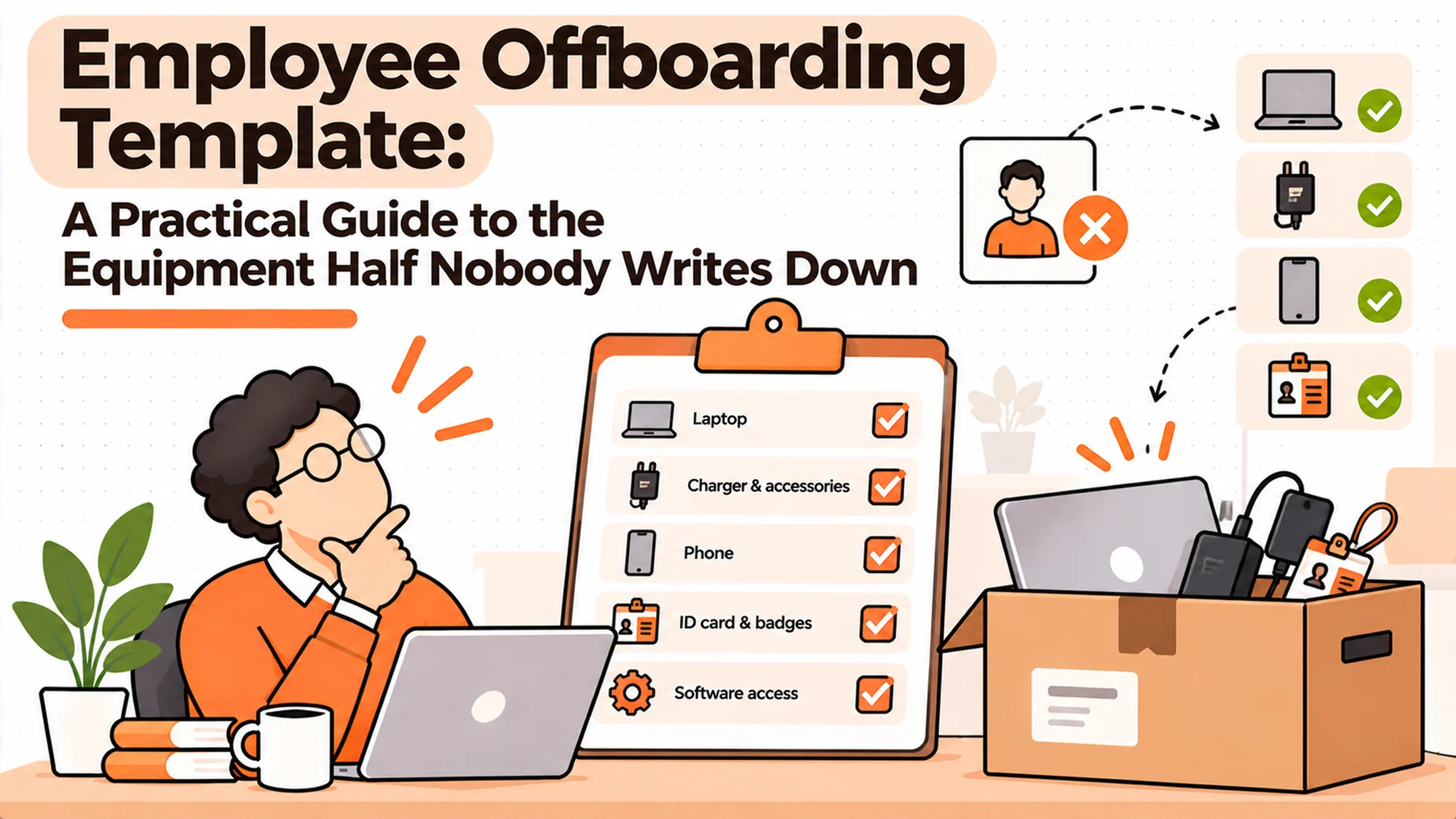
- Most templates in circulation cover documents, final pay and access, and treat equipment as a single unticked line.
- Equipment is the step that fails most often, so a template that gives it one line will fail in the same place every time.
- A template is a record of intent. What makes it work is a trigger that fires automatically and a completion check somebody else performs.
- Contractors need their own version, because the standard template assumes a resignation and engagements rarely produce one.
- You can run this on a spreadsheet to a few hundred people. The discipline matters more than the tool.
The Template That Was Ticked and Still Failed
A marketing manager resigns in February. The company has a decent offboarding template, inherited from somewhere, covering fourteen items. Exit interview booked. Final pay calculated. Handover document requested. Accounts disabled. Equipment returned.
Every box gets ticked by her last Friday. The file is saved. Somebody feels organised.
In May, Finance notices an extra seat on a design tool. It was bought by her team directly on a card and never connected to the identity provider, so disabling her main account did nothing to it.
Best tools for HR Operations
In July, an audit asks for evidence that leavers lost access. The template shows accounts disabled, ticked by the person who disabled them, with no date and no independent confirmation. The auditor treats it as unverified, which it is.
In August, somebody looks for her laptop. The equipment line is ticked. There is no serial number, no date, no record of what came back. A colleague thinks she posted something. The asset register still shows the machine assigned to her.
The template was followed exactly. Nothing was skipped.
The real issue is not that the list was incomplete. It is that a tick is not evidence, and a single line called "equipment returned" cannot be evidence of anything.
When You Do Not Need Any of This
While one person finishes every departure. At thirty people the ops person knows who is leaving, what they have and when it came back. A written template adds very little, because the knowledge is already held somewhere reliable.
When the friction appears but stays small. Somewhere around sixty to a hundred people you start getting the extra seat and the slow laptop. Still correctable by hand, still cheap to fix.
When it becomes a liability. Past roughly a hundred people, or any size spread across countries, nobody can hold the whole picture. That is the point where an employee offboarding template stops being bureaucracy and starts being the only way anybody knows what is outstanding.
The edge case that ignores all of the above is contractor-heavy teams. Fifteen employees and forty contractors is a departure problem at a scale the headcount does not suggest, and it arrives much earlier than the thresholds above.
What Teams Actually Need From the Template
"What exactly does this person hold?"
Not a category. Serial numbers, application names, physical access items. A template with a line saying "equipment" produces a tick. A template with a row per serial number produces a reconciliation.
It matters because you cannot confirm the return of something you never specifically recorded.
"Who does each thing, and when does it start?"
Every row needs an owner by role and a trigger point. Some things happen at notice, some on the last day, some at the next billing boundary. A template that treats everything as last-day work guarantees the slow items start too late.
It matters because equipment collection started on somebody's final afternoon is already behind.
"How do we prove it happened?"
A tick by the person responsible is not proof. A date, a serial number and a confirmation by somebody else is.
It matters because the entire value of the template in an audit rests on this distinction.
"What happens when something does not come back?"
Decide in advance. Chase for how long, then write off, invoice or deduct, and who decides.
It matters because without a defined end state, outstanding items stay outstanding forever and the register fills with fiction.
"Who checks that it is finished?"
Somebody other than the people who did the work, looking at the whole departure rather than their own row.
It matters because five people each closing their own step, with nobody looking across, is exactly how the February resignation above passed inspection.
Why Most Inherited Templates Are the Wrong Shape
Nearly every company has a template already, acquired from a previous employer, a blog post or a predecessor who left. They share a recognisable shape and it is worth understanding why, because it explains the gap.
They were written by HR, for HR, in companies with offices. That origin shows in three ways.
The people process is detailed and the physical process is not. Exit interviews, final pay, references and documentation get several rows each. Equipment gets one line, because in an office with a desk, collecting a laptop was never a process. Somebody handed it over on the way out.
Access appears as a single handoff. The template says notify IT, which was adequate when IT ran every system and a departure meant walking to a desk. It is inadequate now that teams buy their own tools, and the template has no mechanism for anything IT does not administer.
There is no concept of partial completion. Items are ticked or not. Nothing expresses "collection arranged, not yet received", which is the state most equipment rows are actually in for two to three weeks after somebody leaves. Without that state, the only options are to tick optimistically or leave the whole departure open, and people tick.
None of this makes inherited templates useless. It makes them a starting skeleton that is strong where your problems probably are not and silent where they probably are.
The practical move is to keep the people section mostly as found, rewrite the equipment section entirely, and add an access section built from your own application list. That is perhaps two hours of work and it addresses the two halves that fail.
One further warning about inherited documents. An employee offboarding template copied from a previous employer often carries that company's jurisdiction baked into it, particularly around final pay, notice handling and anything deducted from a last payslip. Those rules differ by country and sometimes by circumstance within one country. Strip out anything that reads as a legal position and replace it with a prompt to check locally, rather than carrying somebody else's legal advice into your process without noticing it was there.
Three Shapes of Template, and What Each Is For
The HR document checklist
Documents, final pay, exit interview, handover, references. Usually lives in the HR system or a shared drive.
When it is right: for the people process, which it covers properly. This half is usually well handled.
When it fails: it stops at the boundary of HR's responsibility. Equipment and application access appear as single lines to be chased elsewhere, which is where the trail goes cold.
The IT access checklist
Accounts, systems, hardware, sometimes a wipe. Lives with IT.
When it is right: for connected systems, which it handles well, and for devices IT physically controls.
When it fails: on anything bought outside IT, which is where orphaned accounts live, and on machines held by people in other places, which IT cannot collect.
The combined tracker
One row per leaver, columns for each step, dates in each, owned centrally.
When it is right: almost always, past a hundred people. It is the only shape that shows a half-finished departure as half finished.
When it fails: when nobody owns it, at which point it becomes a third list that is wrong in a new way.
What to Do in the First Two Weeks
If you are starting from a blank page or a bad inheritance, the sequence below gets most of the value quickly and costs nothing but attention.
Days one to three. Run the twenty-departure audit. Do not design anything yet. The output is three numbers and a clear view of which steps actually break, and that view is what should shape your employee offboarding template rather than a generic structure.
Days four to five. Fix the trigger. Make recording a leaving date create a visible, open record automatically. This is usually a form and an automation, and it is the single highest-value change available.
Week two, first half. Rewrite the equipment section as one row per item with a serial number, a collection method, a trigger point at notice, a received date and a defined outcome if nothing comes back.
Week two, second half. Build the unconnected applications list from card statements and team interviews. This is the dullest task here and the one an auditor will reward.
Then add the completion check as two columns, confirmed-by and confirmed-date, and leave the rest alone for a quarter.
Resist expanding further during that quarter. The instinct after an audit is to redesign everything at once, which makes it impossible to tell which change produced which improvement and usually means the tedious application list gets dropped once an easier win appears. Measure again at the end with the next twenty departures, and let the numbers decide what comes next.
How to Choose What Goes In It: Five Questions
What failed last time, specifically?
Build from your own last twenty departures rather than from a downloaded template. The rows you need are the ones that broke.
Which steps need to start before the last day?
Equipment collection almost always. Anything requiring a third party usually. Mark these clearly, because they are the ones that fail when treated as last-day tasks.
Which items need a serial number or an exact name?
Devices, definitely. Application seats, ideally. Anything you might later have to prove.
Who can confirm each row independently?
If the answer for a row is only the person who did it, that row cannot survive an audit. Find a second source or accept that it is unverified.
What is the end state for an unreturned item?
Write it into the template as an explicit outcome rather than leaving it blank. Blank means forever.
What the Template Should Actually Contain
Here is the equipment half, which is the part most templates skip and the part most likely to fail. One row per item rather than one line for everything.
| Field | Why it is there | Common mistake |
|---|---|---|
| Item and serial number | You cannot confirm a return without it | Writing "laptop" |
| Issued date and condition | Sets the baseline for what comes back | Omitted, so damage is arguable |
| Collection method | Post, courier, vendor, in person | Left to the leaver to work out |
| Collection triggered on | Notice date, not last day | Defaulting to the final afternoon |
| Received date and by whom | The actual evidence of return | A tick with no date |
| Wiped and released | Data gone, device management cleared | Done later, or never |
| Outcome if not returned | Chase, invoice, deduct or write off | Left blank |
The last row is the one that keeps registers honest. An item that did not come back is either recoverable or a loss, and leaving it in neither state is how asset lists fill with machines nobody has seen in two years.
The Access Half, Which Fails Differently
Equipment fails by not coming back. Access fails by being invisible, and the two need different treatment in the template.
The accounts connected to your identity provider are usually handled well, because disabling one account closes many. The exposure sits entirely in what is not connected: the analytics tool a team bought on a card, the vendor portal with its own login, the shared account nobody will admit to, the contractor platform procurement set up in 2023.
A template row saying "disable accounts" cannot reach any of those, because nothing in the process knows they exist.
| Field | Why it is there | Common mistake |
|---|---|---|
| System or application name | You cannot close what you did not list | A single row saying "all accounts" |
| Connected to identity provider | Decides whether it closes automatically | Assumed yes for everything |
| Account identifier | The thing you will evidence later | Only the person's name recorded |
| Owner of that system | Who actually has the admin rights | Left as "IT" when IT has no access |
| Closed date | The evidence | A tick with no date |
| Confirmed by | Independent verification | The person who did it |
Building the list of unconnected applications is the tedious part and it is a one-time job that pays back repeatedly. Two routes work: go through twelve months of card and invoice data looking for software, and ask each team lead directly what they use that IT did not provide. Both produce surprises, and the second usually produces more.
Keep the list somewhere the template can reference rather than rebuilding it for each departure. It changes slowly, perhaps 10 to 20 entries a year in a company of a few hundred, and reviewing it quarterly is enough.
When Each Step Should Fire
A template that treats every row as last-day work will fail on exactly the rows that need lead time, which is most of the ones that matter.
| Step | Fires at | Why then |
|---|---|---|
| Record created, owners notified | Leaving date entered | Everything downstream depends on this |
| Equipment collection arranged | Notice, not last day | Couriers and vendors need lead time |
| Handover and documentation | First two weeks of notice | While the person still has context |
| Access removal, connected systems | Last working day | Standard and well handled |
| Access removal, unconnected systems | Last working day, manually | Needs a named human per system |
| Equipment received and logged | Whenever it arrives | Often after departure, needs tracking |
| Seats released | Next billing boundary | Earlier wastes nothing, later costs |
| Completion review | Two to four weeks after | Catches what stalled |
The last row is the one almost nobody has, and it is the cheapest thing on this page to add. A short review a few weeks after somebody leaves catches the laptop that was promised and never posted, while it is still recoverable and while the person still answers messages.
Two weeks is roughly the window. Past about 30 days, response rates to equipment chasing drop sharply, and past 60 most unreturned machines are not coming back regardless of effort.
The reason is ordinary rather than adversarial. Somebody who left in March has started a new job, has a new set of obligations, and the laptop in the hall cupboard has stopped being a live task. The earlier the request lands, the more likely it is to meet somebody who still thinks of themselves as having unfinished business with you. That is a timing problem rather than a chasing problem, which is why the fix belongs in the template's trigger column rather than in a reminder schedule.
Build It From Your Own Failures
A downloaded employee offboarding template is a reasonable starting skeleton and a poor finished product, because the rows you need are the ones that broke for you.
Take your last twenty departures. For each, answer five questions with evidence rather than recollection: did every account close, when did the last seat stop billing, did the device return and when, was anything written off, and who confirmed the departure was finished.
Three numbers come out of that. Seats still billing more than a month after departure, multiplied by 12, is your annual software leak. Devices never returned, multiplied by replacement cost, is your hardware loss. Live accounts belonging to leavers is your audit exposure, and that one is not a money figure, which is usually why it is the number that moves a decision.
The pattern matters more than the totals. Failures concentrate in one or two steps rather than spreading evenly, and the concentration tells you which rows of your template need detail and which are fine as single lines.
The fifth question is the one that surprises people. Most companies find nobody confirmed anything, which means no departure was ever formally unfinished, which means nothing was ever chased. That is a column in a spreadsheet and it costs nothing.
The Trigger Is the Part That Decides Everything
The best template in the world fails if it starts late or does not start at all, and in most companies it starts by conversation.
A manager tells HR. HR tells IT, usually that week. Somebody mentions it in a channel. Each is a person remembering to act during a week when the resignation itself is what is on their mind, and each is a point where the chain can quietly break.
A trigger that works has three properties. It fires from a system rather than a person, normally the moment a leaving date is recorded. It reaches everybody who must act simultaneously rather than in sequence. And it creates something that stays visibly open until closed.
None of that requires software. A form that writes a row to a shared tracker, fired by whoever records the leaving date, delivers all three. The companies with genuinely good offboarding often have precisely that and nothing more.
What matters is that the first step stops depending on memory. Fix that before adding anything else, because every improvement downstream is multiplied by whether the process started on time.
Two Rows Almost Nobody Includes
Beyond the equipment and access sections, two items turn up repeatedly as the cause of later problems and almost never appear in a template.
Physical access. Building passes, fobs, keys, parking cards, alarm codes and anything else that opens a door. These are usually handled by an office manager or a landlord rather than by IT, and they fall outside both the HR and the IT sections of every template I have seen. A departed employee with a working building pass is a straightforward security gap that nobody owns, and it persists because the person who would notice does not receive the leaver notification.
Add a row with the item, who administers it, and a confirmed-deactivated date. For multi-site companies add which site, because a pass deactivated at one location sometimes still works at another.
Things only that person could do. Not a handover document, which most templates include. The specific case where one individual holds an administrator account, a domain registration, a certificate renewal or a payment method that nobody else can access. These are rarely documented because they accumulated informally, and they surface months later when a renewal fails or nobody can log into something.
The row is simple: does this person hold sole access to anything, and if so who takes it over, confirmed by that person rather than assumed. Asking the question during the notice period, while they can still answer helpfully, costs five minutes. Discovering the answer eight months later when a certificate expires costs considerably more.
Both rows share a characteristic worth noticing. They are invisible until they matter, they are owned by nobody by default, and adding them to a template is the entire fix.
The Decision Table
| Situation | Scale | Setup | Primary Pain | Recommended Starting Point |
|---|---|---|---|---|
| One office, low turnover | Under 60 | One person finishes it | None | A document with a completion check |
| One office, growing | 60 to 150 | HR and IT each hold a list | Nothing joins the two | A combined tracker, one row per leaver |
| Distributed team | 40 to 150 | Ops coordinating remotely | Equipment not returning | Equipment rows per serial, triggered at notice |
| High turnover | 150+ | Several functions | Inconsistency | Automated trigger plus independent completion check |
| Contractor-heavy | Any | Managers engage directly | No departure signal exists | End dates on engagements first |
| Facing an audit | Any | Any | Cannot evidence closure | Dates and second-party confirmation on every row |
Contractors Need Their Own Version
This deserves separating out, because the standard employee offboarding template assumes a resignation and contractor engagements almost never produce one.
An engagement ends because work finished, or a budget ran out, or it quietly stopped being renewed. Frequently nobody files anything. Often the hiring manager considers it concluded and HR never knew the person existed, because they were engaged through procurement rather than recruitment.
Meanwhile that person may hold a laptop, several application seats and system access. In distributed companies contractors are statistically the least likely group to return equipment, and the reason is almost never bad faith. It is that nobody asked, because no process fired.
Three changes fix most of it and none requires software.
Put an end date on every engagement at the start. Not an estimate, a date. Treat its arrival as identical to a resignation. Make extension an explicit act that moves the date rather than something that happens by default when nobody cancels.
Decide at the start whether this person gets company hardware. For short engagements the answer is often no. A contractor working on their own machine, with access scoped tightly and time-limited, removes the hardest part of the problem entirely. That is a decision worth making deliberately rather than defaulting to a laptop because it is simpler on day one.
Give access an expiry rather than relying on removal. Time-limited access that lapses unless renewed converts an active task that somebody must remember into a passive safeguard that works even when everybody forgets. For contractors specifically this is the single highest-value control available.
The template itself then needs only three differences from the employee version: the trigger is an end date rather than a notice, the equipment row may be empty by design, and somebody has to own the renewal decision explicitly.
The Step Between Return and Reissue
Equipment coming back feels like completion. It is not, and templates routinely stop one step too early.
A returned laptop holds whatever its last user had on it: cached files, saved credentials, local copies of things that were supposed to live centrally. Until it is wiped, recovering it has moved the exposure from somebody's home into your cupboard rather than removing it.
Three rows belong in the template after "received".
Wiped, with a date and a record against the serial. Performed and forgotten is not the same as documented. The record is the thing you will be asked for.
Released from device management. Skip this and the machine reappears as a managed device for its next holder, which is both awkward and a support problem.
Account or activation lock cleared. This has to happen while the account still exists, and it is close to impossible afterwards.
That last one causes more avoidable waste than anything else in this area. A machine still locked to a departed person's account is unusable by anybody. Sequencing the wipe after account deletion turns a reissuable asset into scrap, and it is an unforced error that happens constantly because the access rows and the equipment rows sit in different halves of most templates with nothing connecting them.
The fix is ordering. Put the lock-clearing row in the access section with a dependency on the equipment section, or simply write the sequence into the template as a numbered note.
Involuntary Departures Change the Timings
Most templates are written with resignations in mind, where there is notice, goodwill and time. A dismissal or a redundancy compresses all three and sometimes removes them.
Three things change materially.
Access removal moves to immediate and simultaneous. Not end of day. The template needs a variant where every access row fires at once, including the unconnected systems, which is precisely when having that list already built pays for itself.
Equipment collection cannot rely on cooperation. Sending packaging and hoping works for a resignation. For an involuntary exit, a booked collection at an agreed time is the approach that works, because it removes the need for the person to initiate anything.
The tone of every communication matters more. A template is a process document and it should not read like one to the person on the receiving end. The same five requests sent as a brusque list land very differently than sent once, clearly, by somebody who acknowledges the situation.
There is also a sequencing conflict worth naming. Immediate access removal is correct for risk, and it can lock you out of clearing activation locks on the person's devices. Decide in advance which takes priority, or build the device-release step into the same hour as the access removal so both happen together.
Keep this as a variant of the main template rather than a separate document. Two documents drift apart, and the version used under pressure will be whichever one somebody can find.
The Leaver's Side of It
Worth a section, because almost every treatment of this topic frames departure as a risk and the person as the risk.
Most people leaving want to hand over cleanly. They are also, in their final fortnight, finishing work, handing over, saying goodbye and thinking about what comes next. A process requiring them to initiate several administrative steps during that fortnight is badly designed, and it will fail more often with conscientious people who are simply busy than with anybody acting in bad faith.
So the design principle is to require as few actions from them as possible. Packaging that arrives rather than instructions to find a box. A collection booked rather than a request to arrange one. One clear list of what needs to come back, sent early, rather than three chasing messages in the final week.
Two second-order effects make this worth more than it costs. People who leave well talk about the company afterwards, sometimes to candidates and sometimes to customers, and a chaotic exit is one of the few experiences reliably shared. And a meaningful share of leavers eventually return, with clear memories of how the exit was handled.
None of that requires a different template. It requires the template to be designed around what the company does rather than what the leaver must remember to do.
Who Owns Which Rows
A template without named ownership produces the February failure above: five people each closing their own section, nobody looking across, and a departure that passes inspection while three things are outstanding.
Ownership splits naturally by function, and the split itself is not the problem; plenty of well-run companies divide it exactly this way. The problem is that the handoffs between functions are rarely written down, so each side assumes the other has acted.
HR owns the people rows and, importantly, usually owns the trigger, because the leaving date is recorded in their system. That makes HR the natural owner of the record existing at all, even where they own few of the rows.
IT owns connected access and any device under its direct control. The boundary of IT's ownership is the boundary of what IT administers, which is narrower than most templates assume and narrower than IT is often blamed for.
Team leads own the unconnected applications, because they bought them. This is the row that goes unowned most often, since nobody enjoys maintaining a list of things they expensed. Naming it explicitly is the only thing that works.
Finance owns the resolution: writing off an unreturned asset, confirming a seat stopped billing. Without this, outstanding items have no end state and the register accumulates fiction.
And somebody has to own the completion check across all of it. This should not be any of the four above, because the point is independence. In practice it is often whoever runs operations, and it is perhaps fifteen minutes per departure.
One rule covers most disputes: the person who performs a step does not confirm it. That single constraint is what separates a template that is evidence from a template that is a record of intent, and it costs nothing but a second column.
The Cost of Getting This Wrong
Three layers, and the first is the only one that usually gets discussed.
The countable loss is modest: a few software seats billing past their usefulness, a laptop or two a year that does not return. Easy to absorb and easy to ignore, and because it is easy to ignore it never generates the attention that would fix it. Most finance teams would not see it inside a quarterly variance, and most IT teams experience it as a series of individually small annoyances rather than as a pattern with a total attached.
The second layer is the work that comes back later. An unfinished departure generates effort months afterwards, always at an inconvenient moment and usually done by somebody senior. Reconstructing what happened in February, in August, from message threads, costs many times what finishing it properly would have cost.
The third layer is that an organisation which cannot evidence closure does not actually have the control it believes it has. A policy saying access ends on the last day, with no evidence that it did, is a statement of intent. That distinction is invisible internally and extremely visible to an auditor or an acquirer.
So the question worth sitting with is not whether you have an employee offboarding template. It is this: for the last person who left, could you produce dated evidence that every account closed and every item was returned or formally written off, without asking anybody to remember anything?
Making It Stick After the First Month
Templates decay, reliably and in the same way, and it is worth designing against that rather than being surprised by it.
The decay pattern is consistent. Month one, everybody uses it properly because it is new and somebody is watching. Month three, the rows that are tedious start getting ticked optimistically. Month six, a departure happens while the owner is on leave and a shortened version gets used. Month nine, there are two versions in circulation. Month twelve, somebody suggests the company needs an offboarding process.
Four things slow this down, in order of how much they help.
Make the trigger automatic. Covered above and it is the single biggest factor, because a process that starts by itself cannot be forgotten.
Make unfinished departures visible to somebody who will act. Not a report nobody opens. A short list, in a place somebody already looks, showing which departures have open rows older than two weeks.
Review against reality quarterly. Take five recent departures and check the ticks against evidence. This takes under an hour, and the first time anybody does it the error rate is usually startling enough to reset the standard.
Keep one version. Two documents drift apart, and under pressure people use whichever they can find. If a variant is needed, such as the involuntary one above, keep it in the same document as a branch rather than as a separate file.
What does not help, despite being the usual response: adding more rows. A template that grows every time something goes wrong becomes long, gets skimmed, and loses the rows that mattered in the noise. When something fails, the question is whether the row was missing or whether the row existed and was ticked without being done. Those have completely different fixes and only the first is solved by adding anything.
When You Are Ready to Move Beyond a Document
A template is not the limiting factor for most companies and replacing it with software does not automatically help. Plenty of teams run clean departures on a spreadsheet because one person owns it and finishes it. Plenty of others own a platform and still have orphaned accounts.
It is also worth being honest that the document is rarely the bottleneck. Teams reach for a better template when what has actually degraded is attention, and a new document restores attention for about a month before the same decay sets in. If your last template failed because nobody used it, a better one will fail the same way.
Two things change the answer. The first is the trigger. If the process starts because somebody remembers to tell somebody, it is as reliable as that person's week, and automating that single step delivers more than any other change available.
The second is visibility. A template tells you what should happen. It does not tell you what has not happened yet, and the second question is the one that prevents loss. A tracker where an unfinished departure looks unfinished, visible to somebody who will act, is the smallest thing that actually works.
Get both of those with a spreadsheet and a form, measure again, and then decide whether you have a software problem. Many teams find they do not.
Frequently Asked Questions
What should an employee offboarding template include?
The people process, the access process and the equipment process, with an owner and a trigger date against every row. Most circulating templates handle the first two reasonably and compress equipment into a single line, which is why equipment is where departures most often fail. Add a row per device with its serial number, and a defined outcome for anything that does not come back.
Is a spreadsheet good enough?
Up to a few hundred people, usually yes, provided somebody owns it and it has two properties: a trigger that creates the row automatically when a leaving date is recorded, and a completion check performed by somebody other than the person who did the work. Without those, a platform will inherit the same weaknesses with a better interface.
When should equipment collection start?
At notice, not on the last day. The final week is the worst possible time to ask somebody to arrange something for you, and collection involving a courier or a third party needs lead time. Starting early also leaves room for a second attempt while the person is still responsive, which is the difference between most recoveries and most write-offs.
How do we handle contractors?
With a separate version, because the standard template assumes a resignation and contractor engagements usually end without one. Put an end date on every engagement when it starts and treat that date as the trigger, making extension an explicit act. That single change closes more exposure than anything else available, and costs one field in whatever system records engagements.
What counts as evidence that offboarding finished?
A date, an identifier such as a serial number or an account name, and confirmation by somebody other than the person responsible for the task. A tick by the owner of a step is a statement of intent, which an auditor will treat as unverified. The distinction sounds pedantic until somebody asks you to prove something eight months later.
What do we do about equipment that never comes back?
Decide the end state in advance and record it. Chase for a defined period, then either write it off, invoice for it, or pursue it, depending on value and circumstances. Whether anything can be deducted from final pay varies by jurisdiction and situation, so take local advice rather than copying a clause from another company's handbook.
How often should the template be reviewed?
Once or twice a year, driven by what actually failed rather than by the calendar. Run the last twenty departures against it, find the rows that were ticked without evidence, and fix those. A template that grows without ever being tested gets longer and less useful, which is how most inherited ones reached their current state.