

Our reviews are written by practicing HR professionals with real implementation experience - not commissioned content or AI-generated filler. Every tool is tested hands-on across 7 evaluation criteria including ease of use, feature depth, integrations, pricing transparency, and support quality.
Rippling Review 2026: Hands-On Analysis
Best all-in-one HR, IT & payroll platform
What Is Rippling?
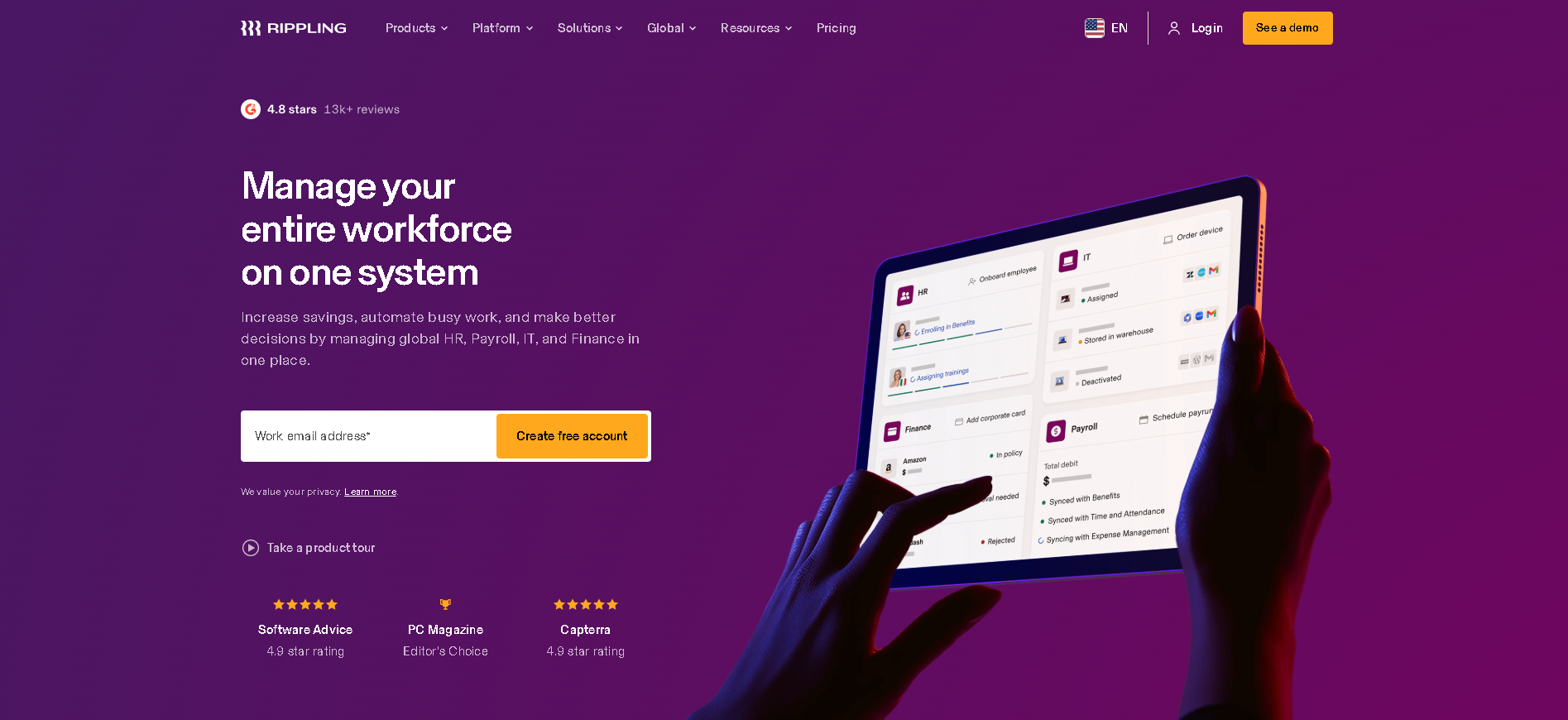
Rippling is the most modular HR platform on the market - start with core HR and add payroll, IT, and benefits as you scale, all from a single dashboard.
Built for best all-in-one hr, it & payroll platform, Rippling combines core HR management with automation and self-service workflows that reduce manual work for HR teams. It is a top-evaluated platform in our HR Operations testing with a score of 4.7/5.
Who Is Rippling Best For?
Fast-growing companies (50 - 2,000 employees) that want HR, IT, and payroll managed from one platform with strong automation and a modular buy-only-what-you-need model.
Why We Recommend Rippling
Rippling's architecture is genuinely different from everything else we tested. When you onboard someone, their payroll setup, laptop provisioning, software access, and benefits enrollment can all trigger automatically from a single workflow. That degree of cross-functional automation has no equivalent on the market. In our testing, the time to fully onboard a new employee - including IT setup - dropped from 4 hours to under 30 minutes.
Rippling Key Features
Here are the standout capabilities we identified during our hands-on testing of Rippling:
Start with core HR and add payroll, time-tracking, benefits, or expenses as separate modules - each sharing one unified employee data layer.
Provision laptops, grant software access, and manage MDM policies from the same platform as HR - eliminating the IT-HR coordination gap entirely.
Trigger multi-step automations across HR, IT, and finance based on employee lifecycle events - hire, promote, transfer, and terminate with zero manual steps.
Run payroll in 50+ countries or hire via Rippling's EOR service - all from the same interface as your domestic HR and IT management.
Administer health, dental, vision, 401(k), and commuter benefits with employee self-service enrollment and automated carrier data feeds.
Rippling Integrations
Rippling connects with the tools your team already uses. Key integrations include:
Rippling Pros and Cons
Based on our hands-on testing and user research, here is what stands out about Rippling:
- Modular - buy only what you need
- Best HR + IT automation integration
- Fast implementation vs enterprise alternatives
- Can get complex as modules stack up
- Customer support response times vary
Rippling Pricing
Here is what you can expect to pay for Rippling. Pricing typically varies based on your total employee count and chosen features.
Is Rippling Worth It?
- Fast-growing companies (50 - 2,000 employees) that want HR, IT, and payroll managed from one platform with strong automation and a modular buy-only-what-you-need model.
- Modular - buy only what you need
- Best HR + IT automation integration
- Can get complex as modules stack up
- Customer support response times vary
Our Final Verdict
James Carter is a People Operations Specialist who has spent the last decade building and optimising HR infrastructure for high-growth companies. He specialises in HRIS selection and implementation, process automation, and designing onboarding and offboarding systems that reduce administrative burden without sacrificing the employee experience. James has led operational HR transformations at companies ranging from 50 to 2,000 employees, and brings a builder's mindset to every people challenge. He writes about the systems, tools, and decisions that make HR teams more effective — and the common operational mistakes that quietly break teams over time.
Top Alternatives to Rippling
If Rippling is not the right fit, these are the top-tested alternatives from our HR Operations comparison:
Rippling FAQs
Is Rippling free to use?
Rippling does not offer a permanent free plan. It does offer Free demo available so you can test the platform before committing. Paid plans start at From $8/user/month.
What is Rippling best for?
Rippling is best for best all-in-one hr, it & payroll platform. Fast-growing companies (50 - 2,000 employees) that want HR, IT, and payroll managed from one platform with strong automation and a modular buy-only-what-you-need model.
How does Rippling compare to alternatives?
In our independent testing, Rippling scores 4.7/5 - and is featured in our HR Operations expert guide. Its strongest advantages include modular - buy only what you need, best hr + it automation integration. For a full side-by-side view, visit our HR Operations comparison.
Does Rippling integrate with other HR tools?
Yes. Rippling connects with several popular platforms, including Slack, Google Workspace, Microsoft 365, Greenhouse, Lever, GitHub, Okta, Salesforce, QuickBooks, Xero, Carta, Brex. Check the Rippling website for the full integration directory and any plan restrictions.
Is Rippling worth the investment?
Rippling's architecture is genuinely different from everything else we tested. When you onboard someone, their payroll setup, laptop provisioning, software access, and benefits enrollment can all trigger automatically from a single workflow. That degree of cross-functional automation has no equivalent on the market. In our testing, the time to fully onboard a new employee - including IT setup - dropped from 4 hours to under 30 minutes. It scored 4.7/5 in our evaluation for HR Operations.
Learn More About Rippling
Other Top HR Operations Tools
Looking for more options? These tools also made our top list for 2026 based on our research.
More HR Tool Reviews on HROpsLab
Explore our full library of independently tested HR software reviews and comparisons.