TL;DR
- The core decision: how the information payroll needs reaches it, and who is accountable for it being right.
- When doing nothing is right: when the inputs arrive complete, on time, and somebody checks them.
- What has to be true: every input has a named source and a named owner.
- How the options split: by how much is automatic, and by what automation does to detection.
- Decision rule: connect the sources that change often; keep human review on anything that moves money.
- Outcome to expect: less re-keying, and a new obligation to check what flows in.
The Leaver Who Stayed on the Payroll
Somebody left. Their manager knew, their team knew, their access was removed, and they were paid again on the next run.
Nobody made a mistake exactly. The departure was recorded in one place, payroll reads from another, and the connection between them was a message somebody was supposed to send. That person was away, or busy, or assumed the system handled it, and a payment went out to somebody who no longer worked there.
This is the characteristic failure of payroll inputs, and it's almost never a calculation problem. The calculation was correct given what it knew. What it knew was wrong, because the information about a change didn't reach it, and no amount of accuracy downstream fixes an input that never arrived.
Best tools for Payroll Software
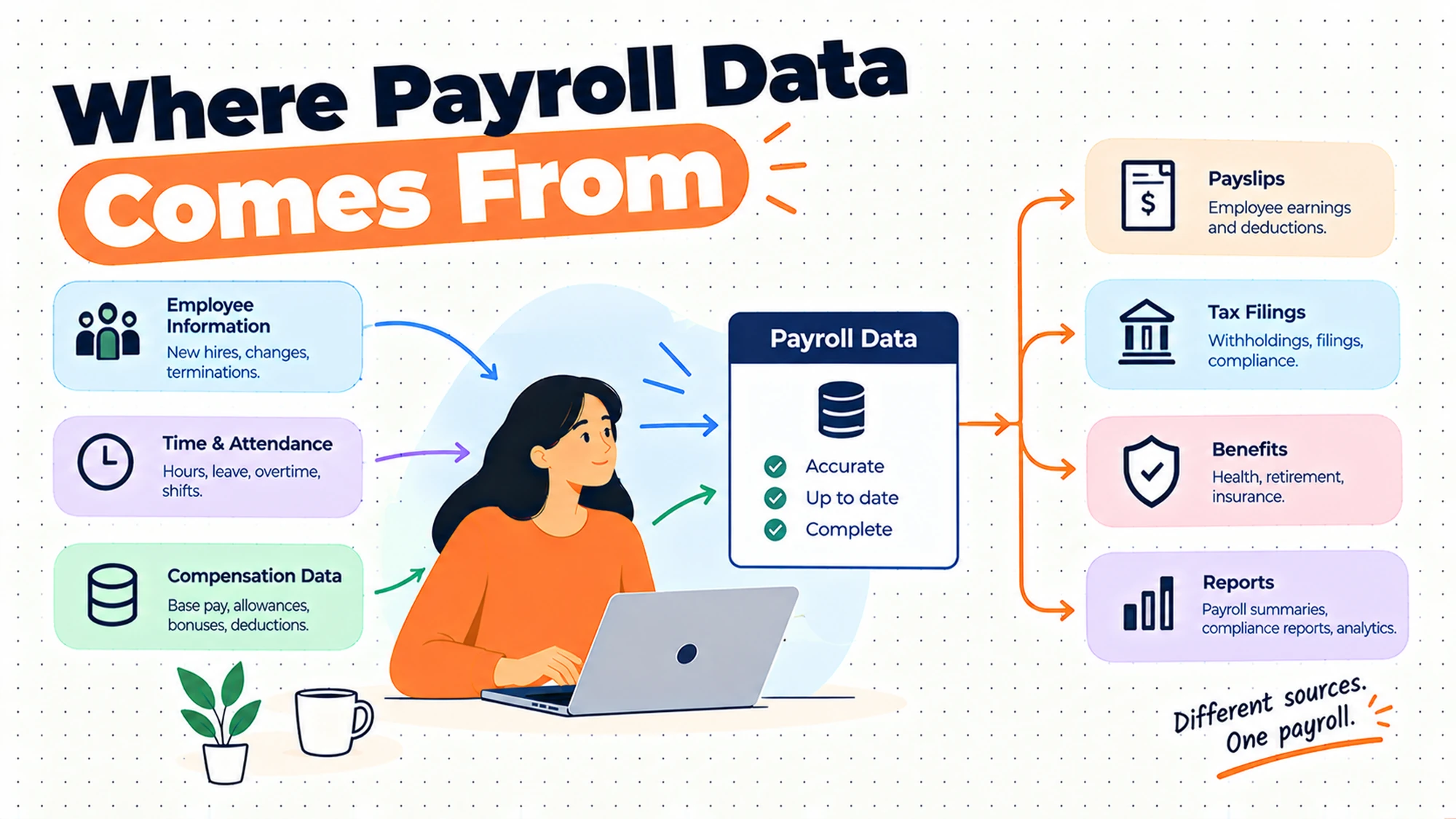
That's why the interesting question in payroll is rarely about the system that calculates. It's about the dozen or so places information originates, the paths it takes, and the specific points where a change can be known by the organisation and unknown to payroll. Those gaps are where the money actually goes wrong.
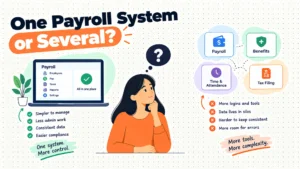
The reflex response is to connect everything, and connection genuinely helps for the inputs that change often. It also introduces a problem of its own: information that flows automatically stops being read by anybody, so an error at the source reaches the payment without a human ever looking at it. Automation moves the failure rather than removing it, which is fine as long as you know where it moved to.
What has to be captured, retained and reported differs by jurisdiction and changes. Nothing here tells you what applies to you. Establish that with local advice for each place you pay people, because how you connect systems should follow from what you're required to hold rather than the other way round.
When You Genuinely Do Not Need to Act Yet
The inputs arrive complete and on time. Whatever the mechanism, if everything payroll needs is there by the cut-off and somebody has checked it, the arrangement works. Connecting it would be optimisation, not repair.
Somebody re-keys the same data twice. Every cycle, information that already exists somewhere is typed into payroll by hand. That's a real cost and a genuine error source, and it's the clearest case for connecting something.
Changes are being missed. A leaver, a rate change or a new starter reached payroll late or not at all. That's not an efficiency problem any more, it's an accuracy one, and it affects people directly.
The edge case that forces it. Something changed in one system and nobody noticed it needed to reach payroll, because nobody had ever written down what payroll depends on. Mapping the inputs is the fix, and it's worth doing before anything is connected.
Five Questions This Reader Asks at 11pm
What does payroll actually need as input? More than people expect. Who is employed, at what rate, on what terms, with what changed this period, plus anything variable: hours, absence, additional payments, deductions, and anything that affects how somebody is treated. The list is worth writing down properly, because most organisations have never done it and discover items nobody owns.
Should we connect the HR system to payroll? If people-change information currently moves by message or re-keying, usually yes, because that's the most frequent source of missed changes. The thing to decide alongside it is what still gets reviewed, since connecting removes the human step that was catching errors nobody attributed to it.
What breaks when you connect systems? Timing and meaning. Timing, because a change made after payroll has pulled its data won't be in the run, and the person who made it will assume it was. Meaning, because the same field can represent different things in two systems, and a mapping that's approximately right produces figures that are approximately wrong.
Who should own the inputs? Somebody named, per input, and it doesn't have to be one person for all of them. The failure to avoid is an input that everybody assumes somebody else owns, which is exactly what produces the leaver who kept being paid.
Do you need real-time integration? Almost never. Payroll runs on a cycle, so data needs to be correct at a cut-off rather than continuously. Scheduled synchronisation before that cut-off, with a visible report of what changed, is usually better than continuous flow, because it creates a moment where somebody looks.
Where Payroll Inputs Originate
| Input | Usual origin | How it typically travels | Where it fails |
|---|---|---|---|
| Who is employed | HR system or a manager | Message, or a connection | A leaver whose message never sent |
| Rate and terms | HR system, or an approval | Often manual, often late | A change effective before it arrived |
| Hours worked | Time system, or a manager | Export, or re-keying | Approval missing at the cut-off |
| Absence | HR system or a manager | Frequently informal | Recorded after the period closed |
| Additional payments | A manager, or finance | Almost always ad hoc | No record of who approved it |
| Deductions and elections | The employee, or an external party | Varies widely | Nobody owns the list |
| Bank details | The employee | Self-service, or a request | Changed after the payment file went |
| Cost allocation | Finance | Usually structural | Silently out of date |
The first two rows account for most real payroll errors, and both are people-change information rather than money information. Somebody joining, leaving or changing terms is the event payroll most depends on and the one most likely to be recorded somewhere payroll cannot see.
The fifth row is the one nobody owns. Additional payments tend to be requested informally, approved verbally, and entered by whoever was asked, which means there's no record of the authorisation and no way to check later whether it was legitimate. It's a small category by volume and a large one by exposure.
The seventh row is the input with the sharpest timing edge. A change made after the payment file has been produced will not apply, however early in the cycle it feels to the person making it, and they will not know that unless somebody tells them.
Five Diagnostic Questions You Can Self-Assess Against
Can you list every input payroll depends on? Write it out. Most people stop at five or six and then keep remembering more for a week, which is itself the finding: an input nobody can name is an input nobody owns.
For each one, who is accountable? Not who usually does it. Who is responsible for it being right and on time. Blanks in this column are where errors come from.
What happens to a change made the day after the cut-off? Trace one. If the answer is that it gets picked up next period, does the person who made it know that, and does the employee?
Which inputs are re-keyed? Anything typed into payroll that already exists elsewhere is both effort and an error source. That's the list of candidates for connecting, ordered by how often each one changes.
If a connection stopped working, how long until somebody noticed? The honest answer for most organisations is one payroll cycle, discovered by an employee. That's the gap worth closing before adding more connections.
Six Ways Payroll Gets Its Data, Reviewed
Manual entry from a document or spreadsheet
Somebody collects changes and types them into payroll. It earns its place on universality and control: it works with any source, needs nothing technical, and the person entering sees every item, which means obvious errors get caught by a human who is paying attention.
Where it falls short is volume and consistency. It scales badly, it's slow at exactly the point in the cycle when time is shortest, and its quality depends entirely on how careful and how rushed the person is. It also leaves no record of where each item came from.
Fine at small scale for inputs that change rarely. For anything changing every cycle, the re-keying is the argument for connecting it.
The hidden cost is that it concentrates knowledge in whoever does it. The person entering changes learns which items are unusual, which manager always sends things late, and which figures normally look a certain way. That knowledge is valuable and it is invisible, so it leaves with them.
If you stay manual, at least record where each item came from as you enter it. A short note against an unusual entry is what lets somebody answer a question about it later, and without one, nobody can reconstruct why a figure was what it was.
A regular export and import between systems
One system produces a file, somebody loads it into payroll. It earns its place as the practical middle: most of the benefit of connecting, with a human step that creates a natural checkpoint, and no dependency on two systems being able to talk directly.
Where it falls short is silence. A file that doesn't arrive, arrives incomplete or arrives in a changed format frequently fails quietly, and the first sign is a wrong run. It also depends on somebody remembering to do it at the right point.
A good default. Add a check that the file arrived and contains roughly what it should, because that single step catches the most common failure.
The check does not need to be sophisticated. Does the file exist, does it have approximately the number of rows you expect, and does the total look like last period. Three questions, answerable in a minute, catching the failures that otherwise reach people.
Format changes are the other thing to watch. A source system updated on its own schedule can alter what it produces without anybody thinking to mention it to payroll, and the import either fails outright or, worse, succeeds with a column in the wrong place.
A direct connection between HR and payroll
The two systems exchange people-change information automatically. It earns its place by closing the most important gap, since joiners, leavers and term changes are the inputs most often missed and the ones with the most direct consequence.
Where it falls short is meaning and timing. Fields that look equivalent may not be, so a mapping error produces consistently wrong output that nobody questions because it arrived automatically. And a change made after the pull won't be in the run, which surprises the person who made it.
Usually the highest-value connection available. Verify the mapping against real people during setup rather than sample data, and keep a report of what changed each cycle so somebody still looks.
The cases to test are the awkward ones. Somebody part way through a change, somebody with an unusual arrangement, somebody who joined mid period, somebody whose record was corrected after the fact. Standard cases pass everywhere; these are where mapping assumptions break.
Also decide which system wins when they disagree. Two systems holding the same fact will eventually hold different versions of it, and if nobody has decided which is authoritative, the answer becomes whichever was written last, which is not a decision anybody made.
Time and attendance feeding variable pay
Hours and absence flow from a time system into payroll. It earns its place where pay actually varies by hours, because the alternative is either re-keying or manager estimates, and both are worse.
Where it falls short is approval. A time system holds what was recorded, not what was authorised, and if approvals aren't complete by the cut-off, payroll receives either unapproved data or nothing. That deadline lands on managers, who frequently don't realise it's a payroll deadline.
Worth doing where hours drive pay. Make the approval deadline visible to the people it depends on, because it's the part that fails.
The deadline problem is worth stating plainly to managers, because from their side it looks like an administrative request rather than a payroll cut-off. Telling them that an unapproved timesheet means somebody may be paid incorrectly changes how the request is received.
Decide in advance what happens to hours that arrive late. Paying them in the following cycle is a reasonable answer and it needs to be a stated policy rather than a judgement made under time pressure, because otherwise it gets handled differently each time.
Employee self-service for personal details
People maintain their own information: contact details, bank details, elections. It earns its place on accuracy and effort, because the person is the authoritative source for their own details and nobody has to relay anything.
Where it falls short is timing and verification. A bank detail changed after the payment file was produced will not apply to that run, and the person will reasonably assume it did. There are also control questions around who can change what, and what confirmation exists that a change was genuine.
Good for information only the person knows. Show the cut-off clearly at the point of change, and confirm changes to anything that affects where money goes.
Bank detail changes deserve particular care because they redirect money. A confirmation sent to the person through a separate channel, telling them a change was made, is a small control that catches both errors and anything worse, and it costs nothing to implement.
The other thing to get right is what the person sees afterwards. If a change has been recorded but will not take effect until the next cycle, saying so at that moment prevents the entirely reasonable assumption that it applied immediately.
A connected set of systems with payroll as one component
Payroll sits inside a wider arrangement where several systems share information continuously. It earns its place on coherence: one record, fewer transfers, and changes visible everywhere at once.
Where it falls short is that shared information makes errors travel further. A wrong value entered once is now wrong in several places, and the absence of transfer points removes the moments where somebody would have looked. The arrangement also tends to be judged as a whole, so a weak payroll component gets accepted for the sake of the rest.
Strong where it fits. Keep a deliberate review point before each run, because an architecture with no handoffs has no natural place for a human to check.
The other consideration is that these arrangements are evaluated as a whole, which tends to work against payroll. A strong overall proposal can carry a payroll component that would not have been chosen on its own merits, and payroll is the part where weakness shows up as money rather than inconvenience.
Ask to see the payroll component on its own terms, with the same questions you would put to a standalone arrangement. If it holds up, the coherence of the wider setup is genuine additional value.
The Decision Table
| Situation | Scale | Setup | Primary Pain | Recommended Starting Point |
|---|---|---|---|---|
| Inputs complete, on time, checked | Any | Any | None | Change nothing |
| Same data typed in twice | Any | Manual | Effort and typing errors | Connect the most frequent source |
| Leavers reaching payroll late | Any | Manual or message | Real money, real exposure | Connect HR to payroll |
| Hours approved after the cut-off | Any | Time system | Manager deadline invisible | Make the deadline visible |
| A connection failed silently | Any | Connected | Discovered by an employee | Alert on absence, not just error |
| Figures wrong in a consistent way | Any | Connected | A mapping nobody verified | Check against real people |
| Nobody reviews the run any more | Any | Connected | Automation removed detection | Reinstate a deliberate check |
| Ad hoc payments with no record | Any | Any | No approval trail | One route, one record |
| Nobody can list the inputs | Any | Any | Unowned inputs | Map them before connecting anything |
The last row comes before every other row. Connecting systems without knowing what payroll depends on automates part of an unmapped process, and the parts left out are the ones nobody remembered, which is why they were being missed in the first place.
The sixth row is worth catching early because it is so quiet. A mapping error produces output that is internally consistent and externally wrong, which means every check that looks for anomalies will pass it. The only thing that finds it is comparing a handful of real results against what somebody expected by hand, which is why that step belongs at setup rather than after go-live.
The seventh row is the cost of success. Every connection removes a human step, and those steps were catching things nobody counted. Teams that connect several sources over a year frequently find that nobody looks at a run properly any more, and the first evidence is an error that would previously have been caught.
What to Check Before You Connect Anything
Map the inputs first. Every item payroll needs, where it originates, how it travels, who owns it. This takes an afternoon and it changes what you connect and in what order, because the list always contains items nobody knew were manual.
Agree what each field means. Two systems using the same word for different things is the defect that produces consistently wrong figures with no error anywhere. Compare definitions explicitly, in writing, before anything flows.
Test with real people. Sample data passes because it's shaped to pass. Take a handful of genuinely awkward cases, somebody part way through a change, somebody with unusual terms, somebody who joined mid period, and check the result by hand.
Decide what a failure looks like. The most common connection failure is nothing happening, which produces no error message. Decide how you would know a file didn't arrive or a synchronisation didn't run, and make that visible.
Keep a change report. After each synchronisation, somebody should be able to see what changed. That's the replacement for the human attention that connecting removed, and it's the difference between automation that helps and automation that hides.
Name an owner per input. Every item on the map needs somebody accountable for it being right and on time. Unowned inputs are where the leaver who kept getting paid comes from, and no connection fixes an ownership gap.
Decide what is authoritative. For anything held in more than one place, one system has to be the source of truth and the others have to defer to it. Without that decision, the two drift apart and the version that applies becomes whichever was written most recently, which nobody chose and nobody can defend.
The common thread is that connecting systems is the easy part. Definitions, awkward cases, failure visibility and ownership are the parts that determine whether the connection helps, and all four are work you do rather than something you buy.
It follows that the timeline for this work is set by agreement rather than by configuration. How long it takes to establish what a field means, across two teams who have never had to state it precisely, is not something anybody can estimate in advance, and it is where these projects actually spend their time.
Where These Arrangements Go Wrong
| The failure | How it shows up | What would have to change |
|---|---|---|
| Inputs never mapped | A category nobody knew was manual | Map before connecting |
| Fields mapped by name, not meaning | Consistently wrong, no error | Compare definitions explicitly |
| Connection fails silently | Wrong run, found by an employee | Alert on absence |
| Cut-off invisible to the source | A change made too late to apply | Show the deadline where changes happen |
| Detection removed with the manual step | Errors reach people | A deliberate pre-run review |
| Ad hoc payments outside the process | No record of authorisation | One route, one record |
The second row is the most expensive because it produces no signal. An error that throws nothing, appears in every cycle, and looks plausible can persist for a long time, and the correction, once found, reaches back across every period it affected.
The fourth row is the one that feels unfair to the person on the other end. Somebody updating their bank details, or a manager approving a rate change, has no way of knowing your cut-off unless you tell them at that moment. Putting the deadline where the change happens costs nothing and prevents a whole class of complaints.
The sixth row is the smallest category and the one with the most exposure. Payments arranged informally, entered on a verbal request, leave nothing behind that shows who authorised them, which makes them impossible to verify afterwards and difficult to explain if anybody asks. One route and one record is all that is required.
What to Put in Writing
| Artefact | Who owns it | When it is written | What it prevents |
|---|---|---|---|
| The input map | Whoever runs payroll | Before connecting anything | Automating an unmapped process |
| Owner per input | Whoever runs payroll | With the map | Inputs nobody owns |
| Field definitions, both sides | Whoever runs payroll | Before anything flows | Consistently wrong figures |
| What a failed sync looks like | Whoever runs payroll | Before go-live | Silence mistaken for success |
| The pre-run review | Whoever runs payroll | Before go-live | Detection lost with the manual step |
| Cut-off, shown at the source | Whoever runs payroll | Before go-live | Changes made too late to apply |
The first two are worth producing even if you connect nothing. An input map with named owners is the single most useful document in payroll operations, it takes an afternoon, and it usually finds at least one input that nobody was watching.
The fifth row is the one to write down rather than assume. A pre-run review that exists as a habit in one person's head disappears when they do, and it is precisely the control you least want to lose. Stating what is looked at, and by whom, converts it from a personal practice into something the organisation actually holds.
Questions to Ask Before You Commit
On scope. Which inputs does this actually cover? A bad answer is full integration.
On meaning. How are fields mapped, and who verified it? A bad answer is that it's standard.
On timing. When is data pulled, relative to our cut-off? A bad answer is real time.
On failure. How do we know if it didn't run? A bad answer is that we would see an error.
On review. What will somebody look at before each run? A bad answer is that it's automatic.
On changes. What happens to a change made after the pull? A bad answer is that it syncs continuously.
What Getting This Wrong Costs
The first cost is paying the wrong people the wrong amounts, which is what missed inputs produce. A leaver still being paid, a rate change applied a period late, an absence recorded after the period closed: each is a real payment error affecting a real person, and each traces back to information that existed in the organisation and didn't reach payroll. Recovering an overpayment is also harder than preventing one, both practically and in terms of how it lands with the person.
The second cost is errors that no longer get caught. Manual steps were doing detection work that nobody counted, and removing them without deliberately replacing that attention means errors flow through to payment. This is the cost of connecting things well, which makes it easy to miss: the arrangement is working exactly as designed and the outcome is worse.
The third cost is the consistent error, which is the most expensive kind. A mapping that's subtly wrong produces figures that are wrong the same way every period, with nothing to signal it, and by the time somebody notices, the correction spans many cycles and many people. Testing against real awkward cases at setup is a small piece of work against that.
There is a fourth cost that falls on the team rather than on the numbers. Chasing missing inputs every cycle, from people who do not realise they are holding up a payroll run, is draining work that repeats forever and is almost entirely preventable by making deadlines visible where changes are made. Teams absorb it quietly and it is a real part of why payroll weeks are unpleasant.
So before connecting anything, map the inputs, name an owner for each, and agree what every shared field means. Those three take an afternoon between them, they're useful whatever you decide, and they're what turns connecting systems from a technical exercise into a correctness one.
When You Are Ready to Go Further
Start with the map, because it's free and it changes the decision. Every input, where it comes from, how it travels, who owns it. The gaps it reveals are usually more valuable than any connection you were about to build, and it tells you which sources are worth connecting first, which is the ones that change most often.
Do the map with the people who supply the inputs rather than only with payroll. Managers, finance and whoever handles employee changes each hold part of the picture, and the items that get missed are usually the ones that sit between two of them, where each assumed the other was handling it.
Then connect people-change information, since joiners, leavers and term changes are the inputs with the most direct consequence and the highest miss rate. Verify the mapping against real people rather than samples, and keep a report of what changed each cycle so somebody still looks.
After that, work down the list by how often each input changes rather than by how difficult it is. Frequency is what determines both the effort saved and the error rate, so the most-changed manual input is almost always the next one worth connecting, even when an easier candidate is available.
Finally, protect the review. Whatever you automate, keep a moment before each run where a person who knows the population looks at what's about to happen and can say that something seems wrong. That single habit is what stands between an input error and a payment error, and it survives every change of system.
Give that person the comparison they need to do it. A list of what changed since last period, and any figure that moved more than expected, turns a vague instruction to check the run into something specific enough to actually be done in the time available.
HROpsLab publishes independent comparison work across HR tooling, payroll and workforce systems. We sell nothing, we take no vendor money, and we publish no paid placements. If the next step is understanding what your current tooling connects to, our comparison work is one place to start.
Frequently Asked Questions
What does payroll integration actually mean?
It covers any arrangement where information reaches payroll from another system without being typed in again, and the specific form varies a lot. At the simpler end, one system produces a file on a schedule and somebody loads it, which keeps a human checkpoint in the process. At the other, systems exchange data directly and continuously. The useful distinction is not how automatic something is but which inputs it covers, because most arrangements connect some sources and leave others manual, and the manual remainder is where errors concentrate.
What data does payroll need from other systems?
More than most people list first. Who is employed and their status, rate and terms including anything that changed this period, hours where pay varies by them, absence, additional payments, deductions and elections, bank details, and cost allocation. The exercise worth doing is writing your own list, because organisations almost always find items nobody had named, and an input nobody has named is an input nobody owns. That map is more useful than any connection you might build from it.
Should HR and payroll be connected?
If people-change information currently travels by message or gets re-keyed, this is usually the highest-value connection available, because joiners, leavers and term changes are the inputs most often missed and the ones with the most direct effect on what somebody is paid. The two things to settle alongside it are field meanings, since similarly named fields can represent different things, and what somebody still reviews before each run, because connecting removes a human step that was quietly catching errors.
What goes wrong when you automate payroll inputs?
Three things, predictably. Meaning, where two systems use the same term differently and the result is consistently wrong with no error to signal it. Timing, where a change made after data was pulled will not be in the run and the person making it assumes otherwise. And detection, because the manual steps that were removed were also the moments when somebody looked at the data. The first two are prevented at setup; the third needs a deliberate review point that replaces the attention automation took away.
Does payroll need real-time integration?
Rarely, and scheduled synchronisation is usually better. Payroll runs on a cycle, so what matters is that data is correct at the cut-off rather than continuously current, and a scheduled pull creates a natural moment where somebody can look at what changed. Continuous flow removes that moment without adding anything payroll needs, and it makes the timing question harder to explain to people, because a change appearing instantly in one system still will not reach a run that has already been produced.
Who should own payroll input data?
Somebody named, for each input, and it does not need to be the same person throughout. Ownership means accountability for that input being right and arriving by the cut-off, not for typing it in. The failure this prevents is the most common one in payroll: an input that everybody assumes somebody else is watching, which is exactly how a leaver keeps being paid. Going through the input map and writing a name against every line is a short exercise that reliably finds at least one gap.
How do you know if a payroll integration has failed?
Usually you do not, unless you designed for it, because the most common failure is nothing happening rather than something erroring. A file that never arrives, a synchronisation that did not run, a connection that quietly stopped: none of these necessarily raise anything. The fix is to alert on absence rather than on error, meaning somebody is told when an expected input has not appeared by a given time. Without that, the first indication is a wrong run, found by the people it affected.
What should somebody check before each payroll run?
What changed since last time, and whether it looks plausible for your population. That means the list of joiners, leavers and term changes, any figure that moved more than expected, and anything new that has appeared. It is not a detailed audit and it does not need payroll expertise so much as familiarity with the people being paid. This review is the replacement for the attention that automation removed, and it is the single control that most reliably catches an input error before it becomes a payment error.
The calculation is rarely the problem. What reached it usually is.