TL;DR
- The core decision: whether you're buying a calculation engine or buying somebody else's responsibility for keeping the rules current.
- When doing nothing is right: when one person pays a handful of people, knows the rules apply, and nothing has been wrong.
- What has to be true: somebody can say where every input comes from and when it has to be final.
- How the options split: by how much of the rule-maintenance burden moves off you, which is the expensive part.
- Decision rule: if the arithmetic is the part you're worried about, you've misidentified the problem.
- Outcome to expect: the same pay run with fewer people holding it together, and a record you can produce later.
The Spreadsheet That Works Until It Doesn't
Somebody runs payroll on a spreadsheet. It's a good spreadsheet. It has been right every month for two years, which is more than can be said for some systems.
Then three things happen in the same quarter. A deduction rule changes and nobody notices for two cycles. The person who built the sheet is away when a run is due, and the colleague covering discovers that one column is a hardcoded value somebody updated by hand each month. And a new starter joins mid-period on terms the sheet doesn't have a column for.
None of those is an arithmetic failure. The sums were correct throughout. What failed was everything around the sums: knowing that a rule moved, being able to run it without one specific person, and handling a case the model didn't anticipate.
Best tools for Payroll Software
That's the honest description of what payroll software is for. It turns a set of inputs into a set of payments and a set of records, and the calculation is the easy part. Any competent spreadsheet can multiply hours by a rate. What a spreadsheet can't do is keep up with rules that change on somebody else's schedule, refuse a value that doesn't make sense, or survive its author being unavailable.
So the question before evaluating anything is which of those you're actually buying. If you want the arithmetic done, you probably have that already. If you want somebody else responsible for the rules staying current, and a process that doesn't depend on one person's memory, that's a different purchase with a different price.
One thing to be clear about from the start: what gets deducted, what has to appear on a payslip, what has to be filed and when, and how long records must be kept all differ by jurisdiction, frequently differ within one, and several change every year. Nothing here tells you what applies to you. Establish that where you pay people, with local advice, and treat it as the specification everything else is built against.
When You Genuinely Do Not Need to Act Yet
Your current setup is genuinely fine. One person pays a small number of people, the arrangement has been correct, and somebody competent is keeping track of whether the rules have moved. That's a working arrangement and formalising it costs money for no improvement.
Friction is starting to show. Somebody was away when a run was due, a rule changed and you found out late, or a case came up that the current method had no answer for. These are the early signals and they're about resilience rather than accuracy.
It has become a real cost. A payment was wrong, a filing was late, or the run consumes days of somebody's attention every period. At this point the absence of a system is producing consequences that land on individuals and occasionally on the organisation.
The edge case that forces it. You start paying people in a second jurisdiction, or you take on a category of worker with different treatment, or the number of people makes manual handling genuinely unsafe. All three multiply the rule surface you have to track. Obligations here differ by jurisdiction and by worker category and they change, so establish the position with local advice before assuming any arrangement covers you.
Five Questions This Reader Asks at 11pm
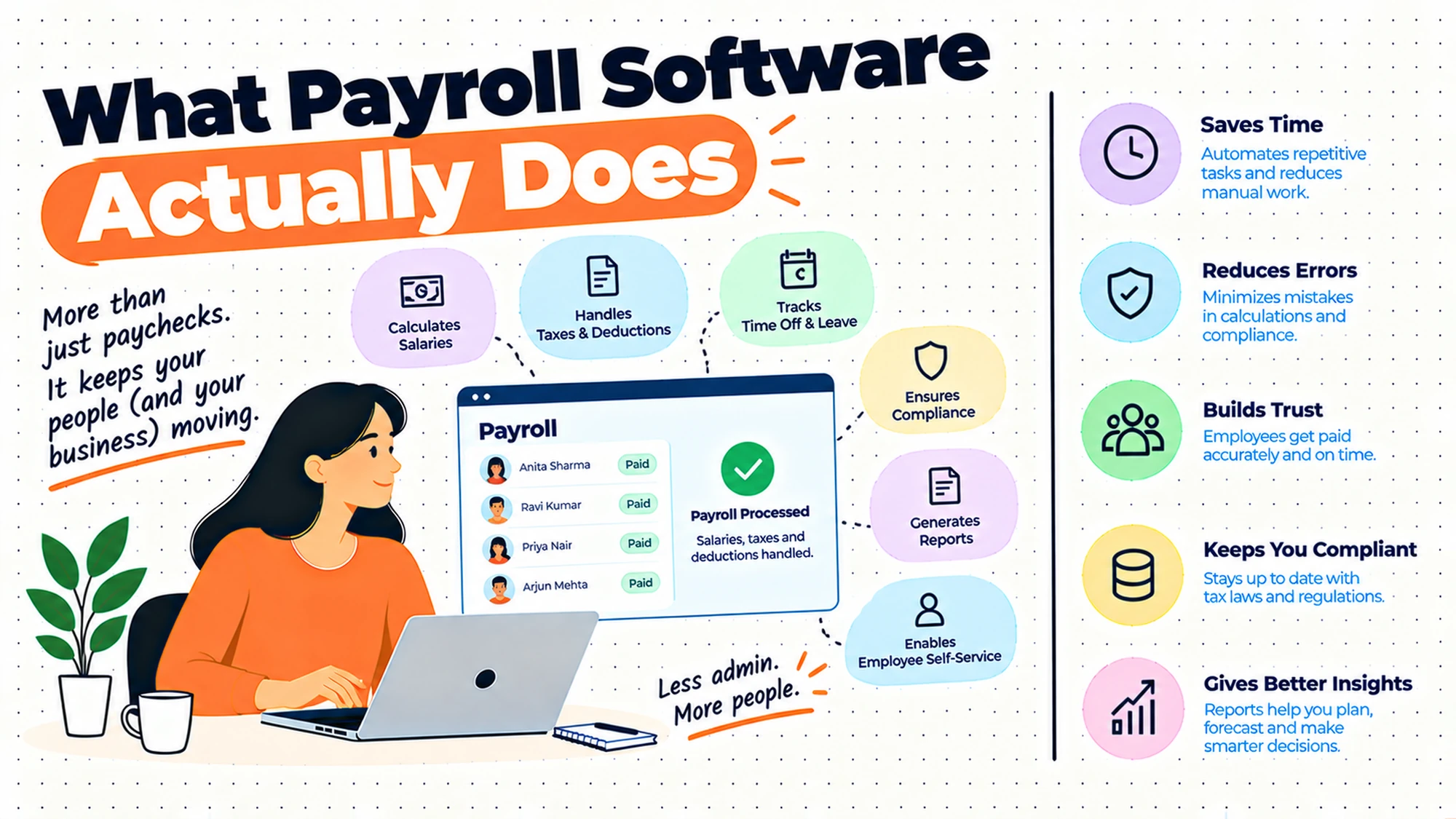
What does payroll software actually do? Three things. It calculates what each person should receive from the inputs you give it, applying whatever deductions and contributions apply. It produces the instruction that moves the money. And it produces the records and documents that have to exist afterwards. Everything else in the category is built on top of those three.
What's the difference between payroll software and an HRIS? An HRIS holds the facts about who is employed and on what terms. Payroll calculates and pays from those facts. Some products do both, which is convenient and blurs a distinction worth keeping, because the two fail differently and being right about one tells you nothing about the other.
Do we need it at our size? Size is a weak predictor. The variables that matter are how many different treatments you have to apply, whether the process survives one person being unavailable, and whether anybody is actively tracking rule changes. A handful of people on identical straightforward terms is genuinely manageable manually. A smaller number on varied arrangements frequently isn't.
What is gross to net, in plain terms? The path from what somebody has earned to what actually reaches their account. Between those two sit deductions and contributions of various kinds, some statutory and some elected, applied in an order that matters. It's the core calculation payroll software performs, and the reason it's non-trivial is the rules rather than the arithmetic.
Will it stop us making mistakes? It stops a category of mistake and introduces another. Arithmetic errors, stale rule applications and transcription slips largely go away. What replaces them is configuration error: a rule set up wrongly at implementation applies consistently and confidently to everybody, every period, which is harder to spot than a one-off mistake because nothing looks unusual.
Inputs, Calculation and Outputs
Payroll is a pipeline with three stages, and almost every problem is attributable to one of them specifically. Knowing which saves a great deal of diagnosis.
| Stage | What has to be true | What goes wrong when it is not |
|---|---|---|
| Identity and terms | The person exists, on the right terms, from the right date | Somebody paid who left, or paid on old terms |
| Variable input | Hours, absence and one-off amounts arrive before cut-off | Missing pay, or a correction next period |
| Deduction setup | Each applicable element is configured and current | A consistent, confident, wrong result for everybody |
| Calculation | The engine applies the rules in the right order | Net figures that nobody can reproduce by hand |
| Payment instruction | Account details are right and the file is accepted | Money to the wrong place, or a failed run |
| Records and documents | Each person can be shown what they were paid and why | Queries nobody can answer, evidence you cannot produce |
| Onward reporting | Whatever has to go elsewhere, goes | An obligation missed without anybody noticing |
The third row is where the expensive errors live and it's the least visible. A wrong value entered for one person produces one wrong payslip that somebody queries. A deduction element configured wrongly at implementation produces a wrong result for an entire population, applied identically every period, with nothing anomalous to catch the eye. Those run for a long time before anybody spots them.
The fifth row is the one with the fastest consequence. Everything else can be corrected next period with an apology. Money arriving in the wrong account, or not arriving, is felt immediately by somebody who has bills scheduled, and it's the failure that damages trust most per incident.
The last row differs most by jurisdiction. What has to be reported, to whom, on what cycle, and in what format is set externally and changes, so treat it as a requirement to establish locally rather than a feature to compare.
Five Diagnostic Questions You Can Self-Assess Against
Could somebody else run it next week? Not in principle. Actually, with the documentation that exists. If the honest answer is no, the risk isn't accuracy, it's that your payroll depends on one person being available, and people are unavailable sometimes without warning.
Who is watching for rule changes? Name them. In many organisations the answer is nobody, and the arrangement survives because a provider is quietly doing it. That's fine and it's worth knowing, because it's a substantial part of what you're paying for and it's invisible until it stops.
Can you reproduce a net figure by hand? Take one person and one period and work it through. If nobody in the organisation can explain how a number was reached, you can't check the system, you can only trust it. That matters the first time somebody queries a payslip.
What happens when an input is late? Trace it. If the answer is that somebody stays late, or that it goes in next period without anybody deciding, you have a calendar problem that will surface as an error eventually.
Could you produce the records if asked? For a person, for a period, at short notice. What you must be able to produce and for how long differs by jurisdiction, so establish that locally, and then check whether your current arrangement actually satisfies it rather than assuming.
Six Things People Expect Payroll Software to Do, Reviewed
Calculate pay correctly from the inputs it is given
The headline function and the one people worry about most. It earns its place completely: applying deductions and contributions in the right order, handling mid-period changes, prorating correctly, is genuinely intricate work that a spreadsheet handles badly once terms vary.
Where the expectation misleads is the phrase from the inputs it is given. The engine is accurate about what you told it. If a rate is wrong in the employee record, or hours didn't arrive, or somebody's leaving date was never entered, the calculation will be flawlessly wrong. Payroll inherits every upstream error and presents it with the confidence of a system.
Buy it for the calculation and understand that calculation quality is bounded by input quality. The work that actually improves accuracy sits upstream.
There is a specific consequence worth anticipating. Once a system is in place, wrong payments get attributed to payroll by everybody who is not payroll, because payroll is where the error became visible. A team that cannot point at where an input came from spends its time defending itself rather than fixing causes, which is why knowing the origin of each field matters long before anything goes wrong.
Keep the deduction rules current without anybody watching
The thing you are most genuinely paying for and the thing least discussed in demos. Statutory elements change, and somebody has to know that and apply it before the next run.
Where it falls short is the assumption that this is universal and automatic. It varies considerably by arrangement: some products maintain statutory elements as part of the service, some expect you to configure changes yourself, and some do it for one jurisdiction and not another. The distinction matters enormously and it's rarely on a comparison page.
Ask directly which elements are maintained for you, in which places, and what happens when something changes mid-year. Then establish independently what applies where you pay people, because a vendor's coverage is a commercial statement rather than a description of your obligations.
The answer also tends to be layered rather than binary, which is worth drawing out. A product may update the calculation itself while leaving you to decide who a change applies to, or update a rate without adjusting anybody already set up under the old one. Both are reasonable divisions of labour and both leave work with you, so the question to press on is not whether something is maintained but which part of it.
Produce the payment and the file that moves the money
Generating the instruction that results in money arriving. It earns its place because the alternative is somebody typing account details, which is both slow and the highest-consequence transcription task in the whole operation.
Where it falls short is at the boundary with whoever actually moves the money. The file has to be accepted, the timing has to work, and a rejected or delayed file becomes urgent immediately. Account detail changes are also the single most sensitive thing in payroll, and how they're authorised is a control question rather than a configuration one.
Test the whole path before your first live run, including a rejection. Knowing what a failure looks like in advance is worth more than assuming it won't happen.
The timing of that path deserves as much attention as its correctness. There is a gap between the instruction leaving and the money arriving, it varies by method and by day, and it is the part people discover during their first run that falls near a non-working day. Establish how long yours takes in practice, on the worst day of the month rather than an ordinary one, and build the calendar around that figure.
Produce the records and documents that have to exist afterwards
Payslips, statements, and whatever else has to be generated and retained. It earns its place because these have to exist reliably and because producing them by hand is tedious and error-prone.
Where it falls short is that what has to appear, in what form, and for how long it must be kept differ by jurisdiction and change. A system produces what it was configured to produce, which may or may not match your obligations, and the gap is invisible until somebody asks.
Establish what you're required to produce and retain with local advice, then check the configuration against that list specifically. Don't infer your obligations from what the software offers.
Access is a separate question from production and gets less thought. Somebody who has left still has a legitimate interest in records covering their employment, and how long they can reach them, through what route, is a decision somebody has to make rather than a default to inherit. It arrives as an awkward individual request at a bad moment if nobody has settled it in advance.
Tell somebody when an input looks wrong before the run
Flagging values that don't fit the pattern: a figure much larger than last period, a new bank account, a missing element. It earns its place as the highest-value feature in the category and the one people underrate, because catching an error before the money moves is worth more than any correction process afterwards.
Where it falls short is that these checks are usually configurable and usually left at whatever they shipped with. Too sensitive and everybody ignores them; too loose and they catch nothing. They also can't know what a legitimately unusual period looks like.
Tune them deliberately and review what they caught. A check nobody reads is worse than no check, because it creates a false sense that something is watching.
The most useful single check is also the simplest: compare each person against what they received last period and look at anything that moved. It needs no configuration, it catches almost every category of error at once, and it works precisely because payroll is unusually stable month to month. Anything that changed either has an explanation somebody can give immediately or is worth stopping for.
Remove the person who currently holds the process in their head
Making payroll a process rather than an individual. It earns its place because that dependency is a genuine organisational risk that people underestimate until somebody is unexpectedly away.
Where it falls short is that software doesn't remove the knowledge requirement, it relocates it. Somebody still has to understand what the system is doing, notice when a result looks wrong, and answer a query about a payslip. A system operated by somebody who can't explain its output has replaced one dependency with a worse one.
Write down how the run is performed, who approves it, and what to check. That document does more for continuity than the software does.
Write it as instructions somebody could follow rather than as a description of what happens, because the two read very differently under pressure. The test is whether a competent colleague who has never run payroll could complete a cycle from the document alone. That is a demanding standard and it is exactly the situation the document exists for.
The Decision Table
| Situation | Scale | Setup | Primary Pain | Recommended Starting Point |
|---|---|---|---|---|
| Few people, uniform terms, nothing wrong | Under ten | One jurisdiction | None | Change nothing |
| Process depends on one person | Any | Manual or spreadsheet | Continuity, not accuracy | Document the run first |
| A rule changed and you found out late | Any | Manual | Nobody tracking changes | An arrangement that maintains rules |
| Varied terms, worker types or elements | Any | Any | Rule surface, not headcount | Software sized to the variety |
| A payment reached the wrong account | Any | Any | Control on detail changes | Authorisation before anything else |
| Corrections every period | Any | Any | Inputs arriving late or wrong | Fix upstream and the calendar |
| Paying in a second jurisdiction | Any | Multi-jurisdiction | A whole new rule surface | Establish obligations locally first |
| Nobody can reproduce a net figure | Any | Any | Trust without verification | Work one payslip through by hand |
| Cannot produce records on request | Any | Any | Obligation, not convenience | Establish what is required, then check |
The second row is the one organisations act on last and should act on first, because it's cheap. Writing down how the run is performed, what gets checked and who approves it takes an afternoon, removes most of the single-person risk, and is the same document any implementation will ask you for.
The fourth row is the honest sizing question. What determines whether you need software isn't how many people you pay, it's how many different treatments you have to apply correctly. Varied contract types, multiple elements, mid-period changes and different populations all multiply the rule surface independently of headcount.
The Part That Is Not Arithmetic
If you take one thing from this, take this: the sums are not the product.
Any spreadsheet can calculate a deduction. What it can't do is know that the basis for that deduction changed, that a threshold moved, that an element applies to a category it didn't previously, or that something was introduced that didn't exist last year. Those changes arrive on somebody else's schedule, they aren't announced to you, and applying yesterday's rules correctly produces a confidently wrong result.
This is the thing you're actually buying, and it's the thing most poorly described in the market. A product that calculates beautifully and expects you to maintain every statutory element yourself has sold you an engine, not a service. One that maintains those elements as part of the arrangement has taken on a continuing obligation, and that's worth substantially more.
Three questions separate them, and none appears on a feature comparison.
Which elements are maintained for you, and in which places? Coverage is rarely uniform. A product may maintain everything in its primary market and considerably less elsewhere, and the gap is where an organisation paying people in two places gets caught.
What happens when something changes mid-period? Rules occasionally move with awkward timing. Whether that's handled for you, and whether prior periods need revisiting, is a real operational question with a real answer.
Who tells you that something changed? Silent maintenance is good until you need to know. A change that alters what people receive is something you'll be asked about, and not knowing it happened is an uncomfortable position.
The reason this matters more than any feature is that it's the part you cannot verify from outside. You can test a calculation. You cannot test whether somebody will notice a rule change in eight months, and by the time you find out, several runs have gone out.
There is one partial check available, which is to ask what changed in the last year and how you were told. An arrangement that can answer specifically, naming the changes and the notice given, is describing a process that exists. One that answers in general terms about staying current is describing an intention, and the difference is the whole of what you are buying.
So establish your own obligations independently, with local advice, in every place you pay people. Then ask each arrangement precisely which of those it maintains. The difference between those two lists is the work that stays with you, and it's the number that should drive the decision.
Where Payroll Software Disappoints
| The failure | How it shows up | What would have to change |
|---|---|---|
| Bought for arithmetic, needed for rules | Same effort, now with a subscription | Ask what is maintained, and where |
| Configuration error at implementation | A consistent wrong result nobody queries | Check one payslip by hand, per population |
| Inputs still arriving late or wrong | Corrections every period, blamed on payroll | Fix the upstream owners and the cut-off |
| Warning checks left at defaults | Ignored alerts, or none that fire | Tune them, then review what they caught |
| Knowledge relocated, not removed | Nobody can explain an output | Write down the run and the checks |
| Obligations inferred from the software | A gap discovered when somebody asks | Establish requirements locally, then check |
The second row is the quiet one and the most expensive. Individual errors get queried by the person affected, which is a functioning detection system. A configuration error affects a whole population uniformly, produces no anomaly, and is caught only when somebody works a figure through by hand. That exercise is worth doing once per population after go-live and almost nobody does it.
The last row is worth stating plainly because it's a reasoning error rather than an oversight. What a product offers describes what its vendor built for their market. It is not a statement about what you're required to do. Organisations that configure against the software's menu rather than against established requirements discover the difference at the worst possible moment.
What to Put in Writing
| Artefact | Who owns it | When it is written | What it prevents |
|---|---|---|---|
| What you are obliged to deduct, produce and retain | Whoever runs payroll, with local advice | Before evaluating anything | Obligations inferred from a feature list |
| Which statutory elements the arrangement maintains | Whoever signs | Before signing | Assuming maintenance that is not included |
| How the run is performed, step by step | Whoever runs it | Now, regardless of systems | Payroll depending on one person |
| Where each input comes from and when it is final | Whoever runs payroll | Before implementation | Corrections every period |
| Who may change bank details, and how it is approved | Whoever runs payroll | Before go-live | The highest-consequence change going unchecked |
| One worked example per population | Whoever runs payroll | After go-live | A configuration error nobody can see |
The third row is the one to do today whether or not you buy anything. A written description of how payroll is actually performed is the cheapest risk reduction available in this area, it's what any implementation will ask you to produce anyway, and writing it reliably surfaces at least one step nobody realised was undocumented.
Questions to Ask Before You Commit
On maintenance. Which statutory elements do you keep current, and where? A bad answer is all of them.
On changes. What happens if a rule moves mid-period? A bad answer is that it's handled.
On notification. How do we find out something changed? A bad answer is that we publish updates.
On the file. Can we test a rejected payment file? A bad answer is that it doesn't happen.
On records. Can you produce one person's history on request? A bad answer is a data export.
On our own obligations. Where did our requirements list come from? A bad answer is the vendor.
What Getting This Wrong Costs
The first cost lands on an individual and is felt immediately. A wrong or missing payment isn't an administrative error to the person affected; it's a direct financial problem with scheduled consequences. Payroll is unusual among HR systems in that its failures are experienced personally, on a known date, by somebody who has no ability to fix it themselves. Trust lost there is disproportionate to the size of the error.
The second cost is the configuration mistake that runs for months. Because these produce uniform results rather than anomalies, nothing about them looks wrong, and the correction when it arrives is large, retrospective and affects many people at once. Working one payslip through by hand per population after go-live is the only reliable detection, and it costs an hour.
The third cost is the obligation discovered late. What must be deducted, produced, filed and retained is set externally, differs by jurisdiction, and changes. An organisation that built its arrangement around what a product offered, rather than around requirements it established independently, finds the gap when somebody asks a formal question. That's the failure mode with consequences beyond inconvenience, and it's entirely avoidable by getting the requirements list from a source accountable for it being right.
So before evaluating anything, do two things in this order. Establish what you're obliged to do where you pay people, with proper local advice. Then write down how your payroll is currently performed. Those two documents turn every subsequent conversation from a feature comparison into a fit assessment.
The order matters more than it appears. Requirements established after seeing a product tend to describe that product, because the demo supplies the vocabulary and the categories, and it becomes very hard to notice an obligation nobody showed you a screen for. Written first, the list is yours, and each arrangement gets measured against it rather than the other way round.
When You Are Ready to Go Further
None of this needs a purchase to start. Write down how the run happens, who approves it, and what gets checked. Get your obligations established locally by somebody accountable for the answer. Those two are useful whatever you decide and they're what an implementation will ask for.
Then, if you do buy, protect two things through the process. Insist on testing the payment path including a failure, because discovering what a rejection looks like during a live run is the worst possible time. And work one payslip through by hand for each distinct population after go-live, comparing against what the system produced. That single exercise catches the class of error that otherwise runs silently for months.
After that, the useful ongoing habit is the variance check: comparing this period against last and asking about anything that moved unexpectedly. It catches more than any individual control, it takes minutes, and it's the closest thing to a general-purpose safety net this process has.
HROpsLab publishes independent comparison work across HR tooling, applicant tracking and payroll. We sell nothing, we take no vendor money, and we publish no paid placements. If the next step is looking at what your current tooling actually supports here, our comparison work is one place to start.
Frequently Asked Questions
What does payroll software actually do?
Three things. It calculates what each person should receive from the inputs it's given, applying whatever deductions and contributions apply to them. It produces the instruction that moves the money. And it produces the records and documents that have to exist afterwards. Everything else in the category is built on those three. The important thing to understand is that the calculation is the least difficult part: any spreadsheet can perform the arithmetic, and what it can't do is keep pace with rules that change on somebody else's schedule.
What is the difference between payroll software and an HRIS?
An HRIS holds the authoritative facts about who is employed and on what terms; payroll calculates and pays from those facts. Some products cover both, which is convenient and blurs a distinction worth keeping, because the two fail in different ways. An organisation can have correct payroll and an inaccurate employee record, or a clean record and a misconfigured payroll, and being right about one tells you nothing about the other. Payroll also inherits every upstream error and presents it with the confidence of a system.
Does a small company need payroll software?
Headcount is a weak predictor, and the better test is how many different treatments you have to apply correctly, whether the process survives one person being unavailable, and whether anybody is actively watching for rule changes. A handful of people on identical straightforward terms is genuinely manageable by hand. A smaller number on varied arrangements, or any situation where one person holds the whole process in their head, is riskier than the headcount suggests, and the risk is continuity rather than arithmetic.
What does gross to net mean?
The path from what somebody has earned to what actually reaches their account. Between those two sit deductions and contributions of various kinds, some statutory and some elected by the individual, applied in an order that affects the result. It's the core calculation payroll software performs. What makes it non-trivial isn't the arithmetic but the rules: which elements apply to whom, on what basis, and in what sequence, all of which differ by jurisdiction and change, so establish what applies where you pay people with local advice.
Will payroll software stop us making mistakes?
It removes one category of error and introduces another. Arithmetic slips, stale rule applications and transcription errors largely disappear. What replaces them is configuration error, which is considerably harder to detect: a deduction element set up wrongly at implementation produces a consistent, confident, wrong result for an entire population, every period, with nothing anomalous to catch anybody's eye. Individual mistakes get queried by the person affected; uniform ones don't. Working one payslip through by hand per population after go-live is the practical defence.
What happens when the payroll rules change?
Somebody has to know it happened and apply it before the next run, and who that somebody is varies enormously between arrangements. Some products maintain statutory elements as part of the service, some expect you to configure changes yourself, and coverage is frequently uneven across jurisdictions. This is the single most valuable thing you can buy in this category and the least clearly described in the market. Ask directly which elements are maintained, in which places, and how you'd be told that something moved.
Does payroll software remove the need for a payroll person?
No, it relocates what that person needs to know. Somebody still has to understand what the system is doing, notice when a result looks wrong, approve the run, and answer a query about a payslip from somebody who is worried about their money. A system operated by a person who can't explain its output has replaced one dependency with a less visible one. The useful step is writing down how the run is performed and what gets checked, which does more for continuity than the software itself.
How do you check a payroll system is calculating correctly?
Work one payslip through by hand for each distinct population, then compare against what the system produced. That's the only method that catches configuration errors, because those produce uniform results rather than anomalies and so generate no queries. Do it after go-live and again after any significant change. Alongside that, the variance check is the most useful ongoing control: compare this period against last and ask about anything that moved unexpectedly, which takes minutes and catches more than any single check.
The sums were never the hard part. Keeping up with the rules is what you are paying for.