TL;DR
- The core decision: who each line belongs to, because a list without an owner per item is a description rather than a list.
- When doing nothing is right: when one person handles every hire and nothing has been missed.
- What has to be true: somebody updates it the first time something is missed, or it stops being true within months.
- How the options split: by whether the list is organised around time or around who can act, which changes everything about whether it works.
- Decision rule: if a line can't be ticked by the person holding the list, it belongs on somebody else's.
- Outcome to expect: the same two items stop being missed, which is most of what a checklist can do.
The Checklist Nobody Opens
Most organisations have an onboarding checklist. Somebody made it, usually in a hurry, after something went wrong. It lives in a shared folder, it runs to forty or fifty lines, and it is opened roughly twice: once when it was written and once when a new person is handed it to look organised.
It doesn't get used because it was built for nobody in particular. It mixes items that HR does with items IT does with items the manager does with items the new person does, which means whoever opens it can act on a fraction of it and has to work out which fraction. It includes steps that stopped being necessary two system migrations ago. And it has no mechanism for being corrected, so the first time somebody notices a line is wrong, they work around it rather than fixing it, and everybody who follows does the same.
A checklist is one of the cheapest process tools available and one of the most reliably wasted. The waste comes from a misunderstanding about what it is for. It's not documentation of the onboarding process. It's not a training document. It's not a record for an audit, though it sometimes gets pressed into that role. It's a device for making sure a small number of things that are easy to forget are not forgotten, by somebody who is busy, under time pressure, doing this alongside their actual work.
Best tools for Onboarding & LMS
Everything about how it should be built follows from that. Short rather than complete. Organised by who acts rather than by what happens. Specific enough that ticking a line means something. And maintained by the people using it, or not maintained at all.
When You Genuinely Do Not Need to Act Yet
Your current setup is genuinely fine. One person handles every hire, they have done it enough times that the sequence is automatic, and nothing has gone missing. A checklist would be documentation of something that already works, and it would go out of date faster than it would be consulted.
Friction is starting to show. A second person has started doing hires, or the same step has been missed twice, or somebody was away and a hire went through without them. Those are the conditions under which a short list starts earning its keep, and short is the operative word.
It has become a real cost. Several people run hires, the same items go missing regardless of who is doing it, or somebody spends time each hire reconstructing what needs to happen. At this point the knowledge is genuinely distributed and a list is the cheapest way to hold it.
The edge case that forces it. You hire into regulated roles or several jurisdictions, where specific checks or records attach to particular positions and the consequences of missing one fall on the organisation. What is required differs by location and sector, so the list itself has to be built from current local advice rather than assembled from what you have always done, and it has to be reviewed when the rules move.
Five Questions This Reader Asks at 11pm
What should be on an onboarding checklist? Fewer things than you think, and only things that can actually be ticked. The test for each line is whether somebody could disagree about whether it has been done, and if they could, the line is too vague to be useful. Anything genuinely required by regulation belongs on it and must come from current local advice rather than from a template found online, since requirements differ by jurisdiction and change.
Should there be one list or several? Several, split by who acts. A single master list is the most common design and the one that fails most reliably, because everybody who opens it can only do part of it and nobody owns the whole. Splitting by owner means each person holds a short list they can actually complete, which is the condition under which lists get used.
How long should it be? Short enough to be read on a screen without scrolling, per owner. If a list runs past that, it has stopped being a memory aid and become a process document, and process documents are consulted once and then ignored. Length is not thoroughness; it is usually the accumulated residue of everything anybody ever thought of.
Should the new person have one? Yes, and only for things they can do alone. Handing somebody a list where half the items depend on other people creates the worst version of the experience, which is being made responsible for chasing an organisation you have just joined and have no standing in.
How do we stop it going out of date? By letting whoever uses it correct it, immediately, without approval. Every checklist decays, because the things it describes change; the only question is whether corrections take a minute or a request. Where they take a request, they don't happen, and the list is wrong within months.
Five Diagnostic Questions You Can Self-Assess Against
Can the person holding the list complete every line on it? If not, it isn't their list. This one question fixes most broken checklists, because the standard design hands everybody a list that's mostly somebody else's work and expects them to know which parts are theirs.
Could two people disagree about whether a line is done? Take any line and ask it. Items like set up their workspace or introduce them to the team can't be ticked honestly, because there's no clear condition for completion, so they get ticked anyway and the tick means nothing.
When was it last changed? If the answer is longer ago than your last system change, process change or policy change, it is describing an organisation that no longer exists. A list that hasn't been touched in a year is usually being worked around rather than followed.
What happened the last time somebody found a line that was wrong? If they told somebody and nothing happened, or if they mentally skipped it, you have your answer about whether this list is maintained. The correction path matters more than the initial quality.
Is anything on it there because of an external requirement? Those items need a different treatment: a named source, a review date, and somebody accountable for checking the source is still current. What is required differs by jurisdiction and sector, and a requirement that has changed is more dangerous on a list than absent from one, because the list creates confidence.
Six Checklist Designs, Reviewed
One master list covering everything
A single document with every task for every function, usually organised chronologically. It earns its place as a record of what the process involves, which is genuinely useful when somebody new takes over running hires or when you're trying to redesign the process. As a description, it is the best of these options.
Where it falls short is as a working tool, which is what it is usually used as. Whoever opens it can act on a fraction of the lines and has to identify which fraction each time, so in practice they scan for their own items and ignore the rest, which is a list they're building in their head rather than one you gave them. It also grows without limit, because everybody who notices a gap adds a line and nobody ever removes one.
Keep one, if you like, as the description of the process. Do not hand it to anybody as the thing they work from.
There's one situation where it genuinely is the right tool, which is redesign. Sitting down with every step in front of you is how you find the three that no longer happen, the two that happen twice, and the one that everybody assumed somebody else was doing. That's a periodic exercise rather than a working document, and it's worth doing about as often as your systems change.
Split by owner
Separate short lists for HR, for IT, for the manager, and for the new person, each containing only what that person can complete themselves. It earns its place because it satisfies the condition under which checklists actually work: the holder can tick every line without depending on anybody else, so the list is either done or visibly not done.
Where it falls short is at the joins. Splitting by owner means somebody has to notice when one list is complete and another hasn't started, and that coordination is exactly what the single master list was attempting to provide. Without somebody watching the whole, you get four well-executed lists and an item that sat between two of them for a week.
This is the right default. Pair it with one named person who can see whether all four are moving, which is a much smaller job than owning the process.
That watching role doesn't need to be formal or frequent. Someone glancing at four short lists once or twice before a start date will catch the item that hasn't moved, and catching it a week early is the entire value. What doesn't work is assigning the watching to one of the four owners, because they'll watch their own list attentively and the others when they remember.
Split by phase
Organised by time: before the offer is accepted, before the first day, first week, first month. It earns its place because it makes sequencing visible, and sequencing is where most of the value in onboarding sits. It's particularly good at showing how much could happen earlier than it currently does, which is usually the largest available improvement.
Where it falls short is the same problem as the master list, one layer down. Each phase still mixes owners, so each phase is still partly everybody's. It also encourages a false tidiness, since real items don't respect phase boundaries: equipment ordered in the pre-start phase arrives in week one, and the list has no good place for something that's in progress.
Use phases to organise the thinking and owners to organise the lists. Those are different documents with different purposes.
Role-specific templates
A separate list per role type, capturing the accounts, access, training and introductions that particular role needs. It earns its place on the item that's missed most: the system access that only this role needs, which nobody outside the team knows about and which is therefore reconstructed from memory every time.
Where it falls short is proliferation and maintenance. Twenty role templates is twenty documents to keep current, and in practice a handful stay accurate and the rest drift, which is worse than having none because people trust them. It also encourages duplication, since the common items appear on every template and have to be changed everywhere.
The version that survives is a short common list plus a short role-specific addition, kept by the team rather than by HR, because the team is the only group that knows when it changes.
The new starter's own list
A list given to the new person covering what they need to do. It earns its place because it gives somebody who has just arrived a sense of what's expected and something to make progress against in a week where they have little else to control, which matters more than it sounds.
Where it falls short is the temptation to put everything on it. A list containing items that depend on other people turns the new person into a chaser, which is an unpleasant role for anybody and an impossible one for somebody who has just arrived and doesn't know who to chase or whether chasing is acceptable here. It also shifts the appearance of responsibility onto them for a process that's entirely yours.
Give them only what they can do alone. Everything else belongs to somebody with the standing to move it.
It's also worth saying plainly on their list what isn't theirs. A short line explaining that equipment and access are being handled and who to tell if something hasn't appeared by a given day removes the uncertainty without transferring the job, and it saves the new person from either waiting silently or asking three people whether they should be worried.
Embedded in a system with assigned tasks
Onboarding tasks held in software, assigned automatically, with reminders and a visible status. It earns its place at volume, where the number of parallel hires makes tracking by memory or spreadsheet genuinely hard, and where the record of what was done has value. It also handles the coordination problem that the split-by-owner design creates.
Where it falls short is that it can only track a process, never create one. Organisations that configure a system before deciding who owns what end up with an accurate record of an unclear process, plus a new belief that onboarding is now handled. Systems also produce task fatigue: assignments that arrive constantly, are partially ignored, and are eventually ticked in bulk to clear the queue.
Worth it once the lists exist and are being used. Not worth it as a way of avoiding the work of writing them, since a system configured over lists nobody works from reproduces the same problem with better reporting attached.
The Decision Table
| Situation | Scale | Setup | Primary Pain | Recommended Starting Point |
|---|---|---|---|---|
| One person runs every hire, nothing missed | Under twenty | Single site | None | Change nothing |
| Second person starts running hires | Any | Any | Knowledge in one head | A short list per owner |
| Same item missed regardless of who | Any | Any | Not on anybody's list | Add it to the owner's list, not a master one |
| Long list nobody opens | Any | Any | Built for no one in particular | Split by owner, delete what can't be ticked |
| Role-specific access always missing | Any | Many distinct roles | Team knowledge, held centrally | A short addition kept by the team |
| Items sit between two owners | Any | Any | The joins, after splitting | One person who sees all the lists |
| Hiring continuously, parallel starters | Over two hundred | Any | Tracking by memory | A system, once the lists work |
| Regulated roles or several jurisdictions | Any | Regulated or multi-country | Requirements differ and change | Build from current local advice, set a review date |
| List exists but is wrong in places | Any | Any | No correction path | Let users edit it directly |
The fourth row is where most organisations actually are, and the instinct is to rewrite the long list into a better long list. That doesn't work. The problem is not the quality of the document, it is that a document addressed to everybody is addressed to nobody, and the fix is to cut it into pieces that individual people can complete.
Why Checklists Decay
Every list goes out of date. The useful question is how fast and whether anybody notices.
| The decay | How it shows up | What slows it |
|---|---|---|
| A system changed, the line didn't | A step that can't be done as written | Edit rights for whoever hits it |
| A step was added by somebody once | A line nobody understands the purpose of | A reason recorded beside unusual items |
| The list grew, nobody removed anything | Length that makes it unusable | A deletion whenever something is added |
| Ownership moved, the list didn't | Items assigned to a team that no longer does them | Names by role, reviewed when roles change |
| A requirement changed externally | A line that's confidently wrong | A named source and a review date |
| It was copied from a template | Items that never applied here | Building from your own process, not a download |
The first row is the ordinary case and the one that determines whether a list survives. Somebody follows it, hits a step that no longer matches reality, and does one of two things: fixes it, or works around it. Which one they do is entirely determined by how much friction the fix involves. If correcting it means editing a document they already have open, it gets corrected. If it means messaging somebody who owns the document, it does not, and the same person will work around the same line next time.
The last row is worth naming because downloaded templates are where most bad checklists come from. A generic list contains items that don't apply, uses terms that don't match yours, and lacks the two or three genuinely local steps that are the ones actually being missed. It looks thorough, which is the problem, because thoroughness is not the property you need.
Splitting It By Who Can Actually Do the Thing
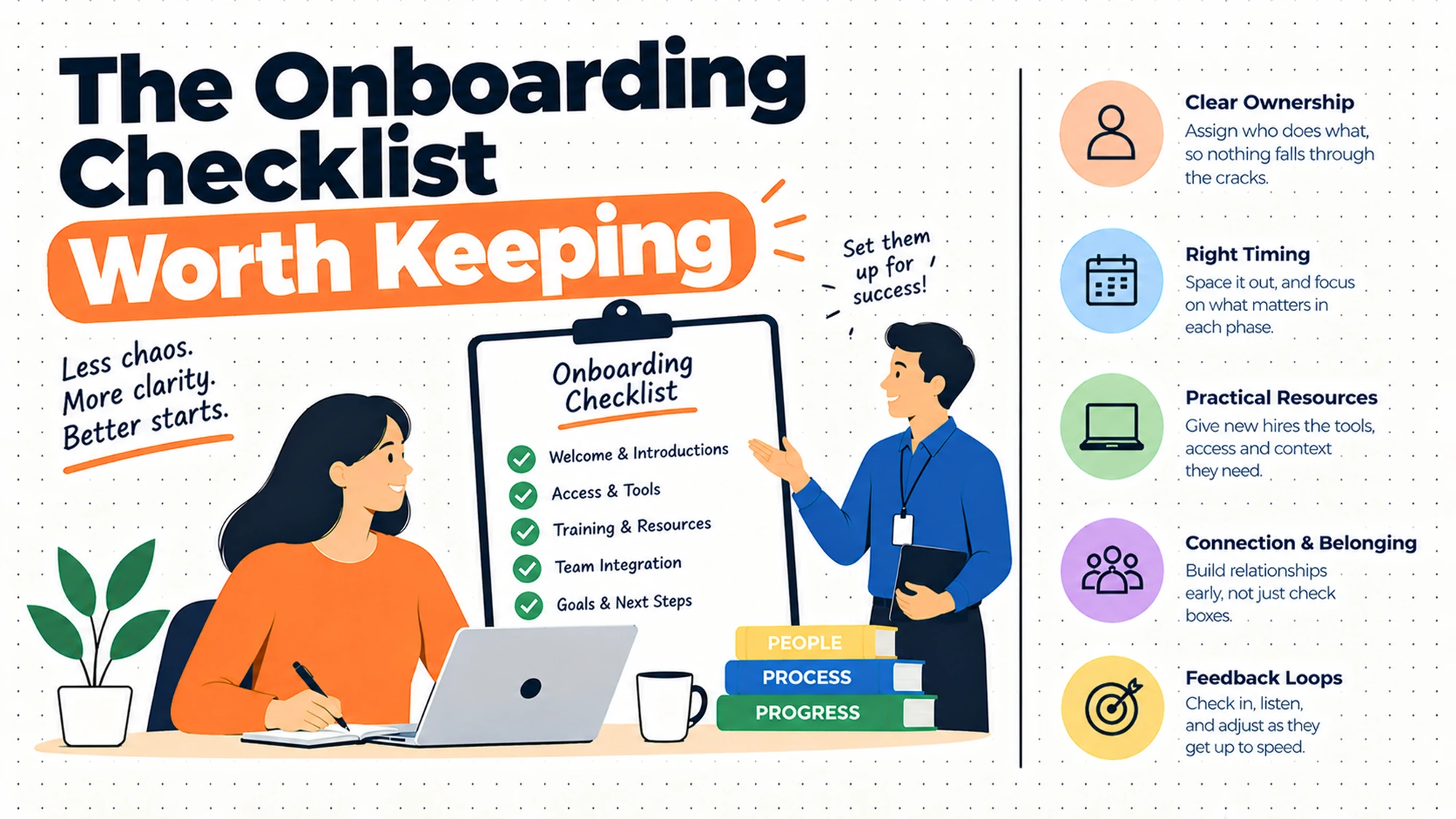
The single change that makes a checklist work is organising it around who acts rather than around when things happen. It sounds administrative and it is not: it changes whether anybody uses the list at all.
The reason is that a checklist is used under time pressure by somebody doing this alongside their real job. In that state, a list they can complete is a list they will work through, and a list where most items are somebody else's is a list they will scan and abandon. Scanning and abandoning looks identical to using it from the outside, which is why the problem persists.
Doing the split is mechanical. Take whatever list you have, go line by line, and ask one question: who can complete this without asking anybody? That person owns the line. If the answer is that it takes two people, the line is really two lines and should be written as two, because a line with divided ownership is a line that waits.
What you usually discover in the process is more valuable than the lists themselves. A handful of items will have no clear owner at all, and those are almost always the items that go missing. They tend to be the ones that sit between functions: an account granted by a team that doesn't know a new person is starting, a door access that belongs to facilities but is requested by IT, a system that nobody has administered since the person who set it up left.
The second discovery is that one list will be much longer than the others, and it is usually the manager's. That is worth acting on rather than accepting, because the manager is the person with the least available time and the most consequential items. Some of what's on their list is genuinely theirs; some of it is there because it was easier to assign than to work out who else could do it.
One caution about the new starter's list, since it is the one most likely to be built wrong. Anything on it that depends on another person will be experienced as a chase, and the new person can't chase effectively because they don't yet know who anybody is or what's normal here. Items like confirm your access has been set up belong to whoever grants the access, not to the person waiting for it.
What Belongs on It and What Does Not
Most existing checklists are long because nobody has ever had a reason to take something off, so it's worth having a rule about what qualifies.
Something belongs on a list if it's easy to forget, has a consequence when forgotten, and has a clear completion condition. All three matter. An item that's hard to forget doesn't need a list, an item with no consequence doesn't either, and an item nobody can tick honestly is a line that gets ticked anyway and teaches everybody that ticks mean nothing.
That rules out more than it sounds. Introduce them to the team doesn't qualify, because there's no point at which it's done. Make sure they feel welcome doesn't qualify for the same reason, and it's also not a task, it's an intention. Both are worth doing and neither belongs here, because a checklist that contains intentions stops being a device that can be completed.
It also rules out most of what people add after something goes wrong, which is where long lists come from. A bad experience produces a line, and the line is usually a description of the bad experience rather than a step that would have prevented it. Check the equipment order is progressing is not a step; ordering the equipment on the day the offer is accepted is.
Three categories do belong and are usually thin. Anything with an external dependency, because those are the items that fail and the ones nobody owns by default. Anything role-specific, because it lives in one team's head and is reconstructed from memory each time. And anything with an external requirement attached, which needs a named source and a review date, since what applies differs by jurisdiction and sector and doesn't stay still.
One test is worth applying to the whole list afterwards. Take the last three things that actually went wrong with a new starter, and check whether each would have been caught. If none of them would, the list is describing a process rather than protecting one, and it needs cutting rather than extending.
What to Put in Writing
| Artefact | Who owns it | When it is written | What it prevents |
|---|---|---|---|
| A short list per owner, only completable items | Each owner | Before the next hire | A long list nobody works from |
| Who watches that all the lists are moving | HR | At the same time | Items sitting between two owners |
| The role-specific additions | The team, not HR | When the role first appears | Access that's reconstructed each time |
| Why any unusual item exists | Whoever adds it | As it is added | A line nobody dares delete or explain |
| Where regulated items come from, and a review date | HR, with local advice | Before relying on them | A requirement that changed quietly |
| Who may edit the list | HR, once | Before anybody needs to | Corrections that never get made |
The last row is the one that determines whether any of the others stay true. A list that only its author can change is a list that will be wrong within months, because the people who discover the errors are not the author and their options are to report it or ignore it. Most people ignore it, and they're not wrong to, since reporting it costs them more than working around it does.
Questions to Ask Before You Commit
On ownership. Can the holder complete every line? A bad answer is that they will know which ones are theirs.
On specificity. Could two people disagree about a tick? A bad answer is that it is obvious.
On length. Does it fit on a screen? A bad answer is that thoroughness matters more.
On the new starter. Does their list depend on anybody else? A bad answer is that they can ask.
On corrections. How does somebody fix a wrong line? A bad answer involves asking permission.
On requirements. Where did the regulated items come from? A bad answer is a template.
What Getting This Wrong Costs
The first cost is the one a checklist was supposed to prevent, which is that things get missed anyway. A list that's too long, addressed to everybody, or full of items that can't be ticked provides the appearance of control without the substance, and the appearance is worse than nothing because it stops anybody looking for a better answer. Organisations with a bad checklist rarely conclude they need a good one; they conclude that checklists don't work here.
The second cost is the trust in the document, which is spent once. Somebody who follows a list and finds a step that's wrong will treat the whole thing as unreliable afterwards, and that judgement extends to the lines that were correct. This is why the correction path matters more than the initial quality: a list with several wrong lines that anybody can correct improves with every hire, and a list with one wrong line that only its author can touch gets abandoned.
The third cost falls on the new person, and it is the one nobody counts. Missing items are not distributed evenly; the same two or three are missed every time, which means every new starter has roughly the same bad experience, and each one concludes independently that this place is disorganised. The organisation sees isolated slips. The pattern is only visible to people who have joined recently, and nobody asks them.
So before rebuilding anything, do the cheap diagnostic. Ask the last three people who joined what they had to chase. If it is the same item each time, that item has no owner, and adding it to a master list won't change that. Give it to somebody by name and the problem stops.
When You Are Ready to Go Further
None of this needs software. It needs one short list per person who acts, containing only lines that person can complete, plus one named person who can see whether all of them are moving.
The step beyond that's maintenance, which is the part that determines whether any of it still works next year. Give every user the ability to edit directly, add a reason beside anything unusual so it can be deleted safely later, and put a review date on anything that exists because of an external requirement. Those three habits cost almost nothing and are the difference between a list that improves and one that quietly becomes wrong.
HROpsLab publishes independent comparison work across HR tooling, applicant tracking and payroll. We sell nothing, we take no vendor money, and we publish no paid placements. If the next step is looking at what your current tooling actually supports here, our comparison work is one place to start.
Frequently Asked Questions
What should be on an onboarding checklist?
Only items that the holder of that list can complete without depending on anybody else, and only items where two people could not disagree about whether they're done. That second test removes a surprising number of lines from most existing checklists, because things like set up their workspace or make them feel welcome have no completion condition and get ticked regardless. Anything that exists because of a regulatory requirement belongs on it and should come from current local advice rather than a downloaded template, since what applies differs by jurisdiction and by sector and changes over time.
Should you have one checklist or several?
Several, split by who acts rather than by when things happen. The single master list is the most common design and the least used, because whoever opens it can only complete a fraction of the lines and has to identify which fraction each time, so in practice they build their own list mentally and ignore the document. Separate short lists for HR, IT, the manager and the new starter each satisfy the condition that makes checklists work. Add one named person who can see whether all the lists are moving, because splitting creates gaps at the joins.
How long should an onboarding checklist be?
Short enough for one owner to read on a screen without scrolling. Beyond that it stops being a memory aid and becomes a process document, and process documents are read once. Length is usually mistaken for thoroughness, but a long list is generally the accumulated residue of everything anybody ever thought of, including steps for systems you no longer use. A useful discipline is to require a deletion whenever somebody adds a line, which forces the question of whether the new item matters more than something already there.
Should the new hire get their own checklist?
Yes, and it should contain only things they can do alone. A list that includes items depending on other people turns somebody who has just arrived into a chaser, which is uncomfortable for anybody and close to impossible for a person who doesn't yet know who anybody is or whether chasing is acceptable here. Items like confirm your system access has been granted belong to whoever grants the access. Done properly, their list gives them something to make progress against in a week where they control very little, which is worth more than it appears.
How do you keep an onboarding checklist up to date?
By letting the people who use it edit it directly, with no approval step. Every list decays as systems and processes change; what differs between organisations is whether a person who finds a wrong line fixes it or works around it, and that's determined entirely by how much friction the fix involves. If correcting it means editing a document they already have open, it gets corrected. If it means messaging an owner, it does not, and the next person will work around the same line.
Is an onboarding checklist template worth using?
As a prompt for what you might have forgotten, occasionally. As the actual list, no. Generic templates contain items that don't apply to you, use terms that don't match yours, and lack the two or three local steps that are the ones you're genuinely missing, since those are specific to your systems and your handoffs. They also look thorough, which is the trap, because thoroughness is not the property that makes a checklist get used. Build from your own process and your own recent misses instead.
Who should own the onboarding checklist?
Each list is owned by whoever works from it, which is the point of splitting them. What needs one central owner is the question of whether all the lists together still cover everything, and that's a periodic review rather than a daily job. Role-specific additions should sit with the team rather than with HR, because the team is the only group that knows when a new system is introduced or an old one retired, and a central owner will always be the last to find out.
What is the difference between an onboarding checklist and an onboarding plan?
A checklist prevents specific things from being forgotten by somebody who is busy. A plan describes what the person should be doing and achieving over their first period, which is a different document with a different audience and a different lifespan. Conflating them produces a document that does neither job: too long to work from under time pressure and too task-focused to say anything about what the person is for. Keep them separate, and expect the checklist to be mostly complete within weeks while the plan is still running.
A list addressed to everybody is addressed to nobody. Split it by who can actually tick the line.