Payroll software for multi-state restaurant chains must handle tip credits, FLSA tip pooling, predictive scheduling laws, and local minimum wage differences without requiring a full-time compliance team. For most 5-50 unit operators, Rippling or Toast Payroll win on POS integration and multi-state tax automation, while Gusto works for smaller chains under 10 locations that don't need deep scheduling ties. Chains over 75 locations or with union staff should look at ADP Workforce Now or Paycom instead. If your current provider is charging you for manual tip allocation or you're still filing state new-hire reports by hand, it's time to switch — and the best payroll software for restaurants in 2026 makes that switch pay for itself within two quarters.
TL;DR
- Pick Rippling if you run 10-75 locations across 5+ states and want payroll, HR, and IT provisioning in one system.
- Pick Toast Payroll if your locations already run Toast POS and you want tip data to flow into paychecks without exports.
- Pick Gusto if you're under 10 locations, mostly single-state, and don't need advanced labor-law geofencing.
- Pick ADP Workforce Now if you have 75+ locations, need dedicated tax jurisdiction support, or have union CBAs to manage.
- Pick Paycom if you want employees to self-manage tip declarations and time edits inside one app with minimal HR admin.
- Avoid QuickBooks Payroll or basic small-business tools once you cross three states — they don't automate tip credit compliance.
- Budget $9-$18 per employee per month plus a $40-$150 base fee, and expect implementation to take 4-8 weeks for a multi-state rollout.
Quick comparison table
| Vendor | Best for | Multi-state tax filing | Tip credit automation | POS integration | Starting price (as of 2026) |
|---|---|---|---|---|---|
| Rippling | 10-75 unit chains | Yes, automatic | Yes | Toast, Square, Clover via API | ~$8/employee/mo + $35 base |
| Toast Payroll | Toast POS restaurants | Yes | Native, built for tips | Native (Toast only) | ~$9/employee/mo + module fee |
| Gusto | Under 10 units | Yes, self-service | Partial, manual setup | Limited (Square, Homebase) | ~$6-$12/employee/mo + $40-$80 base |
| ADP Workforce Now | 75+ units, union shops | Yes, dedicated team | Yes | Broad, via connectors | Custom quote, typically $10-$20/employee/mo |
| Paycom | Self-service heavy chains | Yes | Yes, via Beti tool | Moderate | Custom quote, typically $10-$18/employee/mo |
| Paychex Flex | Chains wanting outsourced HR support | Yes | Partial | Moderate | ~$12/employee/mo + $59 base |
What is the best payroll software for multi-state restaurant chains?
There isn't one universal answer, but Rippling and Toast Payroll are the two most commonly recommended platforms for restaurant groups operating in five or more states, because both automate tip credit calculations and file state-level payroll taxes without manual jurisdiction setup per location.
The right choice depends on three things: how many states you operate in, whether you're locked into a specific POS system, and how much HR bandwidth you have on staff. A 12-location fast-casual chain running Toast in every store has a different answer than a 40-location full-service group running a mix of Toast, Square, and legacy POS systems inherited through acquisition.
Best tools for Payroll Software
Why this question is different for restaurants
Generic "best payroll software" lists rank platforms on features like benefits administration and time tracking, which matter, but they miss the two things that actually break restaurant payroll: tipped wage calculations and shift-based multi-state tax withholding. An hourly cook who works a shift in your New Jersey location on Monday and covers a shift in your New York location on Wednesday needs withholding calculated for both states, correctly, in the same pay period. Most generic payroll tools handle this at the employee level, not the shift level, which creates under-withholding errors that show up as employee tax bills months later.
How to actually answer this for your chain
Start by mapping three variables: state count, POS vendor, and current pain point (is it tax filing, tip reporting, or manual data entry?). If your pain point is tip reporting specifically, Toast Payroll or Rippling's POS integrations solve it directly. If it's tax filing across states, ADP's dedicated tax team or Rippling's automated multi-state engine both work, but ADP scales better past 75 locations because they assign account teams by regional footprint.
Run a scored comparison instead of a gut-feel decision. For each finalist, score on: number of states supported without manual setup, tip credit automation, POS integration depth, base + per-employee cost at your actual headcount, and implementation timeline. Weight tip automation and multi-state tax filing highest — those are the two areas where restaurant payroll differs most from generalist payroll, and where a wrong pick costs you in penalties, not just subscription fees.
What to do:
- List every state and city where you run payroll, including reciprocal agreements.
- Confirm your POS vendor's official payroll integrations before shortlisting.
- Score finalists on tip credit automation and multi-state filing before price.
- Pull a sample pay stub from your current provider to check for withholding errors across state lines.
Why does multi-state restaurant payroll get so complicated?
Multi-state restaurant payroll is complicated because minimum wage, tip credit rules, overtime calculation, and predictive scheduling laws all vary by state and sometimes by city, and a single multi-unit chain can be subject to a dozen different rule sets simultaneously.
Take a chain with locations in Texas, California, and Illinois. Texas allows a full federal tip credit. California doesn't allow any tip credit at all — tipped employees must be paid full minimum wage before tips. Illinois allows a partial tip credit but with different rules in Chicago than the rest of the state. A payroll system that treats "tipped employee" as one universal category across all three states will miscalculate wages in at least two of them.
The layers that stack up
Beyond tip credit, you're dealing with:
- Local minimum wage ordinances — cities like Seattle, Denver, and Minneapolis set wage floors above their state minimums, and those floors change on different schedules (often July 1 for some cities, January 1 for states).
- Predictive scheduling laws — Oregon, Chicago, New York City, and parts of California require advance notice of schedules and predictability pay when shifts change last-minute. Payroll needs to calculate that penalty pay automatically or your ops managers will miss it.
- Overtime calculation differences — California requires daily overtime after 8 hours, not just weekly overtime after 40, which most payroll defaults don't handle unless configured per state.
- New-hire reporting — every state requires new-hire reports within a set window (often 20 days), and high-turnover restaurant staffing means this happens weekly, not occasionally.
A worked example
Picture a 22-location chain with restaurants in California, Nevada, and Arizona. A server who picks up shifts across the Nevada-California border in a single week needs: California's no-tip-credit rule applied to California hours, Nevada's tip credit rules applied to Nevada hours, daily overtime calculated only for the California shifts, and two separate state tax withholdings reconciled on one paycheck. Manually, this takes a payroll admin 20-30 minutes per affected employee, every pay period. At scale, with even a modest percentage of cross-border staff, that's a part-time job that shouldn't exist if the software handled it natively.
This is the exact scenario where generalist payroll tools fail and purpose-fit multi-state engines from Rippling, ADP, or Paycom earn their subscription cost. It's also why any serious buyer research process should include a side-by-side review like the one at HROpsLab's best payroll software guide before signing a multi-year contract.
Checklist:
- Map every state and city wage ordinance your locations fall under.
- Confirm your provider auto-updates minimum wage and tip credit rates on statutory effective dates.
- Test how the system handles an employee who works shifts in two states in one week.
- Verify predictive scheduling penalty pay is calculated automatically, not manually flagged.
Does tip credit and tip pooling handling matter when choosing payroll software?
Yes — tip credit and tip pooling errors are the single most common source of Department of Labor wage claims against restaurant operators, and payroll software that automates this correctly is worth prioritizing over almost any other feature.
The FLSA sets federal rules for tip credits and tip pooling, but states layer their own restrictions on top, and 2021-2024 rule changes around the "80/20/30 rule" (limiting how much non-tipped side work a tipped employee can do while still being paid the tip-credit rate) made this even more detailed. Payroll software that just accepts a flat tipped wage rate per employee, without tracking side-work time separately, leaves you exposed.
What good tip handling looks like
A payroll system built for restaurants should:
- Pull declared tips directly from POS (Toast, Square, Clover) rather than requiring manual entry.
- Apply the correct state-specific tip credit automatically based on work location, not employee home address.
- Support tip pooling across front-of-house and, where legally permitted, back-of-house staff, with state-by-state rule enforcement.
- Flag employees whose tips plus base wage fall short of minimum wage in a pay period, so the employer can true up the difference before the pay run finalizes (this "tip shortfall" makeup is a legal requirement, not optional).
- Track side-work minutes if your state enforces the 80/20/30 rule, so a server who spends too much time rolling silverware doesn't stay on tip-credit wages inappropriately.
Where providers differ
Toast Payroll has an advantage here because tip data never leaves the POS ecosystem — declared and pooled tips flow straight into payroll without export/import steps, which cuts both errors and admin time. Rippling built tip credit logic into its multi-state tax engine, so it recalculates correctly even for employees splitting time across locations in different states. Gusto handles tip credit but requires more manual configuration per state, which is manageable for a five-location single-state chain but becomes a maintenance burden past that.
ADP and Paycom both support tip credit compliance, but the setup for tip pooling rules is typically handled through their implementation teams rather than self-service, which is fine if you have a dedicated onboarding window but slower if you need to add a new state quickly.
A quick scenario
A 15-location chain in Florida and Georgia switched from a generic payroll vendor to Rippling after a Department of Labor audit found $40,000 in tip credit shortfalls across three locations, caused by the old system not accounting for side-work time correctly. The new system flagged shortfalls in real time during the pay run, before checks went out, not after an audit.
What to do:
- Ask any finalist vendor to demo tip shortfall detection live, with real numbers.
- Confirm whether tip pooling rules are self-configurable or require an implementation ticket.
- Check if the system tracks side-work minutes for 80/20/30 rule states.
- Review your last two years of DOL wage claims, if any, to see if tip credit was the root cause.
How important is POS integration for restaurant payroll?
POS integration is one of the top three decision factors for restaurant payroll software, because it eliminates the manual export-import cycle between sales/tip data and paychecks that causes most timing and accuracy errors.
Without direct POS integration, a payroll admin has to export hours and tips from the POS, reformat the file, and upload it into payroll — often across a dozen or more locations, each on a slightly different pay cycle if the chain grew through acquisition. Every manual step is a place where a decimal gets dropped or a location gets missed.
What to check in a POS integration
Not all "integrations" are equal. Ask vendors to show you:
- Real-time vs. batch sync — does tip and hours data flow continuously, or does it require a nightly batch job that can fail silently?
- Which POS systems are natively supported — Toast Payroll obviously supports Toast natively; Rippling supports Toast, Square, and Clover through built-in connectors; Gusto's POS integrations are narrower and often go through Homebase or Square as an intermediary.
- What happens with corrections — if a manager voids a transaction or adjusts a tip after the shift closes, does that flow through to payroll automatically, or does someone need to manually adjust the pay run?
- Multi-POS support — chains that grew by acquisition often run two or three POS systems simultaneously. Confirm the payroll vendor can pull from all of them into one consolidated pay run, not separate ones per POS.
A realistic scenario
A 30-location chain running Toast in 22 stores and Square in 8 (from a recent acquisition) needs a payroll system that can ingest both without forcing a POS migration first. Rippling's connector model handles this reasonably well; a chain locked into Toast Payroll specifically would need to migrate the Square locations to Toast POS first, which is a six-figure hardware and retraining project most operators don't want to front-load onto a payroll switch.
This is a case where the "best" answer depends entirely on your POS footprint, not a universal ranking. If you're single-POS on Toast, Toast Payroll's native integration is hard to beat on tip accuracy. If you're multi-POS or planning to stay flexible on POS vendor choice, a payroll platform with broad connector support like Rippling keeps you from being locked into hardware decisions you might want to revisit later.
Checklist:
- Inventory every POS system currently running across your locations.
- Ask each payroll finalist for a live demo of real-time sync, not a slide describing it.
- Confirm how tip and hour corrections after close-of-shift propagate to payroll.
- Weigh the cost of standardizing POS against the cost of a payroll platform with broader connector support.
Which payroll providers handle multi-state minimum wage and predictive scheduling laws best?
Rippling, ADP Workforce Now, and Paycom currently offer the most complete automatic updates for multi-state minimum wage changes and predictive scheduling penalty pay, based on how frequently they push statutory rate updates without requiring manual admin intervention.
Minimum wage changes aren't rare events. In a typical year, a dozen or more states and cities adjust minimum wage on January 1, and several more adjust on July 1 tied to CPI indexing (Oregon and parts of California, for example). A chain operating in eight states might see six or seven separate rate changes in a single calendar year, each requiring the payroll system to apply the new rate to the correct locations on the correct effective date.
What "handles it well" actually means
- Automatic statutory updates — the vendor updates the rate in the system before the effective date, without your team submitting a support ticket.
- Location-based application — the new rate applies based on where the employee physically worked, not their home address or the chain's headquarters state.
- Predictive scheduling penalty calculation — in jurisdictions like NYC, Chicago, Oregon, and San Francisco, if a manager changes a published schedule inside the notice window, the system needs to calculate predictability pay (often 1-4 hours of pay depending on the jurisdiction and change type) and add it to the affected employee's pay automatically.
- Retroactive correction support — if a rate update is missed or applied late, the system should support an efficient retroactive pay run rather than requiring manual off-cycle checks per employee.
Comparing the leaders
ADP maintains dedicated compliance teams that track state and local wage law changes as a core part of their service, which is part of why larger chains (75+ locations) often stick with ADP despite the higher cost — the compliance monitoring is effectively an outsourced legal research function. Paycom's "Beti" self-service tool pushes wage and schedule discrepancies to employees directly for review before the pay run finalizes, which catches some errors before they become penalties. Rippling updates its rules engine on a rolling basis and has been reasonably fast on major state changes, though as of 2026 its predictive scheduling penalty automation is less mature for smaller cities than ADP's.
Gusto and Paychex Flex both apply minimum wage updates but generally with less location-level automation — often relying on the employer to confirm the work location tagging is correct at setup, which is fine for a 5-location single-state operator but creates risk for a chain spanning multiple predictive scheduling jurisdictions.
Worked example
A 40-location chain with restaurants in Chicago and San Francisco needs predictive scheduling penalty pay calculated automatically whenever a manager swaps a shift inside the 14-day (Chicago) or 7-day (San Francisco) notice window. Without automation, an ops manager has to manually track every schedule change against the notice window and manually add penalty pay — a task that gets skipped under service-rush pressure, which is exactly when the legal exposure builds up.
What to do:
- Confirm whether your finalist vendor treats predictive scheduling penalty pay as automatic or manual.
- Ask for a list of every jurisdiction the vendor actively monitors for wage law changes.
- Request the vendor's track record on statutory update timing over the past 12 months.
- Build a retroactive pay run test into your implementation plan before go-live.
What does it cost to run payroll for a 10-location restaurant chain?
For a 10-location restaurant chain with roughly 250-350 employees, expect to pay between $2,500 and $5,500 per month for payroll software alone, before add-ons like benefits administration, workers' comp integration, or HR advisory support.
That range depends heavily on per-employee pricing, base fees, and how many add-on modules you need. A chain running lean on features (payroll + tax filing only) sits at the low end; a chain adding time tracking, benefits, and HR compliance support sits at the high end.
Breaking down the math
Using Rippling's approximate published starting rate of $8 per employee per month plus a $35 base fee, a chain with 300 employees would pay roughly $2,435-$2,835 per month for core payroll, before add-on modules like benefits administration or scheduling. Gusto, at approximately $6-$12 per employee plus a $40-$80 base, lands in a similar range but scales less predictably once you add multi-state modules, which some providers price separately.
ADP and Paycom generally quote custom pricing rather than list rates, and for a 10-location chain, expect a sales process that includes a demo, a needs assessment, and a proposal — budget an extra 2-4 weeks for procurement versus self-serve platforms like Gusto or Rippling.
Hidden costs to ask about
- Implementation fees — some vendors charge a one-time setup fee for multi-state configuration, ranging from a few hundred to several thousand dollars depending on complexity.
- Year-end tax form fees — W-2 and 1099 generation is sometimes bundled, sometimes billed per form.
- New-hire reporting fees — a handful of vendors charge separately for automated state new-hire reporting, which restaurants need constantly given turnover.
- Off-cycle pay run fees — restaurants run more off-cycle checks (final pay for terminated employees, correction runs) than most industries; check if these are included or billed per run.
A grounded example
A 10-location full-service chain in Ohio, Kentucky, and Indiana with 280 employees, moderate turnover, and biweekly pay currently pays a regional payroll bureau approximately $4,200 per month, largely due to per-off-cycle-run fees from high turnover-driven final paychecks. Moving to a platform with off-cycle runs included in the base subscription, even at a slightly higher per-employee rate, can net out cheaper once turnover-driven exceptions are factored in — a calculation worth running before assuming the cheapest quoted rate is the cheapest actual cost.
What to do:
- Request an all-in quote that includes implementation, year-end forms, and off-cycle run fees.
- Calculate your actual monthly off-cycle pay run volume from the last 6 months before comparing quotes.
- Ask each vendor to itemize what's bundled versus billed separately.
- Compare total cost per employee per month, not just the advertised base rate.
Rippling vs Gusto vs ADP vs Toast Payroll vs Paycom: Which fits multi-location restaurants?
Rippling generally fits mid-size chains (10-75 locations) wanting one platform for payroll, HR, and device management; Gusto fits chains under 10 locations; ADP fits large chains (75+) or those with union staff; Toast Payroll fits any size chain fully standardized on Toast POS; and Paycom fits chains wanting heavy employee self-service.
Each of these five vendors approaches multi-state restaurant payroll differently enough that the "best" answer really is segment-dependent, not a single winner.
Rippling
Rippling's strength is breadth — payroll, HR, IT device management, and benefits in one system, with a multi-state tax engine that handles employees working across state lines reasonably well. The tradeoff is that Rippling's per-module pricing (payroll, HR, IT, benefits are often separate line items) can get expensive if you need everything, and its restaurant-specific features (tip handling, scheduling integration) rely on third-party POS connectors rather than a native build.
Gusto
Gusto is the easiest to self-implement and has transparent published pricing, which smaller finance teams appreciate. Its ceiling shows up around 8-10 locations or 3+ states, where its multi-state tax and tip credit configuration starts requiring more manual per-state setup than larger platforms automate.
ADP Workforce Now
ADP's dedicated account and compliance teams are the reason large chains stick with it despite higher and less transparent pricing. If you have union CBAs, multi-state wage garnishments at volume, or need a named support contact rather than a ticket queue, ADP's service model justifies the premium. It's overkill, both in cost and implementation complexity, for a chain under 20 locations.
Toast Payroll
If every location runs Toast POS, Toast Payroll's native tip and hours integration is hard to beat on accuracy and admin time saved. The catch is lock-in: it's a payroll module built to serve Toast customers, so if you ever want to run a second POS or switch POS vendors, you're re-evaluating payroll at the same time, which compounds the disruption.
Paycom
Paycom's Beti tool pushes employees to review and confirm their own hours and deductions before each pay run, which catches errors early and reduces payroll admin workload. It works well for chains with tech-comfortable staff and less well in locations with older workforces or limited smartphone access, since it depends on consistent employee app engagement.
Decision table
| Chain profile | Best fit |
|---|---|
| 3-9 locations, single POS, single or two states | Gusto |
| 10-75 locations, multiple states, mixed POS | Rippling |
| All locations on Toast POS, any size | Toast Payroll |
| 75+ locations, union staff, complex garnishments | ADP Workforce Now |
| Tech-savvy staff, want self-service focus | Paycom |
What to do:
- Match your location count and POS standardization to the profiles above before requesting demos.
- Ask each vendor directly how they'd handle your specific state mix, by name.
- Get a reference call with a restaurant customer at a similar location count, not just a case study PDF.
- Compare implementation timelines, not just monthly cost, since restaurant payroll cutover during a service season can be disruptive.
How do you migrate payroll data without disrupting paychecks?
You migrate payroll data safely by running a parallel pay period on both the old and new systems before fully cutting over, reconciling every discrepancy before the first live check runs on the new platform.
Migration risk in restaurants is higher than average because of turnover volume, tip data complexity, and the number of active garnishments, benefit deductions, and state tax IDs that need to transfer correctly across every location.
The migration sequence that works
- Data audit before export — clean up your current system first. Terminated employees still marked active, duplicate SSNs, and mismatched work locations all migrate as errors if not fixed beforehand.
- Parallel run — process one full pay period in both old and new systems simultaneously, without paying employees twice, just to compare net pay, tax withholding, and deduction totals line by line.
- Tax ID transfer — confirm every state and local tax ID, unemployment insurance account number, and workers' comp policy number is correctly loaded per location before go-live; a missing state tax ID delays your first filing and can trigger penalty notices.
- Benefits and garnishment mapping — court-ordered garnishments in particular need exact continuation; a lapse or miscalculation here creates legal exposure independent of payroll accuracy.
- First live run monitoring — run the first two live pay periods with extra manual review before trusting the system fully unsupervised.
Timeline expectations
For a chain with 10-30 locations, expect 4-8 weeks from contract signature to first live pay run, assuming reasonably clean existing data. Chains with messier historical data (common after acquisitions or long tenure with a legacy bureau) should budget 10-12 weeks. Migrating mid-quarter is generally easier than migrating at year-end, since W-2 and quarterly tax filing continuity gets more complicated if you switch providers mid-quarter.
A realistic scenario
An 18-location chain migrating from a regional payroll bureau to Rippling found during the parallel run that 40 employees had incorrect state tax elections carried over from a prior acquisition, understating withholding for nearly a year. Catching this during the parallel run, rather than after go-live, meant the correction was a one-time adjustment rather than a multi-employee tax notice problem the following spring.
Checklist:
- Run a full data audit and cleanup before exporting anything.
- Insist on a parallel pay period, not a straight cutover, regardless of vendor promises.
- Confirm every state tax ID and workers' comp number transfers correctly per location.
- Schedule migration outside of your slowest quarter-end and busiest holiday season if possible.
What compliance risks are unique to multi-state restaurant payroll?
The compliance risks unique to multi-state restaurant payroll are tip credit misapplication, predictive scheduling violations, minor labor law breaches, and inconsistent overtime calculation across state lines — all of which carry per-violation penalties that scale quickly with location count.
Generic payroll compliance concerns (tax filing accuracy, wage garnishment handling) apply everywhere. Restaurants layer on industry-specific exposure that most HR leads underestimate until an audit or employee complaint surfaces it.
The four biggest exposure areas
Tip credit misapplication. As covered earlier, applying the wrong state's tip credit rules, or applying a tip credit in a no-tip-credit state like California or Washington, creates immediate back-pay liability plus potential liquidated damages under the FLSA.
Minor labor law violations. Restaurants employ a disproportionate share of workers under 18, and each state sets different rules on maximum hours, prohibited tasks (meat slicers, fryers), and required break timing for minors. A scheduling system disconnected from payroll compliance rules can schedule a 16-year-old for a shift that violates state hour limits without anyone noticing until a labor department audit.
Predictive scheduling and fair workweek penalties. Covered above — these accumulate per incident, per employee, and multi-location chains in NYC, Chicago, Oregon, and parts of California are the most frequently cited nationally.
Overtime miscalculation across state lines. An employee working in California and Nevada in the same week needs California's daily overtime rule applied only to California hours, while Nevada uses its own daily overtime threshold above a certain wage level. Getting this wrong even slightly, across a full pay year, adds up to meaningful back-pay exposure per affected employee.
Why penalties scale faster in restaurants
Restaurant compliance violations are typically assessed per employee per pay period, not as a flat fine. A tip credit violation affecting 30 employees over 26 pay periods in a year isn't one violation — it can be treated as up to 780 separate instances depending on the jurisdiction and how the labor department calculates the claim. This is why even a modestly-sized chain can face six-figure exposure from what looks, operationally, like a small configuration mistake.
What to build into your vendor evaluation
Ask every finalist vendor directly: "Show me how your system prevents a tip credit violation before the pay run finalizes, not after." A vendor that can only report violations after the fact, in a compliance dashboard, is less protective than one that blocks or flags the pay run before checks go out.
Checklist:
- Confirm the system enforces minor labor law scheduling rules automatically, not just payroll math.
- Ask for a live demo of pre-pay-run compliance flagging, not a post-run report.
- Review your last two years of any DOL or state labor complaints to identify your actual risk pattern.
- Set a quarterly internal audit cadence for tip credit and overtime accuracy regardless of which vendor you choose.
How do you handle multi-state tax registration and reciprocity?
You handle multi-state tax registration by registering for withholding and unemployment insurance accounts in every state where you have a physical location or remote employees, and by confirming reciprocity agreements before assuming an employee only owes taxes in their work state.
Tax registration is one of the most overlooked parts of a multi-state payroll setup because it's a one-time administrative task that's easy to defer, but it blocks your first pay run in a new state if it's incomplete.
What needs to be registered per state
- State withholding tax account — required in every state where you have employees physically working, even briefly.
- State unemployment insurance (SUI) account — separate from withholding, and your SUI rate starts as a new-employer rate that adjusts based on claims history over time; expect this rate to vary meaningfully by state.
- Local tax accounts — cities like Philadelphia, New York City, and several Ohio municipalities require separate local withholding registration beyond the state account.
- Workers' compensation policy per state — most states require this to be state-specific, not a single national policy, though some payroll platforms bundle pay-as-you-go workers' comp that simplifies this.
Reciprocity agreements matter more than people expect
Some states have reciprocity agreements meaning an employee who lives in one state but works in another only pays income tax to their resident state (common examples include several Midwest and mid-Atlantic state pairs). Restaurant chains near state borders — a common footprint given metro-area expansion strategies — need payroll software that correctly applies reciprocity rather than double-withholding or under-withholding. Getting this wrong doesn't usually create employer penalties directly, but it creates a wave of employee tax confusion and support tickets every filing season, plus potential W-2 correction requests.
A worked example
A chain opening a new location in Kansas City, straddling the Missouri-Kansas border, needs to register for both states' withholding and unemployment accounts if it hires from both sides of the border, and needs payroll software that knows Missouri and Kansas do not have a reciprocity agreement — meaning employees working in one state but living in the other may owe taxes to both, with a credit mechanism at filing time rather than a simple single-state withholding.
Most full-service payroll platforms — Rippling, ADP, Paycom, Gusto — will register new state tax accounts on your behalf as part of onboarding a new location, which is worth confirming in your contract since self-registration can take 2-6 weeks depending on the state and adds real delay to opening a new location on schedule.
What to do:
- Confirm whether your payroll vendor registers new state and local tax accounts for you or requires you to do it.
- Map any locations near state borders and check for reciprocity agreements affecting your workforce.
- Verify workers' comp policies are state-specific and current for every location.
- Build a 4-6 week tax registration lead time into any new-location opening timeline.
What reporting do multi-unit restaurant operators actually need?
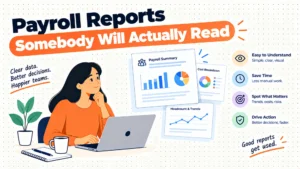
Multi-unit restaurant operators need labor cost percentage by location, overtime and predictive scheduling penalty tracking, tip credit shortfall reports, and turnover/new-hire volume by location — reporting that most generic payroll dashboards don't surface without customization.
Standard payroll reports (payroll register, tax liability summary, W-2 preview) are table stakes. What actually helps an ops or HR lead run a multi-location chain is reporting that ties labor cost to sales and flags compliance risk before it becomes a liability.
The reports that matter most
- Labor cost as a percentage of sales, by location — this only works if payroll data ties to POS sales data, which is another argument for tight POS integration; a location running consistently above target labor percentage is a management problem payroll data can surface early.
- Overtime trend by location and by role — restaurants often have a handful of locations chronically over-relying on overtime rather than hiring, and a monthly trend report by location makes this visible to regional managers, not just corporate finance.
- Tip credit shortfall report — as discussed, tracking any pay period where tips plus base wage fell short of minimum wage, resolved automatically or flagged for manual review.
- Turnover and new-hire velocity by location — restaurant turnover averages are high industry-wide, and location-level turnover reporting helps identify which managers are struggling to retain staff versus which locations have structural scheduling or wage issues.
- Predictive scheduling compliance report — a location-level log of schedule changes inside the notice window and whether penalty pay was applied, useful both for internal compliance and as documentation if a labor department inquiry comes in.
Who actually uses these reports
Regional operations directors typically want labor cost percentage and overtime trend reports weekly. HR or people ops leads want turnover and tip shortfall reports monthly. Finance wants a consolidated multi-location payroll liability report tied to the general ledger, ideally exported directly to whatever accounting system (QuickBooks, NetSuite, Sage Intacct) the chain uses, rather than manually rekeyed.
Where vendors differ on reporting
Rippling and ADP both offer customizable report builders that can slice data by location, role, and pay period without needing a data export to Excel first. Toast Payroll's reporting strength is specifically labor-cost-to-sales tied reporting, since it owns both the POS sales data and payroll data natively. Gusto's reporting is functional but less customizable at scale, which is fine for a five-location operator pulling basic reports monthly but limiting for a 20+ location chain needing weekly location-level dashboards.
Checklist:
- List the five reports your regional managers and finance team actually pull monthly today.
- Confirm any finalist vendor can produce those reports natively, without manual Excel rework.
- Check whether payroll data exports cleanly into your accounting system's general ledger.
- Request a sample multi-location dashboard during the demo, not just a description of report capability.
Pricing breakdown
Pricing for restaurant payroll software as of 2026 typically combines a monthly base fee with a per-employee charge, and multi-state or tip-credit features are sometimes bundled, sometimes priced as add-on modules — always ask for an itemized quote rather than a headline rate.
| Vendor | Base fee (monthly) | Per-employee fee | Multi-state tax filing included | Notable add-on costs |
|---|---|---|---|---|
| Gusto | ~$40-$80 | ~$6-$12 | Yes, self-service | Time tracking, benefits admin often extra |
| Rippling | ~$35 | ~$8+ | Yes | HR, IT, and benefits modules priced separately |
| Toast Payroll | Module-based | ~$9+ | Yes | Requires Toast POS subscription as prerequisite |
| ADP Workforce Now | Custom quote | ~$10-$20 | Yes, with dedicated tax team | Implementation and HR advisory often separate line items |
| Paycom | Custom quote | ~$10-$18 | Yes | Beti and advanced modules may be priced separately |
| Paychex Flex | ~$59 | ~$12 | Yes | HR support tiers priced separately |
These figures are approximate and vary by contract size, negotiated discounts, and region — treat them as planning ranges, not quotes. For a chain evaluating finalists, request pricing scenarios at your actual headcount and location count rather than relying on published starting rates, since restaurant-specific modules (tip management, predictive scheduling compliance) are frequently priced outside the base plan. A detailed side-by-side breakdown, including how each vendor structures these add-ons, is available at HROpsLab's payroll software comparison if you want a starting point before your first vendor call.
Related reading
Frequently asked questions
What is the best payroll software for a restaurant chain with under 10 locations?
Gusto is generally the best fit for chains under 10 locations, particularly if you operate in one or two states. Its self-service setup, transparent pricing, and adequate tip credit handling cover most needs without the implementation overhead of enterprise platforms like ADP or Paycom.
Does Toast Payroll only work with Toast POS?
Yes, Toast Payroll is built specifically for restaurants already using Toast POS, and its main advantage — native tip and hours integration — depends on that POS relationship. If you run a different POS or a mix of systems, Toast Payroll isn't a practical option without standardizing on Toast first.
How long does it take to switch payroll providers for a multi-state chain?
Expect 4-8 weeks for a chain with 10-30 locations and reasonably clean existing data, and 10-12 weeks if your data needs significant cleanup or you're consolidating multiple legacy systems from acquisitions. Avoid switching mid-quarter when possible to reduce tax filing continuity issues.
Can payroll software handle both tip credit states and no-tip-credit states in the same pay run?
Yes, platforms like Rippling, ADP, and Toast Payroll apply tip credit rules based on the employee's actual work location, so a chain operating in both California (no tip credit) and Texas (full tip credit) can run one consolidated payroll correctly, as long as work locations are tagged accurately.
What happens if my payroll software misses a minimum wage update?
You're liable for the underpayment regardless of software error, plus potential penalties depending on the state. This is why vendor track record on automatic statutory updates matters — ask for evidence of update timing over the past 12 months before selecting a vendor.
Is ADP worth the higher cost for a mid-size restaurant chain?
Usually not below 75 locations. ADP's dedicated compliance and account management teams justify the premium for large or union-affiliated chains, but mid-size operators (10-50 locations) typically get comparable multi-state compliance from Rippling or Paycom at a lower effective cost.
Do I need separate scheduling software, or does payroll software cover predictive scheduling compliance?
Most payroll platforms calculate predictive scheduling penalty pay but don't replace dedicated scheduling tools like 7shifts or When I Work for the actual schedule-building and shift-swap workflow. Check whether your payroll vendor integrates with your scheduling tool rather than expecting one platform to do both well.
Final verdict
- Under 10 locations, single or two states: Gusto offers the best balance of cost, self-service setup, and adequate compliance coverage.
- 10-75 locations, multiple states, mixed POS systems: Rippling handles multi-state tax and tip credit automation with more flexibility than POS-locked options.
- All locations standardized on Toast POS: Toast Payroll delivers the tightest tip and hours accuracy since sales and payroll data never leave one ecosystem.
- 75+ locations or union-affiliated staff: ADP Workforce Now's dedicated compliance and account teams justify the premium at this scale.
- Chains wanting heavy employee self-service on hours and deductions: Paycom's Beti tool reduces payroll admin workload for tech-comfortable staff.
- Anyone still on a generic small-business payroll tool past 3 states: plan a switch within the next two quarters — tip credit and multi-state tax exposure compounds the longer you wait.
Choosing payroll software for a multi-state restaurant chain is ultimately a compliance decision wearing a software price tag, and the wrong pick shows up as back-pay liability, not just a bad subscription. Before you sign anything, run your finalists through a structured side-by-side comparison at HROpsLab's best payroll software for restaurants breakdown so your CFO sees the total cost of ownership, not just the sticker price on the sales deck.