TL;DR
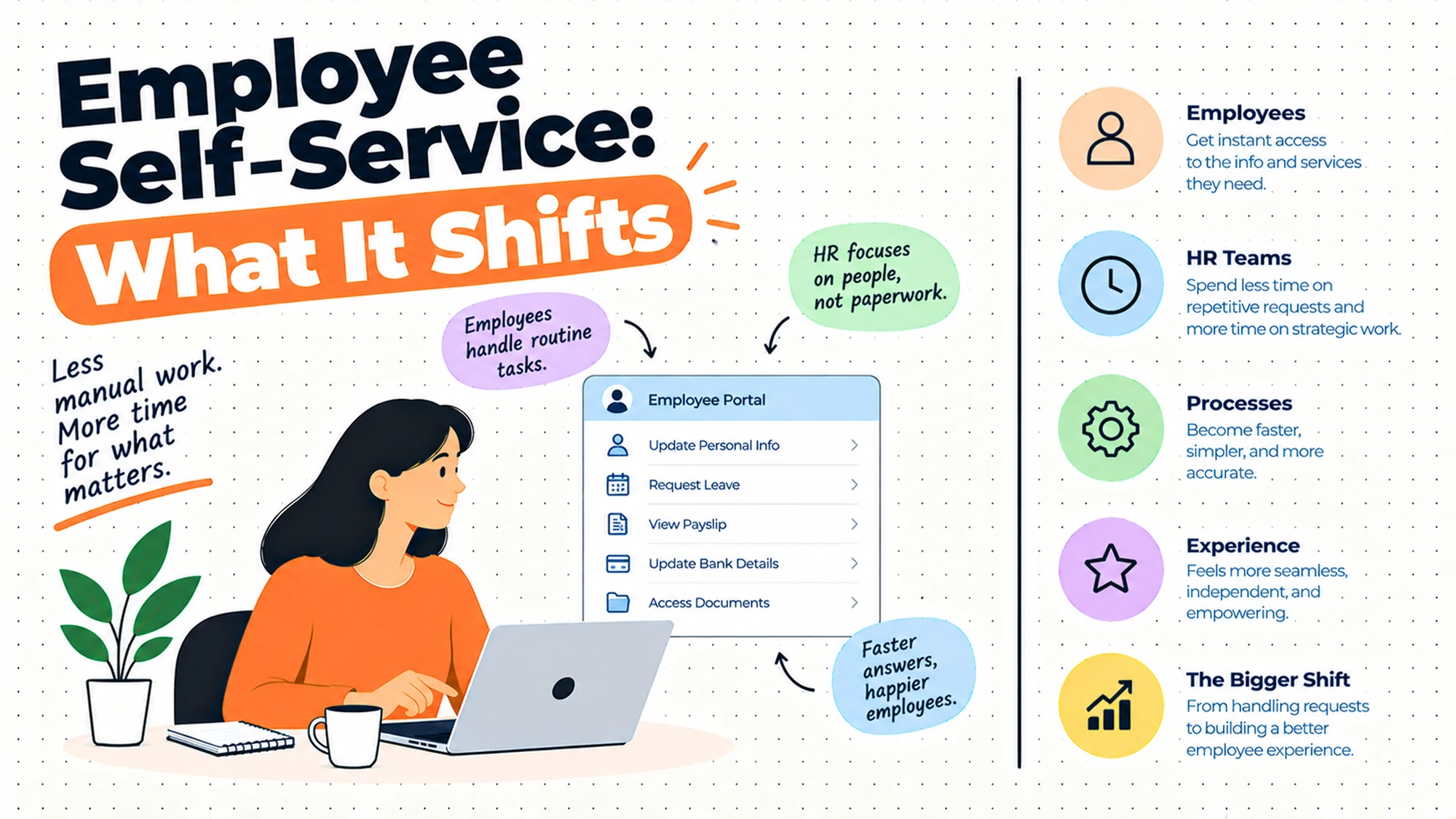
- The core decision: which tasks genuinely belong with the person who holds the information, because everything else is just moved rather than removed.
- When doing nothing is right: when requests are low enough that answering them personally costs less than the portal would.
- What has to be true: somebody can name the task, the person who did it before, and the person who does it now.
- How the options split: by whether the task needs information only the individual has, or judgement only HR has.
- Decision rule: if a task requires knowing a rule, self-service moves the error rather than the work.
- Outcome to expect: fewer routine interruptions for HR, and a smaller set of tasks done more reliably.
The Portal Nobody Opens
Self-service goes live. There's an announcement, a short guide, a link in the welcome email. For two weeks the numbers look promising.
Then somebody messages HR directly to change their address, because they tried the portal, couldn't find where, and had a thing to get on with. Somebody else asks a question the help centre answers on page one, because reading page one requires knowing the answer is there. A manager forwards a request to HR rather than approving it, because approving it meant logging into something they open twice a year and they'd forgotten how.
None of these people are being difficult. Each made a rational choice: the fastest route to the outcome was a person, and a person was available.
Best tools for HRIS Software
What makes this worth examining is the claim that usually justifies the project. Self-service is sold as removing administrative work. It doesn't remove it. It redistributes it, from a small number of people who did it all day and got fast at it, to a large number of people who do it rarely and slowly. The total time spent frequently goes up. What changes is who spends it and whether it's visible.
That trade is often worth making, and it is a trade. Pushing address changes to the individual is right because the individual is the only reliable source. Pushing a question that requires knowing a policy to somebody who has never read it moves the error, not the work.
So the useful reframe is not how much admin will this remove. It's which specific tasks belong with the person who holds the information, and what happens to everything else once it's been pushed somewhere less practised.
When You Genuinely Do Not Need to Act Yet
Your current setup is genuinely fine. Requests arrive at a rate one person absorbs without difficulty, people get answers the same day, and nothing has been lost. Below a certain volume a person is genuinely faster and warmer than a portal, and building one is effort spent making a working arrangement more formal.
Friction is starting to show. The same question arrives repeatedly, somebody's change didn't reach payroll, or a request sat unanswered while its owner was away. These are real signals and the first fixes are usually smaller than a portal: a written answer to the recurring question, a single route for changes rather than three.
It has become a real cost. HR spends a recurring, measurable part of each week on tasks that carry no judgement, or the volume has grown past what one person can hold, or changes reach some systems and not others because a human is copying them across. Now the case is real.
The edge case that forces it. People are spread across locations or time zones where asking a person means waiting a day, or you've reached a size where personal routing has become unfair rather than merely slow, because the people who know who to ask get faster service than the people who don't. Where the requests involve personal information, what you may hold and who may see it differ by jurisdiction, so establish that locally before designing access.
Five Questions This Reader Asks at 11pm
What is employee self-service, exactly? Any arrangement where an employee completes a task themselves rather than asking HR to do it: updating details, retrieving a document, submitting a request, finding an answer. The scope varies enormously between organisations, which is why comparisons are unhelpful. What matters is which tasks you've moved and whether those particular tasks suit being moved.
Will it reduce HR's workload? It reduces HR's routine interruptions, which is genuinely valuable and not the same thing. The work itself mostly moves rather than disappearing, and some of it comes back in a new form as questions about how to use the portal. The honest version of the benefit is that HR stops being the bottleneck for tasks that never needed judgement, and gets that attention back for work that does.
Why won't people use it? Because the alternative is available and faster. Every unanswered message to HR that gets a helpful reply teaches the organisation that messaging HR works, which it does. Adoption is a competition between two routes, and the portal loses whenever it's slower, harder to find, or uncertain. This is not a communication problem and more reminders will not fix it.
What should never be self-service? Anything requiring judgement about a rule, anything sensitive enough that a person should be involved, and anything where getting it wrong is expensive and the individual has no way to know they've got it wrong. The test is whether the person completing the task has everything they need to complete it correctly. If they need to know a policy first, you've moved the error rather than the work.
Do managers count as self-service? They're the group most often forgotten and they behave differently from employees. A manager approving something is doing organisational work, not personal admin, and they do it infrequently enough that they'll have forgotten the interface each time. Manager adoption is consistently the weakest part of these rollouts, and it's worth designing for separately rather than assuming.
Where the Work Actually Goes
The honest way to evaluate a self-service scope is to write down each task and name who did it before and who does it now. The pattern that emerges is usually uncomfortable.
| Task | Who did it before | Who does it now | What breaks in the handover |
|---|---|---|---|
| Change of address | HR, from a message | The individual | Nothing, if they remember to do it |
| Retrieving a payslip or document | HR, on request | The individual | Access questions nobody decided |
| Submitting a leave request | HR, from a message | The individual | Routing to a manager who misses it |
| Expense or claim submission | Finance or HR | The individual | Policy knowledge the submitter lacks |
| Approving a team change | HR, after a conversation | The manager | Approvals that stall in a queue |
| Answering a policy question | HR, with context | The individual, via search | An answer found but misapplied |
The first row is the honest success case and it's worth noticing why. The individual is the only person who reliably knows they've moved. Nothing about the task needs judgement, the information is theirs, and the failure mode is forgetting rather than getting it wrong. That combination is what makes a task suit self-service, and it's rarer in this list than the enthusiasm around portals suggests.
The last row is where the redistribution does real damage. Answering a policy question is not just retrieving text. It's retrieving text and applying it to a situation, which is the part HR was doing invisibly. Somebody searching a help centre finds an answer written in general terms and applies it to a specific case it may not cover. The question stops reaching HR, which looks like success, and the error appears later somewhere else.
The fourth row has a version of the same problem. Expense and claim submission moves a task that requires knowing what's allowed to somebody who doesn't, and the correction work lands on whoever reviews it. That's frequently still a net gain, because the submission itself was genuinely admin, and it's worth counting the review time rather than assuming it away.
Five Diagnostic Questions You Can Self-Assess Against
What happens when somebody messages HR instead? Trace it honestly. If a message gets a helpful answer, the portal is competing with a faster route and losing on merit. That doesn't mean refusing to answer, which is a good way to make HR unpleasant. It means noticing that adoption is a design problem, not a discipline problem.
Can somebody complete the task correctly without knowing a rule? Take each task in scope and ask it. Address changes pass. Expense submission usually doesn't. Tasks that fail this test aren't disqualified, but they need the rule presented at the moment of the task rather than stored somewhere findable, which is a different build.
How often does a manager use this? Count it. Anything a manager touches less than monthly will be unfamiliar every time, and design that assumes familiarity will fail. This is the single most common reason approval workflows stall, and it's predictable before launch.
Who decided what people can see? Access models in these systems tend to be accidents of implementation, inherited from whatever default was set up. As soon as documents and personal data are in scope, that needs a deliberate answer, and what you're obliged to control differs by jurisdiction. Establish it locally rather than accepting a default.
What did the last three people who gave up try first? Ask them. The answer is usually specific and fixable: a label that doesn't match what they called the thing, a login they didn't have, a form that rejected an entry without saying why. Three conversations will tell you more than any usage report.
Six Things Teams Push Into Self-Service, Reviewed
Personal detail changes
Address, contact details, emergency contacts, bank details. It earns its place more clearly than anything else here, because the individual is the only reliable source and every intermediary is a transcription risk. A change typed by the person it belongs to is the highest-quality version of that data you will ever get.
Where it falls short is that the task has no deadline for the individual. Updating your own record is something you do when something forces it, which is usually when a payslip goes somewhere wrong. Adoption for this is reliably worse than teams expect, and chasing it is awkward because the person is doing you a favour.
Attach it to a moment that already matters to them and it works. Leave it as a standing invitation and it won't. Be selective too: personal facts belong to the individual, but job title and reporting line are organisational facts and shouldn't be editable, or the record ends up describing what people believe their job is.
Bank details deserve a separate mention because they carry a fraud exposure the other fields do not. A change to where money goes is worth treating differently from a change of address: a confirmation to the previously held contact route, a short delay before it takes effect, or a second check depending on how you operate. What is required of you here differs by jurisdiction and by how you pay people, so establish it locally rather than copying a general practice.
Document access and payslips
Letting people retrieve their own documents rather than asking. It earns its place on volume, because these requests are frequent, entirely routine, and arrive at predictable moments. It also removes a small indignity: asking somebody for a copy of your own contract.
Where it falls short is the access question underneath, which most implementations answer by default rather than by decision. Which documents an individual can see, whether a manager can see anything of a team member's, how long things remain available after somebody leaves, all need deliberate answers. Obligations here differ by jurisdiction and by document type, so establish the position locally before configuring it.
Get the access model decided before launch. Retrofitting it is considerably harder than setting it.
Leavers are the part people forget. Somebody who has left frequently still needs a document, and the question of whether their access continues, for how long, and what they can still reach is one nobody wants to answer in the moment. Decide it in advance, because the alternative is an individual case handled by whoever picks up the request, which produces inconsistency exactly where consistency matters.
Leave and absence requests
Submitting a request through the system rather than by message. It earns its place because the request has a recipient and a decision attached, and a message can be missed in a way a routed request cannot. It also creates a record of what was asked and when, which resolves disputes that would otherwise be two recollections.
Where it falls short is entirely in the routing. A request that goes to a manager who doesn't check the system sits there, and the employee has done what was asked and heard nothing. That's worse than the message it replaced, because now they don't know whether to chase. Balance questions also generate their own traffic if the displayed number and the person's expectation disagree.
Make sure requests reach managers where they already look, and decide in advance what happens when one goes unanswered for a week.
The escalation path is worth designing rather than leaving implicit. A request that sits for a week with no route onward teaches the employee that the system is unreliable, and they will go back to messaging a person for everything afterwards, including the things that worked. One rule about what happens after a set period, applied consistently, protects the whole arrangement rather than just that request.
Expense and claim submission
Moving submission to the person who incurred the cost. It earns its place because the submitter holds the receipts and the context, and because the alternative usually involves forwarding images to somebody who re-types them.
Where it falls short is policy knowledge. The submitter doesn't know what's claimable, so either the rules get presented at the point of submission, which is a real build, or a reviewer corrects submissions afterwards, which is work that arrived rather than disappeared. Teams frequently count the saved data entry and not the added review.
Put the rule next to the field it applies to. A policy document linked from the form is not the same thing, and the difference shows up in the error rate.
It is also worth being honest in the business case about where the review time goes. Moving submission outward genuinely removes data entry, and it adds correction work for whoever checks. If that reviewer is the same person who used to do the entry, the saving is smaller than it appears; if it is somebody in another team, the saving is real for HR and has simply appeared on a different budget line.
Manager approvals and team changes
Letting managers approve requests and initiate changes for their own people. It earns its place because it removes HR from a routing role it added nothing to, and because the manager is the person with the authority and the context.
Where it falls short is frequency. A manager does this rarely enough to be unfamiliar every time, which makes every friction point decisive: a login they've forgotten, a notification they didn't see, a screen that assumes knowledge they don't have. This is the weakest part of most rollouts and it's entirely predictable, because the design is usually tested by people who use the system daily.
Send the approval where managers already are and keep the action to one step. Then watch a manager who wasn't involved in the project try it, unaided, and fix what they hit.
Do that test before launch rather than after, and pick a manager who is mildly sceptical rather than a supportive one. A willing participant will work around a problem silently and tell you it was fine, which is the least useful possible result. The reaction you want is somebody saying they would have given up at the second screen, because that is what most of the population will do without telling anybody.
Policy questions routed to a help centre
Answering the recurring questions in writing so people can find them. It earns its place because the same questions genuinely do recur, and because a written answer is available at three in the morning when a person isn't.
Where it falls short is the gap between finding an answer and applying it correctly. HR wasn't only retrieving text, it was interpreting for a specific case, and that interpretation disappears silently. The question stops arriving, which reads as success, and the misapplication surfaces somewhere else later. Content also tends to cover what's easy to document rather than what people actually ask.
Write answers to the last thirty questions people genuinely asked, not to a structure. And make the route to a person obvious from every page, because the cases that need one are exactly the cases where the written answer looks sufficient.
Keep a note of which written answers get read and which questions keep arriving anyway, because the second list is the more informative one. A question that recurs despite a published answer usually means the answer is technically correct and does not address what people are actually worried about, which is a rewriting job rather than a promotion job.
The Decision Table
| Situation | Scale | Setup | Primary Pain | Recommended Starting Point |
|---|---|---|---|---|
| Requests absorbed easily by one person | Under fifty | Single location | None | Do not build a portal |
| Same question arrives repeatedly | Any | Any | Repetition, not volume | Write the answer down first |
| Changes reach some systems, not others | Any | Several systems | A person copying data | Fix the propagation, then the portal |
| Portal live, people still message HR | Any | Any | The faster route wins | Fix findability, not compliance |
| Managers not approving | Any | Distributed managers | Infrequent use, assumed familiarity | Approvals where they already are |
| People spread across time zones | Any | Distributed | Waiting a day for routine answers | Self-service for the routine only |
| Documents in scope | Any | Any | Access decided by default | Decide the access model first |
| Expense submissions arriving wrong | Any | Any | Policy knowledge not transferred | Put the rule beside the field |
| Service feels unfair by who you know | Over two hundred | Any | Informal routing advantages insiders | One visible route for everybody |
The fourth row is where most self-service projects actually sit, and the instinct is to treat it as an adoption problem to be solved with communication. It isn't. People are choosing the faster route, which is the correct behaviour, and the fix is to make the portal faster or easier to find rather than to make the alternative less pleasant. Refusing to answer messages works and costs more than it saves.
The last row is the strongest argument for self-service and the one least often made. In an organisation without a visible route, service quality depends on knowing who to ask, which advantages people who've been there longer and are better connected. A single route everybody can see is fairer, and that's worth something independent of efficiency.
Why Adoption Stalls
Adoption failures in this area are remarkably consistent, and almost none of them are about willingness.
The first is that the alternative still works. People use the fastest available route, and if a message to HR produces an answer within the hour, the portal has to beat that. Usually it doesn't, because it requires remembering a login, finding the right area, and trusting that submitting the form will actually do something.
The second is findability, specifically vocabulary. The portal calls it a personal details amendment and the employee is thinking I moved house. Search matches words, and the words in the system were chosen by whoever built it. This is the single most common practical barrier and it's cheap to fix once you know the words people actually use, which you learn by asking rather than guessing.
The third is uncertainty about what happened. A person submits something and sees nothing. Did it go? Does somebody have it? Will it be done by payday? In the message version, a human replied and that reply was the confirmation. Systems that say nothing feel worse than the thing they replaced, even when they're working perfectly.
The fourth is infrequency, which mostly affects managers. Anything touched twice a year is unfamiliar every time, and unfamiliarity converts every small friction into a reason to forward it to HR instead. Designing for the infrequent user means fewer steps and more explanation at the moment of the task, not a better guide somewhere else.
The fifth is that nobody removed the old route. Running both indefinitely means the new one competes with a habit, and habits win. That doesn't mean switching the old route off abruptly, which is how HR becomes the department that stopped helping. It means being deliberate: answer the message, complete the task, and tell the person where it lives next time.
Where Self-Service Goes Wrong
| The failure | What the employee experiences | What would have to change |
|---|---|---|
| Tasks needing rule knowledge pushed out | Submitting something wrong, unknowingly | The rule beside the field, or keep it in |
| Vocabulary mismatch in search | Cannot find a thing that is there | Label with the words people use |
| No confirmation after submitting | Uncertainty, then a message to HR anyway | Tell them what happens and when |
| Requests routed to inattentive managers | Silence after doing what was asked | Send it where managers already look |
| Access model inherited, not decided | Seeing too much, or too little, by accident | Decide it deliberately, take local advice |
| Old route left running unmanaged | The habit wins, adoption stalls | Answer, complete, then redirect |
The third row is the cheapest fix on this list and the most commonly missed. A submitted request that returns nothing feels like shouting into a void, and the rational response is to message HR to check, which reproduces the interruption you were trying to remove. One line confirming what was received and when it will be actioned removes most of that traffic.
The first row is the one with a cost that surfaces late. When a task requiring policy knowledge moves to somebody without it, the mistakes don't announce themselves. They accumulate quietly and appear as corrections, disputes or a payroll discrepancy months later, by which point nobody connects them to a scope decision made during a portal rollout.
What to Put in Writing
| Artefact | Who owns it | When it is written | What it prevents |
|---|---|---|---|
| Each task, who did it before, who does it now | HR | Before configuring anything | Assuming work disappeared |
| Which tasks need a rule to complete | HR | Before configuring | Moving errors instead of work |
| What a manager can do, in how many steps | HR, with a manager | Before launch | Approval workflows that stall |
| Who can see what, decided not inherited | HR, with local advice | Before documents go in | Access set by an installation default |
| What a person sees after submitting | HR | Before launch | Confirmation traffic back to HR |
| The words employees actually use | HR, by asking | Before labelling anything | Content nobody can find |
The last row costs an afternoon and fixes more than any other single change. Ask a handful of people what they'd type if they wanted to do each common task, and label accordingly. The system's own terminology was written by people who understand the system, and they are the one group that will never need to search for anything.
Questions to Ask Before You Commit
On the task. Who does this now, specifically? A bad answer is the system.
On knowledge. Can they complete it without knowing a rule? A bad answer assumes they'll look it up.
On managers. How many steps, and how often? A bad answer is that it's intuitive.
On confirmation. What do they see afterwards? A bad answer is nothing.
On access. Who decided what people can see? A bad answer is the default.
On words. Did you ask what people call this? A bad answer is the system's term.
What Getting This Wrong Costs
The first cost is the work that didn't disappear, counted as a saving. A team that pushes tasks outward and reports reduced HR admin has genuinely reduced HR admin, and the organisational total may be higher, spread across people who are slower at it. That's frequently a fine trade and it should be made knowingly. Reporting it as an efficiency gain without counting the other side is how the next expansion of scope gets approved on bad evidence.
The second cost is errors moved rather than removed. Tasks that need policy knowledge get completed by people who don't have it, and the mistakes surface later as corrections, disputes or a discrepancy nobody traces back. This is the specific reason the scope question matters more than the tooling question, and it's why the write-down-each-task exercise is worth the hour.
The third cost is what a bad portal does to the relationship. HR is one of the few functions where people arrive with problems that matter to them personally, and a system that answers a policy question adequately but leaves somebody unable to reach a person when they need one teaches them something about how much they matter here. That lesson is expensive and it's learned quietly.
So before expanding scope, take each task and write three columns: who did it, who does it now, and whether the new person can complete it correctly without knowing a rule. Tasks that pass are the ones self-service is genuinely for. Tasks that fail are candidates for redesign or for staying exactly where they are.
When You Are Ready to Go Further
None of this needs a bigger portal. It needs the task list with its three columns, labels using the words employees actually use, a confirmation message after every submission, and one obvious route to a person from every page.
The step after that is to stop measuring adoption and start measuring what people gave up on. Usage reports tell you what succeeded. The useful information is in the attempts that ended in a message to HR instead, and the only way to get it is to ask the people who sent those messages what they tried first. Three conversations a month will surface the same two or three barriers repeatedly, and they're almost always small.
Then revisit the scope. Most organisations expand self-service by adding tasks and never remove one, and the tasks worth removing are the ones where the error rate says the rule never travelled with the work.
HROpsLab publishes independent comparison work across HR tooling, applicant tracking and payroll. We sell nothing, we take no vendor money, and we publish no paid placements. If the next step is looking at what your current tooling actually supports here, our comparison work is one place to start.
Frequently Asked Questions
What is employee self-service?
It's any arrangement where an employee completes a task themselves rather than asking HR to do it for them: updating their own details, retrieving a document, submitting a request, or finding an answer to a question. The scope differs enormously between organisations, which makes general comparisons unhelpful. What matters is which specific tasks have been moved and whether those particular tasks suit being moved, because the ones that work have a common property: the person completing them holds the information and needs no rule to get it right.
Does employee self-service reduce HR workload?
It reduces HR's routine interruptions, which is valuable and is not the same claim. The work itself largely moves rather than disappearing, from a few people who did it constantly and became fast to many people who do it rarely and slowly, so the organisational total frequently rises. Some of it also returns in a new form as questions about using the portal. The honest benefit is that HR stops being a bottleneck for tasks that never required judgement, and recovers that attention for work that does.
Why do employees not use the self-service portal?
Because a faster route exists and they're choosing rationally. Messaging HR produces an answer, so the portal has to beat that on speed and certainty, and usually it doesn't, because it needs a remembered login, the right area found, and trust that submitting the form will actually do something. Three specific barriers recur: vocabulary that doesn't match what people call the task, no confirmation after submitting, and infrequent use that makes everything unfamiliar. None of these is fixed by more reminders.
What should never be employee self-service?
Anything requiring judgement about a rule the individual doesn't hold, anything sensitive enough that a person should be involved, and anything where an error is expensive and the individual has no way to know they've made one. The practical test is whether somebody can complete the task correctly with what they already have. If they need to read a policy first, you've moved the error rather than the work, and the mistakes will surface later as corrections or disputes that nobody connects back to the scope decision.
What should managers be able to do themselves?
Approvals and changes for their own people, since that's organisational work they hold the authority and context for, and HR adds nothing by sitting in the routing. The design problem is frequency: a manager does this rarely enough to have forgotten the interface each time, so every friction point becomes a reason to forward it to HR instead. Keep the action to one step, send it where managers already look rather than expecting them to visit a portal, and test it with a manager who wasn't involved in the project.
How do you improve self-service adoption?
Fix findability before anything else, and specifically the vocabulary, because the system's labels were written by people who understand the system and never need to search. Ask a handful of employees what they'd type to do each common task and relabel accordingly. Then add a confirmation after every submission saying what was received and when it'll be actioned, which removes most of the checking traffic. Then watch three people who gave up and find out what they hit, which is usually specific and small.
Should you stop answering direct messages once self-service is live?
No, and refusing is how HR becomes the department that stopped helping. Running both routes indefinitely without managing the transition is also a problem, because habits beat new systems. The workable approach is to answer the message, complete the task, and then tell the person where it lives for next time. That keeps the relationship intact while steadily shifting the habit, and it gives you a running list of what people tried to do and couldn't find, which is the most useful adoption data available.
What should go in a self-service help centre?
Answers to the questions people actually ask, which is different from what's easy to document. Take the last thirty genuine questions HR received and write those, rather than building out a structure that covers topics comprehensively and misses the recurring ones. Make the route to a person obvious from every page, because the situations that most need a human are exactly the ones where a general written answer looks sufficient and gets misapplied to a specific case it never covered.
Self-service doesn't remove the work. It decides who does it, and how well.